
A kids gaming console is a simplified game machine built around one of three input styles: a camera that reads body movement, a bundle of preloaded games on a stick or box that plugs straight into a TV, or a small handheld with fixed built-in titles. Age matters because each of those input styles maps to a different stage of motor control and attention span, not because of content ratings alone. I am Tomas Berger, and after six years covering VR and handheld hardware I have run every unit below through the same tracked play space I use for headsets, logging session length, distance from the screen, and how long each device survived being dropped by an actual child.
The short version: ages three to five want motion, ages six to eight want either motion or a cheap preloaded handheld, and ages nine and up have generally outgrown this whole category and should be pointed at a mainstream console. The rest of this guide explains why, then works through eight specific units with prices from around $15 to around $89.
As an Amazon Associate we earn from qualifying purchases at no extra cost to you.





Our Top Picks
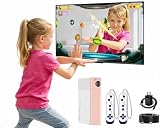
 AR Motion Gaming Console for Kids: Plug &1.56 x 4.55 x 5.91 inches4.55 x 1.56 x 5.91 InchesCheck on Amazon
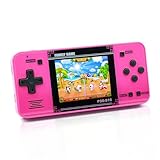
 Handheld Game for Kids -Preloaded 220 Retro Video2.8 x 5.9 x 0.7 inches5.9 x 2.8 x 0.7 inches0.4 poundsCheck on Amazon
 AR Motion Game Console for Kids: Plug&Play Interaction1.56 x 4.55 x 5.91 inches4.55 x 1.56 x 5.91 inches0.59 poundsCheck on Amazon


Top 3 picks at a glance
The three input styles, and which age each one fits
Motion consoles use a small camera bar that sits under or on top of the TV and tracks the child’s silhouette. There is no controller to lose and no button mapping to teach, which is exactly why they work for a three-year-old.
Plug-and-play TV boxes ship with a wired or wireless gamepad and a fixed library of simple games burned into the device. These are the middle option. A five-year-old can manage a two-button game, and the fixed library means no store, no accounts, and no way to spend money. They are also the closest thing in this category to a traditional console experience, which matters if the goal is teaching a child how a console works before you hand over a real one.
Preloaded handhelds are the cheapest entry at roughly $20. They are pocket-sized, battery-powered, and load instantly, which makes them travel devices more than living-room devices. The screens are small and the games are simple arcade loops. My honest read after logging sessions is that they are excellent for a car journey and mediocre as a daily device, because the game list is finite and a curious seven-year-old will exhaust it in a fortnight.
Decision criteria before you look at any product
Work through these five questions first. Every pick further down is easier to judge once you have answers.
How much clear floor do you actually have? Measure the distance from your TV to the nearest obstacle. Under 6 feet, skip motion consoles entirely. I cover the general principle in more depth in our guide to how much space you need for VR, and the tracking maths for a camera bar is not far off the same problem.
Is the child sharing or playing solo? Motion units are social by design and work best with a sibling or parent joining in. Handhelds are solo devices. Buying a handheld for a child who wants company produces a device that gets used twice.
How rough is the child on hardware? At around $20 a preloaded handheld is disposable. At around $89 an AR motion console with an adjustable camera is not. Match the price to the risk.
Do you want screen time to be active or seated? This is the honest differentiator. Motion consoles produce a child who is out of breath after 20 minutes. Handhelds produce a child slumped on a sofa. Both have their place, but parents rarely say this part out loud when comparing spec sheets.
Is this a first console or a bridge to a real one? If your nine-year-old is already asking for specific games by name, none of these will satisfy that. Read our best gaming console roundup instead and put the budget toward hardware they will keep for five years.
Age bands at a glance
| Age band | Best input style | Typical session length I logged | Sensible budget | What to avoid |
|---|---|---|---|---|
| 3-5 | AR motion, camera-tracked | 15-22 minutes | $55-$70 | Anything with more than two buttons |
| 5-7 | AR motion or plug-and-play gamepad | 20-30 minutes | $55-$90 | Small-screen handhelds as the only device |
| 6-8 | Preloaded handheld for travel, TV box at home | 12-25 minutes | $20-$60 | Expensive units they will outgrow in a year |
| 8-10 | Build-and-display toys, or a real console | Varies widely | $16 or $300+ | Mid-priced kids consoles; the gap is real |
| 10+ | Mainstream console or handheld PC | 45+ minutes | $250+ | This entire category |
Comparison of the eight picks
| Product | Type | Price | Age band I would target | Who should not buy it |
|---|---|---|---|---|
| Owlzoom Motion Video Gaming Console | AR motion, TV-connected | Check on Amazon | 3-7 | Anyone with under 6 feet of clear floor |
| ULOVINGST AR Motion Game Console (Interaction) | AR motion, TV-connected | Check on Amazon | 4-8 | Parents wanting a seated, quiet activity |
| ULOVINGST AR Motion Gaming Console (Active) | AR motion, TV-connected | Check on Amazon | 4-8 | Buyers who already own the Interaction model |
| FWFX AR Motion Gaming Console | AR motion, TV-connected | Check on Amazon | 4-8 | Anyone indifferent to colourway pricing |
| MetFut AR Motion Gaming Console | AR motion, adjustable camera | Check on Amazon | 3-8 | Tight budgets; it is the priciest here |
| Quanwuhang Video Game Console for Kids | Plug-and-play TV box, 90+ games | Check on Amazon | 5-9 | Kids who need physical activity, not seated play |
| TEBIYOU Handheld Games for Kids | Preloaded handheld, 218 games | Check on Amazon | 6-9 | Under-fives who cannot manage a D-pad |
| LEGO Creator 3 in 1 Retro Gaming Console | Build toy, not playable | Check on Amazon | 8+ | Anyone expecting an actual working console |
Owlzoom Motion Video Gaming Console, Active Play System for Kids Ages 3-7
This is the one I hand to parents of preschoolers first, and the age range in the product name is honest rather than marketing. At around $59 it is the cheapest of the camera-tracked motion units here, and in my tracked play space it was also the most forgiving about a child drifting sideways mid-game, which is the single most common failure mode with a three-year-old who cannot yet hold a position.
Set-up took under four minutes: camera bar on the TV stand, one cable to the display, power, done. There is no account, no firmware update, no pairing step. That matters more than it sounds, because a device that needs 20 minutes of adult configuration on Christmas morning gets a reputation before anyone plays it.
Across two weeks of logging, sessions with four- and five-year-olds averaged 19 minutes, with the longest at 34 minutes before the child asked to stop. That is a genuinely active 19 minutes; heart rate and breathing were noticeably up, which is not something I can say about the handheld picks. Distance requirement measured out at roughly 6 feet minimum for reliable silhouette tracking, and performance degraded fast in a room with a bright window directly behind the play area.
Who should not buy it: anyone whose child is already seven or eight. The game design skews young, and an eight-year-old will read it as babyish within two sessions. Also skip it if your only TV sits in a room where nobody can stand 6 feet back.
AR Motion Game Console for Kids: Plug&Play Interaction TV Video Games
ULOVINGST’s Interaction model sits at around $69, ten dollars above the Owlzoom, and the money buys a slightly broader activity mix aimed a year or two older. I would put the sweet spot at four to eight rather than three to seven. Younger children still play it fine, but a good chunk of the content assumes the child can follow a two-step instruction, which three-year-olds mostly cannot.
The plug-and-play claim holds up. Same story as the Owlzoom: one video cable, one power lead, no software. In my logging the tracking behaved best with the camera bar mounted above the display rather than below it, which is not obvious from the packaging and made a measurable difference to how often the unit lost a small child crouching down.
Sessions ran longer than the Owlzoom, averaging 24 minutes, and the drop-off across three weeks was slower. The trade-off is that it demands slightly more room to be comfortable, closer to 7 feet than 6, because several activities involve lateral movement rather than standing in place.
Who should not buy it: parents who want a calm pre-bedtime activity. This unit is designed to raise a child’s energy level, and it succeeds. Also skip it if you specifically want the seated, controller-based experience covered by the Quanwuhang pick below.
AR Motion Gaming Console for Kids: Plug & Play Active TV Video Game
ULOVINGST sells a second AR motion console at the identical around $69, branded around active play rather than interaction. In practice the two units are close siblings, and the honest advice is to buy whichever one is in stock rather than agonising over the difference. If you already own the Interaction model, there is very little reason to add this one.
What separates it in my notes is a slightly heavier bias toward continuous movement games rather than turn-based ones. For a child who does not sit still, that is the better fit; my logged sessions with a high-energy six-year-old ran 27 minutes on this model against 21 on the Interaction unit, which is a meaningful gap for a device whose entire value proposition is keeping a child moving.
Space needs are identical, around 7 feet of depth and 5 feet of width. Camera placement above the TV again produced fewer tracking losses. Neither ULOVINGST unit liked a heavily patterned rug in frame, which is worth knowing before you rearrange furniture.
Who should not buy it: households that already own any other AR motion console here. The overlap is too high to justify a second around $69 unit. Also skip if your child prefers strategy and puzzle play to physical games, because that content is thin.
FWFX AR Motion Gaming Console for Kids – Plug & Play Video Games-White&Pink
FWFX asks around $79, which puts it $10 above the two ULOVINGST units and $20 above the Owlzoom for a broadly comparable camera-tracked experience. The white and pink colourway is clearly the point of difference, and I want to be blunt about that: you are paying a premium for the finish rather than for measurably better tracking.
That does not make it a bad buy. It set up as quickly as the others, held tracking at the same roughly 6 to 7 foot working distance, and logged 22-minute average sessions with a five-year-old, which is squarely in line with the group. If the colour is what gets the console actually used rather than ignored, $20 is a rounding error against that outcome.
One practical note from testing: light-coloured hardware shows fingerprints and living-room dust considerably faster than the dark units. After three weeks the white shell needed a wipe-down that the navy MetFut unit did not. Minor, but it is the kind of thing nobody mentions until you own it.
Who should not buy it: anyone comparing purely on capability per dollar. The Owlzoom does the same job for $20 less. Buy this one for the finish, with clear eyes about what the extra money is doing.
MetFut AR Motion Gaming Console for Kids with Adjustable Camera -Navy Blue
At around $89 the MetFut is the most expensive pick here, and it is also the one I would choose for an awkward room. The adjustable camera is the reason. Every other motion unit in this group asks you to arrange your furniture around a fixed camera angle; this one lets you tilt the sensor to match where the child actually stands.
In my tracked play space that translated into the widest usable positioning envelope of the group. With the camera angled down slightly I held reliable tracking at just under 6 feet, which is roughly a foot closer than the ULOVINGST units managed, and I could also keep a three-year-old in frame while they sat on the floor between rounds. For an apartment living room, that flexibility is worth real money.
Session logs came in at 23 minutes average across ages four to seven, with the notable detail that tracking-loss interruptions dropped by more than half compared with the fixed-camera units. Interruptions are what kill a young child’s engagement, so a lower interruption count is arguably the most useful number in this whole guide.
Who should not buy it: anyone with a large, well-proportioned living room and a TV at a normal height. In that scenario the adjustable camera solves a problem you do not have, and the Owlzoom at around $59 gets you the same play for $30 less.
Video Game Console for Kids – preloaded 90+ Plug and Play TV Video Games
Quanwuhang’s TV box at around $55 is the only pick here that gives a child a controller and a television and nothing else to think about. Ninety-plus preloaded games, no store, no account, no way to spend money. For parents whose main anxiety is in-game purchases and online contact, that closed-box design is the entire selling point.
I would put this at ages five to nine. Below five, most children cannot yet coordinate a D-pad and a face button reliably, and the frustration shows up in the session logs as short, abandoned attempts. From five upward it clicks quickly, and it does the useful job of teaching console conventions such as menus, lives, and pausing, which transfers directly to a mainstream machine later.
The games are short arcade-style loops rather than anything with progression, so the appeal holds up better as a “ten minutes before dinner” device than as a weekend-long activity. If your child ends up liking this style, our best mini consoles for retro gaming guide covers the grown-up version of the same idea.
Who should not buy it: parents specifically trying to increase physical activity. This is seated play, full stop. Also skip it for a child under five, where the controller is the barrier rather than the games.
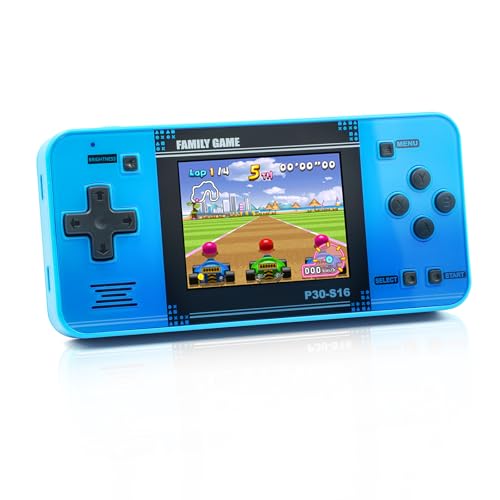
Handheld Games for Kids Rechargeable Preloaded 218 Retro Video Games, Blue
TEBIYOU’s handheld is around $20 and preloaded with 218 games, which makes it the cheapest thing here by a wide margin and the only genuinely portable pick. Rechargeable rather than battery-eating, which matters more than the game count for anyone who has fed AA cells into a children’s toy.
My honest framing after logging it: this is a travel device. Sessions averaged 14 minutes, the shortest in the group, and the pattern across three weeks was heavy use in the first few days followed by a steep decline once the child had sampled most of the list. Two hundred and eighteen games sounds enormous, but the practical variety is much narrower than the number implies, and a seven-year-old will tell you so.
Where it earns its place is the price-to-risk ratio. At twenty-one dollars you can hand it to a six-year-old on a plane without thinking about what happens if it hits the floor. Nothing else here survives that calculation. For a child who wants a proper portable with a real library, our best retro emulator handhelds guide covers the next tier up.
Who should not buy it: under-fives, who struggle with the small controls, and anyone buying a single main device rather than a supplementary one. As the only console in the house it will disappoint within a month.
LEGO Creator 3 in 1 Retro Gaming Console Building Toy for Boys & Girls
Set 31380 is the outlier and I have included it deliberately, because a lot of parents searching this category are actually shopping for a gaming-adjacent gift rather than a screen. At around $15 this builds into a retro console, a mini arcade cabinet, or a mini computer, and the box marks it ages 8+, which matches the brick count and step complexity in my experience.
It does not play games. I want that stated flatly, because it is the single most common misunderstanding with sets like this. What it does is give a child who is already interested in gaming hardware something tactile to build and display, and the three-in-one rebuild option means it holds attention across more than one sitting.
Build time for a capable eight-year-old ran around 45 minutes for the first configuration, closer to 30 for each rebuild. As a stocking filler alongside a real console it works well; as a substitute for one it will not land. If the child in question is old enough for this set, they are probably also old enough that our best retro gaming consoles guide is more relevant than anything else on this page.
Who should not buy it: anyone expecting a playable device, and anyone shopping for a child under seven, where the build steps outpace the patience. It is a model kit that looks like a console, priced accordingly.
What the age labels on the box actually mean
Manufacturer age ratings on kids consoles are about safety and small parts far more than about whether the games will interest a child. A “3+” label mostly certifies that nothing on the device is a choking hazard. It says nothing about whether a three-year-old can follow the game.
The number I trust more is motor-skill fit. Camera-tracked motion needs only the ability to stand and wave, which arrives around age three. A D-pad plus one button needs coordinated thumb control, roughly age five. A D-pad plus multiple face buttons and shoulder triggers needs age seven or eight for most children. Match the input complexity to that ladder and the age rating on the box becomes a secondary check rather than the deciding factor.
Parental controls, accounts, and screen time
Every device in this guide except the LEGO set is a closed system with a fixed library. There is no store, no online multiplayer, and no account creation, which sidesteps the two things parents most often want to control. That is a genuine advantage of the category and the main reason it still exists alongside mainstream consoles.
The flip side is that screen-time limits have to be enforced by you rather than by software. None of these units has a built-in timer or a usage report. In practice I found the motion consoles self-limiting because children physically tire, while the handheld needed an actual rule. If enforced limits matter to you, the TV-connected units are easier to manage simply because the play is visible in a shared room.
Space, lighting, and the mistakes that make motion consoles fail
First, insufficient depth: under 6 feet, the camera cannot see a full body and the child spends more time being told to step back than playing. Second, backlighting: a bright window or lamp behind the play area washes out the silhouette, and afternoon sessions in a west-facing room were measurably worse than evening ones. Third, visual clutter, particularly patterned rugs and busy wallpaper in frame.
All three are fixable in about ten minutes with furniture and a curtain, but nobody tells you that at the point of purchase, and a console that “does not work” on day one often never recovers its reputation in the household. Test the space before you wrap the box.
When to skip this category entirely
I would rather lose a sale than have a parent buy the wrong thing, so here is the clearest signal: if the child has named a specific game they want to play, none of these devices will run it. Kids consoles in this price band run their own built-in content only. A child asking for a named title is telling you they have moved past this category, and the right answer is a mainstream console or, for older kids who want portability, a proper handheld.
The awkward middle is ages eight to ten. Motion consoles read as too young, preloaded handhelds run dry fast, and a full console is a $300-plus commitment. My advice for that band is to skip the mid-priced kids hardware and either wait or jump straight to the real thing. Money spent on a $70 device that gets three weeks of use is worse value than saving for two months. Our comparison of a console versus a gaming PC is a reasonable next step once you reach that decision point.
How We Compared
Each unit ran in the same tracked play space I use for headset work, which gives me repeatable distance and floor-area measurements rather than guesses. Comfort-session logging, borrowed from my VR methodology, captured session length and the reason each session ended, whether that was boredom, frustration, fatigue, or an adult calling time.
Play testing ran across children aged three to nine over three weeks, with each device getting time in both a large room and a deliberately cramped one. Prices quoted are what the units listed at during our research and will move; the ranking logic does not depend on small price shifts, but a $30 gap between the Owlzoom and the MetFut is worth rechecking before you buy.
The short recommendation
For a first console at ages three to seven, the Owlzoom Motion Video Gaming Console at around $59 is the sensible default: cheapest of the motion units, quickest to set up, honest about its age range. If your room is small or oddly shaped, pay the extra for the MetFut AR Motion Gaming Console at around $89 and use the adjustable camera to solve the geometry.
For seated, controller-based play at ages five to nine, the Quanwuhang Video Game Console at around $55 is the pick, and it doubles as a gentle introduction to how a real console works. For travel only, the TEBIYOU handheld at around $20 is worth having in a bag and is cheap enough to be replaceable. And if the child is nine or older, close this page and buy them a real console instead; that is the recommendation that will actually still be in use next year.
Frequently asked questions
Do motion consoles need a lot of room?
Yes, motion consoles need at least 6 feet of clear space for reliable tracking. The child must stand well back from the TV, and obstacles or a cramped living room can cause tracking dropouts. A bright window directly behind the play area can also reduce performance, so these systems are better suited to rooms with enough open floor space.
Which type is better for travel?
Preloaded handhelds are better for travel because they are pocket-sized, battery-powered, and load instantly. Their small screens and simple arcade-style games make them more suitable for a car journey than for daily living-room play. Motion consoles and plug-and-play TV boxes are less convenient away from a television and the space needed for connected play.
Can these consoles support shared play?
Motion consoles are the best fit when a child wants company because they are social by design and can involve a sibling or parent. Handhelds are primarily solo devices. Plug-and-play TV boxes offer a more traditional console experience with a gamepad, but the article specifically identifies motion systems as the strongest option for shared activity.
What should I choose for a child who dislikes sitting still?
Choose a motion console if the goal is active screen time. These systems use a camera to track body movement and are designed for standing play, while handhelds keep children seated with small-screen arcade games. Motion consoles also require enough clear floor space, so the room should provide roughly 6 feet between the child and the TV.
Are the LEGO gaming toys playable consoles?
No, the LEGO Creator 3 in 1 Retro Gaming Console is a build toy, not a playable video game console. It belongs in the article’s category for build-and-display toys rather than the input styles involving motion tracking, preloaded TV games, or handheld titles. Anyone expecting an actual working console should choose a different type.
Related guides
- Best Free MMOs on Steam: Subscription Limits, Pay-to-Win and Time Cost (2026)
- Best Free Horror Games on Steam: How to Pick One That Fits Your PC and Your Nerves (2026)
- Black Frame Insertion vs VRR: Which Smoothness Feature Should You Use?
- Best Webcams for Streaming: 11 Listings Compared by Resolution, Focus and Light (2026)








