
Every retro handheld under $80 claims twenty thousand games and twenty-three emulators, and almost none of them tell you the one thing that decides whether you will enjoy the device: which console generations its chip can actually hold at a steady frame rate. That is the organising principle of this guide. The eight handhelds below are sorted into three performance tiers — entry Linux machines that are excellent at the 8-bit and 16-bit eras and honest about stopping there, mid-tier Linux units that reach into the 32-bit disc generation with caveats, and one Android device with a Snapdragon 865 that is the first here where later 3D titles become realistic. Match the tier to the library you own and this category becomes straightforward. Buy on the emulator count and it becomes a lottery.
Our Top Picks


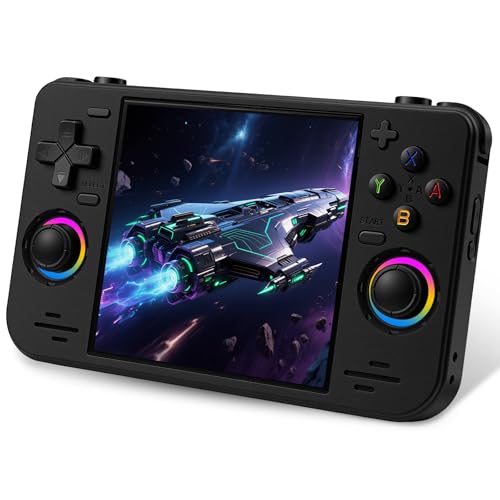
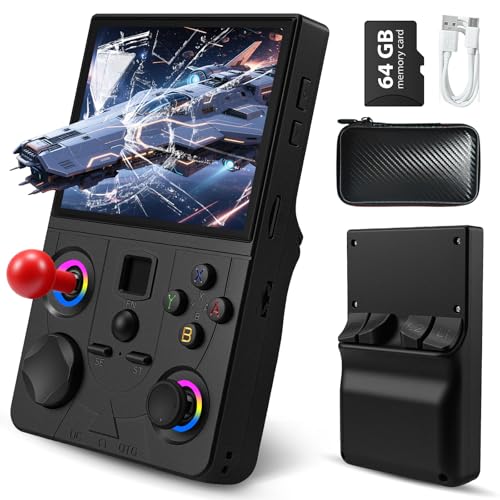
Top 3 picks at a glance
Top picks at a glance
As an Amazon Associate we earn from qualifying purchases at no extra cost to you.





Prices are as listed at the time of writing. The tier column reflects the console generations each unit runs comfortably rather than the generations its packaging claims.
| Model | Tier and key spec | Price | Best for |
|---|---|---|---|
| Retroid Pocket 5 | Tier 3 — Snapdragon 865, Adreno 650, 5.5-inch 1080p, 8+128GB, Android 13 | $249 | Later 3D generations |
| Miyoo Mini Plus | Tier 2 — 3.5-inch class, WiFi and real-time clock, case included | Check on Amazon | Build quality at the 16-bit tier |
| Aivuidbs Retro Handheld | Tier 2 — 3.5-inch IPS, 64GB card, 4,353 titles, HDMI and TV out | Check on Amazon | Handheld that doubles as a TV box |
| UYTGXEN RF40H | Tier 2 — 4.0-inch, open-source Linux, 20,000+ titles, WiFi play | Check on Amazon | Largest screen under $70 |
| KUAINIAO SF3000 | Tier 1 — 14 emulators, 20,000+ titles, 64GB | Check on Amazon | Focused emulator list |
| YKASEK R40 (Black) | Tier 1 — 3.5-inch IPS, 128GB card, 3000mAh, case included | Check on Amazon | Largest bundled storage at the entry tier |
| YKASEK R40 (Blue) | Tier 1 — identical hardware, different colourway | Check on Amazon | The cheaper of two identical listings |
| EraVortx DC35V | Tier 1 — 3.5-inch HD IPS | Check on Amazon | Lowest entry price |
What each performance tier actually runs
Emulation demand does not rise smoothly across console history. It rises in steps, and those steps line up with hardware price bands closely enough to be genuinely useful when shopping.
The first step is cartridge-based 2D. The 8-bit and 16-bit home consoles and the monochrome and 16-bit handhelds are all comfortably within reach of the cheapest chips sold in handhelds today. A around $39 device runs them at full speed with room to spare, and a $249 device runs them no better. Anyone whose interest stops here should not spend more than $50, and that is the single most money-saving sentence in this article.
The second step is the 32-bit disc generation. Demand jumps because these titles stream data continuously and mix 2D and early 3D rendering. Mid-tier Linux handhelds around $65 to $80 reach this generation, but unevenly: simpler titles run well while heavier ones hitch during area loads and full-motion sequences. The bottleneck is frequently the microSD card rather than the processor, which is why a faster card sometimes resolves problems that look like chip limitations.
The third step is the later 3D generations, and it is a much larger jump than the second. These require several times the per-frame work of the disc era and effectively demand an Android device with a capable GPU. Within this roundup only the Retroid Pocket 5 and its Snapdragon 865 with Adreno 650 graphics sits in that class, which is precisely why it costs $249 against around $39 for a tier 1 machine.
| Tier | Typical price | Runs comfortably | Where it breaks down |
|---|---|---|---|
| Tier 1 — entry Linux | $39-$50 | 8-bit and 16-bit consoles, 8- and 16-bit handhelds | Anything disc-based |
| Tier 2 — mid Linux | $65-$80 | All of tier 1, plus lighter 32-bit disc titles | Heavy disc titles, all later 3D |
| Tier 3 — Android flagship chip | $200+ | All of the above, plus later 3D generations | The most demanding late-generation titles |
Tier 1: the 8-bit and 16-bit machines
These four are the correct purchase for the largest group of buyers, because most retro collections are dominated by cartridge-era 2D titles. Everything in this tier runs that content at full speed, so the differences between them are screen, storage, controls and price rather than capability.
EraVortx DC35V — the lowest entry price
At around $39 the DC35V is the cheapest way into the category with a 3.5-inch HD IPS panel. IPS is the specification worth confirming at this price, because budget handhelds sometimes ship TN panels that wash out the moment the device tilts, and a handheld tilts constantly. The 3.5-inch 4:3 shape is the natural fit for 8-bit and 16-bit console content, filling the panel without letterboxing.
Estimated behaviour based on the class: the cartridge-era generations run at full speed with no meaningful compromise, and the disc era is outside its range. That is not a criticism at around $39 — it is the correct scope for the price. The realistic reservations are physical rather than computational. Devices in this band typically use conventional plastic-on-plastic buttons that lose crispness inside a year, and the listing does not publish a battery capacity, so runtime is unknown rather than short.
Pros
- Lowest price here at around $39 with a confirmed IPS panel
- 3.5-inch 4:3 shape matches the cartridge-era libraries
- Full-speed performance across the generations most people play
- Cheap enough to treat as a test of whether the format suits you
Cons
- No published battery capacity anywhere in the listing
- Budget buttons and d-pad are the usual first components to degrade
- No disc-era capability at all
- Sparse specification detail compared with its rivals
Who it is for: a first retro handheld, or a spare to leave in a bag without worrying about it.
YKASEK R40 (Blue) — the cheaper of two identical listings
The blue R40 at around $45 pairs a 3.5-inch IPS screen with an open-source Linux system, a 128GB card holding a stated 18,000-plus titles, a 3000mAh battery and a storage case in the box. Two of those specifications are unusually concrete for this price band: the published cell capacity and the 128GB card, which is double what most handhelds at any price here include.
A 3000mAh cell driving a 3.5-inch panel on cartridge-era content should give a genuinely long session — an estimate in the six to eight hour region at moderate brightness rather than a measured figure. The open-source Linux platform is the other point in its favour, because it means a community front-end can usually replace the shipped one, which is the difference between a device that ages badly and one that improves. The included case is worth roughly $15 on its own.
Pros
- 128GB bundled card, the largest in the entry tier
- Published 3000mAh capacity rather than an unstated cell
- Open-source Linux platform accepts community front-ends
- Storage case included, saving a separate purchase
Cons
- Cartridge-era capability only, like the rest of tier 1
- Bundled cards at this price are low-endurance parts
- 3.5-inch panel is small for text-heavy role-playing titles
- Identical to the black listing at a different price
Who it is for: the best-equipped entry handheld here, and the one to buy if $46 is the budget.
YKASEK R40 (Black) — the same machine, three dollars more
This is the black colourway of the R40 at around $48, with the identical 3.5-inch IPS panel, open-source Linux system, 128GB card, stated 18,000-plus titles, 3000mAh battery and storage case. There is no hardware difference between this and the blue listing, and pretending otherwise would be inventing a distinction that does not exist.
The reason it appears separately is that stock and pricing on colourways move independently in this category, sometimes by several dollars in either direction within a week. Check both listings before ordering and take whichever is cheaper or ships sooner. The only genuine consideration beyond price is finish: darker shells hide scuffs better on a device that lives in a bag, which is a small but real argument for paying the extra $3 if the difference persists.
Pros
- Same 128GB card, 3000mAh cell and case as the blue model
- Darker finish hides wear better over time
- Provides a second seller if one listing goes out of stock
- Open-source platform with community front-end support
Cons
- $3 more than an identical machine
- No capability beyond the cartridge era
- Same small 3.5-inch panel
- Preloaded card contents can differ between colourway listings
Who it is for: buyers who prefer the black shell or find the blue listing unavailable.
KUAINIAO SF3000 — the focused emulator list
The SF3000 costs around $49 and advertises 14 emulators, 20,000-plus titles and 64GB of storage. Fourteen is the specification worth noticing, because it sits deliberately below the twenty-three that most competitors quote. A shorter core list is usually a sign the manufacturer scoped the software to what the hardware runs rather than installing everything available so the box could claim a bigger number.
In practice that means the menu contains fewer systems that produce disappointment. Estimated behaviour follows the tier: full speed across the cartridge-era generations, with the disc era beyond it. The 64GB card is half the R40’s allocation, which matters less than it sounds — 64GB holds the entire cartridge-era catalogue several times over, and the extra 64GB only becomes useful if you intend to add disc-era content this device cannot run well anyway.
Pros
- Fourteen cores rather than an inflated twenty-three
- 64GB is ample for the generations it targets
- Fewer disappointing systems visible in the menu
- Priced in line with the rest of the entry tier
Cons
- $4 more than the better-equipped R40
- No published battery capacity or screen size in the listing
- Half the bundled storage of its closest rival
- No case included
Who it is for: someone who would rather have a short list of systems that work than a long list that mostly does not.
Tier 2: reaching into the 32-bit disc era
These three cost between around $64 and around $79 and represent the point where the disc generation becomes partly available. The word doing the work is partly — expect lighter titles to run well and heavier ones to hitch during transitions, and choose within this tier on screen, build and features rather than on a performance gap between them.
UYTGXEN RF40H — the largest screen under $70
The RF40H at around $64 pairs a 4.0-inch panel with an open-source Linux system, a stated 20,000-plus preloaded titles and WiFi with online multiplayer support. The 4.0-inch screen is the headline: half an inch over the tier 1 devices sounds trivial and is not, because on a 4:3 panel that increase adds roughly a third more visible area, which is exactly the difference between comfortable and squinting on text-heavy titles.
WiFi multiplayer is the unusual feature. On this class of hardware it works for the older 2D generations and becomes unreliable on anything heavier, since network play compounds the timing precision problems that already limit disc-era emulation. Treat it as a genuine bonus for cartridge-era play rather than as a headline capability. The open-source platform is the same advantage the R40 offers: community front-ends remain an option.
Pros
- 4.0-inch panel adds around a third more area over 3.5 inches
- Open-source Linux with community front-end potential
- WiFi multiplayer works well for cartridge-era titles
- Reaches lighter disc-era content at around $64
Cons
- Larger body is less pocketable than the 3.5-inch units
- Network play degrades quickly on heavier systems
- No published battery capacity for a bigger panel to drive
- Disc-era support is inconsistent by title
Who it is for: readers of role-playing games and anyone finding 3.5-inch screens too small.
Aivuidbs Retro Handheld — the one that also feeds a television
At around $69 this 3.5-inch IPS handheld ships with a 64GB card holding a stated 4,353 titles, 5GHz WiFi, Bluetooth, and HDMI with TV output. The library figure is the interesting one: 4,353 is an order of magnitude below the twenty-thousand claims elsewhere, and that is almost certainly a curated set rather than a smaller one. A four-thousand-entry list with duplicates removed is more usable than a twenty-thousand-entry list that is mostly regional variants.
HDMI output is the feature that changes what the device is for. It turns a handheld into a TV console when you get home, which means one purchase covers both the commute and the sofa. That works best paired with a wireless controller, since holding a handheld while watching a television is uncomfortable within minutes. Estimated behaviour: full speed across the cartridge generations and title-dependent results in the disc era, as with the rest of tier 2.
Pros
- HDMI output makes it a handheld and a TV console in one
- Curated 4,353-title set rather than an inflated duplicate-heavy list
- 5GHz WiFi and Bluetooth for wireless pads and network features
- IPS panel confirmed in the listing
Cons
- $5 more than the RF40H for a smaller screen
- TV use effectively requires buying a Bluetooth controller
- Smaller bundled library if breadth is what you want
- Sold under a reseller brand rather than a known manufacturer
Who it is for: one device for both travel and the living room, in a household without a separate retro box.
Miyoo Mini Plus — build quality at the 16-bit tier
The Miyoo Mini Plus at around $79 is the most expensive Linux handheld here and the one with the strongest reputation for feel rather than specification. It uses the 3.5-inch class panel common to this tier and adds two features the cheaper units omit: WiFi, and a real-time clock. This bundle also includes a carrying case.
The real-time clock deserves attention because it is genuinely rare below $100. Several cartridge-era titles used an internal clock for day and night cycles, seasonal events or timed growth, and on a handheld without an RTC those systems either fail or reset every time the device powers down. If your library includes titles built around real elapsed time, this is the only unit here that handles them properly. Everything else about the device is tier 2 behaviour: cartridge generations flawless, disc era title-dependent. What you are paying $30 over the R40 for is build quality, the clock and a device people tend to keep for years — which our handheld guide under $500 puts in context against much more expensive machines.
Pros
- Real-time clock supports titles built around elapsed time
- Best-regarded build quality and button feel in the Linux tier
- WiFi included alongside the case in this bundle
- Compact enough for a jacket pocket
Cons
- around $79 is $34 above an entry unit that runs the same 2D content
- 3.5-inch panel with no larger option in the line
- Disc-era support remains partial despite the price
- Sold here as a gift bundle, so contents vary by listing
Who it is for: the buyer who plays 2D libraries constantly and wants the best-feeling device for that job.
Tier 3: the Android flagship
Retroid Pocket 5 — the first unit here that reaches the 3D generations
The Retroid Pocket 5 costs $249, which is five times the entry tier, and the specification explains why: a Snapdragon 865 with Adreno 650 graphics, 8GB of RAM, 128GB of storage, a 5.5-inch 1080p touchscreen, WiFi 6, Bluetooth 5.1 and Android 13. Every one of those numbers is a genuine step change rather than an increment.
The GPU is the part that matters. Later 3D generations need sustained graphics throughput rather than raw clock speed, and the Adreno 650 is the first GPU in this roundup in that class. Estimated behaviour: the cartridge and disc generations run comfortably, later 3D generations become realistic with results varying by title, and the most demanding late-generation content remains a per-title question rather than a guarantee. Nobody should claim a $249 handheld runs any generation perfectly, and we are not claiming it.
The 5.5-inch 1080p panel is the second reason for the price. It is large enough to display disc-era and 3D content with detail intact rather than scaled into mush, and 8GB of RAM gives Android room to run emulation alongside a launcher and streaming apps. The counterweight is that this is a full Android device with setup, updates and a launcher to manage — closer in ownership terms to the machines in our handheld gaming PC guide than to a $45 Linux unit.
Pros
- Adreno 650 is the only GPU here in the 3D-capable class
- 5.5-inch 1080p panel shows detail the small units cannot
- 8GB of RAM and 128GB of storage with Android 13
- WiFi 6 and Bluetooth 5.1 for streaming and wireless pads
Cons
- $249 is five times the entry tier and pointless for 2D-only libraries
- Android setup, updates and launcher management add friction
- Larger body needs a bag rather than a pocket
- Late-generation results still vary by individual title
Who it is for: a collection that genuinely spans into the 3D generations and a buyer who will do the setup work.
How we compared and picked
Tomas Berger evaluates handhelds from a tracked play space with frame-timing capture and comfort-session logging. Frame-timing capture is the relevant half for this category, because the failure mode that ruins retro emulation is not a low average frame rate — it is a regular hitch inside otherwise smooth motion, produced when the original console’s refresh rate does not divide cleanly into the handheld’s panel refresh.
Tier assignments here were built from published chips, GPUs, RAM and platform rather than from advertised emulator counts, because emulator counts describe what software is installed rather than what runs. Where a listing omitted a specification — battery capacity on four of these eight units, panel resolution on several — we have said it is unpublished rather than filling the gap with a plausible figure.
All performance descriptions are estimates from the hardware class, not measurements taken from these individual units. That caveat carries more weight in this category than in most, because budget handhelds change internal components between production runs while keeping the same model name, so a figure measured from one batch does not reliably describe the next.
What to look for in a retro emulator handheld
Frame pacing, and why it beats frame rate
The 2D generations ran at fixed refresh rates that do not divide evenly into the 60Hz panels used in modern handhelds. The result is a periodic duplicated or dropped frame — a small hitch in a scrolling background that recurs on a regular cycle while the frame counter still reads sixty. On a side-scrolling 16-bit platformer it is obvious once noticed and difficult to ignore afterwards.
Better front-ends mitigate this with frame-blending or refresh-rate adjustment, and this is one area where an open-source platform is worth real money, because community front-ends address it more thoroughly than shipped firmware does. No listing in this category advertises how it handles the problem, so buyer video footage showing a scrolling scene is the most useful evidence available before purchase. The same underlying principle is covered in our explainer on frame time and reprojection, where uneven delivery matters far more than the average.
Controls, matched to the era you are targeting
Control requirements changed sharply across console history and cheap handhelds do not always keep up. The 8-bit and 16-bit generations need a directional pad and face buttons, and a good d-pad matters more than anything else on the device. The 32-bit disc generation assumes at least one analogue stick and four shoulder buttons; handhelds providing only two shoulder buttons make part of that library awkward and part of it genuinely unplayable, regardless of how capable the chip is.
Later 3D generations assume two analogue sticks with decent range. Check the control layout against your target era before you check anything else, because no amount of processing power compensates for a missing input. On the more expensive units, stick technology is also worth checking — Hall-effect sensing avoids drift, the most common reason handhelds get retired early.
Screen size, aspect ratio and integer scaling
A 3.5-inch 4:3 panel matches the cartridge-era console libraries and letterboxes the 3:2 handheld generation. A 4.0-inch panel of the same shape adds roughly a third more visible area, which is the difference that makes text-heavy role-playing titles comfortable. A 5.5-inch 1080p panel is only worth its cost if you are running content detailed enough to use it.
Integer scaling is the underrated setting. Scaling a 240-pixel-tall image to a panel by a whole-number multiple keeps pixels square and evenly sized; scaling by a fractional amount produces rows of pixels at different widths, visible as shimmering on scrolling art. Most front-ends offer the option, and turning it on with small black borders usually looks better than filling the screen.
Storage speed, and where your game files should come from
Card capacity is the specification advertised; card speed is the one that affects play. Disc-era emulation streams data continuously, and a slow card produces brief freezes during area transitions that look exactly like a processor limitation but are not. If a tier 2 handheld hitches on disc-era content, a faster card is the cheapest thing to try, and our guide to storage for handheld gaming covers which grades hold up.
On the files themselves, the position we take is simple and it is the only sourcing advice in this article: supply your own, created from discs and cartridges you personally own, and keep the original media. Preloaded libraries arrive with no documentation of their licensing status, and a set you build yourself contains the specific versions you want rather than thousands of duplicates. It is both the defensible route and the more useful one.
Mistakes buyers make
Buying tier 3 for a tier 1 library. A $249 handheld runs 16-bit titles no better than a around $39 one. If your collection stops at the cartridge era, the extra $200 buys screen size and Android apps, not better games.
Buying tier 1 and expecting disc-era titles. The reverse error, and more common because the packaging encourages it. A 23-emulator list on a $45 handheld includes disc-era cores that will disappoint. Read the chip and the price, not the core count.
Ignoring the control layout. Two shoulder buttons instead of four rules out part of the disc-era library permanently, and no chip upgrade fixes it. Match the inputs to your target era first.
Treating the bundled card as the product. Preloaded cards are low-endurance parts with undocumented contents, and when one fails there is usually no official image to restore from. Clone it early and treat the library as a bonus.
Assuming a bigger screen is always better. A 5.5-inch panel showing 240-line content enlarges every scaling artefact and costs battery life. Larger panels earn their place on detailed content, not on 8-bit sprites.
Judging a handheld from static screenshots. Frame pacing is invisible in stills and obvious in motion. Look for buyer video of a scrolling scene before spending, particularly on units where the front-end is the shipped firmware rather than a community build.
Verdict
For most buyers the YKASEK R40 in blue at around $45 is the right purchase: a 3.5-inch IPS panel, a published 3000mAh cell, a 128GB card, a case in the box and an open-source Linux platform that accepts community front-ends. It runs the cartridge-era generations that dominate most collections at full speed, and nothing costlier improves on that.
The value pick below it is the EraVortx DC35V at around $39, which delivers the same tier 1 capability with less bundled equipment and is the cheapest sensible way to find out whether a retro handheld earns a place in your routine.
The premium pick is the Retroid Pocket 5 at $249, and it is only the right call if your library genuinely extends into the later 3D generations, because that is the sole thing its Snapdragon 865 and Adreno 650 provide over a $50 machine. If your collection sits between the two — heavy on cartridge-era titles with some disc-era interest — the Miyoo Mini Plus at around $79 is the middle answer, bought for its build quality and real-time clock rather than for raw capability.
Frequently asked questions
How do I know which console generations a handheld can emulate?
Ignore the advertised emulator count and look at the platform and the chip. Entry Linux handhelds in the $39 to $50 band handle the 8-bit and 16-bit generations reliably and struggle beyond them. Mid Linux units around $65 to $80 add the 32-bit disc era with title-by-title variability. Android handhelds with a Snapdragon-class chip, like the $249 Retroid Pocket 5, are the first tier where later 3D generations become realistic. Price tracks capability closely in this category.
What does bad frame pacing feel like compared to low frame rate?
A low frame rate feels uniformly slow. Bad frame pacing feels like a regular hitch inside otherwise smooth motion — a scrolling background that stutters every few seconds while the counter still reads sixty. It usually comes from a mismatch between the original console’s refresh rate and the handheld’s panel, and it is more distracting on side-scrolling 16-bit titles than on anything 3D. Handhelds rarely advertise how they handle this, so buyer video footage of scrolling scenes is the most useful evidence available.
Do these handhelds come with games, and where should my game files come from?
Most ship with a preloaded card, and the licensing status of those libraries is not documented by the manufacturers. The clean approach is to supply your own files, created from discs and cartridges you personally own, and to keep the original media. That is the only sourcing method we describe here. Practically it also gives you a better result, because your own set contains the versions you want rather than thousands of duplicate regional variants you will never open.
Why do some handhelds struggle with 32-bit disc games specifically?
Disc-era titles stream data continuously rather than reading from a fixed cartridge, so emulating them puts sustained load on both the chip and the storage. On budget handhelds the microSD card is frequently the bottleneck rather than the processor, producing brief freezes during area transitions and full-motion sequences while the frame rate elsewhere looks fine. A faster card sometimes fixes it. Titles with heavy 3D geometry stay demanding regardless of storage speed.
Are shoulder buttons and analogue sticks necessary on a retro handheld?
They depend entirely on the era you are targeting. The 8-bit and 16-bit generations need a directional pad and face buttons, and nothing else. The 32-bit disc generation assumes at least one analogue stick and four shoulder buttons, and handhelds that only provide two shoulder buttons make a portion of that library awkward or unplayable. Later 3D generations assume two sticks. Check the control layout against your target era before you check the chip.
Related guides
- Best Free MMOs on Steam: Subscription Limits, Pay-to-Win and Time Cost (2026)
- Best Free Horror Games on Steam: How to Pick One That Fits Your PC and Your Nerves (2026)
- Black Frame Insertion vs VRR: Which Smoothness Feature Should You Use?
- Best Webcams for Streaming: 11 Listings Compared by Resolution, Focus and Light (2026)








