The best monitor for a Nintendo Switch is a 22 to 24-inch screen with an HDMI input, because the original console’s dock outputs 1080p at most and a bigger panel mainly spreads those pixels thinner. From the eight listings below, the 24-inch Sceptre C248W-FW100T is the easiest all-round pick on its title alone: two HDMI ports, DisplayPort for a PC, 100Hz and built-in speakers. The 22-inch Sceptre E225W-FW144 is the cheapest sensible fit. Refresh rate matters far less than the marketing suggests, since Nintendo’s published specs put the original console at 60Hz output. Size, HDMI count and sitting distance decide how this setup feels, so the pixel table further down turns them into numbers.
Our Top Picks
 Sceptre Curved 24-inch Gaming Monitor 1080p R1500 98%24-Inches16.04 x 21.61 x 9.06 inches6 PoundsCheck on Amazon
 Philips 22 Inch Computer Monitor FHD 100Hz VA22 inch 100Hz8.7 x 19.4 x 14.5 Inches9.3 poundsCheck on Amazon
 SANSUI 32 Inch Curved 240Hz Gaming Monitor High32 inch24.19 x 8.06 x 17.75 Inches9.7 PoundsCheck on Amazon
 New! Sceptre 27-inch Prime Gaming Monitor DisplayPort x227 inches6.7 x 24.2 x 17.4 Inches7 poundsCheck on Amazon
The eight listings side by side
Sceptre Curved 24-inch Gaming Monitor 1080p R1500 98% sRGB HDMI x2 VGA Build-in Speakers, VESA Wall Mount Machine Black (C248W-1920RN Series)


As an Amazon Associate we earn from qualifying purchases. Product prices and availability are accurate as of the date/time indicated.

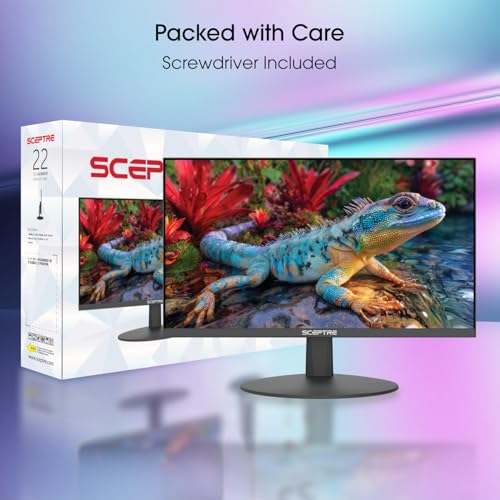
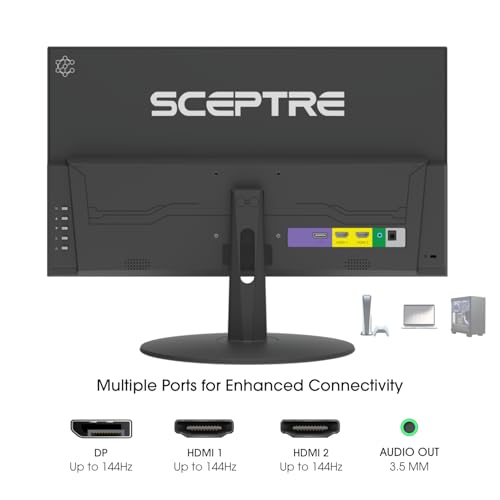
Sceptre New 22-Inch Gaming Monitor, FHD 1080p, Up to 144Hz, HDMI, DisplayPort, Built-in Speakers, Machine Black (E225W-FW144 Series, 2026)



As an Amazon Associate we earn from qualifying purchases. Product prices and availability are accurate as of the date/time indicated.

Sceptre New 24-inch Curved Gaming Monitor 1080p up to 180+Hz DisplayPort HDMI 100% sRGB, AMD FreeSync Build-in Speakers Machine Black 2026 (C248B-FWT168 Series)


As an Amazon Associate we earn from qualifying purchases. Product prices and availability are accurate as of the date/time indicated.
Philips 22 Inch Computer Monitor FHD 100Hz VA VESA Flicker-Free, 221V8LB | 1920×1080 LED Monitor, 4ms GtG, Adaptive Sync, HDMI 1.4, Tilt Adjust, Low Blue Light, 4yr Advance Replacement Warranty


As an Amazon Associate we earn from qualifying purchases. Product prices and availability are accurate as of the date/time indicated.
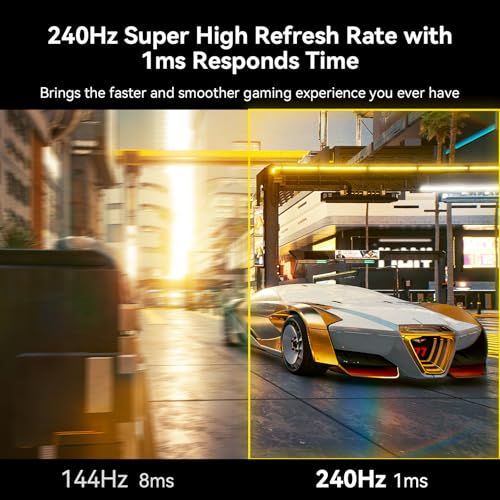
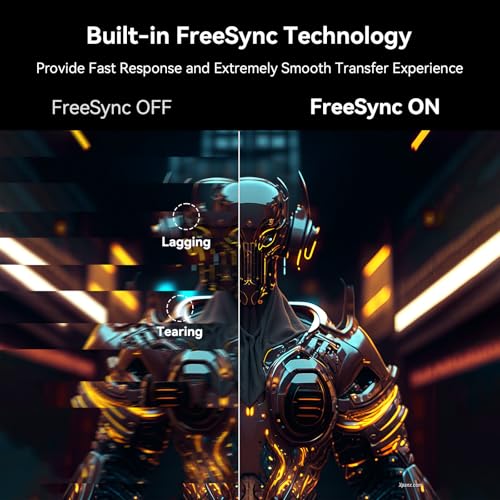
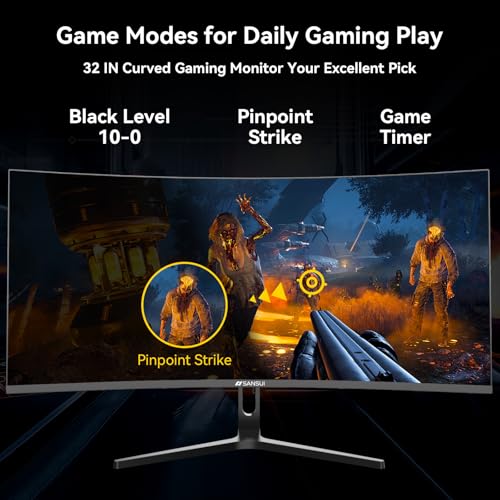
SANSUI 32 Inch Curved 240Hz Gaming Monitor High Refresh Rate, FHD 1080P | Gaming PC Monitor HDMI DP1.4, 1500R Curvature, 1Ms MPRT, HDR,Metal Stand,VESA Compatible(DP Cable Incl.)




As an Amazon Associate we earn from qualifying purchases. Product prices and availability are accurate as of the date/time indicated.
New! Sceptre 27-inch Prime Gaming Monitor DisplayPort x2 180Hz HDMI x2 180Hz Build-in Speakers, Machine Black 2027 (E275B-FW180T Series)


As an Amazon Associate we earn from qualifying purchases. Product prices and availability are accurate as of the date/time indicated.

New! Sceptre Curved 24-inch Gaming Monitor 1ms 100Hz 1500R DisplayPort HDMI X2 Eye Care 100% sRGB Build-in Speakers, Machine Black 2026 (C248W-FW100T Series)


As an Amazon Associate we earn from qualifying purchases. Product prices and availability are accurate as of the date/time indicated.

Sceptre 27-inch Prime Gaming Monitor 100Hz 1ms DisplayPort HDMI x2 100% sRGB AMD FreeSync Build-in Speakers, Eye Care Frameless Machine Black 2025 (E275W-FW100T Series)


As an Amazon Associate we earn from qualifying purchases. Product prices and availability are accurate as of the date/time indicated.
| Model | Key point from title | Price tier | Best for |
|---|---|---|---|
| Sceptre C248W-1920RN | 24-inch curved, 1080p, 98% sRGB, 2x HDMI plus VGA, speakers | Budget | Plain HDMI screen with a spare input |
| Sceptre E225W-FW144 | 22-inch, 1080p, up to 144Hz, HDMI plus DisplayPort | Budget | Sharpest picture per dollar, tight desks |
| Sceptre C248B-FWT168 | 24-inch curved, “180+Hz” claim, DisplayPort and HDMI, 100% sRGB | Mid-range | PC-first desks that also host a Switch |
| Philips 221V8LB | 22-inch VA, 100Hz, 4ms GtG, HDMI 1.4, tilt stand | Budget | Dim-room play, longest warranty claim |
| SANSUI 32-inch curved | FHD 240Hz, HDMI plus DP 1.4, HDR claim, VESA | Premium | Couch-distance viewing |
| Sceptre 27-inch Prime E275B-FW180T | 2x DisplayPort, 2x HDMI, 180Hz; resolution not in title | Mid-range | Multi-device desks |
| Sceptre C248W-FW100T | 24-inch curved, 1ms, 100Hz, DisplayPort plus 2x HDMI, Eye Care | Budget | Best all-round fit on titles |
| Sceptre 27-inch Prime E275W-FW100T | 100Hz, 1ms, DisplayPort plus 2x HDMI, FreeSync; resolution not in title | Mid-range | Bigger screen, console plus PC |
Eight screens, one by one
Sceptre C248W-1920RN: the plain two-HDMI curved 24
This is the older-style listing of the group. The title gives a 24-inch curved panel, 1080p, a 1500R curve, a 98% sRGB gamut claim, two HDMI inputs, a VGA input, speakers and a VESA wall-mount note. It states no refresh rate, so assume ordinary 60Hz until the listing says otherwise; a Switch cannot use more anyway. Two HDMI inputs let the dock stay plugged in while a laptop or streaming stick shares the screen. Check the VESA pattern and weight limit before buying a bracket.
Pros
- Two HDMI inputs for the dock plus a second device
- 98% sRGB gamut figure (a seller claim) on a budget-tier panel
Cons
- Refresh rate and response time are missing from the title
- The curve is a matter of taste at only 24 inches
Who it’s for: someone who wants an inexpensive HDMI screen for docked play and the occasional older PC.
Sceptre E225W-FW144: the small, dense 22-inch
A 22-inch 1080p listing with an up-to-144Hz claim, one HDMI input, one DisplayPort input and speakers. A 1080p image on 22 inches works out to roughly 100 pixels per inch (our estimate from the diagonal), the densest figure among the eight, so docked Switch games look tightest here. The 144Hz ceiling is a PC bonus; the console will run at its own rate. With a single HDMI port, the console takes the slot and any second HDMI device means swapping cables.
Pros
- Highest pixel density in the set (about 100 PPI, estimated)
- Lowest price tier of the eight
Cons
- Only one HDMI input
- Panel technology is not stated in the title
Who it’s for: a student room or tight desk where the Switch is the main job.
Sceptre C248B-FWT168: the high-refresh curved 24
The title promises 24-inch curved, 1080p, “up to 180+Hz”, DisplayPort plus HDMI, 100% sRGB, AMD FreeSync and speakers. The refresh claim is the odd part: the words say 180+Hz while the series code ends in 168, so confirm the real maximum on the listing before treating it as a selling point. Port quantities are not given; the title says “DisplayPort HDMI” without a count. It suits a desk where a PC uses the refresh and FreeSync while the Switch simply runs at 60Hz.
Pros
- DisplayPort plus HDMI suits one PC and one console
- 100% sRGB gamut claim and FreeSync for the PC side
Cons
- Refresh figures in the title do not agree with each other
- HDMI port count is not stated
Who it’s for: dual-use buyers whose PC is the main reason for the screen.
Philips 221V8LB: the warranty-first VA 22
A 22-inch VA panel at 1080p and 100Hz with a 4ms GtG claim, Adaptive Sync, HDMI 1.4, a tilt-only stand, a low blue light mode and a four-year advance-replacement warranty. The title lists no speakers, so plan on headphones or a small external speaker. VA panels generally give deeper blacks than IPS in a dark room but can smear dark transitions; that is class knowledge, not a claim about this unit. HDMI 1.4 is enough for 1080p at 60Hz. The word “VESA” appears twice in the title, once likely as a certification, so do not assume a wall-mount pattern without checking.
Pros
- Longest warranty term claimed in the set
- VA contrast suits a dim living room
Cons
- No speakers listed
- Tilt-only stand; VESA wording is ambiguous
Who it’s for: a Switch-first buyer in a dim room who values warranty cover.
SANSUI 32-inch curved: the couch-distance giant
A 32-inch curved 1080p panel claiming 240Hz, 1ms MPRT and HDR, with HDMI, DisplayPort 1.4, a metal stand, VESA compatibility and a DisplayPort cable in the box. At 32 inches, 1080p drops to about 69 pixels per inch (estimate), so it suits a seat four or five feet back rather than a keyboard-depth desk. The 240Hz figure is wasted on a Switch. “HDR” at this class is a seller claim with no brightness or dimming data in the title, and 1ms MPRT describes motion blur reduction, not plain grey-to-grey response.
Pros
- Large image for living-room distance
- Metal stand and DisplayPort cable included, per the title
Cons
- Lowest pixel density of the eight
- Pays for 240Hz and HDR claims a Switch cannot exploit
Who it’s for: someone sitting well back who also plays on a PC.
Sceptre 27-inch Prime E275B-FW180T: the four-input hub
The title lists two DisplayPort inputs, two HDMI inputs, 180Hz on both connection types, speakers and no resolution. Confirm the resolution on the listing before buying; if it is 1080p, a 27-inch panel lands near 82 pixels per inch (estimate), noticeably softer for Switch images at desk distance. Four video inputs make it the best-connected screen here for juggling a Switch, a PC and another console.
Pros
- Four video inputs
- 180Hz claimed over HDMI as well as DisplayPort
Cons
- Resolution is not stated
- 27 inches magnifies sub-1080p Switch images
Who it’s for: multi-device desks that need every port.
Sceptre C248W-FW100T: the balanced 24-inch
The title packs in a curved 24-inch panel, 1ms, 100Hz, a 1500R curve, DisplayPort, two HDMI inputs, an Eye Care mode, 100% sRGB and speakers. It pairs the screen size where Switch images stay sharp with a second HDMI input, which is why it ranks as the best all-round fit on the titles. The 1ms figure is a seller claim and the title does not say whether it is grey-to-grey or MPRT.
Pros
- Two HDMI inputs plus DisplayPort
- 24-inch size sits in the sharp zone for docked play
Cons
- Curved face on a small screen
- 1ms measurement basis unspecified
Who it’s for: most Switch owners who want one screen for console and laptop.
Sceptre 27-inch Prime E275W-FW100T: the lower-refresh 27
This is a close sibling of the 180Hz Prime above: 27 inches, 100Hz, 1ms, DisplayPort plus two HDMI inputs, FreeSync, speakers and a frameless design with an Eye Care mode. Resolution is again missing from the title. For a Switch, 100Hz versus 180Hz makes no practical difference, so the lower-refresh model is the more logical of the pair unless a PC will use the extra speed.
Pros
- DisplayPort plus two HDMI inputs
- Frameless look with FreeSync listed
Cons
- Resolution not stated in the title
- Larger panel softens console output at desk distance
Who it’s for: a buyer who wants a bigger screen and will sit a little further back.
How we picked these
The Editorial team built this list from published specifications, manufacturer documentation and buyer reviews, starting with listings that carry an HDMI input and a screen size between 22 and 32 inches. Nobody on the team used or measured these units. Every spec quoted here is a seller claim from a title, and anything a title omits is marked “check the listing”. Price tiers are relative inside this set of eight, not against the wider market. Where we estimate, such as pixel density and viewing distance, the assumptions sit next to the numbers so you can repeat the maths with your own screen size.
What to look for in a Switch monitor
HDMI first, everything else second
Per Nintendo’s documentation, the dock’s video output is HDMI, so DisplayPort and VGA sockets do nothing for the console. Count HDMI inputs, not total ports: all eight titles mention HDMI, but only some give a quantity. The Philips lists HDMI 1.4, which carries 1080p at 60Hz without trouble. The newer console reportedly offers higher output modes, so if you own one, read Nintendo’s current documentation and look for HDMI 2.0 or newer on any monitor you pick. None of these titles claims 4K, and a 4K claim alone would not guarantee the HDMI version either, so read the port line of the specification.
Size versus sitting distance
Docked games often render below 1080p and get scaled up, so softness grows with screen size. The table shows pixel density for a 1920×1080 panel and the distance at which a single pixel shrinks below roughly one arcminute, a common rule of thumb for normal vision. These are estimates; eyesight and game resolution vary.
| Diagonal | Pixels per inch | Pixel stops being visible at (est.) |
|---|---|---|
| 22 in | about 100 | about 34 in |
| 24 in | about 92 | about 37 in |
| 27 in | about 82 | about 42 in |
| 32 in | about 69 | about 50 in |
A typical desk puts your eyes 24 to 30 inches from the glass, inside all four distances, so smaller panels look cleaner there. A 32-inch screen from a sofa 60 inches away clears the threshold comfortably.
Refresh rate and adaptive sync
Panels rated 100, 144, 180 or 240Hz all show a 60Hz source correctly. FreeSync and Adaptive Sync are PC and some-console features; Nintendo’s published specs for the original Switch do not include them, so treat them as a bonus for the PC side. Response-time claims such as 1ms are seller figures with no stated method.
Sound, mounting and finish
Six titles list built-in speakers; the Philips and the SANSUI do not. Speakers in this class are usually thin, so keep headphones handy. If you plan a wall mount, confirm the VESA pattern and the bracket’s weight rating, because most titles say only that VESA mounting exists. A matte coating helps in bright rooms, but the titles rarely state the surface finish. Stand height matters too: only the Philips title says tilt, and the rest give no adjustment detail, so a stack of books or an arm may be needed to bring the top edge to eye level.
Mistakes buyers make
- Paying for 240Hz or HDR when the console outputs 60Hz and an SDR picture.
- Counting DisplayPort as a plus; the dock only speaks HDMI.
- Choosing 27 or 32 inches for a keyboard-depth desk and then noticing soft edges.
- Buying a single-HDMI screen, then unplugging the dock every time a laptop needs the port.
- Skipping the VESA pattern check before ordering a wall bracket.
- Ignoring audio: if the title lists no speakers, sound needs a separate path.
- Trusting a spec word without a number behind it. “HDR”, “Eye Care” and “1ms” are labels until the listing shows how they were measured.
- Forgetting the dock itself: it needs its own power and a free HDMI cable, and a long cable run to a wall-mounted screen can add cost.
Verdict
For most people, the Sceptre C248W-FW100T is the safe choice: 24 inches, two HDMI inputs and a sharp-enough picture at desk distance. If budget and pixel density come first, take the Sceptre E225W-FW144 and accept its single HDMI port. If the screen lives across the room, the 32-inch SANSUI is the only listing sized for it. Skip the high-refresh premiums unless a PC shares the monitor, and verify resolution on the two 27-inch Prime listings before you buy. If the answer on those pages is below 1080p, drop them from the shortlist.
Related guides
- Retro Gaming Controllers Nintendo Switch Pc
- Handheld Gaming Pc Battery Life Explained
- Black Friday Nintendo Switch Deals
Frequently asked questions
Do I need a gaming monitor for a Nintendo Switch?
No. The original console outputs at most 1080p at 60Hz according to Nintendo’s published specs, so any monitor with an HDMI input and 1080p resolution does the job. The gaming label on these listings mostly covers refresh rate, which only helps a PC. Pick for size, HDMI count and sound, then treat 100Hz or 144Hz as a bonus rather than a requirement.
Is a 144Hz or 240Hz monitor worth it for the Switch?
Not for the console itself. A higher-refresh panel will simply show the Switch’s 60Hz output, so the extra speed adds nothing on that input. It pays off only if the same screen also serves a PC. For a Switch-only desk, spend the difference on a second HDMI input or a size that suits your sitting distance.
Will the Switch play sound through the monitor?
Over HDMI, sound travels with the video, so a monitor with built-in speakers will play it. Six of these eight titles list speakers; the Philips 221V8LB and the SANSUI titles do not. Monitor speakers are usually thin, and headphone output is not mentioned in the titles, so check the listing if you plan to plug headphones into the screen.
Which of these works for the newer Switch console?
All eight are 1080p-class, and none claims 4K, so they will not use any higher docked resolution that Nintendo’s documentation describes for the newer console. They will still display a 1080p signal fine. If you want more than that, look for a monitor whose listing states 4K and HDMI 2.0 or newer, and check Nintendo’s current specifications.
Is 27 inches too big for the Switch on a desk?
Often, yes. A 1080p panel at 27 inches is about 82 pixels per inch (our estimate), and single pixels stay visible out to roughly 42 inches. At 24 to 30 inches from the glass, softness shows up in text and fine detail. If you sit back or use the monitor mostly for movies and a PC, 27 inches is fine.
Related guides
- Best Free MMOs on Steam: Subscription Limits, Pay-to-Win and Time Cost (2026)
- Best Free Horror Games on Steam: How to Pick One That Fits Your PC and Your Nerves (2026)
- Black Frame Insertion vs VRR: Which Smoothness Feature Should You Use?
- Best Webcams for Streaming: 11 Listings Compared by Resolution, Focus and Light (2026)