The best gaming monitor for PS5 is a 4K panel with a genuine HDMI 2.1 input and 120Hz support, because that combination unlocks the console’s 4K 120Hz and variable-refresh modes. Six of the eight listings below name HDMI 2.1 in the title; the ASUS and Dell titles leave the HDMI version unstated, so those need a check. On paper, the CUNPU and ZZA are the lower-cost HDMI 2.1 routes, the Amzfast 27-inch and CRUA add extras, and the ASUS sits at the premium end. One Hikers entry is 1440p instead of 4K, and it is a different class. This guide relies only on published specifications.
Our Top Picks
PS5 monitor candidates side by side

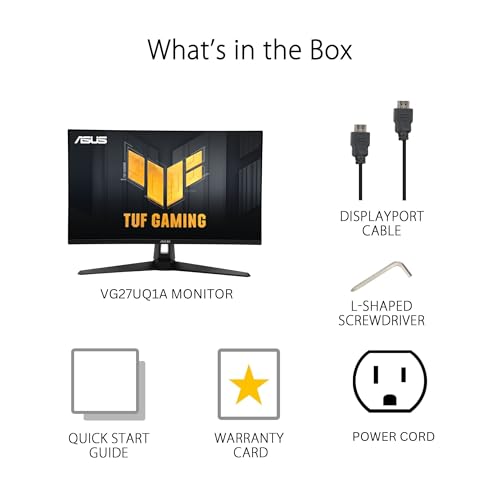
ASUS TUF Gaming VG27UQ1A 27 Inch 4K 160Hz G-SYNC Gaming Monitor | ELMB Sync, 1ms, 95% DCI-P3, FreeSync Premium, DisplayWidget Center, for PS5 and Xbox




As an Amazon Associate we earn from qualifying purchases. Product prices and availability are accurate as of the date/time indicated.

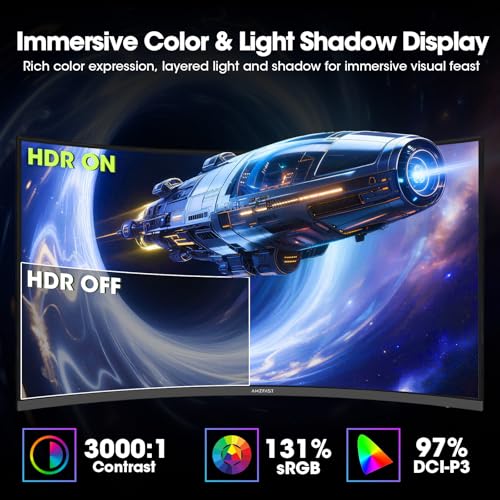
Amzfast 32" 4K 120Hz Curved Gaming Monitor, 3840x2160 UHD, PIP/PBP, Adaptive Sync, 131% sRGB, 3000:1 Contrast,HDR, 300nits, 1500R, HDMI2.1(VRR)& DP1.4, Built-in Speaker, Eyes Care, VESA Mount




As an Amazon Associate we earn from qualifying purchases. Product prices and availability are accurate as of the date/time indicated.

CRUA 32" 4K UHD 160Hz Curved Gaming Monitor, 1500R, AMD FreeSync, Black | 3840x2160 VA, 120%sRGB, Built-In Speakers, HDMI 2.1/DP 1.4 and 75x75mm Wall Mount for Gaming, Streaming, Editing and Work


As an Amazon Associate we earn from qualifying purchases. Product prices and availability are accurate as of the date/time indicated.

ZZA 27 Inch 4K Gaming Monitor,UHD(3840x2160) 4K 144Hz Flat Monitor, Adaptive Sync,HDMI 2.1 & DP 1.4,Tilt Adjustment PC Monitor, Wall Mountable, for Work, Streaming, and Home Office, Black


As an Amazon Associate we earn from qualifying purchases. Product prices and availability are accurate as of the date/time indicated.

Hikers 27 Inch Curved Monitor 170Hz 144Hz, 2K 1440P Computer Gaming Monitor | HDMI 2.1×2 DP 1.4×1, AI CrossHair Fast VA 4000:1 Contrast, for FPS Games and Work (G27H1Q, Includes One HDMI 2.1 Cable)


As an Amazon Associate we earn from qualifying purchases. Product prices and availability are accurate as of the date/time indicated.

Amzfast 27" 4K Gaming Monitor, UHD 160Hz/FHD 320Hz Dual Mode, Fast IPS | 1ms Adaptive Sync AI Gaming Features HDR400 126% sRGB HDMI 2.1 DP 1.4 Height Adjustable VESA – AMZG27F6U for FPS & 3A


As an Amazon Associate we earn from qualifying purchases. Product prices and availability are accurate as of the date/time indicated.

CUNPU 27" 4K 160Hz Ultimate Gaming Monitor, UHD Fast IPS 1ms, G-Sync Compatible & FreeSync, 99% DCI-P3, HDR400, HDMI 2.1 for PS5/Xbox 4K 120Hz, Full Ergonomic Stand


As an Amazon Associate we earn from qualifying purchases. Product prices and availability are accurate as of the date/time indicated.

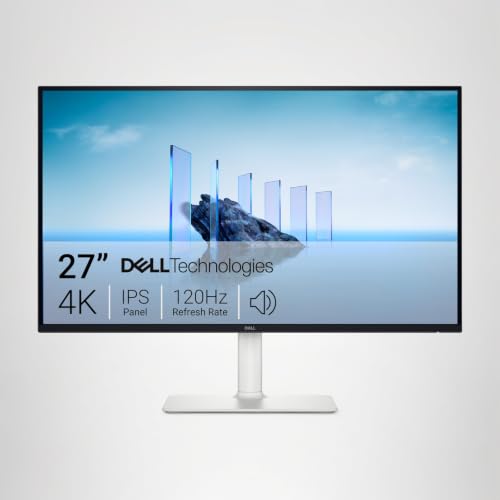
Dell 27 Monitor S2725QS, 4K UHD IPS, 120Hz, 5ms, FreeSync Premium | 350 cd/m2 Brightness, 1,500:1 Contrast, 99% sRGB, Anti-Glare, HDMI, DisplayPort, USB‑C, Height Adjustable, Swivel, Pivot


As an Amazon Associate we earn from qualifying purchases. Product prices and availability are accurate as of the date/time indicated.
| Model | Key point from title | Price tier | Best for |
|---|---|---|---|
| CUNPU 27-inch 4K 160Hz | Fast IPS, HDMI 2.1 named for PS5 4K 120Hz, 99% DCI-P3 claim | Budget | 4K 120Hz on a tight budget |
| ZZA 27-inch 4K 144Hz | Flat, HDMI 2.1 and DP 1.4, tilt, wall mountable | Budget | Simple low-cost 4K |
| Hikers G27H1Q 1440p | 27-inch curved VA, 170/144Hz, HDMI 2.1×2, cable included | Budget | 1440p 120Hz with a cheap input |
| CRUA 32-inch 4K 160Hz | Curved VA, HDMI 2.1, 75×75mm wall mount | Mid-range | Large 4K screen |
| Amzfast AMZG27F6U | 4K 160Hz or FHD 320Hz Dual Mode, Fast IPS, HDMI 2.1 | Mid-range | PC and console sharing one screen |
| Dell S2725QS | 4K IPS 120Hz, USB-C, height adjustable, HDMI version unstated | Mid-range | Desk that does work and console |
| ASUS TUF VG27UQ1A | 4K 160Hz, 1ms, 95% DCI-P3, labelled for PS5 and Xbox | Premium | Warranty-minded buyers |
| Amzfast 32-inch 4K 120Hz | Curved, HDMI 2.1 (VRR) named, PIP/PBP, 300 nits | Premium | Big curved screen with VRR named |
The shortlist, from budget HDMI 2.1 to premium panels
CUNPU 27-inch 4K 160Hz
This one is the plainest match to the brief. The title names 3840×2160, Fast IPS, 1ms, 99% DCI-P3, HDR400, a full ergonomic stand and HDMI 2.1 explicitly for PS5 and Xbox 4K 120Hz. G-Sync Compatible and FreeSync labels are PC features; for the console, confirm that the HDMI input supports VRR. Expect a lesser-known brand, so read the warranty terms and returns window before ordering. Its 160Hz rating only matters for a PC, since the console stops at 120Hz.
Pros
- HDMI 2.1 and 4K 120Hz named for consoles
- Ergonomic stand named
- Lower price tier among 4K models
Cons
- Brand support depth unknown
- HDR400 is an entry-level label
- PC sync labels add nothing on PS5
Who it’s for: PS5 owners who want 4K 120Hz on the smallest budget.
ZZA 27-inch 4K 144Hz
The ZZA lists 3840×2160 at 144Hz, Adaptive Sync, HDMI 2.1 with DisplayPort 1.4, a flat panel, tilt adjustment and wall mounting. It does not say which panel type it uses, how fast it responds or what warranty it carries, so those facts need a look on the listing. The console cannot use 144Hz, but the extra headroom helps a PC. It is the simplest budget 4K option in the set, though a stand that only tilts means the screen may sit low on a standard desk.
Pros
- Both HDMI 2.1 and DP 1.4 named
- Flat 27-inch panel
- Wall mountable
Cons
- Panel type and response not stated
- Tilt-only stand
- No HDR or gamut figures
Who it’s for: buyers who want a plain 27-inch 4K screen and will mount it or keep the stand low.
Hikers G27H1Q 27-inch 1440p
A curved 27-inch Fast VA panel at 1440p listed as 170Hz and 144Hz, with two HDMI 2.1 ports, one DisplayPort 1.4, an AI crosshair feature and a 4000:1 contrast claim. The two refresh numbers are ambiguous, so check which is native. It is not a 4K screen, which makes it a different class from most of the list. The PS5 can output 1440p after an update, so confirm that setting on your console. At 1440p the console has far fewer pixels to draw, which can help games hold 120 frames per second.
Pros
- Two HDMI 2.1 ports and a cable included
- Low price tier
- High refresh claim at 1440p
Cons
- Not 4K, so less sharp (about 109 PPI)
- VA panels can smear dark motion
- Native refresh unclear
Who it’s for: players who prefer higher frame rates over resolution and want a cheap console-ready port.
CRUA 32-inch 4K 160Hz Curved
A 32-inch VA panel at 3840×2160, 160Hz, FreeSync, 120% sRGB and built-in speakers, with HDMI 2.1, DP 1.4 and a 75×75mm wall-mount pattern named. At about 138 pixels per inch, it is sharp and roomy, but the 1500R curve and 32-inch width call for a desk deep enough to sit back. VA panels commonly offer deeper blacks but narrower viewing angles. Check mounts: 75×75mm is smaller than the common 100×100, so a standard arm may not fit without an adapter.
Pros
- Large sharp 4K canvas
- HDMI 2.1 and DP 1.4 named
- Speakers included
Cons
- Needs a deep desk
- Wall-mount pattern is non-standard
- VA viewing-angle limits
Who it’s for: gamers who want a bigger, immersive screen for single-player games.
Amzfast AMZG27F6U 27-inch 4K
The headline here is Dual Mode: 4K 160Hz or FHD 320Hz on Fast IPS, with a 1ms claim, HDR400, 126% sRGB, HDMI 2.1, DP 1.4 and height adjustment. The 320Hz mode is a PC feature, since the PS5 stops at 120Hz. Read it as a PC-first monitor that also handles a console, and confirm how the two modes are switched and whether the console sees 4K 120Hz on the HDMI 2.1 input. The title also lists AI gaming features, which are PC-oriented.
Pros
- Height adjustable and VESA named
- Fast IPS with HDMI 2.1
- Flexible for PC use
Cons
- 320Hz mode irrelevant for PS5
- AI features add little for console
- Mode-switching details unstated
Who it’s for: households where one screen serves a PC player and a console player.
Dell S2725QS 27-inch 4K
Dell lists 4K IPS at 120Hz, 5ms, FreeSync Premium, 350 cd/m2 brightness, 1,500:1 contrast, 99% sRGB, an anti-glare coating, HDMI, DisplayPort and USB-C, with height, swivel and pivot adjustment. The HDMI version is not stated, so verify in Dell’s manual that the HDMI input handles 4K 120Hz before relying on it for PS5. The 5ms figure reads slower than the 1ms claims on other titles, though it is a different measurement style, so compare buyer comments rather than the numbers alone.
Pros
- USB-C for a laptop, plus HDMI
- Full stand adjustment
- Brightness and sRGB figures given
Cons
- HDMI version not in the title
- 5ms response reads slower
- No VRR wording for HDMI
Who it’s for: desks that need a work monitor with USB-C that also hosts a console.
ASUS TUF Gaming VG27UQ1A
ASUS labels this 27-inch 4K 160Hz model for PS5 and Xbox, with G-SYNC, ELMB Sync, 1ms, 95% DCI-P3, FreeSync Premium and DisplayWidget Center software. The title does not state the HDMI version, so check the specifications for HDMI 2.1 before assuming 4K 120Hz works. G-SYNC is a PC feature, and the console uses HDMI VRR. It sits at the premium end of this set, and the three-year warranty seen on other ASUS monitors is not stated here, so check the terms.
Pros
- Recognisable brand and PS5 labelling
- 95% DCI-P3 claim
- ELMB Sync feature
Cons
- HDMI version unstated in the title
- Highest price tier
- 160Hz irrelevant for PS5
Who it’s for: buyers who prefer a mainstream brand and will verify the HDMI details.
Amzfast 32-inch 4K 120Hz Curved
The only title to write HDMI 2.1 (VRR), alongside DP 1.4, 3840×2160 at 120Hz, PIP/PBP, 131% sRGB, 3000:1 contrast, 1500R and a built-in speaker. Its 300 nits is below the 400 usually associated with entry HDR, so treat the HDR wording cautiously. It is priced at the top of this set while specs read lower than several cheaper listings, so compare carefully before buying. PIP/PBP lets a laptop sit beside the console picture, which is useful only if you need two sources.
Pros
- VRR named on HDMI 2.1
- PIP/PBP for two sources
- VESA mount and speaker
Cons
- Highest price tier for 120Hz
- 300 nits limits HDR
- Large curved screen needs space
Who it’s for: players who want a big curved 4K screen with HDMI VRR spelled out.
How we picked these
The Editorial team compiled this set from published specifications, manufacturer documentation and buyer reviews on each listing. Nobody on the team used or measured these units. We kept monitors that mention the PS5, HDMI 2.1 or 4K 120Hz, and one 1440p model for contrast. Seller titles supply the specifications, so response times, HDR levels and sRGB figures are treated as claims. Where a title omits the HDMI version, VRR support or stand, we flag it as something to check. Tiers are relative within this group and shift with sales.
What to look for in a PS5 monitor
HDMI 2.1, VRR and the 120Hz ceiling
The PS5 outputs over HDMI only, tops out at 120Hz and uses HDMI variable refresh rate, not G-SYNC. That makes the HDMI port the deciding spec. A monitor can list HDMI 2.1 and still run its port below the full 48 Gbps link, so look for explicit 4K 120Hz wording like the CUNPU’s, or confirm in the manual. A title that only says HDMI, as with the Dell, needs the same check.
Bandwidth worked example
Raw pixel data is width × height × refresh × bits per pixel. At 24-bit colour, 3840×2160 at 60Hz is about 11.9 Gbps, at 120Hz about 23.9 Gbps, and with 10-bit colour for HDR about 29.9 Gbps. Blanking adds a further few percent to roughly 10%; that is an assumption, and real console output formats vary. HDMI 2.0 carries about 14.4 Gbps of data, so it covers 4K 60Hz but not 4K 120Hz, while HDMI 2.1 reaches roughly 42 Gbps. By comparison, 2560×1440 at 120Hz needs about 10.6 Gbps.
Size, sharpness and desk space
A 27-inch 4K screen is about 163 pixels per inch and 23.5 inches wide, while a 32-inch one is about 138 PPI and 27.9 inches wide. At a desk distance of about 28 inches, which is an assumption, both look very sharp, but the 32-inch curved models need more depth and head turning for HUD corners. A 27-inch 1440p screen is about 109 PPI, visibly less fine up close. If your desk is shallow, the 27-inch models are the safer fit, and a general comfort guideline is to keep the top edge near eye level.
Sound, mounts and cables
Built-in monitor speakers are small, so plan on a headset such as those in our PS5 and Xbox headset guide, or a console soundbar for a shared room. For 4K 120Hz, use a cable certified for HDMI 2.1 (the Hikers includes one); an older cable can cap you at 60Hz. Wall-mount patterns vary, with 75×75mm on the CRUA, so check mount weight and pattern first. A 32-inch curved panel is heavier than a 27-inch flat one, and the listing should state the weight and the supported VESA range.
Mistakes PS5 monitor buyers make
- Assuming “HDMI” on the listing means HDMI 2.1; unlabelled ports often stop at 4K 60Hz.
- Paying for 160Hz or 320Hz modes that the PS5 cannot send.
- Reusing an old HDMI cable and wondering why 120Hz never appears in the console menu.
- Counting G-SYNC or FreeSync labels as console features, when the PS5 relies on HDMI VRR.
- Trusting an HDR400 or 300-nit label to deliver bright HDR highlights.
- Forgetting that not every game offers a 120Hz mode, and some lower resolution to reach it.
- Buying the biggest curved screen for a shallow desk; 32 inches at arm’s length makes the screen corners hard to read.
- Skipping sound; built-in speakers are small, so budget for a headset or an external sound card for PS5 headsets.
Verdict
For a PS5, the CUNPU 27-inch is the best on-paper value because HDMI 2.1 and 4K 120Hz are named for consoles, while the ZZA is the plain budget alternative. The Amzfast 32-inch is the one to look at if you want a big curved screen with HDMI VRR spelled out, though it is priced at the top of the set. The ASUS and Dell are credible brands but need the HDMI version confirmed. The Hikers suits players who value 1440p frame rate over resolution. Recheck the listing’s price and ports before ordering.
Frequently asked questions
Do I need HDMI 2.1 for a PS5 monitor?
Only if you want 4K at 120Hz. The PS5 sends video over HDMI, and 4K at 120Hz needs roughly 24 to 30 Gbps of pixel data, more than HDMI 2.0 can carry. A monitor with HDMI 2.0 can still show 4K at 60Hz or 1440p at higher refresh, so it can be a fair budget choice if you accept those limits. Check the listing for the HDMI version.
Does G-SYNC or FreeSync work with a PS5?
Those brand names do not matter to the console. The PS5 supports HDMI variable refresh rate (VRR) on displays that offer it, so look for VRR named for the HDMI input, as in the Amzfast 32-inch title. G-SYNC Compatible and FreeSync labels on the CUNPU, ASUS or Dell are mainly PC features, so confirm HDMI VRR on the listing or in the manual.
Is a 1440p monitor a good idea for a PS5?
It can be. The PS5 can output 1440p after a system update, and 1440p at 120Hz needs only about 10.6 Gbps of raw pixel data, so lower-bandwidth HDMI ports cope. The trade-off is sharpness: 27 inches at 1440p is about 109 PPI against roughly 163 at 4K. Confirm 1440p output in your console’s video settings.
Is a monitor better than a TV for PS5?
It depends on where you sit. A 27- or 32-inch monitor suits a desk and often offers higher refresh rates, while a TV is better for couch play and larger groups. Monitor speakers are small, so budget for a headset or soundbar. If the console lives on a desk, a monitor is usually the more compact choice.
Will the 160Hz or 320Hz modes on these monitors help on PS5?
No. The PS5 tops out at 120Hz, so a 160Hz rating is headroom for a PC, not for the console. The Amzfast 27-inch lists FHD 320Hz as part of its Dual Mode, which is likewise a PC benefit. For PS5, what counts is a working 4K 120Hz or 1440p 120Hz input with VRR and a clear HDMI version on the listing.
Related guides
- Best Free MMOs on Steam: Subscription Limits, Pay-to-Win and Time Cost (2026)
- Best Free Horror Games on Steam: How to Pick One That Fits Your PC and Your Nerves (2026)
- Black Frame Insertion vs VRR: Which Smoothness Feature Should You Use?
- Best Webcams for Streaming: 11 Listings Compared by Resolution, Focus and Light (2026)