A soundbar is the easiest way to make a PS5 or Xbox Series X sound as good as it looks. Built-in TV speakers fire downward or backward and flatten explosions into mush; even a modest bar restores punch, clarity, and directional cues. But not every soundbar is a good gaming match, and the specs that matter are not always the ones on the box.
Our Top Picks
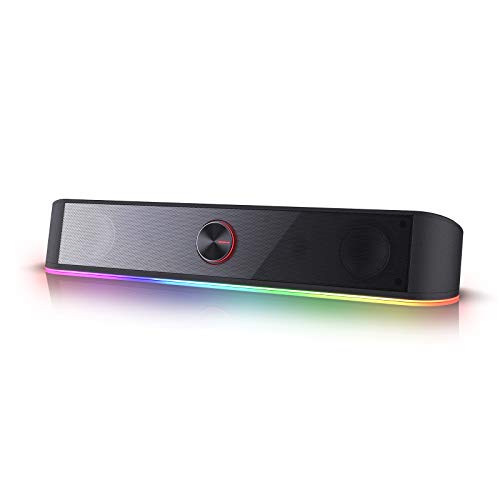


Top 3 picks at a glance
The gaming-specific specs that matter
HDMI eARC and passthrough
Connect the bar to your TV’s HDMI eARC port so game audio—including lossless and object-based formats—flows back from the console through the TV to the bar. Some premium bars add HDMI passthrough with 4K/120Hz and VRR support, letting you route the console through the bar without losing the console’s best video modes. If you own a high-refresh TV, confirm the bar passes 4K/120Hz untouched.
As an Amazon Associate we earn from qualifying purchases at no extra cost to you.


Dolby Atmos and spatial audio
Both consoles support 3D or object-based audio. A bar with up-firing or virtualized Atmos height channels makes footsteps and aircraft feel like they come from specific directions, which is a real competitive and immersion advantage. Even virtual Atmos on a 2.1 bar beats flat stereo.
Bar configurations explained
Soundbar labels like 2.1, 3.1, and 5.1.2 describe channels. The first number is horizontal speakers, the second is subwoofers, and the third is height channels.
| Config | What you get | Typical price | Best for |
|---|---|---|---|
| 2.0 / 2.1 | Stereo (+ sub) | $120–$250 | Bedrooms, budget upgrade |
| 3.1 | Adds center channel | $250–$450 | Clear dialogue, mixed use |
| 5.1 | Rear surrounds | $400–$700 | Immersive single-player |
| 5.1.2 / Atmos | Surround + height | $600–$1000+ | Home-theater gaming |
Subwoofer: wireless or built-in
Bass sells immersion. A separate wireless subwoofer hits far harder than a bar’s internal drivers, which matters for racing, shooters, and cinematic games. If space or noise (apartments) is a concern, a bar with adjustable bass and a compact sub is the compromise.
Latency and connection tips
Use a wired HDMI connection rather than Bluetooth for gaming; Bluetooth adds audio delay that throws off timing in rhythm and competitive titles. In the console’s audio settings, match the output format to what the bar supports—forcing an unsupported format can drop you to stereo silently.
FAQ
Do I connect the console to the TV or the soundbar?
For most setups, plug the console into the TV and connect the bar to the TV’s HDMI eARC port; this keeps the TV’s best gaming features intact. Only route the console through the bar first if the bar explicitly supports 4K/120Hz and VRR passthrough and you need those modes.
Is a soundbar enough or do I need full surround?
For the majority of players a 3.1 or Atmos bar with a wireless sub delivers 80% of a home-theater experience with 20% of the hassle. Full discrete 5.1/7.1 speaker systems sound better but require wiring, placement, and a receiver.
Room size and placement
The best bar for a small bedroom is not the best bar for an open living room. In a compact space, a 2.1 or 3.1 bar with a modest subwoofer fills the room without overwhelming it, and you avoid annoying neighbors. Large or open-plan rooms swallow sound, so they benefit from more power, a bigger sub, and real or virtualized surround to keep dialogue and effects distinct.
Mounting and sound reflection
Place the bar directly below or above the TV, centered, and clear of obstructions. Up-firing Atmos drivers bounce sound off the ceiling, so they need a flat, hard ceiling around 7–10 ft (2.1–3 m) high to work—vaulted or absorbent ceilings blunt the effect. Wall-mounting the bar keeps it out of the way but confirm the drivers are not aimed into a shelf.
Calibration pays off
Many bars include room-calibration routines that tune output to your space using a mic. Run it. A two-minute calibration often does more for clarity than upgrading to a pricier bar, and it corrects for awkward furniture placement you cannot change.
Can I add rear speakers later?
Some soundbar systems let you pair optional wireless rear speakers down the line, turning a 3.1 bar into a 5.1 setup. If you think you will want surround eventually, buy into a bar family that offers expansion so you are not replacing everything.
Bottom line
Buy a bar with HDMI eARC, a wireless subwoofer, and some form of Atmos or spatial audio. A $250–$450 3.1 Atmos bar is the value sweet spot for console gaming; go to 5.1.2 only if you have the room and budget for a genuine theater feel. Skip Bluetooth-only bars for gaming.