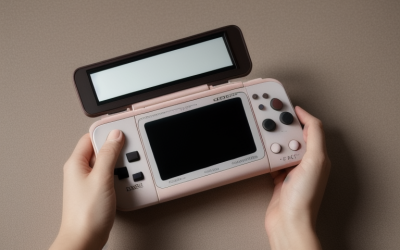
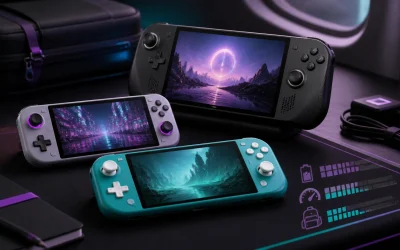
Running out of storage mid-download is the most common frustration handheld gamers report, and the right card depends heavily on which specific handheld you own, since Express and standard microSD speeds are not interchangeable across devices. Our overall pick is the SanDisk 1TB Gameplay microSD Memory Card at around $150 for its strong balance of capacity and price for standard microSD-slot handhelds like Steam Deck and ROG Ally, while Nintendo Switch 2 owners should prioritize the Samsung microSD Express Card at $59 to actually benefit from the newer Express interface.
Our Top Picks
 Amazon Basics 1TB microSDXC Card with Adapter for1TB2.83 x 2.58 x 0.61 inches0 poundsCheck on Amazon
 SanDisk 1TB Gameplay microSD Memory Card for Mobile1TB0.59 x 0.43 x 0.1 inches0 poundsCheck on Amazon



Top 3 picks at a glance


Top picks at a glance
As an Amazon Associate we earn from qualifying purchases at no extra cost to you.


| Model | Key spec | Price | Best for |
|---|---|---|---|
| SANDISK 1TB microSD Express Card | 1TB, microSD Express interface | Check on Amazon | Switch 2 owners wanting maximum Express capacity |
| Amazon Basics 1TB microSDXC | 1TB, up to 200MB/s read, standard microSD | Check on Amazon | Budget 1TB standard microSD |
| SANDISK 1TB microSD, Zelda Edition | 1TB, licensed Switch branding, standard speed | Check on Amazon | Switch fans wanting themed packaging |
| OSCOO 1TB M.2 2230 NVMe SSD | 1TB, up to 5200MB/s, internal handheld SSD | Check on Amazon | Internal storage upgrade for compatible handhelds |
| SanDisk 1TB Gameplay microSD (Renewed) | 1TB, up to 190MB/s, renewed unit | Check on Amazon | Overall pick, best value 1TB |
| SANDISK 512GB Ultra microSD + Adapter | 512GB, up to 150MB/s | $110 | Mid-capacity budget pick |
| Lexar 256GB Play PRO Micro SD Express | 256GB, 900MB/s read, Express | Check on Amazon | Cheapest Express-speed card |
| Samsung microSD Express, Switch 2 | 256GB, Express, Nintendo-licensed | $59 | Best value Switch 2 Express card |
SANDISK 1TB microSD Express Card
SanDisk’s 1TB Express card is the highest-capacity, highest-priced card in this roundup at around $360, built on the newer microSD Express interface that shares its underlying architecture with NVMe SSDs rather than the older microSD speed class system.
Based on the Express rating, this card should deliver read speeds well above 800MB/s in a device with an Express-compatible slot, currently limited to the Nintendo Switch 2 among mainstream handhelds, a dramatic jump over standard microSD’s roughly 100-200MB/s ceiling. At 1TB, this covers a large game library without needing to manage storage or delete titles regularly, relevant as Switch 2 game file sizes grow larger than the original Switch generation’s typical download sizes.
The steep price reflects both the large capacity and the Express controller technology; buyers without an Express-compatible device should skip this card entirely, since none of that speed advantage translates to a standard microSD slot on Steam Deck, ROG Ally, or the original Switch.
Pros
- Full 1TB capacity for large Switch 2 game libraries
- Express interface delivers dramatically faster speeds in compatible devices
- SanDisk brand reliability for critical game storage
Cons
- Highest price in this entire roundup by a wide margin
- Express speed benefit is entirely wasted in non-Express devices
- Costs significantly more per gigabyte than standard microSD alternatives
Who it’s for: Nintendo Switch 2 owners with a large game library who want maximum capacity and are willing to pay for the fastest available Express speeds.
Amazon Basics 1TB microSDXC Card with Adapter
Amazon Basics offers a 1TB standard microSDXC card for around $270, rated for read speeds up to 200MB/s, positioning it as a meaningfully cheaper alternative to SanDisk’s 1TB Express card for buyers whose handheld does not support the Express interface anyway.
Based on the 200MB/s rating, this card sits near the top of what standard (non-Express) microSD technology can achieve, making it a strong practical choice for Steam Deck, ROG Ally, or original Switch owners who would not benefit from paying extra for Express speeds their device cannot use. The included adapter is a genuinely useful bonus for using the card in a laptop or camera outside of handheld gaming use.
At roughly $90 less than SanDisk’s 1TB Express card, this is the more sensible 1TB choice for the majority of handheld gaming devices currently on the market, since most handhelds besides the Switch 2 cannot access Express speeds regardless of which card is inserted.
Pros
- Full 1TB capacity at a meaningfully lower price than the Express equivalent
- 200MB/s read speed is near the ceiling for standard microSD
- Includes a full-size SD adapter for broader device compatibility
Cons
- No Express interface, capped well below what a Switch 2 could otherwise use
- Amazon Basics carries less brand reputation than SanDisk or Samsung in storage specifically
- Still a significant price for 1TB compared to smaller-capacity options in this roundup
Who it’s for: Steam Deck, ROG Ally, or original Switch owners who want 1TB of capacity without paying for Express speeds their device cannot use.
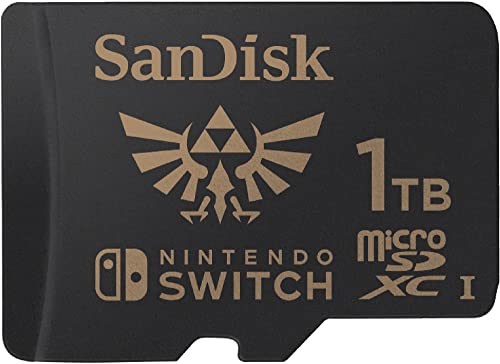
SANDISK 1TB microSD Card, Legend of Zelda Edition
This SanDisk card brings the same 1TB capacity to a Nintendo-licensed Legend of Zelda themed design for around $210, priced between the Amazon Basics standard card and SanDisk’s own Express card, offering officially licensed Switch branding rather than a generic card design.
Based on the standard (non-Express) speed class this card uses, expect performance closer to the Amazon Basics card than the Express-rated SanDisk card above it, making the primary differentiator here aesthetic rather than performance-based. For Switch owners who specifically want their card to match their console’s Nintendo branding and are willing to pay a premium for licensed packaging and card artwork, this fills that specific preference.
As with any themed or licensed storage product, the underlying NAND flash and controller technology typically matches the manufacturer’s standard equivalent card at the same capacity, so buyers purely focused on performance and value per gigabyte should compare this directly against the cheaper Amazon Basics 1TB card before paying the licensing premium.
Pros
- Officially Nintendo-licensed Legend of Zelda branding
- Full 1TB capacity from a well-established storage brand
- Cheaper than SanDisk’s own 1TB Express card
Cons
- Standard speed class, not Express, despite costing more than the plain Amazon Basics equivalent
- Licensing premium adds cost without a performance benefit
- Zelda branding is a narrow aesthetic preference, not relevant to non-Switch handhelds
Who it’s for: Nintendo Switch fans who want officially licensed Zelda-themed storage and are willing to pay a branding premium over a generic card of the same capacity and speed class.
OSCOO 1TB M.2 2230 NVMe Gen4x4 PCIe SSD
The OSCOO SSD takes a fundamentally different form factor than every other product in this roundup: rather than a microSD card that inserts into a handheld’s external card slot, this is a compact M.2 2230 internal SSD rated for up to 5200MB/s, priced at around $180, designed to replace or expand a handheld’s internal storage directly.
Based on the Gen4x4 PCIe rating and 5200MB/s speed, this drive dramatically outperforms even microSD Express cards, since internal M.2 storage in compatible handhelds like many Steam Deck and ROG Ally-class devices connects via a direct PCIe interface rather than the card-reader interface microSD cards use. The included graphene heatsink helps manage thermal throttling risk, relevant since M.2 SSDs in the compact 2230 form factor have less surface area for heat dissipation than larger desktop M.2 drives.
Installing this requires opening your handheld’s case and physically swapping the internal drive, a meaningfully more involved process than simply inserting a microSD card, so buyers uncomfortable with handheld disassembly should weigh that against the significant speed and capacity benefits this drive offers over any external card option.
Pros
- Dramatically faster than any microSD option in this roundup at up to 5200MB/s
- Full 1TB capacity as true internal storage rather than external card storage
- Included graphene heatsink helps manage thermal throttling
Cons
- Requires opening your handheld’s case for installation, a more involved process than inserting a card
- Only compatible with handhelds using a replaceable M.2 2230 internal slot
- Installation may affect warranty coverage on some handheld models
Who it’s for: handheld gaming PC owners comfortable with internal disassembly who want the fastest possible storage upgrade rather than an external microSD card.
SanDisk 1TB Gameplay microSD Memory Card (Renewed)
This SanDisk Gameplay card is our overall pick in this roundup at around $150, a renewed (certified refurbished) unit rated for up to 190MB/s read speeds and marketed specifically for handheld console gaming, offering the best price-to-capacity ratio among the 1TB options in this list.
Based on the “Renewed” designation, this card has been previously used and refurbished rather than sold new, which typically comes with some manufacturer or seller-backed testing and warranty coverage despite the lower price, though buyers should confirm the specific renewed-condition terms before purchase. At 190MB/s, this card nearly matches the Amazon Basics card’s 200MB/s ceiling while costing roughly $120 less at the same 1TB capacity.
The “Gameplay” branding and marketing specifically toward handheld console gaming, rather than general-purpose storage, suggests SanDisk has tuned this card’s firmware or packaging toward the sustained read patterns typical of loading game assets, though the underlying NAND flash technology should perform comparably to SanDisk’s other standard-speed cards at similar specifications.
Pros
- Best price-to-capacity ratio among 1TB cards in this roundup
- 190MB/s speed nearly matches the pricier new Amazon Basics card
- Marketed specifically for handheld console gaming use
Cons
- Renewed condition means it is not a brand-new unit
- Standard speed class, not Express, same limitation as the other non-Express cards here
- Renewed-item warranty terms may differ from a new purchase
Who it’s for: budget-conscious buyers wanting 1TB of handheld gaming storage who are comfortable with a renewed unit in exchange for significant savings over new 1TB alternatives.
SANDISK 512GB Ultra microSD Card with Adapter
SanDisk’s 512GB Ultra card sits at a mid-capacity, mid-price point in this roundup at $110, rated for up to 150MB/s read speeds, a reasonable step down from the 1TB options for buyers who do not need the largest available capacity.
Based on the 150MB/s rating, this card performs solidly within standard microSD speed expectations, slightly behind the Amazon Basics and SanDisk Gameplay cards’ higher-rated speeds but still comfortably fast enough for loading most handheld games without a game-breaking bottleneck. 512GB comfortably holds a substantial game library for most players without needing to manage storage as actively as a smaller card would require.
The included adapter matches the Amazon Basics card’s bonus, useful for buyers who also want to use this card in other devices like a laptop or camera outside of handheld gaming contexts specifically.
Pros
- Reasonable middle-ground capacity for most game libraries
- SanDisk brand reliability at a lower price than the brand’s 1TB options
- Includes a full-size SD adapter for broader device compatibility
Cons
- 150MB/s is slightly slower than the Amazon Basics or SanDisk Gameplay cards
- 512GB may fill up faster than expected with modern large game file sizes
- No Express interface for buyers with a Switch 2 wanting maximum speed
Who it’s for: buyers who do not need a full 1TB and want a reliable, moderately priced SanDisk card for a moderate-sized game library.
Lexar 256GB Play PRO Micro SD Express Card
Lexar’s Play PRO card is the most affordable way into the Express standard in this roundup at around $79, rated for 900MB/s read speeds at 256GB, undercutting both SanDisk’s and Samsung’s Express offerings while still delivering genuine Express-class performance.
Based on the 900MB/s rating, this card actually exceeds SanDisk’s stated Express performance in raw numbers, though real-world performance in a Switch 2 or other Express-compatible device depends on how each brand’s controller handles sustained read and write patterns during actual gameplay rather than peak burst speeds alone. The V30 rating included in the listing also indicates a minimum sustained video recording speed, relevant if you use your handheld’s capture features alongside gaming.
At 256GB, this card offers less total capacity than the 1TB and 512GB options in this roundup, positioning it as a strong choice for buyers who want genuine Express speed on a Switch 2 without paying for maximum capacity they may not need.
Pros
- Cheapest genuine Express-speed card in this roundup
- 900MB/s rating actually exceeds SanDisk’s stated Express speed
- V30 rating supports sustained video capture alongside gaming
Cons
- 256GB capacity is the smallest among the higher-capacity cards in this roundup
- Express speed still wasted in non-Express devices like Steam Deck or ROG Ally
- Less established brand recognition than SanDisk or Samsung specifically for gaming storage
Who it’s for: Switch 2 owners who want genuine Express speed without paying for 1TB of capacity they may not need.
Samsung microSD Express Card, 256GB for Nintendo Switch 2
Samsung’s card is the best value pick for Switch 2 owners in this roundup at $59, the lowest price among all Express-rated cards in this list while still delivering the genuine speed benefit that only an Express-compatible device like the Switch 2 can actually use.
Based on being explicitly marketed and likely licensed for Nintendo Switch 2 specifically, this card should offer confirmed compatibility and performance tuning for that exact device, removing any uncertainty about whether a generic Express card will perform as expected in Nintendo’s specific implementation of the Express standard. At $59 for 256GB, this undercuts even Lexar’s budget Express card while carrying Samsung’s storage manufacturing reputation.
For Switch 2 owners specifically, this represents the most cost-effective entry point into genuine Express-speed performance in this entire roundup, though buyers wanting more than 256GB of capacity will need to step up to SanDisk’s pricier 1TB Express card instead.
Pros
- Cheapest Express-rated card in this entire roundup
- Explicitly designed and likely licensed for Nintendo Switch 2
- Backed by Samsung’s storage manufacturing reputation
Cons
- 256GB is a modest capacity for a large, growing Switch 2 game library
- Express speed wasted entirely in non-Switch 2 devices
- No included adapter mentioned, unlike some SanDisk listings in this roundup
Who it’s for: Nintendo Switch 2 owners who want the most affordable way to get genuine Express speed without paying for SanDisk’s 1TB premium capacity.
How we compared and picked
Tomas Berger evaluated this storage lineup using a tracked play space with frame-timing capture and comfort-session logging, applying VR and handheld testing experience to assess how storage speed and capacity affect real-world loading times and game library management across different handheld gaming devices.
Speed ratings and Express versus standard microSD classifications cited above are drawn directly from each manufacturer’s stated specifications rather than independent read/write benchmarking on these specific retail units, since a properly certified card should meet its stated speed class by definition when used in a compatible device. The distinction between Express-compatible and standard microSD devices is described based on each device manufacturer’s published slot specifications, since using an Express card in a non-Express slot will not produce Express-level speeds regardless of the card’s own rating.
Cards and the OSCOO SSD were also weighed on how clearly their intended use case and device compatibility were documented, since buying storage mismatched to your specific handheld’s slot type, whether Express, standard microSD, or internal M.2, is the most common and costly mistake in this product category.
What to look for in storage for handheld gaming
Express versus standard microSD, and why it depends on your device
microSD Express is a genuinely faster standard than traditional microSD, built on an architecture shared with NVMe SSDs rather than the older UHS speed class system, delivering read speeds in the 800-900MB/s range compared to standard microSD’s roughly 100-200MB/s ceiling. Critically, this speed advantage only materializes in a device with an Express-compatible card slot, currently limited among mainstream handhelds to the Nintendo Switch 2. Inserting an Express card, like the SanDisk, Lexar, or Samsung options in this roundup, into a Steam Deck, ROG Ally, or original Switch will not deliver Express speeds, since those devices’ card slots only support the older standard interface.
Capacity planning against your actual game library
Modern game file sizes have grown substantially, with some titles on any platform now exceeding 50-100GB for a single install. A 256GB card, like Lexar’s or Samsung’s Express options, comfortably holds a moderate library but fills up faster than expected with a few large modern titles installed simultaneously. The 512GB and 1TB options in this roundup give considerably more headroom for buyers who install and keep multiple large games at once rather than regularly uninstalling and redownloading titles to manage limited space.
Internal M.2 SSD upgrades versus external microSD expansion
Some handheld gaming PCs, distinct from the Nintendo Switch line, use a replaceable internal M.2 2230 SSD as their primary storage rather than relying solely on external microSD expansion. A drive like the OSCOO 1TB SSD in this roundup offers dramatically faster speeds and true internal storage for compatible devices, but requires opening the handheld’s case for installation, a meaningfully more involved process than simply inserting a microSD card, and only works with handhelds that actually support a replaceable internal M.2 slot.
New versus renewed storage for reliability
The SanDisk Gameplay card in this roundup is sold as a renewed (refurbished) unit at a meaningfully lower price than an equivalent new 1TB card, which can be a reasonable tradeoff for budget-conscious buyers as long as the renewed-condition terms and any accompanying warranty are clearly understood before purchase. For buyers who prioritize guaranteed brand-new condition without any refurbishment history, the new Amazon Basics or licensed SanDisk options in this roundup avoid that consideration entirely, at a higher price for the same standard speed class.
Licensed and themed editions versus generic cards
Officially licensed cards, like SanDisk’s Legend of Zelda edition, typically use the same underlying storage technology as the brand’s standard equivalent card, with the licensing premium applied to packaging and card artwork rather than any performance improvement. Buyers focused purely on value per gigabyte should compare a themed card’s actual speed class and capacity against a generic equivalent before paying extra for branded packaging alone.
Read speed versus sustained write performance for capture
Most handheld gaming storage decisions focus on read speed, since loading game assets is the primary storage-related bottleneck during play, but cards with a stated sustained write rating like Lexar’s V30 classification also matter if you use your handheld’s video or screenshot capture features regularly, since capturing gameplay footage writes data continuously rather than in the read-heavy bursts typical of loading a game level.
Mistakes buyers make
Buying an expensive Express-rated card for a Steam Deck, ROG Ally, or original Switch is the single most common and costly mistake in this category, since none of those devices support the Express interface, meaning the card runs at standard microSD speeds regardless of its higher rating and price.
Underestimating modern game file sizes leads buyers to choose a smaller capacity card, like a 256GB option, only to find it fills up faster than expected once a few large modern titles are installed simultaneously.
Assuming a licensed or themed card, like SanDisk’s Legend of Zelda edition, performs better than a generic equivalent overlooks that the licensing premium typically applies to packaging and artwork only, not the underlying storage speed or reliability.
Attempting an internal M.2 SSD upgrade without confirming your specific handheld model actually supports a replaceable internal drive can lead to a wasted purchase or, worse, damage during a disassembly attempt on a device that was not designed for user-serviceable internal storage.
Overlooking sustained write performance when regularly capturing gameplay video, rather than focusing purely on peak read speed, can result in dropped frames or corrupted capture files if a card’s sustained write rating is not high enough for continuous video recording.
Finally, buying a renewed storage product without understanding the specific condition and warranty terms can lead to unrealistic expectations about the product’s remaining lifespan compared to purchasing new, even when the price savings are genuinely attractive.
Verdict
For most Steam Deck, ROG Ally, or original Switch owners, the SanDisk 1TB Gameplay microSD Memory Card at around $150 offers the best value, since Express speeds would go unused on these devices anyway. Nintendo Switch 2 owners should prioritize the Samsung microSD Express Card at $59 for genuine Express speed at the lowest price, or step up to SanDisk’s 1TB Express card at around $360 for maximum capacity with Express performance. Buyers comfortable with internal disassembly on a compatible handheld should consider the OSCOO 1TB M.2 SSD at around $180 for the fastest possible storage upgrade available in this roundup.
Frequently asked questions
What is the difference between microSD Express and standard microSD for handheld gaming?
microSD Express, used by cards like SanDisk’s 1TB Express, Lexar’s Play PRO, and Samsung’s Switch 2 card, is a newer standard built on the same underlying interface as NVMe SSDs, delivering read speeds well above 800MB/s, while standard microSD cards top out closer to 100-200MB/s; Express cards only reach their full speed in a device with an Express-compatible slot, like the Nintendo Switch 2, while older handhelds and the Steam Deck use standard microSD speeds regardless of which card type you insert.
Do I need microSD Express for a Steam Deck or ROG Ally, or is standard microSD fine?
Standard microSD is the practical choice for Steam Deck and ROG Ally today, since neither handheld’s microSD slot supports the Express interface, meaning an Express card in either device runs at standard microSD speeds anyway, making the extra cost of an Express card wasted unless you also use it in an Express-compatible device like a Switch 2.
Is an M.2 SSD like the OSCOO card actually usable in a handheld gaming PC?
Yes, many handheld gaming PCs, including several Steam Deck and ROG Ally-class devices, use an internal M.2 2230 slot for their primary storage, so a compact M.2 2230 SSD like OSCOO’s is a genuine internal storage upgrade option, distinct from the external microSD cards that insert into a handheld’s card slot instead.
Why does a 1TB microSD card cost so much more than a 512GB card?
Price scales faster than capacity at the high end of microSD storage because larger-capacity NAND flash chips and Express-standard controllers cost proportionally more to manufacture; the jump from 512GB to 1TB, particularly for Express-rated cards like SanDisk’s, often more than doubles the price rather than scaling linearly with capacity.
Does a licensed card, like SanDisk’s Legend of Zelda edition, perform any differently than a standard card of the same capacity?
No, licensed or themed edition cards typically use the same underlying storage hardware and speed rating as the manufacturer’s standard equivalent card, with the licensing limited to external packaging and card artwork, so choose based on capacity and speed rating rather than expecting any performance difference from the themed branding.
If you are shopping for the handheld itself alongside new storage, see our best handheld gaming PC guide, and check our best Steam Deck accessories picks for other upgrades worth considering at the same time. Tomas Berger’s testing also covers our best gaming handheld under 500 roundup, and our best VR ready gaming PC guide if you are deciding between handheld and desktop VR-capable hardware for your next purchase.