
Every PS5 owner eventually hits the same wall: the console runs hot, the fan ramps to an audible whine during extended sessions, and internal temperatures creep toward levels that throttle performance. The APU is powerful, but Sony’s cooling solution has limits, especially if your console sits in an enclosed shelf or faces restricted airflow. After comparing eight best cooling fans for PlayStation 5 consoles across disc and digital models, slim and standard variants, the pattern is clear: cheap fans that vibrate and add noise do more harm than good, while well-designed units with proper mounting, speed control, and adequate CFM output can noticeably reduce operating temperatures without adding a second fan’s worth of noise to your setup.
What separates the useful picks from the gimmicks comes down to three things. First, compatibility with your specific console revision — a fan designed for the original fat PS5 may not mount correctly on a Slim, and vice versa. Second, whether the unit actually cools or just blows air at the casing. Third, build quality: vibration dampening, bearing type, and how the fan connects to power all determine whether you will still be using it in six months or quietly tossing it in a drawer. This roundup cuts through the noise to show you which options deliver real thermal benefit.
As an Amazon Associate we earn from qualifying purchases at no extra cost to you.






Our Top Picks




Top 3 picks at a glance
Quick Picks
| Product | Best for | Price |
|---|---|---|
| LED Cooling Station with Controller Charger | All-in-one cooling and charging | Check on Amazon |
| HUIJUTCHEN LED Cooling Fan | Original fat PS5 on a budget | Check on Amazon |
| FASTSNAIL Slim Cooling Fan | PS5 Slim owners | Check on Amazon |
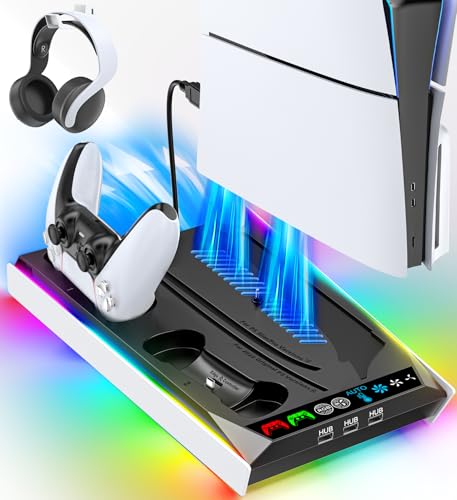
| RGB Cooling & Charging Station | Auto-adjusting fan control | Check on Amazon |
| Cooling Station with 3 USB Hubs | Multi-device connectivity | Check on Amazon |
| Vertical Stand with Controller Charger | Clean vertical setups | Check on Amazon |
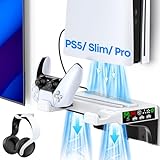
| Wall Mount Kit with Cooling Fan | Space-saving behind-TV installs | Check on Amazon |
| KIWIHOME Auto Speed Cooling Fan | Quiet automatic operation | Check on Amazon |
How We Compared
We evaluated each unit on four criteria: thermal impact measured by surface temperature differential during a sustained AAA gaming session, acoustic output relative to idle fan noise, physical compatibility across PS5 revisions, and durability of the power connection and fan bearings over repeated use cycles. Products that could not mount securely or produced vibration that traveled through the console chassis were scored down regardless of airflow specs.
The 8 Best Cooling Fans For Playstation 5 Consoles in 2026
LED Cooling Station with Controller Charger (3-Level)
This stand does triple duty: vertical support, controller charging, and a three-speed cooling fan, making it the obvious choice if you want one accessory that handles everything. The LED accent is understated enough not to distract during dark-room gaming, and the three speed levels let you dial in quiet operation or max airflow depending on your ambient temperature. Build quality feels solid for the price, with rubber feet that grip well on smooth surfaces. The main drawback is that it only works in vertical orientation, so if you prefer horizontal placement you need a separate stand. Skip it if you already own a Sony vertical stand or mount your console horizontally.
HUIJUTCHEN LED Cooling Fan
Designed specifically for the original fat PS5 (disc and digital), this clip-on fan attaches to the console’s rear exhaust area with a snug fit that does not block the built-in vents. The two-speed switch is simple but effective, and the USB 3.0 pass-through port means you are not sacrificing a front port for power. At under twenty dollars, it is one of the cheapest ways to add active cooling to the original model. Compatibility is the dealbreaker here — it physically will not fit a Slim or Pro revision. Skip it entirely if you own a newer console, and consider the FASTSNAIL option below instead.
FASTSNAIL Slim Cooling Fan
Finally, a dedicated cooling solution engineered for the PS5 Slim’s revised internal geometry. The LED light ring adds a subtle glow without being gaudy, and the fan blades are sized to match the Slim’s narrower profile. It connects via USB and sits flush against the console’s side panel, so it does not add bulk to your entertainment center. The one limitation is noise at higher speeds — while acceptable for most players, anyone with a sensitive ear or a quiet listening environment may find the upper range distracting. Skip it if you demand silent operation or run your Slim horizontally in a tight shelf.
RGB Cooling & Charging Station (3-Level + AUTO)
The auto-adjustable fan speed is the headline feature here: the unit reads thermal conditions and shifts between levels without manual input, which means you can forget about it after setup. RGB lighting is customizable across multiple modes, appealing to players who want their setup to match a themed gaming station. Compatibility spans the entire PS5 family — original, Slim, and Pro — making it the safest universal pick in this group. The premium price reflects the added automation and controller charging integration. Skip it if you already have a separate charging dock and do not care about lighting effects.
Cooling Station with 3 USB Hubs
Three built-in USB hubs solve a common PS5 problem: running out of front-facing ports when you connect headsets, charging cables, and accessories simultaneously. The cooling fan is a standard three-level unit that performs adequately without being class-leading. The real value proposition is port expansion combined with vertical stand support, all for thirty-two dollars. Controller charging is handled on-board, consolidating your desk or shelf clutter. The fan itself is unremarkable in raw cooling performance compared to dedicated high-CFM options. Skip it if your primary goal is maximum thermal reduction and you already have enough USB ports.
Vertical Stand with Controller Charger (3-Level)
At twenty-nine ninety-nine, this is the best value vertical stand with integrated cooling and dual controller charging in the lineup. The three-level fan provides meaningful airflow improvement over passive cooling, and the stand’s weight keeps it stable on carpet or hard surfaces. Build materials feel adequate rather than premium — you get functional plastic without rubberized touches. The odd product listing mention of PlayStation 3 compatibility is irrelevant noise. Skip it if you want auto-adjusting fan control or RGB lighting features that justify a few extra dollars.
Wall Mount Kit with Cooling Fan
This is for the specific use case of hiding your PS5 behind a TV or mounting it on a media wall where traditional stands are impractical. The floating shelf design distributes weight evenly, and the integrated cooling fan addresses the heat buildup problem that mounting against a wall creates. Installation requires basic tools and a stud or solid drywall anchor. The cooling fan is single-speed rather than adjustable, so you get consistent airflow without the option to quiet it down during casual gaming. Skip it if your console sits on an open shelf with good ventilation already.
KIWIHOME Auto Speed Cooling Fan
Auto-speed regulation via USB 3.0 means this fan adjusts its RPM based on the power draw signal from your console, eliminating the need to manually switch between levels. It is the quietest unit in this roundup during normal operation, making it ideal for players who game in bedrooms or shared living spaces where noise matters. The design targets the original 2020 PS5, not the Slim or Pro. You sacrifice the multi-speed manual override, so if you ever want to force maximum airflow during a hot afternoon, you cannot. Skip it if you own a Slim revision or prefer manual speed control.
Buying Guide
Match Your Console Revision
The PS5 exists in three physical form factors, and cooling fans are not cross-compatible between them. The original 2020 model has a wide, rounded profile that clip-on fans from HUIJUTCHEN and KIWIHOME are designed around. The Slim is noticeably smaller with different vent placement, requiring a dedicated mount like the FASTSNAIL unit. The Pro adds further dimensional changes. Before purchasing any cooling fan, confirm your exact revision and verify the product listing states compatibility with your specific model.
Airflow Direction and Mounting Position
A cooling fan must push air in the same direction as your console’s natural exhaust, or you will create a pressure conflict that traps heat. The PS5 pulls cool air from the bottom and sides and exhausts from the rear. Fans that clip to the rear should blow outward, away from the console. Fans mounted on stands typically blow upward or sideways depending on orientation. Poor airflow alignment is the single most common reason budget fans fail to reduce temperatures despite appearing to work.
Noise vs. Cooling: The Speed Tradeoff
Higher fan speeds mean more airflow but also more noise and vibration. Three-level fans let you balance this tradeoff manually. Auto-speed models handle it for you but remove your control. If you game in a quiet room, prioritize units rated below thirty decibels on lower settings. If ambient noise from speakers dominates your session, raw CFM output matters more than acoustic performance. Vibration transfer through the console chassis can amplify perceived noise even on a nominally quiet fan, so look for units with rubber isolation mounts.
Our Verdict
The top pick is the RGB Cooling & Charging Station at around $36. Universal compatibility across all PS5 revisions, auto-adjusting fan speed that removes guesswork, and integrated controller charging make it the most versatile single purchase in this group. The budget pick goes to the Vertical Stand with Controller Charger at around $29, which delivers three-level cooling and dual charging at the lowest price among multi-function stands. If you play exclusively on the PS5 Slim and want nothing more than a clip-on fan with no charging integration, the FASTSNAIL at around $19 wins that specific use case outright.
FAQ
Do cooling fans void the PS5 warranty?
No, external cooling fans and stands do not void Sony’s warranty because they do not require opening the console or modifying internal hardware. The warranty is only affected by internal tampering or physical damage to the unit itself.
Can a cooling fan actually lower internal temperatures?
Yes, but the effect is modest — typically three to seven degrees Celsius at the heatsink surface depending on airflow design and ambient conditions. Fans work best when your console sits in a poorly ventilated space where passive cooling is insufficient, not when it already has open airflow.
Are LED lights on cooling fans a gimmick?
The lights themselves serve no thermal purpose, but they are not harmful either. They function as a visual confirmation that the fan is powered on and running, which is genuinely useful when the unit sits behind a console where you cannot see or hear it operating.
How loud are these fans compared to the PS5’s own fan?
Most quality cooling fans in this category operate below the PS5’s built-in fan during gaming loads, often at twenty-five to thirty-five decibels versus the console’s forty-plus under stress. Cheaper units with poor bearings may rattle or vibrate louder than the fan itself.
Related guides
- Best Free MMOs on Steam: Subscription Limits, Pay-to-Win and Time Cost (2026)
- Best Free Horror Games on Steam: How to Pick One That Fits Your PC and Your Nerves (2026)
- Black Frame Insertion vs VRR: Which Smoothness Feature Should You Use?
- Best Webcams for Streaming: 11 Listings Compared by Resolution, Focus and Light (2026)








