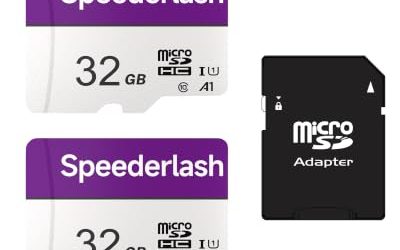
Sixty-four gigabytes is the sweet spot where an SD card stops feeling like a constraint and starts feeling like a tool. It is large enough to hold a full day of photos from a mirrorless or DSLR body, or a decent stretch of 4K clips, yet it avoids the step up in capacity that tempts you to leave one card in the camera for months without a backup. The real decision at this size is not capacity at all. It is speed class, because a 64GB card marked U1 and a 64GB card marked U3 with V30 behave very differently once you press record on a 4K camera.
This guide is for photographers upgrading from an old card, parents loading a camcorder for a recital, dash cam and security-camera owners who need bulk replacements, and anyone filling a drone or action-camera kit. It covers six full-size 64GB SD cards drawn from the listings for 2026, ranging from budget multipacks to professional-grade UHS-I models. Two microSD cards that appeared in the same search were left out, because a microSD card needs an adapter for most cameras and is a separate buying decision.
Our Top Picks


Top 3 picks at a glance
Quick Picks
As an Amazon Associate we earn from qualifying purchases at no extra cost to you.


| Product | Best for | Key spec from title |
|---|---|---|
| PNY Elite 64GB 3-Pack | Full HD shooters who want spares | C10, U1, V10, up to 100MB/s read |
| SanDisk Extreme PRO 64GB (200MB/s listing) | Fast 4K video and burst photography | Up to 200MB/s read, up to 90MB/s write, V30, U3 |
| Gigastone 64GB 10-Pack | Bulk replacement for many devices | 10 cards, U1, Class 10, Full HD |
| SanDisk Extreme PRO 64GB SDXC (SDSDXXU) | 4K video with a trusted brand | C10, U3, V30, 4K UHD |
| SanDisk Ultra 64GB | Compact and mid-range cameras | Up to 145MB/s read, U1, C10, Full HD |
| EASTBULL 5-Pack 64GB | Multipack with 4K-class markings | U3, V30, A1, includes 5 cases |
How to Choose
Decode the Speed Markings
Three labels matter. Class 10 guarantees a minimum sustained write speed of 10MB/s. U1 means the same 10MB/s floor under the UHS system, and U3 raises that floor to 30MB/s. V30 is the video class equivalent of 30MB/s. For Full HD video, U1 or V10 is enough. For 4K, look for U3 or V30, because a camera recording at a high bitrate can stall on a slower card. Do not confuse the maximum read speed on the label, which affects transfers to your computer, with write speed, which decides whether your camera can keep recording.
What 64GB Actually Holds
A 64GB card holds roughly 45 minutes to 90 minutes of 4K video at typical camera bitrates, depending on the settings. At 100 megabits per second, the math lands near 85 minutes. For stills, a 24-megapixel camera shooting JPEG can store thousands of frames, while RAW files cut that number to well under two thousand. If you shoot long events, carry a spare card instead of buying a larger one, because two 64GB cards reduce the risk of losing everything from a single failure. Drone pilots and dash cam owners should think in loops and flights instead: a card that fills every few hours will be written and erased constantly, so durability and a reputable name count for more than raw capacity. For a first camera, 64GB is often plenty for a month of casual shooting if you copy files over regularly.
SDXC, UHS-I, and Device Compatibility
Any card above 32GB is SDXC, formatted as exFAT. Most cameras from the last decade read it, but very old devices or some trail cameras only handle SDHC up to 32GB, so check the manual. UHS-I is the common bus on these cards, with a ceiling around 104MB/s in practice, even when a label says higher. A UHS-II card needs a camera with the extra pins to go faster, so do not pay for it if your body does not support it.
Where Budget Cards Cut Corners
Multipacks are convenient, but unknown brands may skip the durability testing that big names advertise, such as protection from water, temperature, and X-rays. Be careful with listings that claim extreme speeds without a clear speed class, and ignore any card whose label does not state U1 or U3. Keep the original case, register the product if the brand allows it, and format the card in the camera instead of on a computer to avoid slowdowns.
One more habit pays off: use the write-protect switch on the side of the card when you are carrying finished shots. A locked card cannot be formatted or overwritten by accident. Also remember that the lock is a plastic slider that can wear out, so a card that refuses to write in the camera is often just locked. Keep a short log of which card holds which event, and rotate cards in order so wear spreads evenly across your set.
The 6 Best Options
PNY Elite 64GB 3-Pack
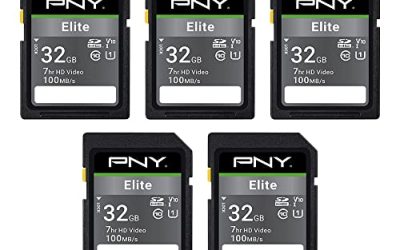
This set of three SDXC cards from PNY lists Class 10, U1, V10, UHS-I, and up to 100MB/s read speed. It is a sensible choice for people who want a few cards for different cameras or trips without a high spend.
- Strength: three cards give you spares for a family camera, a dash cam, and a backup.
- Strength: Full HD ratings match everyday photography and 1080p video.
- Trade-off: the U1 rating is not meant for sustained 4K recording.
Skip it if your camera shoots 4K or high-speed bursts, where a U3 card will perform more reliably. It is best treated as a practical everyday set for compact cameras, kids’ cameras, and secondary devices that never push the card hard.
SanDisk Extreme PRO 64GB (200MB/s Listing)
This SanDisk card lists up to 200MB/s read, up to 90MB/s write, UHS-I, V30, U3, and Class 10, with 4K UHD support. It is the fastest card in this group on paper and the strongest option for demanding cameras.
- Strength: the V30 and U3 ratings support 4K video recording.
- Strength: high write speed helps clear the buffer during bursts of photos.
- Trade-off: it sits in the premium tier for a single card, and you do not get multipack savings.
Skip it if you only shoot casual snapshots or Full HD footage and a cheaper card will do. Wedding shooters, sports photographers, and anyone filming 4K clips in long takes are the buyers who actually benefit from the extra write headroom.
Gigastone 64GB 10-Pack
Gigastone sells ten UHS-I, U1, Class 10 SDXC cards in one box, each with a mini case. The listing mentions Full HD video and Olympus digital cameras, which hints at older compact models.
- Strength: ten cards cover a classroom, a small business, or many cameras at once.
- Strength: the included cases make labeling and storage easy.
- Trade-off: a U1 rating limits it to Full HD and ordinary photography.
Skip it if you need a single dependable card for 4K video or a professional shoot. It makes the most sense as a stockpile for older point-and-shoots, school cameras, and basic surveillance gear, where replacing a failed card quickly matters more than peak speed.
SanDisk Extreme PRO 64GB SDXC (SDSDXXU)
This second Extreme PRO listing shows the model number SDSDXXU-064G-GN4IN and lists C10, U3, V30, and 4K UHD. It does not state read or write speeds in the title, but the class markings point to solid video performance.
- Strength: U3 and V30 marks signal that 4K recording is within scope.
- Strength: the Extreme PRO line is aimed at serious photographers and video shooters.
- Trade-off: with no speed numbers in the title, compare it against the other Extreme PRO listing before buying.
Skip it if your priority is the lowest cost per card or a multipack. Because both Extreme PRO listings share a name, read the speed text carefully so you know which version you are ordering, and match the choice to what your camera can actually write.
SanDisk Ultra 64GB
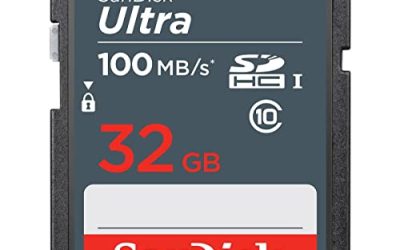
The Ultra line sits below the Extreme PRO. This listing states up to 145MB/s read, UHS-I, U1, Class 10, and Full HD, and the wording points it at compact and mid-range cameras and camcorders.
- Strength: a trusted brand name at an approachable tier.
- Strength: fast read speeds shorten file transfers to a computer.
- Trade-off: U1 means it is a Full HD card, not a 4K recording card.
Skip it if you shoot 4K video or plan to use a camera with heavy burst modes. It fits the casual shooter with a compact camera or camcorder who wants a familiar brand, quick uploads to a laptop, and no need to think about speed classes.
EASTBULL 5-Pack 64GB
EASTBULL packs five 64GB SDXC cards with U3, V30, and A1 markings, plus five cases. The U3 and V30 labels give it the right class for 4K, and the multipack suits buyers who need several cards.
- Strength: U3 and V30 labels at a multipack price.
- Strength: five cases keep spare cards organized.
- Trade-off: the brand is less established, so confirm the return policy and test each card with a full write pass.
Skip it if you want the reassurance of a major brand’s warranty and long track record. It suits hobbyists with drones, action cameras, or backup devices who accept a little more variability in exchange for a lower cost per card.
Which One Fits Your Situation
You Shoot 4K Video or Fast Bursts
Choose the SanDisk Extreme PRO 64GB with the 200MB/s listing. Its V30, U3 rating and high write speed give your camera the most headroom.
You Run Several Cameras or Dash Cams
The Gigastone 64GB 10-Pack covers a lot of devices for little money, and the cases keep each card matched to its camera.
You Want a Safe Everyday Card for Family Photos
The SanDisk Ultra 64GB is the reliable middle path, with a respected name and enough speed for holiday photos and Full HD clips.
You Want 4K Ratings in a Multipack
The EASTBULL 5-Pack is the only multipack here that lists U3 and V30, so it fits a drone or action-camera owner who rotates cards. Pair it with a habit of copying footage off after every session, and the lower-profile brand becomes an easy risk to manage.
Common Mistakes
- Buying on read speed and ignoring the minimum write class, which decides video reliability.
- Putting a U1 card in a camera that records 4K, then seeing dropped frames or error messages.
- Skipping a full-card format in the camera, which can leave old file structures behind.
- Assuming a microSD card works in an SD slot without an adapter.
- Leaving all your photos on one card for weeks instead of copying them after each outing.
Related guides
- How To Clean Quest 3 Lenses And Facial Interface
- Vr Facial Interfaces For Glasses Wearers
- Micro Sd Cards For Samsung Galaxy Phones
Frequently Asked Questions
Is 64GB enough for 4K video?
It is enough for short projects and trips if you offload files regularly. For long events, carry two cards or move to a larger capacity.
What is the difference between SDHC and SDXC?
SDHC covers 4GB to 32GB, while SDXC covers 64GB and above. A device that supports only SDHC will not read a 64GB card.
Does a faster card make my camera faster?
Only up to the camera’s own limit. If the body supports UHS-I, a UHS-II card will not speed it up, though it may help transfers with a compatible reader.
Do multipack cards fail more often?
Not by default, but unknown brands carry more risk. Test each card by filling it once and verifying the files before you rely on it for an important event.
Related guides
- How to Check VRAM Usage in Windows 11: Task Manager, Game Bar and Overlay Methods
- How Much VRAM for 4K Gaming: 8GB, 12GB or 16GB, and What Actually Fills It
- How Many VRM Phases Do You Need? Match Phase Count and Power Stage Rating to Your CPU
- Best Gaming PCs for VR: Seven Prebuilts Compared by Graphics Card, CPU and Memory (2026)