Buying storage for a Nintendo console used to mean one question: how many gigabytes? With the arrival of the Switch 2, it became two questions, because the newer console wants a different kind of card than the original Switch, OLED and Lite models. A standard UHS-I microSD works in the older hardware, while the Switch 2 expects microSD Express, a faster format that costs more and looks nearly identical on the shelf. Buying the wrong one means either a card that will not be recognized or money spent on speed an old console cannot use.
This guide is for anyone filling up internal storage: parents managing a handful of downloaded titles, collectors with big digital libraries, and Steam Deck owners who also want a card that travels. We compare seven cards using only the specs in their listing titles, split between UHS-I options for the original system and Express cards labeled for the Switch 2. Check your console model first, then use the sections below to pick a capacity and format for 2026.
Our Top Picks
 Samsung P9 Express microSDXC 512GB for Nintendo-Switch 2512GB0.59 x 0.43 x 0.1 inches0 PoundsCheck on Amazon
 SANDISK 512GB microSD Express Card for Nintendo Switch512GB0.59 x 0.43 x 0.1 inches0 PoundsCheck on Amazon


Top 3 picks at a glance

Quick Picks
As an Amazon Associate we earn from qualifying purchases at no extra cost to you.



| Product | Best for | Key spec from the title |
|---|---|---|
| SanDisk 256GB Mario Super Star | Original Switch, OLED, Lite | Licensed, UHS-I, up to 100MB/s read |
| Samsung microSD Express 256GB | Switch 2 on a moderate library | microSD Express for Switch 2 |
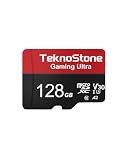
| TEKNOSTONE 128GB A2 | Budget Switch 1 or Steam Deck | 100MB/s read, 50MB/s write, U3, V30 |
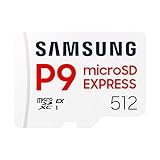
| Samsung P9 Express 512GB | Switch 2 with a large library | Express microSDXC, 512GB |
| SanDisk 512GB Express (Licensed) | Switch 2 with official branding | Up to 880MB/s read, 650MB/s write |
| SanDisk 512GB Express (SDSQXFN) | Switch 2, alternate listing | Up to 880MB/s read, 650MB/s write, U3 |
| Samsung P9 Express 256GB | Switch 2 on a tighter budget | Express microSDXC, 256GB |
How to Choose
Identify your console and the card format it takes
The original Switch, the OLED model and the Lite accept microSD, microSDHC and microSDXC cards, with UHS-I speeds being the practical standard. The Switch 2 uses microSD Express, a card with a different pin layout and a faster interface; ordinary UHS-I cards are not what the console is built around. If the listing does not clearly say Express or name the Switch 2, treat the card as an older-console choice. Buying Express for an original Switch mostly means paying a premium for bandwidth the older console cannot use.
Pick capacity by library size
Many modern games run from 5GB to well over 20GB. A 128GB card holds a modest library, 256GB covers most households, and 512GB suits owners of several large releases or heavy digital buyers. Because a card cannot be expanded later, buy one tier larger than your current needs. Remember that the console reserves some space and that listed gigabytes are slightly larger than the formatted capacity you will see.
Read the speed numbers the right way
For UHS-I cards, look for read speeds near 100MB/s, a U3 or V30 class mark, and ideally an A1 or A2 application class, which helps with the small random reads games perform. For Express cards, the listing figures reach 880MB/s read and 650MB/s write, which is a big step up from UHS-I. Faster headline numbers do not make older consoles load quicker, since they cannot use that bandwidth.
What to ignore and where budget cards cut corners
Ignore character branding and special editions unless you like the look; it does not change performance. Be wary of unnamed cards with huge capacities and no class markings, because fake or counterfeit storage is a known problem. Budget cards often save by omitting the application class or by quoting only the read speed, so look for the write number as well. Buy from a seller you trust and keep proof of purchase.
The 7 Best Options
SanDisk 256GB Mario Super Star Edition
This official licensed card carries the Super Mario Super Star artwork and lists 256GB, UHS-I and up to 100MB/s read. It is designed for the original Switch family and gives a comfortable amount of space for a mixed library.
- Strength: officially licensed for the Switch, which reduces compatibility worries.
- Strength: 256GB is a practical middle size for most owners.
- Trade-off: UHS-I speeds are not what a Switch 2 expects, so it is not a newer-console pick.
For a family sharing one console, a card with a recognizable character on it also helps keep it from being mixed up with the memory cards in the camera and phone drawer. The 256GB capacity leaves room for several big first-party titles plus screenshots and clips, and it is a size most owners rarely outgrow quickly.
Skip it if you own a Switch 2 or care more about plain labeling than character art.
Samsung microSD Express 256GB
Aimed squarely at the Switch 2, this card is labeled as microSD Express at 256GB. The title is short and sticks to the essentials: the format and the console it supports.
- Strength: the Express format matches what the newer console is designed to use.
- Strength: 256GB offers room for a decent starter library.
- Trade-off: the title lists no speed figures, so compare it against the siblings.
It is the straightforward answer for a new Switch 2 owner who sees storage running low after a few downloads and does not want to read a spec sheet. Expect to pay a premium over ordinary cards, because Express memory is a newer, faster class, and treat the 256GB size as a starting point rather than a long-term home for a huge library.
Skip it if you own the original Switch, where an Express card brings no benefit.
TEKNOSTONE 128GB A2 Gaming
The TEKNOSTONE is the value option here. It lists 128GB, 100MB/s read, 50MB/s write, UHS-I, Class 10, U3 and V30, and names the original Switch and Steam Deck. An adapter is included.
- Strength: both read and write speeds are published, with an A2 application class.
- Strength: works across the original Switch and portable PCs.
- Trade-off: 128GB fills up fast with large downloads.
On paper it is the budget-minded all-rounder: published read and write figures, a V30 mark that matters for video clips, and an A2 rating that helps with the small reads games make. It also moves to a Steam Deck without trouble, so the same purchase keeps working if you add a handheld PC later.
Skip it if you have a Switch 2 or a sizable digital collection.
Samsung P9 Express 512GB
This P9 card is a 512GB Express microSDXC built for the Switch 2, referenced by the model number MB-MK512T/AM. It is the capacity to pick if you buy games digitally rather than on cartridge.
- Strength: 512GB means you rarely need to delete anything.
- Strength: the Express format fits the newer hardware.
- Trade-off: the larger capacity sits in the premium tier of this list.
If you buy most games from the eShop and keep them installed, storage disappears quickly, and a half-terabyte card avoids the constant routine of archiving and redownloading. It also leaves space for screenshots, video captures and demos, which add up faster than people expect on a new console.
Skip it if your library is small and you can live with 256GB.
SanDisk 512GB Express (Licensed)
This listing is officially licensed for the Switch 2 and promises up to 880MB/s read and 650MB/s write in a 512GB card with U3 and Class 10 markings.
- Strength: official licensing and published read and write numbers.
- Strength: 512GB capacity with top-tier interface speed.
- Trade-off: premium pricing is the cost of both size and format.
Licensing is the main reassurance here: the listing says it is officially approved for the newer console, which lowers the risk of buying the wrong format. The write speed in the title matters for installing big downloads, which finish faster than they would on a standard card.
Skip it if you only need a smaller card or have an older console.
SanDisk 512GB Express (SDSQXFN)
The second SanDisk listing shows the same 880MB/s read and 650MB/s write numbers at 512GB, with a part number ending in GN4NN. It is described as working with the Switch 2 and does not stress the licensing wording.
- Strength: matching specs mean you can choose whichever listing is available.
- Strength: big capacity and Express speeds for a Switch 2 library.
- Trade-off: with two near-identical SanDisk entries, it takes care to compare model numbers.
When two listings carry the same specs, the practical difference is availability and the part number printed on the box. Compare the model number against the console maker’s compatibility notes, and buy whichever version is in stock from a reputable seller.
Skip it if you want visible licensing language on the listing.
Samsung P9 Express 256GB
This P9 variant is a 256GB Express microSDXC for the Switch 2, model MB-MK256T/AM. It targets players who want the new format without paying for 512GB.
- Strength: 256GB handles a handful of large games.
- Strength: a lower buy-in than the 512GB sibling.
- Trade-off: bigger libraries will outgrow it.
This is the entry-level way into Express storage from a major memory brand, ideal if you mostly buy cartridges and use the card for a few digital titles and updates. It also fits the habit of treating storage as something you upgrade later rather than overbuying on day one.
Skip it if you buy many downloads or own the original Switch.
Which One Fits Your Situation
You own an original Switch, OLED or Lite
The SanDisk Mario Super Star at 256GB is the straightforward answer, with the TEKNOSTONE 128GB as the cheaper alternative when space matters less.
You just bought a Switch 2 and mostly play physical games
Take the Samsung P9 Express 256GB. It gives you room for a few downloads without paying for the largest size.
You buy everything digitally on a Switch 2
Choose the Samsung P9 Express 512GB or one of the SanDisk 512GB Express cards. Their space keeps your library installed.
You split time between a Switch and a Steam Deck
The TEKNOSTONE 128GB lists both devices and publishes read and write speeds, which makes it the most portable pick here.
Common Mistakes
- Buying an Express card for an original Switch and paying for speed it cannot use.
- Assuming a normal UHS-I card will work as game storage on a Switch 2.
- Choosing the smallest capacity and running out of space within weeks.
- Judging a card only by its read speed and ignoring write speed and class marks.
- Buying an unbranded high-capacity card from an unknown seller.
Related guides
- How To Clean Quest 3 Lenses And Facial Interface
- Micro Sd Cards For Samsung Galaxy Phones
- Vr Facial Interfaces For Glasses Wearers
Frequently Asked Questions
Do I need a microSD Express card for the Switch 2?
The newer console is designed around that format, so yes if you want expandable game storage. Regular UHS-I cards are the older standard.
Can I use my old Switch card in the new console?
Not as the new console’s game storage. Keep the old card for the original system or move saved screenshots and videos off it first.
How much storage should I buy?
Choose 256GB for most households and 512GB if you purchase many digital games. A 128GB card suits a small or mostly physical library.
Does a faster card make games load quicker on my old Switch?
No. The older hardware cannot use the extra bandwidth, so UHS-I at about 100MB/s is the sensible target.
Related guides
- How to Check VRAM Usage in Windows 11: Task Manager, Game Bar and Overlay Methods
- How Much VRAM for 4K Gaming: 8GB, 12GB or 16GB, and What Actually Fills It
- How Many VRM Phases Do You Need? Match Phase Count and Power Stage Rating to Your CPU
- Best Gaming PCs for VR: Seven Prebuilts Compared by Graphics Card, CPU and Memory (2026)