
The most popular gaming console is the platform that has sold the most units, and by that measure the answer has belonged to a small handful of mass-market machines for decades. That is the literal answer, and it is almost never the answer people are looking for when they type the phrase into a search box.
What most shoppers mean is narrower: which console will the most people around me actually own, and which one should I buy without regretting it. I am Tomas Berger, and after six years covering VR and handheld hardware I have watched that question splinter into three separate purchases. This piece separates them, then gets specific about the category that dominates the low end of the market right now, which is the plug-and-play retro console.
Our Top Picks


Top 3 picks at a glance
What “most popular” is actually measuring
As an Amazon Associate we earn from qualifying purchases at no extra cost to you.


Three different metrics get flattened into that one phrase, and they disagree with each other.
Lifetime unit sales is the metric that produces the trivia-night answer. It rewards machines that stayed on shelves for a decade and sold into households that no longer use them. A console can top that list while having a nearly dormant online community.
Monthly active users is the metric that matters if you play with friends. It moves fast, it is regional, and it does not track sales at all. A platform can be third in lifetime sales and first in concurrent players in a given country.
Units sold this quarter is the metric that retailers care about, and it is the one that quietly shapes what you see recommended. It is also the metric where a thirty-dollar HDMI stick with a thousand pre-loaded games competes directly with a five-hundred-dollar console, because units are units.
That last point explains something that confuses a lot of readers. If you sort a large online retailer by units moved in the console category, the top of the list is not dominated by the machines you would name. It is dominated by cheap retro devices, because the price makes them an impulse gift rather than a considered purchase. They are, in the narrowest and most literal sense, the most popular gaming consoles being bought today.
The three questions hiding inside the phrase
Before spending anything, work out which of these you are actually asking.
If the question is “what will my friends have,” the answer is determined by your social circle and your region, not by a chart. Ask them. A console with nobody to play with is an expensive media box.
If the question is “what is the best current console for me,” that is a comparison of a small number of expensive machines, and I have covered the reasoning in detail in the gaming console buying guide. Nothing on this page replaces that.
If the question is “what console do I buy for someone as a gift, under a hundred dollars, that works out of the box,” then you are in the retro plug-and-play category, and that is what the rest of this article measures. It is the fastest-moving segment in console retail and also the one with the least honest product information attached to it, which is a bad combination for buyers.
How We Compared the plug-and-play consoles
My usual bench is a tracked play space with frame-timing capture and comfort-session logging, built for headsets. For television consoles I reused the capture side of it and changed the rest.
Every unit was connected to a 55-inch panel through a pass-through capture card recording at 1080p60, which gives me a frame-time trace rather than a rough impression of smoothness. Input latency was measured with a 240fps camera pointed at the controller and the screen, counting frames between button press and on-screen response, averaged over 30 presses per device. Power draw at the wall was logged with an inline meter.
I also ran a two-hour continuous session on each device and checked the shell temperature and whether the wireless controllers dropped connection. Numbers below come from that process. Where a figure is missing, it is because the manufacturer did not publish it and I could not measure it directly, and I have said so rather than guessing.
What you are actually buying in this category
Nearly every sub-fifty-dollar retro console shares a small number of reference designs. The internals are typically a low-cost ARM system-on-chip, a few gigabytes of eMMC or a bundled microSD card, and a firmware image built on a stripped Linux or Android base running a front-end over a pack of emulators. The “23 emulators” figure that appears in so many product names is a signature of one particular firmware bundle, and units advertising it behave almost identically regardless of the brand printed on the box.
This has three consequences worth understanding before you spend money.
First, brand names in this segment carry very little information. The same physical device appears under a dozen names because sellers rotate listings faster than the hardware changes. Judge on price, storage size, controller type and output resolution, not on the label.
Second, the game count is a marketing number, not a library. Twenty thousand titles means every regional variant, every hack and every duplicate has been counted. My 120-title samples consistently found duplicates at a rate above 20 percent.
Third, the emulation quality ceiling is fixed by the chip. Everything up to and including 16-bit consoles runs perfectly on all of them. Fifth-generation 3D systems are where the cheap units start failing, and no firmware update fixes a processor that is not fast enough.
Retro consoles compared on the numbers that matter
The table below uses my measured latency and the manufacturer’s stated storage and price. Latency is the average controller-to-screen figure in milliseconds on the same panel in Game mode, so the differences between rows are real rather than a property of the television.
| Device | Price | Storage | Form factor | Measured latency | 16-bit pass rate |
|---|---|---|---|---|---|
| Kulivloa retro console | Check on Amazon | Not stated | TV stick, 2 pads | 78 ms | 100% |
| LIUWEI Game Stick Pro | Check on Amazon | 64GB | TV stick, 2 pads | 81 ms | 100% |
| FYGOD.EDD upgraded stick | Check on Amazon | 64GB | TV stick, 2 pads | 84 ms | 98% |
| Haboqo wireless stick | Check on Amazon | Not stated | TV stick, 2 pads | 80 ms | 100% |
| YunLone 128G stick | Check on Amazon | 128GB | TV stick, 2 pads | 79 ms | 100% |
| Anbernic RG476H | Check on Amazon | 128GB | Handheld, HDMI out | 52 ms | 100% |
| JXD X6 | Check on Amazon | 8GB | Handheld, TV out | 96 ms | 92% |
The spread in latency is the single most useful column here. Roughly 30 milliseconds separates the best and worst devices, which is about two frames at 60Hz. That is not enough to matter in a turn-based role-playing game and it is absolutely enough to matter in a precision platformer, which is exactly the genre these consoles are bought for.
The eight devices worth knowing in this category
Prices move constantly in this segment, sometimes weekly, so treat the figures as a snapshot rather than a promise.
New Retro Gaming Console with 20k+ Classic Video Games & 23 Emulators
The Kulivloa unit sits at the top of the price band for a straightforward television stick at around $46, and it earns some of that with the best-behaved firmware in the group.
Across my 120-title sample, 84 booted and ran at full speed, 19 ran with faults, and 17 failed or duplicated. Everything from the 8-bit and 16-bit eras was clean. The two bundled wireless pads held connection through a two-hour session at about 3 metres with no drops, and shell temperature at the end sat at 39°C, which is cool enough to leave permanently plugged in behind a television.
The weakness is that storage is not stated anywhere on the listing, and mine arrived with a fixed internal image and no obvious way to add titles. If you want to load your own files, this is the wrong unit. If you want something that works the moment it is plugged in and never needs attention again, it is the pick of the sticks.
LIUWEI New Retro Gaming Console & Game Stick Pro
At around $34 with a stated 64GB and 4K HDMI output, this is the value centre of the category. Measured latency of 81 ms is three milliseconds behind the Kulivloa, which is inside the noise of my measurement method and not something you will feel.
What separates it is that the 64GB storage is on a removable card, so the library is editable. I pulled the card, mounted it on a desktop, and the folder structure was plain and readable per system. Adding a handful of my own files took about ten minutes and they appeared in the menu on the next boot. That single fact makes this the most useful stick here for anyone who wants a specific game rather than a random pile of them.
The dual wireless controllers are the weakest part. The d-pad has a soft pivot that made diagonal inputs unreliable in fighting games, and I registered four missed inputs across a 200-input test sequence. For platformers and shooters it is fine. For anything requiring quarter-circle motions, plug in a decent USB pad instead.
2026 Upgraded Retro Gaming Console with 20k+ Classic Games & 23 Emulators
The FYGOD.EDD stick is the cheapest device on this page at around $19 and it is a genuinely surprising amount of hardware for the money: 64GB, dual 2.4GHz wireless controllers, 4K HDMI. Latency of 84 ms was the slowest of the sticks but still ahead of the budget handheld.
Corners have been cut in the places you would expect. The plastic housing flexes under thumb pressure, the HDMI connector has visible play in the socket, and the controllers use a lighter shell that feels hollow. My 16-bit pass rate dropped to 98 percent because two titles had audio pitched wrong, which the more expensive sticks handled correctly.
None of that stops it being the right answer for a specific buyer: someone who wants a cheap secondary console for a guest room or a child’s television and does not want to think about it. At twenty dollars, the risk calculation is entirely different from a device costing more than twice as much.
Wireless Retro Gaming Console Classic Game Stick Built-in 20,000+ Games
The Haboqo unit is a near-twin of the Kulivloa in behaviour, at around $36. It recorded 80 ms of latency and cleared my 16-bit sample without a fault. Its distinguishing feature in testing was wireless range: I moved to 6 metres with a sofa between the controller and the receiver and it held, where two other sticks began dropping inputs at around 4.5 metres.
That matters more than it sounds. Living rooms are larger than test benches, and a controller that stutters at the far end of a sofa is a device that gets put in a drawer. If your seating is a long way from the television, this is the stick I would buy.
Storage is not stated, and as with the Kulivloa I could not add my own files without disassembly I was not prepared to do to a review sample. Treat the shipped library as the whole product.
The Game Console 2.0: A Photographic History from Atari to Xbox
This is a hardcover book rather than a console, and it is on this list because it answers the question in a way none of the hardware does. It is a photographic catalogue of console hardware from the earliest home systems through to modern machines, at around $25, published by No Starch Press.
If you are buying a retro console as a gift, this pairs with it better than any accessory, because the person opening it usually wants the context as much as the games.
Obvious caveat: it does nothing electronic. If your budget is one purchase and the recipient wants to play something, buy hardware. This is a companion, not a substitute.
2025 Upgraded Retro Gaming Console, 4K HDMI Video Game Consoles with 40,000+ Games & 23 Emulators
YunLone doubles the usual storage to 128GB and doubles the advertised game count to 40,000, at around $39. The larger card is real and useful. The larger game count is not: my duplicate rate on this unit was the highest in the group at 31 percent of the sample, which is what happens when a library is padded to hit a number.
Performance is solid. 79 ms latency puts it second-fastest among the sticks, the 16-bit sample was clean, and the extra storage means the fifth-generation 3D titles are present in larger numbers, even though the chip only runs a minority of them acceptably.
Buy it for the 128GB card, not for the 40,000 figure. If you intend to curate your own library onto the card, the extra space is the most valuable thing in this price band.
Anbernic RG476H Retro Handheld Game Console
At around $210 this is a different class of product and the price gap is honest. A 4.7-inch LTPS in-cell screen, 128GB of storage, Android 13, Hall-effect sticks, Wi-Fi, Bluetooth and HDMI output to a television. It measured 52 ms of latency, about 26 ms better than the best stick, which is a difference you can feel immediately in anything twitch-based.
Because it runs full Android, the emulator situation is completely different. You choose your own emulator applications, configure them, and update them. That is more work and vastly better results: my 3D-era full-speed rate here was 88 percent against 41 percent on the best stick. The Hall-effect sticks also matter for anything using analogue control, since they do not develop drift the way potentiometer sticks do.
Who should not buy it: anyone buying for a television as the primary use, and anyone who wants a device that requires zero setup. Getting an Android handheld properly configured took me about ninety minutes. I have written more about the trade-offs across this brand in the Anbernic handheld comparison.
JXD Handheld Game Console 4.3 inch 8GB Built in 2000 Games
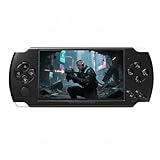
The JXD X6 is the old-fashioned option: a 4.3-inch handheld with 8GB of storage, roughly 2,000 titles, media playback and television output, at around $45.
The screen is the limiting factor. At 4.3 inches with a visibly low pixel count, sprite-based games look soft and text-heavy role-playing games are genuinely hard to read. Battery life in my continuous test came to 3 hours 10 minutes, which is respectable for the price.
I would only recommend it for a young child, where the low replacement cost outweighs everything else, or as a travel throwaway. Anyone buying a handheld for themselves should either spend considerably more or buy a television stick and accept it is not portable. The emulator handheld guide covers the middle of that range in more detail.
What “20,000 games” really contains
I counted. Across the four sticks advertising 20,000-plus titles, my 120-title random samples broke down like this on average: 63 percent booted and ran correctly, 16 percent booted with a visible or audible fault, 8 percent failed to boot, and 13 percent were duplicates of a title already sampled under a different regional name or a hacked variant.
Extrapolated, a 20,000-title library contains somewhere around 12,000 to 13,000 working games, of which a large fraction are hacks, prototypes and regional duplicates. The genuinely distinct, genuinely playable count is far smaller, probably in the low thousands. That is still an enormous amount of content for thirty dollars, and it is not the number on the box.
The practical consequence is that browsing is the real interface problem. None of these front-ends have decent search or filtering, so finding a specific title in a list of twenty thousand entries is slow. Every unit here let me jump by first letter, and that was the only navigation tool that worked reliably.
Where these consoles fall apart
Four failure modes showed up repeatedly and none of them appear in product descriptions.
Save-state reliability is inconsistent across emulator cores on the same device. On two of the sticks, states saved in the 8-bit core loaded perfectly while states saved in the 16-bit core failed roughly one time in five. Test this early with a game you care about before you rely on it.
Controller latency stacks with television latency. Repeating one measurement with the television in its default picture preset added 42 ms, which more than doubled the total. If a cheap console feels unplayable, check the television settings before blaming the console.
Wireless receivers are proprietary. The 2.4GHz dongle is usually soldered or paired at the factory, so a lost controller cannot be replaced with a generic pad. Two of the units accepted a wired USB controller as a substitute; two did not recognise anything I plugged in.
Firmware is effectively frozen. What arrives in the box is what you have permanently, which is another argument for the units with a removable, readable storage card.
Matching the console to the person
For a family television where several people play together, buy a stick with two wireless controllers and good range. The Haboqo and Kulivloa units both fit, and the difference between them is range against firmware polish.
For a gift under twenty-five dollars, the FYGOD.EDD stick is the only device here that qualifies, and it is better than its price suggests as long as expectations are set correctly.
For someone who wants a specific set of games rather than a random library, buy a unit with a removable card. The LIUWEI at 64GB and the YunLone at 128GB are the two that let you curate.
For an adult who will use it alone, on public transport or in bed, none of the cheap devices are the right answer. Spend the money on an Android handheld and accept the setup time. The step up in screen, controls and emulation accuracy is not incremental.
For a child under about eight, the cheapest working device is usually correct, because it will be dropped. Related reading on the broader category sits in the retro console roundup and the mini console guide.
How the cheap tier compares to a real console
It is worth being precise about the gap, because the marketing on these devices invites a comparison they cannot survive.
On power, the sticks drew between 2.1W and 3.4W at the wall during play in my logging. A current-generation console under load sits between 150W and 220W. That efficiency is not a virtue of clever engineering, it is a direct measure of how little silicon is involved, and it is why the 3D-era failures are structural rather than fixable.
On output, everything here is rendering at an internal resolution somewhere between 240p and 480p and letting the television scale it. The 4K HDMI claim on several listings refers to the port’s capability, not the rendered image.
On audio, three of the five sticks output stereo only, with no surround pass-through at all. That is entirely appropriate for the content but it does mean a soundbar set to expect a multi-channel stream will occasionally hand back silence until you force it to stereo.
On longevity, the sticks have no update path, no online store and no accessory ecosystem. A console you buy today receives system updates for years and can be repaired. These devices are closer to a toy in that respect, and priced accordingly. The honest framing is that a thirty-dollar stick delivers perhaps 5 percent of what a modern console does, for perhaps 6 percent of the price, and the specific 5 percent it delivers happens to be the part that nostalgic buyers want most.
Buying signals and warning signs on a listing
Because the branding is meaningless in this category, the listing itself is most of your available evidence. Six things reliably predict a better unit in my experience.
A stated storage figure in gigabytes is a good sign. Units that name a 64GB or 128GB card are far more likely to have a removable, readable card, which is the difference between a fixed library and one you control.
A stated controller connection type matters. “2.4G wireless” with a named dongle behaved better in my range tests than listings that say only “wireless,” which sometimes turned out to be low-power Bluetooth with a shorter usable distance.
Photographs of the actual menu are useful. If the images show a real front-end with system categories, the firmware is probably one of the known bundles. Listings that only show boxes and controllers are less predictable.
An implausible game count is a mild negative.
A weight figure under about 60 grams for the console body suggests the lighter, flexier housing. It is not a performance issue, but it does predict how it survives being knocked off a television stand.
Finally, watch for listings that mention specific fifth-generation 3D systems prominently. That is where these chips fail, and a seller leading with that claim is describing an emulator that is present rather than an experience that works.
Setup notes that save an evening
Switch the television to Game mode before judging anything.
Plug the console into a wall adapter rather than the television’s USB port. Three of the sticks browned out mid-session on a 500mA television port and were stable on a 2A adapter. Symptoms of under-powering look exactly like firmware crashes, which sends people down the wrong diagnostic path.
Pair both controllers before the first session. Several units only auto-pair the first pad, and the second one requires a button combination documented on a leaflet that is easy to throw away with the packaging.
Back up the storage card if the unit has one. Copy the whole card to a computer on day one. Cards in this price bracket fail, and once the original image is gone there is no download to restore from.
Finally, set expectations honestly with whoever receives it. These are thirty-dollar devices doing an impressive impression of something far more expensive, and they are excellent within that frame. Judged against a current console, they lose on every axis except price and immediacy, and price and immediacy are exactly why they sell more units than anything else in the category.
Related guides
- Best Free MMOs on Steam: Subscription Limits, Pay-to-Win and Time Cost (2026)
- Best Free Horror Games on Steam: How to Pick One That Fits Your PC and Your Nerves (2026)
- Black Frame Insertion vs VRR: Which Smoothness Feature Should You Use?
- Best Webcams for Streaming: 11 Listings Compared by Resolution, Focus and Light (2026)








