The best monitors for a PS5 Pro at 4K and 120Hz are the ones whose listings actually prove HDMI 2.1, and in this group only three titles say so outright: the CUNPU 27-inch 4K 160Hz, the SANSUI 27-inch dual-mode screen and the Amzfast 32-inch curved panel. The MSI PRO MAX 271UPX12G is the quality pick, a 27-inch 4K QD-OLED at 120Hz, but its title says only “HDMI” so the version is something to confirm before you order.
That caveat is the whole story of this category. A monitor can be sold as 4K 120Hz, 144Hz or even 160Hz and still be useless at that setting from a console, because a console sends its picture over HDMI. If the HDMI port is an older version, the high refresh rate may exist only on DisplayPort, which a PS5 Pro does not use. So this page leads with the bandwidth arithmetic, then compares eight screens by what each title proves, and ends with a checklist to run before you click buy.
If you are still weighing the console itself, our comparison of PS5 Pro versus PS5 explains where the extra performance goes, and the earlier roundup of gaming screens for PS5 looks at the wider field.
Our Top Picks
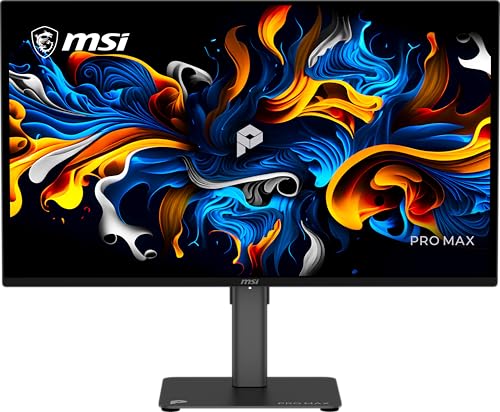 MSI PRO MAX 271UPX12G 27-inch 3840x216014" x 24.1" x 2.9"22.06 x 24.06 x 7.9 inches20 PoundsCheck on Amazon
The bandwidth check that decides everything
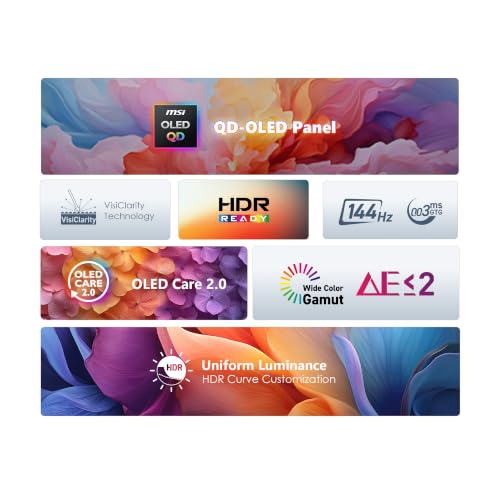
MSI PRO MAX 271UPX12G 27-inch 3840x2160(UHD) QD OLED Monitor,120Hz,DisplayHDR True Black 400,FreeSynch Premium Pro,HDMI,Display Port,USB-C, △E< 2,Mac Optimization,Height Adjustable Stand,Speaker,Black



As an Amazon Associate we earn from qualifying purchases. Product prices and availability are accurate as of the date/time indicated.

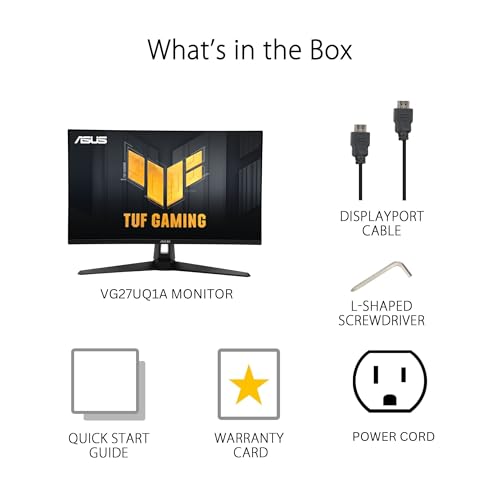
ASUS TUF Gaming VG27UQ1A 27 Inch 4K 160Hz G-SYNC Gaming Monitor | ELMB Sync, 1ms, 95% DCI-P3, FreeSync Premium, DisplayWidget Center, for PS5 and Xbox




As an Amazon Associate we earn from qualifying purchases. Product prices and availability are accurate as of the date/time indicated.

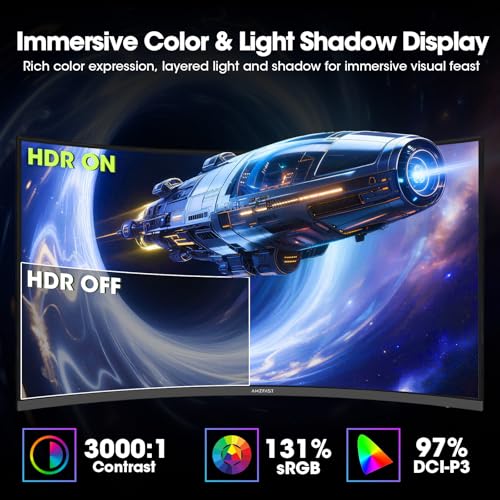
Amzfast 32" 4K 120Hz Curved Gaming Monitor, 3840x2160 UHD, PIP/PBP, Adaptive Sync, 131% sRGB, 3000:1 Contrast,HDR, 300nits, 1500R, HDMI2.1(VRR)& DP1.4, Built-in Speaker, Eyes Care, VESA Mount




As an Amazon Associate we earn from qualifying purchases. Product prices and availability are accurate as of the date/time indicated.

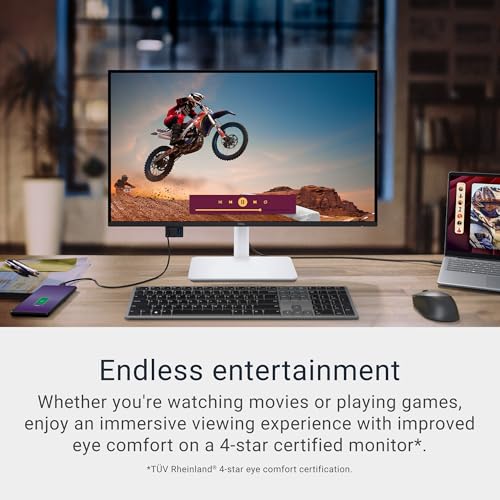
Dell 27 Monitor S2725QC, 4K UHD IPS, 120Hz, 99% sRGB, 4ms, FreeSync Premium | 3840x2160, 163 PPI, USB-C, HDMI, DisplayPort, Anti-Glare, Eye Comfort Technology, LED Edgelight System






As an Amazon Associate we earn from qualifying purchases. Product prices and availability are accurate as of the date/time indicated.

Dell 27 Monitor S2725QS, 4K UHD IPS, 120Hz, 5ms, FreeSync Premium | 350 cd/m2 Brightness, 1,500:1 Contrast, 99% sRGB, Anti-Glare, HDMI, DisplayPort, USB‑C, Height Adjustable, Swivel, Pivot


As an Amazon Associate we earn from qualifying purchases. Product prices and availability are accurate as of the date/time indicated.

Dell 32 Monitor S3225QS, 4K UHD VA, 120Hz, FreeSync Premium, Eye Comfort | 3840x2160, 31.5in, 3000:1 Contrast, 300 cd/m2 Brightness, 4ms, 99% sRGB, Anti-Glare, HDMI, DisplayPort


As an Amazon Associate we earn from qualifying purchases. Product prices and availability are accurate as of the date/time indicated.
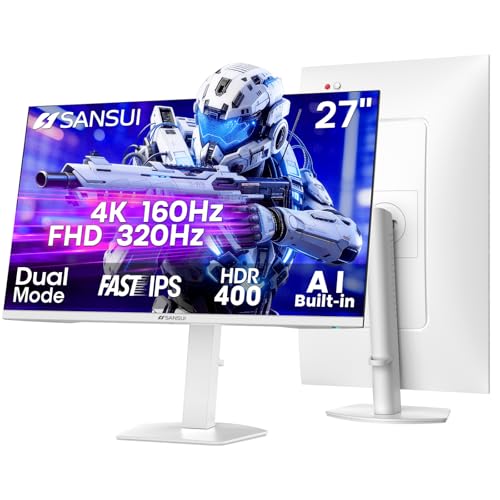
SANSUI 27 Inch 4K 120Hz 160Hz, FHD 240Hz 320Hz Dual Mode Gaming Monitor | UHD丨Fast IPS 1ms(OD) 丨2×HDMI2.1丨2×DP 1.4丨Built-in Speakers丨Eye Care丨AI Crosshair丨PIP/PBP丨HDR400丨Rotating/Height Adjust丨White


As an Amazon Associate we earn from qualifying purchases. Product prices and availability are accurate as of the date/time indicated.

CUNPU 27" 4K 160Hz Ultimate Gaming Monitor, UHD Fast IPS 1ms, G-Sync Compatible & FreeSync, 99% DCI-P3, HDR400, HDMI 2.1 for PS5/Xbox 4K 120Hz, Full Ergonomic Stand


As an Amazon Associate we earn from qualifying purchases. Product prices and availability are accurate as of the date/time indicated.
A 4K picture is 3840 by 2160 pixels, about 8.3 million pixels per frame. At 120 frames a second that is roughly 995 million pixels every second. Multiply by the bits used per pixel and you get the raw data rate. At 24 bits per pixel (8 bits per color) that is about 23.9 gigabits per second, and at 30 bits (10-bit color, as used for HDR) it is about 29.9 gigabits per second. Real signals also carry blanking intervals and overhead, which adds a few more gigabits. These are estimates from the resolution and refresh rate, not measurements of any monitor.
| Mode | Approximate raw data rate (estimate) | Fits HDMI 2.0 (18 Gbps)? | Fits HDMI 2.1 (48 Gbps)? |
|---|---|---|---|
| 4K 60Hz, 8-bit | About 12 Gbps | Yes | Yes |
| 4K 120Hz, 8-bit | About 24 Gbps plus overhead | No | Yes |
| 4K 120Hz, 10-bit HDR | About 30 Gbps plus overhead | No | Yes, with margin |
| 1440p 120Hz, 8-bit | About 10.6 Gbps plus overhead | Yes | Yes |
The conclusion is simple. 4K at 120Hz does not fit down an HDMI 2.0 link, which tops out at 18 gigabits per second of raw bandwidth. You need HDMI 2.1 or a monitor that can accept compressed signals, and the listing must say it applies to the HDMI input, not just DisplayPort. Many gaming monitors also include a second mode: a lower resolution at 120Hz or higher, which a console can use if 4K120 is unavailable. That is why you will see “1440p 120Hz” in forum threads about PS5 monitors.
The cable matters too. An older HDMI cable can carry 4K60 happily and fail at 4K120 with flicker or sparkles. Our guide to choosing an HDMI cable for 4K 120Hz consoles covers what to look for.
What each title proves, and what to verify
| Monitor | HDMI evidence in the title | Verify on the listing |
|---|---|---|
| CUNPU 27″ 4K 160Hz | HDMI 2.1 for PS5/Xbox 4K 120Hz | VRR over HDMI, input lag mode |
| SANSUI 27″ dual mode | 2x HDMI 2.1, 2x DP 1.4 | Which mode runs over which port |
| Amzfast 32″ curved | HDMI 2.1 (VRR) and DP 1.4 | Panel type, real HDR brightness |
| MSI PRO MAX 271UPX12G | HDMI, DisplayPort, USB-C (version not named) | HDMI version and 4K120 over HDMI |
| ASUS TUF VG27UQ1A | “for PS5 and Xbox” only | HDMI version, 4K120 over HDMI |
| Dell S2725QC, S2725QS, S3225QS | HDMI, DisplayPort (version not named) | HDMI version and 4K120 over HDMI |
All eight at a glance
| Monitor | Key spec from the title | Price tier | Best for |
|---|---|---|---|
| CUNPU 27″ 4K 160Hz | Fast IPS, 1ms, G-Sync Compatible and FreeSync, 99% DCI-P3, HDR400 | Budget | Lowest cost with explicit console wording |
| SANSUI 27″ 4K Dual Mode | 4K 120Hz/160Hz or FHD 240Hz/320Hz, Fast IPS, 2x HDMI 2.1 | Budget | Flexible modes, two HDMI ports |
| Dell S2725QS | 27″ 4K IPS 120Hz, 5ms, 350 cd/m2, height adjustable | Budget | Desk-friendly, mixed work and play |
| ASUS TUF VG27UQ1A | 27″ 4K 160Hz, 1ms, 95% DCI-P3, G-SYNC, ELMB Sync | Mid-range | Gamers who also use a PC |
| Dell S3225QS | 32″ 4K VA 120Hz, 3000:1, 300 cd/m2 | Mid-range | Bigger screen, high contrast |
| Amzfast 32″ curved | 4K 120Hz, 1500R, HDMI 2.1 (VRR), 300 nits | Mid-range | Immersive curved screen |
| Dell S2725QC | 27″ 4K IPS 120Hz, 4ms, 99% sRGB, 163 PPI, USB-C | Mid-range | Console plus laptop on one desk |
| MSI PRO MAX 271UPX12G | 27″ 4K QD-OLED 120Hz, DisplayHDR True Black 400 | Premium | Picture quality first |
Price tiers are relative inside this set. Check each listing for current price and variant.
Gaming-tuned 27-inch IPS screens
CUNPU 27-inch 4K 160Hz Ultimate Gaming Monitor
The CUNPU is the clearest match for the keyword in plain wording. The title lists a 27-inch 4K screen at 160Hz with a UHD Fast IPS panel and 1ms response, G-Sync Compatible and FreeSync support, 99% DCI-P3, HDR400, and “HDMI 2.1 for PS5/Xbox 4K 120Hz”, with a full ergonomic stand. It also sits at the Budget end of the set by listed price.
A few cautions apply. The 160Hz figure is for a PC graphics card over DisplayPort, since the PS5 Pro tops out at 120Hz. The HDR400 label is an entry-level HDR tier, which usually means a modest bump rather than the dramatic highlights of brighter panels, so treat HDR as a bonus. And while the title says HDMI 2.1, it does not say whether variable refresh works over that connection, so check the listing and buyer comments if VRR matters to you.
The ergonomic stand is useful if you want height and tilt adjustment for a desk, and the 27-inch size at 4K gives about 163 pixels per inch, which is very sharp at normal desk distance. The brand is less familiar than Dell or ASUS, so read the warranty terms and support details, and look at buyer reports on dead pixels and quality control. Since this is the screen whose title speaks most directly to the keyword, it is also the one to test in the first days: set the console to 4K 120Hz, load a game with a 120Hz mode, and use the return window if the picture drops out.
Pros
- Explicit HDMI 2.1 wording for PS5 and Xbox 4K 120Hz.
- Fast IPS with 99% DCI-P3 and 160Hz for PC use.
- Full ergonomic stand and the lowest price tier in the set.
Cons
- Less-known brand; warranty and support need checking.
- HDR400 is a modest HDR tier.
- VRR over HDMI is not stated in the title.
Who it’s for: budget buyers who want a 4K screen whose title promises console 4K 120Hz.
SANSUI 27-inch 4K 120Hz/160Hz and FHD 240Hz/320Hz Dual Mode
The SANSUI is a different idea: a dual-mode monitor. The title lists 4K at 120Hz or 160Hz, and full HD at 240Hz or 320Hz, on a Fast IPS panel with 1ms (with overdrive), two HDMI 2.1 ports, two DisplayPort 1.4 ports, built-in speakers, eye care, an AI crosshair, picture-in-picture and picture-by-picture, HDR400 and a rotating, height-adjustable white stand.
The dual-mode design lets you choose sharpness or speed. On a PS5 Pro, 4K 120Hz is the target, and a lower resolution at a higher refresh rate is useful mainly for a PC. The title does not say which modes run over which port, so check the listing for how the modes are enabled; some monitors require a menu setting to switch between them. Two HDMI 2.1 ports are handy if you connect a console and a second device.
The AI crosshair is an on-screen overlay. Some online games and communities frown on overlays, so check the rules for the games you play. Picture-by-picture and picture-in-picture let you show two inputs at once, which is a convenience for people who use the monitor with a laptop. Speakers are rarely a reason to buy, but they help for casual use. Be aware that a rotating stand adds adjustment but not necessarily stability, so look at buyer feedback. White is also an unusual finish for a gaming monitor; if you care about how it looks with your console and desk, check the listing photos in the color you are actually buying.
Pros
- Two HDMI 2.1 and two DisplayPort 1.4 inputs in the title.
- Dual-mode flexibility between 4K and high-refresh full HD.
- Rotating and height-adjustable stand, built-in speakers.
Cons
- Brand familiarity and support are limited; check warranty details.
- Which port carries which mode is unclear from the title.
- HDR400 is an entry-level HDR tier.
Who it’s for: players who split time between a console at 4K and a PC at high refresh rates.
ASUS TUF Gaming VG27UQ1A 27-inch 4K 160Hz
The ASUS TUF VG27UQ1A lists a 27-inch 4K panel at 160Hz with a G-SYNC badge, ELMB Sync, 1ms response, 95% DCI-P3, FreeSync Premium, DisplayWidget Center, and “for PS5 and Xbox” in the title. It is the recognizable brand option among the gaming-tuned screens and sits in the Mid-range tier.
The title’s console wording is not as specific as the CUNPU’s. “For PS5 and Xbox” is a compatibility label, not a promise of 4K 120Hz over HDMI, and the title does not name the HDMI version. Treat the HDMI version and its supported modes as the first thing to read on the listing, ideally in the specification table or the user manual. If it supports 4K 120Hz over HDMI, the rest of the title makes it a capable all-rounder; if not, the console would be limited to lower refresh rates.
ELMB Sync is ASUS’s name for combining backlight motion-blur reduction with variable refresh. Whether it works on a console is a question for the manual, so do not count it as a console feature. The 95% DCI-P3 figure indicates a wide color gamut, handy for HDR games and for photo or video work. DisplayWidget Center is the on-screen setup software for Windows. Since the headline refresh rate of 160Hz is a PC figure, a console owner is paying partly for headroom they will not use; that is fine if you plan to connect a gaming PC later, and wasteful if the screen will only ever see the PS5 Pro.
Pros
- Known brand with 160Hz, 1ms response and 95% DCI-P3 in the title.
- G-SYNC and FreeSync Premium both listed.
- Explicitly labeled for PS5 and Xbox.
Cons
- HDMI version and 4K 120Hz over HDMI are not stated.
- Costs more than the CUNPU and SANSUI for similar headline specs.
- Panel type is not named in the title.
Who it’s for: those who want a known gaming brand and will confirm the HDMI behavior before buying.
Dell 27-inch and 32-inch trio
Dell 27 Monitor S2725QS 4K IPS 120Hz
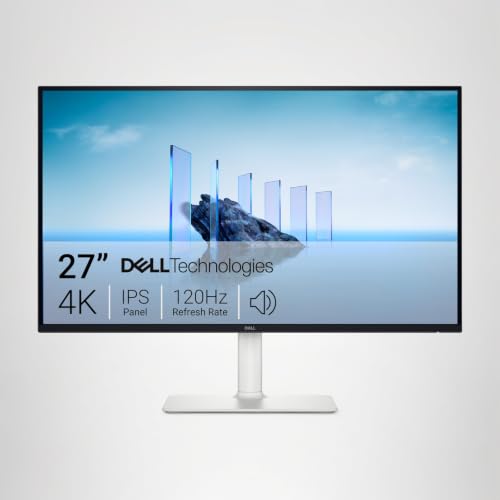
The S2725QS is listed as a 27-inch 4K UHD IPS monitor at 120Hz, with 5ms response, FreeSync Premium, 350 cd/m2 brightness, 1,500:1 contrast, 99% sRGB, an anti-glare coating, HDMI, DisplayPort, USB-C, and a stand with height, swivel and pivot adjustment. It is the cheapest Dell in the set, and the title calls it a monitor rather than a gaming monitor.
That honest labeling is useful. This is an everyday monitor that happens to offer 120Hz at 4K, so it suits a desk where the console shares the screen with work or a laptop. The 5ms response is slower than the 1ms claims on the gaming-tuned screens, though response claims are measured differently by different makers, so compare them cautiously. The title does not give the HDMI version, so the same warning applies: confirm 4K 120Hz over HDMI.
The 350 cd/m2 brightness is modest, and 1,500:1 is a typical contrast ratio for IPS. The adjustable stand is a quiet strength, since a screen at the right height is worth more than a spec you cannot feel. USB-C is helpful for a laptop. Be aware that the near-twin S2725QC differs in the details below.
One more practical note: office-oriented monitors like this often ship with default picture modes tuned for text, so plan a few minutes in the on-screen menu to pick a game mode, switch off any extra image processing, and set the HDMI input to its fastest mode if the monitor offers a choice. Those menu choices can matter more than a one-millisecond difference in a response claim.
Pros
- Height, swivel and pivot stand adjustments in the title.
- 4K 120Hz IPS with 99% sRGB and USB-C.
- Budget tier among the Dell models.
Cons
- 5ms response and no gaming-specific features.
- HDMI version not named.
- Near-duplicate of the S2725QC, which can confuse comparison.
Who it’s for: players who want a flexible home-office and console screen and will check the HDMI mode first.
Dell 27 Monitor S2725QC 4K IPS 120Hz
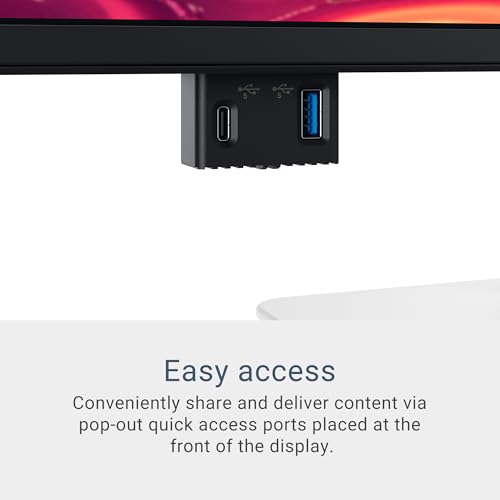
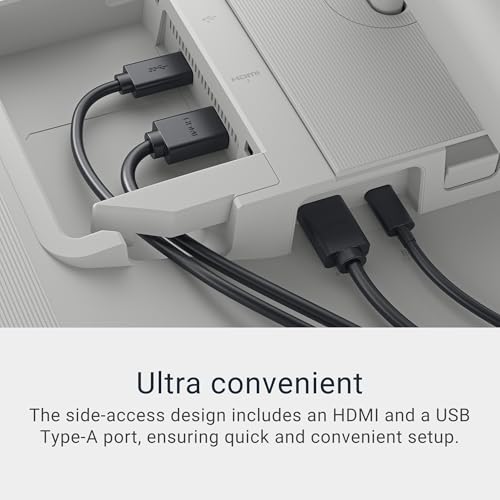
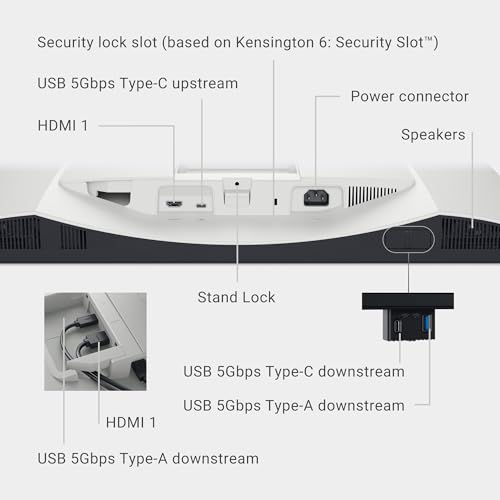
The S2725QC is the other 27-inch Dell: 4K UHD IPS, 120Hz, 99% sRGB, 4ms response, FreeSync Premium, 163 PPI, USB-C, HDMI, DisplayPort, anti-glare, Eye Comfort technology and an LED edgelight system. Compared with the S2725QS in this set, the title lists a faster 4ms response and an explicit pixel density, but does not mention height adjustment or brightness.
The two models are close enough that it is worth reading both listings side by side. The differences in the titles are response time (4ms against 5ms), the lighting design (LED edgelight listed here), and the stand and brightness details that the QS lists. For a console player, neither title proves a 4K 120Hz HDMI connection, so the same checks apply: HDMI version, 4K 120 over HDMI, and VRR if you want it.
It is in the Mid-range tier, which in this set means a higher listed price than the QS. If the listing shows that the stand is fixed height, factor in a monitor arm or a riser. Eye Comfort technology typically refers to low blue light and flicker-reduction features, but the title does not detail them. For a desk that mixes a laptop and a console, USB-C can reduce cable clutter, though check whether it delivers power and which video modes it supports. A final point for the QC: with a USB-C input and an HDMI input both present, decide in advance which one the console will use and keep the laptop on the other, so you are not re-plugging cables every evening and risking a loose connector at 4K 120Hz.
Pros
- 4ms response and 163 PPI named in the title.
- USB-C plus HDMI and DisplayPort inputs.
- Eye Comfort technology and anti-glare finish.
Cons
- Stand adjustments are not stated in the title.
- HDMI version is not named.
- Mid-range tier for similar core specs to the cheaper QS.
Who it’s for: someone choosing between the two Dells who values the faster response figure and USB-C.
Dell 32 Monitor S3225QS 4K VA 120Hz
The S3225QS is a 32-inch (listed as 31.5in) 4K VA monitor at 120Hz with FreeSync Premium, Eye Comfort, 3,000:1 contrast, 300 cd/m2 brightness, 4ms response, 99% sRGB, anti-glare, HDMI and DisplayPort. The VA panel is the point: it typically offers deeper blacks than IPS, which helps with dark games and movies, though viewing angles are narrower and fast-moving dark scenes can smear on some VA panels. Buyer comments that mention dark-scene smearing or the viewing-angle shift at the screen edges are the ones to look for, because those are the two VA traits that vary most between individual models.
At 31.5 inches, 4K works out to about 140 pixels per inch by calculation, which is still sharp but less dense than the 27-inch screens. If you sit about an arm’s length away, the 32-inch size feels immersive. Further back, on a couch-and-desk arrangement, it can be more comfortable. The title does not list a stand adjustment, USB-C or speakers, so check the listing.
As with the other Dells, the title does not name the HDMI version, so confirm 4K 120Hz over HDMI. The 300 cd/m2 brightness is modest, so HDR will be a gentle effect at best. For a console player who prefers a large screen with strong contrast and does not need gaming extras, it is a sensible mid-tier option. Because the title lists no speakers or USB-C, plan for separate audio, such as a headset on the controller, and check the listing for the stand’s tilt and height range so the top edge lands near eye level.
Pros
- 32-inch 4K VA with 3,000:1 contrast named in the title.
- Big-screen immersion at 120Hz.
- Anti-glare finish and Eye Comfort features.
Cons
- VA response in fast dark scenes can lag behind IPS; check buyer comments.
- HDMI version not stated.
- Lower pixel density than the 27-inch screens.
Who it’s for: players who want a large, high-contrast 4K screen and sit a bit further from it.
The curved and the OLED
Amzfast 32-inch 4K 120Hz Curved Gaming Monitor
The Amzfast is a 32-inch curved monitor with 3840×2160 resolution, 120Hz, PIP/PBP, adaptive sync, 131% sRGB, 3000:1 contrast, HDR, 300 nits, a 1500R curve, HDMI 2.1 (VRR) and DisplayPort 1.4, a built-in speaker, eye care features and a VESA mount. It is one of only three titles in the set to name HDMI 2.1, and the only one to say VRR in the same breath.
Several details deserve caution. A 3000:1 contrast figure is the kind usually seen on VA panels, but the title does not name the panel type, so check the listing. “HDR” at 300 nits is a label, not a tier; at that brightness, expect only a mild HDR effect. And a 131% sRGB figure refers to gamut volume, a number that makers calculate differently, so do not read it as a rating of accuracy.
The 1500R curve is quite pronounced at 32 inches, wrapping the screen around you. That is good for immersion at desk distance and less good for sitting far back or sharing the screen with others. The brand is unfamiliar, so read the warranty and return terms and look for buyer comments about backlight uniformity, dead pixels and long-term reliability. Check the physical size too: a 32-inch curved screen is wide and the VESA mount lets you move it to an arm, which frees desk space and helps you set the distance that suits the curve.
Pros
- HDMI 2.1 (VRR) named in the title.
- 32-inch curved 4K 120Hz with VESA mount.
- PIP/PBP and speaker included.
Cons
- 300 nits with an HDR label is a modest claim.
- Panel type and brand support are unclear; check the listing.
- Pronounced curve is not for everyone.
Who it’s for: players who want a large curved screen with VRR stated in the title and who will inspect the warranty.
MSI PRO MAX 271UPX12G 27-inch 4K QD-OLED
The MSI PRO MAX 271UPX12G is the only OLED here. The title lists a 27-inch 3840×2160 QD-OLED at 120Hz, DisplayHDR True Black 400, FreeSync Premium Pro, HDMI, DisplayPort, USB-C, color accuracy of delta E below 2, Mac optimization, a height-adjustable stand and a speaker. It is the sole Premium-tier listing.
For the PS5 Pro, OLED brings deep blacks and very fast response, which suit dark games, cinematic titles and HDR. DisplayHDR True Black 400 is an OLED-oriented HDR tier that values black levels over peak brightness. The title’s delta E under 2 is a color-accuracy claim, useful if you also edit photos. Mac optimization and USB-C point at a dual-use desk, which is rare among gaming monitors. If you do plan to connect a laptop, check the listing for how much power the USB-C port can deliver and which display modes it supports, as those details vary between models and are not in the title.
Two matters need checking. First, the title says only HDMI, so confirm the version and that it carries 4K 120Hz. Second, OLED needs a little care with static images such as a fixed HUD or desktop; read the listing for care features and warranty terms. The price tier is the highest, so decide whether the picture quality is worth the large step up from the budget screens.
Pros
- 27-inch 4K QD-OLED at 120Hz with True Black 400 HDR.
- USB-C, height-adjustable stand and color accuracy claim.
- Strong for dark games and movies.
Cons
- Premium tier; HDMI version not named.
- OLED care for static images is a long-term consideration.
- Brightness for large bright scenes is limited compared with some LCDs.
- Mac and USB-C features are of little use if you only game on a console.
Who it’s for: picture-first players who also use the screen for work or a Mac, and who will confirm the HDMI mode.
How we picked these
This guide was written by the Editorial team, using published specifications, manufacturer documentation and buyer reviews as the testbench. Nobody on the team used or measured these units. We repeat only what each title says, flag the rest as points to check, and label every calculation as an estimate.
The eight monitors were supplied for this keyword. We sorted them by the evidence in the title about HDMI 2.1, since that decides whether a console can reach 4K 120Hz, and then by panel type, size and stand features. We did not rank by response time or brightness, because titles give marketing figures that makers calculate differently, and we have no measurements of our own.
The result is a ranking of confidence rather than quality: the three monitors that name HDMI 2.1 come first for this keyword, and the others are good screens that need one extra check.
Sharpness and sitting distance, calculated
Pixel density tells you how sharp a screen looks. For 4K, the diagonal is about 4,406 pixels. On a 27-inch screen that is about 163 pixels per inch; on a 32-inch, about 138; on the Dell 31.5-inch, about 140. A common rule of thumb for normal eyesight says you stop seeing individual pixels at a distance of roughly 3,438 divided by the pixel density, in inches. That gives about 21 inches for the 27-inch models and about 25 inches for the 32-inch ones. This is an estimate, not a medical standard.
What it means in practice: at a normal desk distance of 24 to 30 inches, both sizes look sharp. A 32-inch screen needs more depth and, for many people, a pair of seconds to adjust to the larger field of view. If you sit on a couch three feet or more away, the extra size of a 32-inch screen is a plus, because the console picture fills more of your view.
The console side is its own question. The PS5 Pro offers 120Hz modes in only some games, and many of them render at a lower internal resolution before upscaling. Our explainer on PSSR and PS5 Pro upscaling covers how that works. So a monitor that truly does 4K 120Hz is valuable, but not every game will use it.
A pre-order checklist
Read the listing’s specification table or manual and tick each of these before you order. One: the HDMI version is 2.1, or the manual says 4K 120Hz works on the HDMI input. Two: variable refresh rate is supported over HDMI if you want it. Three: there is a game or low-latency mode. Four: the stand adjusts to the height you need, or the screen has a VESA mount. Five: the return window is long enough to try the console at 4K 120Hz and a second game. Six: you have an HDMI cable rated for the job.
When the monitor arrives, set the console to 4K, enable 120Hz output and VRR in the console’s video settings, and check that the monitor’s own settings match. If the picture flickers or sparkles, swap the cable before blaming the monitor.
Mistakes buyers make
Trusting a refresh rate number. 160Hz over DisplayPort tells you nothing about the HDMI port.
Assuming “for PS5” means 4K 120Hz. It is a compatibility label, not a mode guarantee.
Reusing an old HDMI cable. It can carry 4K60 and fail at 4K120.
Buying size without distance. Measure your desk before you pick 32 inches.
Expecting real HDR from a 300 nit panel. The label is not the same as the effect.
Ignoring the return window. You can only confirm the console mode once the screen is in your hands.
Verdict
For this keyword, the CUNPU 27-inch is the best-supported budget pick because its title promises console 4K 120Hz over HDMI 2.1. The SANSUI is the flexible choice for console plus PC, the Amzfast is the large curved option with VRR named, and the MSI PRO MAX is the premium pick for picture quality once its HDMI version is confirmed. The Dell models and the ASUS TUF are solid screens that need the HDMI check first.
Frequently asked questions
What do I need in a monitor to get 4K 120Hz from a PS5 Pro?
You need a 4K panel that accepts 120Hz over HDMI, which in practice means an HDMI 2.1 port or equivalent bandwidth, plus an HDMI cable rated for it. A monitor can advertise 120Hz or 160Hz yet deliver it only over DisplayPort, which a console cannot use. Read the listing for the HDMI version and confirm it carries 4K 120Hz before ordering.
Do I need variable refresh rate on a PS5 Pro monitor?
It is not essential, but it helps. Variable refresh rate lets the display match the frame rate of the game, which reduces tearing and judder when frame rates dip below the maximum. Only the Amzfast listing names VRR on its HDMI 2.1 port in the title, while others list adaptive sync or FreeSync without saying whether it works over HDMI, so check each listing.
Is a 27-inch or 32-inch 4K monitor better for a console?
A 27-inch 4K screen is about 163 pixels per inch and looks very sharp at desk distance. A 32-inch 4K screen is about 138 pixels per inch, which is still sharp but bigger and better for sitting a little further back. Choose 27 inches for a typical desk and 32 inches if you sit about an arm’s length plus a little more from the screen.
Are 4K 120Hz games common on the PS5 Pro?
Only a subset of games offer a 120Hz mode, and many of those render at a lower internal resolution and upscale to reach it, so you rarely see true native 4K at 120 frames per second. The PS5 Pro’s upscaling features help image quality. Check the game’s own mode list, because support varies by title and by update, and use a 120Hz monitor for the games that offer it.
Is an OLED monitor worth it for a PS5 Pro?
An OLED gives deeper blacks and very fast pixel response, which suits movies and dark games, and the MSI model in this lineup lists a 120Hz 4K QD-OLED panel. The trade-offs are the price tier and the need to manage static images to avoid wear. If you mostly play bright, colorful games on a budget, a good IPS screen is the better value.
Related guides
- Best Streaming Gear for Twitch: Webcams, Capture Card, Backdrop and Light (2026)
- Best Over Ear Headphones: 9 Closed, Open-Back and Bluetooth Picks Explained (2026)
- Best Monitor for Console Gaming: Eight 1080p and 1440p Screens Compared by HDMI and Refresh Rate (2026)
- IPS vs VA Monitors: Complete Panel Guide