The best smart plug under $25 for most households is the Kasa Smart Plug Ultra Mini 15A (EP10). It is a single 15A outlet that pairs over 2.4GHz Wi-Fi with Alexa and Google Assistant and needs no hub, and its ultra-mini housing is narrow enough that the second receptacle on a duplex wall plate stays free. That combination suits renters, apartment dwellers and dorm rooms where the goal is scheduling a lamp, fan or string lights without touching the wiring. If your household runs on Apple Home, the Linkind Matter Smart Plug is the better pick, because Matter exposes one plug to Apple Home, Alexa, Google Home and SmartThings simultaneously instead of locking you to one assistant. Alexa-only homes get the fastest setup from the Amazon Smart Plug or the Amazon Basics Smart Plug, and anyone who wants two independently switched devices on one wall plate should look at the Govee Dual Smart Plug 4-Pack. Multi-packs from Govee, Kasa, GHome and EIGHTREE all stay inside the under-$25 band per bundle, so the real decision comes down to ecosystem, physical footprint and whether you want per-outlet power reporting.
Our Top Picks


Top 3 picks at a glance

Quick Comparison
| Product | Best for | Key specs | Price tier |
|---|---|---|---|
| Govee Smart Plug 4-Pack | Four-outlet bundles driven from one app | Wi-Fi (2.4GHz), Alexa + Google Assistant, no hub, app timers and schedules, 4 plugs per pack | Premium |
| Linkind Matter Smart Plug | Apple Home and mixed-ecosystem households | Matter over Wi-Fi, Apple Home / Alexa / Google Home / Siri, 2.4GHz Wi-Fi, needs a Matter controller or smart speaker | Mid-range |
| Kasa Smart Plug Ultra Mini 15A (EP10) | Best overall for most people | 15A / 1800W rated, ultra-mini body, 2.4GHz Wi-Fi, Alexa + Google, no hub, Kasa app schedules and away mode | Budget |
| Amazon Basics Smart Plug | Alexa-only homes that want the lowest-effort app flow | Works with Alexa only, voice and app control through the Alexa app, schedules, compact body, 2.4GHz Wi-Fi | Mid-range |
| GHome Smart Plug | Cheapest route to Alexa and Google control | Wi-Fi (2.4GHz), Alexa + Google Home, app timers and countdown schedules, no hub | Budget |
| Kasa Smart Plug HS103P4 | Buying four matching plugs at once | 15A rated, 4-pack, physical touch actuator on the face, 2.4GHz Wi-Fi, Alexa + Google, no hub | Premium |
| Kasa Smart Plug HS103P2 | Two-plug starter kit on a tight budget | 15A rated, 2-pack, same app and voice support as the HS103P4, 2.4GHz Wi-Fi, no hub | Budget |
| Amazon Smart Plug | Simplest possible Alexa setup | Works with Alexa, guided setup, remote app control, schedules and routines, compact body | Mid-range |
| GHome Smart Plug Mini | Small-footprint installs behind furniture | Mini housing, Wi-Fi (2.4GHz), Alexa + Google Home, app timer and schedule control | Premium |
| EIGHTREE Smart Plug 2-Pack | Adding two outlets with headroom to spare | 15A rated, 2-pack, Alexa + Google Home, 2.4GHz Wi-Fi, no hub | Budget |
| EIGHTREE 15A Smart Plug 4-Pack | Filling a whole room in one order | 15A rated, 4-pack, Alexa + Google Home, 2.4GHz Wi-Fi, no hub | Mid-range |
| Govee Dual Smart Plug 4-Pack | Two independently switched devices per wall plate | 15A, 2-in-1 dual-outlet body, Wi-Fi + Bluetooth pairing, Alexa + Google Assistant, 4 dual plugs per pack | Premium |
How We Chose
This roundup is built from published product listings, brand documentation and well-established behaviour of the categories involved, not from physical units. Every pick had to satisfy four filters. First, price tier: the product or its most common bundle has to sit inside the under-$25 band at typical street pricing, with bundles judged on cost per switched outlet rather than headline price. Second, control path: we separated true hubless Wi-Fi plugs from Matter devices that still need a controller, because “no hub required” means something different in an Apple Home household than it does in an Alexa household. Third, ecosystem fit: assistant support is listed exactly as the product name states it, so Alexa-only plugs are never presented as Google-compatible. Fourth, physical footprint and upgrade path: we noted whether a plug leaves the second receptacle usable, whether it is a single, dual or multi-pack design, and whether the platform gives you a route forward if you later add Apple Home, energy monitoring or a second assistant. Anything we could not verify at spec-class level was described by class rather than given a made-up figure.
1. Govee Smart Plug 4-Pack – Best for Four-Outlet Bundles in One App
As an Amazon Associate we earn from qualifying purchases at no extra cost to you.

This is the pack to buy when you already live in the Govee Home app and want four outlets added in a single setup session. The listing positions it as a Wi-Fi outlet compatible with Alexa and Google Assistant, sold as four pieces, which makes it a natural fit for a bedroom or living room where a lamp, a fan, a string-light run and a phone charger all need independent schedules. Because all four plugs join the same app, you can group them, run one “goodnight” routine that kills three of them and leaves the charger live, and keep the naming scheme consistent instead of juggling two or three vendor apps. It suits Govee LED strip owners especially: if your lighting is already in Govee Home, adding plugs there avoids a second app for the same room.
Key specs
- Form factor: single-outlet plug, four per pack
- Wireless: Wi-Fi, 2.4GHz band
- Voice: Alexa and Google Assistant
- Hub: none required
- App: Govee Home, with timers, schedules and group control
- Use: indoor, standard grounded receptacle
The strengths here are app maturity and pack economics. Govee Home has been refined across the brand’s lighting line for years, so schedules, sunrise/sunset triggers and scene grouping behave the way people expect from a consumer smart-home app rather than a bare-bones relay controller. Four plugs in one box also means one pairing routine repeated four times instead of four separate purchases arriving on different days. Voice control is straightforward: name each plug in the app and Alexa or Google will switch it by that name.
Two caveats matter. First, this is a Wi-Fi plug, so it lives on 2.4GHz and will not appear on a 5GHz-only SSID; if your router publishes a single merged SSID with band steering, you may need to split the bands temporarily during pairing. Second, the Govee ecosystem is broad but not universal. There is no Apple Home support on this model, so an iPhone household that wants Siri and HomeKit scenes should be looking at the Linkind Matter plug instead. If you only ever use Alexa or Google, that limitation costs you nothing.
Pros
- Four outlets in one purchase and one app, which simplifies naming and routines
- Govee Home handles schedules, groups and timers without a paid tier
- Works with both Alexa and Google Assistant, so it survives a speaker swap
- No hub, bridge or proprietary base station to keep plugged in
- Good fit for rooms that already run Govee lighting
Cons
- No Apple Home or Siri support
- Wi-Fi only, and 2.4GHz only, which trips up some mesh setups
- Single-outlet bodies are wider than an ultra-mini, so a tight duplex plate can be a squeeze
- Four plugs is more than a two-lamp apartment actually needs
Against the Govee Dual Smart Plug 4-Pack, the choice is about outlet geometry rather than software, since both live in the same app. The Dual pack gives you two independently switched devices from one wall plate, which is ideal for a single receptacle behind a console table, but it occupies both halves of that plate. This standard 4-pack gives you four separate physical plugs, so you can spread them across four different receptacles and still leave the neighbouring outlet free. Buy the standard pack for coverage, the Dual pack for concentration.
2. Linkind Matter Smart Plug – Best for Apple Home and Mixed Ecosystems

If your house contains an iPhone, a HomePod or an Apple TV, this is the plug to start with. The listing is explicit that it works with Apple Home, Alexa, Siri and Google Home, and it achieves that through Matter rather than through four separate vendor integrations. That matters because Matter lets a single device present itself to multiple controllers at once: you can add it to Apple Home for Siri and HomeKit scenes, then also expose it to an Alexa speaker in the kitchen, without buying a second plug. For anyone who has been burned by an Alexa-only plug that could not be moved to Siri later, Matter is the upgrade path.
Key specs
- Protocol: Matter, running over Wi-Fi
- Ecosystems: Apple Home, Alexa, Google Home, Siri voice
- Wireless: 2.4GHz Wi-Fi
- Controller: a Matter controller or compatible smart speaker / hub is needed to commission and to control remotely
- Hub: no proprietary Linkind hub
- Use: indoor
The practical advantage is multi-admin. Commission once, and the same plug appears in Apple Home and in Alexa at the same time, with each platform keeping its own automations. If you later replace an Echo with a Nest Hub, the plug does not need re-pairing from scratch in the same way a vendor-cloud device often does. Matter also gives you a local control path through the controller, which is the main reason a Matter plug can keep responding to schedules and to a HomePod or Apple TV hub even when the wider internet is flaky.
The trade-off is setup complexity. Matter commissioning expects IPv6 to be available on your network, mDNS traffic to be passed between devices rather than blocked by client isolation, and a controller that is awake and on the same subnet. On a flat home network this is invisible. On a router with “AP isolation” or “guest network” style segmentation turned on by default, commissioning will stall at the “looking for device” stage and you will need to move the phone to the main SSID and disable isolation for the pairing window.
Pros
- One plug serves Apple Home, Alexa and Google Home at the same time
- Siri voice control, which none of the Alexa-only plugs in this list offer
- No proprietary hub; uses the smart speaker or TV box you probably already own
- Matter is the format most new smart-home gear is standardising on, so it ages well
- Local control through the controller keeps routines running during cloud outages
Cons
- Needs a Matter controller; a bare Wi-Fi router with no smart speaker is not enough
- IPv6 and mDNS requirements can break on locked-down routers
- Still a single plug, so covering four lamps means four purchases
- Matter feature sets vary by controller, so a feature visible in Apple Home may not appear in Google Home
The nearest alternative is the Amazon Smart Plug, and the contrast is stark: that one is deliberately Alexa-only with a near-zero-friction setup, while this Linkind plug trades ten minutes of commissioning for ecosystem freedom. If everyone in the house uses Alexa and always will, the Amazon plug is simpler. If there is one iPhone in the house, buy the Matter plug and stop thinking about it.
3. Kasa Smart Plug Ultra Mini 15A (EP10) – Best Overall for Most People
This is the default recommendation for a reason: it is a 15A-rated single outlet with an ultra-mini body, no hub, and support for both Alexa and Google Assistant over 2.4GHz Wi-Fi. The ultra-mini form factor is the headline feature. Plugs that are the size of a small brick block the second receptacle on a duplex plate, which is a real problem in older kitchens where the outlets are already crowded by a microwave and a coffee maker. The EP10’s housing is built to roughly the footprint of a normal cord’s plug body, so the neighbouring socket stays usable. That single detail decides more installs than any app feature.
Key specs
- Rating: 15A, 1800W at 120V, grounded three-prong pass-through
- Body: ultra-mini, single outlet
- Wireless: 2.4GHz Wi-Fi
- Voice: Alexa and Google Assistant
- Hub: none
- App: Kasa app with schedules, timers, away mode and group control
- Use: indoor
Kasa’s app is the other half of the value. Away mode randomises on/off times for lamps, which is the single most useful feature for anyone travelling, and it works without extra hardware. Schedules support sunrise and sunset offsets, so a porch lamp can follow the season instead of a fixed clock time. Grouping lets one tap kill every lamp in the house. None of this requires a subscription, and the local network control means commands land quickly when your phone is on the same Wi-Fi.
Where the EP10 wins over its own sibling is footprint, and where it loses is bundle size. The HS103P4 gives you four plugs but in a larger body, so if your problem is a tight wall plate rather than a shortage of plugs, the EP10 is the correct answer even though the multi-pack looks cheaper per outlet. The 15A rating also means you can safely run a 1200W appliance such as a large fan or a gaming PC’s full peripheral stack, provided you respect the continuous-load margin discussed in the buying guide below.
Pros
- Ultra-mini housing that usually leaves the second receptacle free
- 15A / 1800W rating, enough for most household electronics
- Works with both Alexa and Google Assistant, no hub
- Kasa app includes away mode, sunset offsets and groups at no cost
- Fast to pair and quick to respond on a normal home network
Cons
- Sold as a single, so a four-lamp room gets expensive quickly
- No Apple Home or Siri support
- No per-outlet energy monitoring
- 2.4GHz only, so a 5GHz-only SSID will not work during setup
Versus the GHome Smart Plug, the EP10 costs a tier more but buys a smaller body and a more polished app. Versus the Linkind Matter plug, it gives up Siri and multi-ecosystem support but pairs faster and works without a controller. If you own an Echo or a Nest speaker and want one plug that will simply behave, this is the one.
4. Amazon Basics Smart Plug – Best for Alexa-Only Homes on a Budget

This plug is honest about what it is: the listing says it works with Alexa only. That is not a flaw if your house already runs on Echo speakers, and it is disqualifying if you own a Nest Hub. For an Alexa household, it delivers voice control, remote app control through the Alexa app, and scheduling, in a compact body that is easy to live with behind a sofa or under a desk. It is the plug to hand to someone who does not want a second app, a second account or a second naming scheme.
Key specs
- Voice: Alexa only
- App: Alexa app, with remote control, schedules and routines
- Body: compact single outlet
- Wireless: 2.4GHz Wi-Fi
- Hub: none beyond an Echo device or the Alexa app
- Use: indoor
The advantage of an Alexa-native plug is that setup and daily use collapse into one interface. You never wonder which app owns the device, because routines, groups and voice all live in Alexa. If you already use Alexa Routines for your morning alarm, adding “turn on the coffee maker plug” is a single step inside a routine you already have. There is no cross-platform bridge to configure, no Matter commissioning to troubleshoot, and no separate firmware channel to check.
The obvious cost is ecosystem lock-in. If you later switch a room to Google Home, this plug becomes a plain relay you can only control from the Alexa app on your phone. It also means no Siri, no HomeKit scenes, and no local Apple control. For a household that is confident about Alexa, that is a fair trade for simplicity. For anyone hedging, the Linkind Matter plug at a similar tier is the safer purchase.
Pros
- One app for everything if you already use Alexa
- Routines and schedules integrate with existing Alexa automations
- Compact housing that fits behind furniture
- No hub or bridge beyond an Echo device
- Straightforward, low-friction setup flow
Cons
- No Google Assistant or Apple Home support at all
- No energy monitoring
- Single plug per purchase
- Value depends entirely on already owning Echo hardware
Compared with the Amazon Smart Plug, the difference is mostly packaging and setup style rather than capability: both are Alexa-only single plugs with app scheduling. The Amazon Smart Plug leans into a guided setup experience, while this Basics version leans into a plain, no-frills housing. If you are buying several, price the multi-pack options from Kasa and EIGHTREE first, since a 4-pack usually beats four singles per outlet.
5. GHome Smart Plug – Best for the Cheapest Alexa and Google Control

GHome occupies the value end of the market, and this plug is the entry point: a Wi-Fi outlet that works with Alexa and Google Home, controlled from the GHome app, with timers and schedules. It suits a first smart plug purchase, a spare bedroom, or a project where you want four or five switched outlets and do not care about premium app polish. It also suits anyone who wants both major assistants covered without paying the Kasa or Govee premium.
Key specs
- Wireless: 2.4GHz Wi-Fi
- Voice: Alexa and Google Home
- App: GHome app with timers, countdowns and schedules
- Hub: none
- Body: standard single-outlet plug
- Use: indoor
The main draw is coverage per dollar. You get both assistants at the lowest tier, which is more than the Alexa-only plugs offer, and the app covers the essentials: name a plug, schedule it, group it, share it with another household member. For a lamp, a fan or a holiday light run, that is the complete feature list you actually need. Setup is a standard 2.4GHz pairing flow, and once paired the plug responds to voice commands immediately.
The compromises are in the details rather than the basics. App interfaces at this tier tend to be busier and less consistent across firmware revisions, and support for advanced features such as sunrise offsets or randomised away mode is thinner or absent. The housing is a standard-size body rather than an ultra-mini, so on a tight duplex plate it can block the second socket. There is no energy monitoring, and no Apple Home support.
Pros
- Lowest tier that still covers both Alexa and Google Home
- Timers and schedules cover the common lamp-and-fan use cases
- No hub, no subscription
- Good candidate for buying several and spreading them around a house
Cons
- Standard-size body can block a neighbouring receptacle
- App is less refined than Kasa or Govee equivalents
- No Apple Home, no Siri, no energy monitoring
- Fewer advanced automation features than the mid-tier picks
Against the EIGHTREE Smart Plug 2-Pack, the decision is usually bundle math. Both are budget-tier Wi-Fi plugs with Alexa and Google support; EIGHTREE ships as a 2-pack at 15A, which is the better deal if you need two outlets and want a stated amperage rating. Buy the GHome plug when you want exactly one and the price is the deciding factor.
6. Kasa Smart Plug HS103P4 – Best for Buying Four Matching Plugs at Once

This is the four-pack version of Kasa’s mainstream 15A plug, with a physical touch actuator on the face so you can switch the outlet by hand without opening an app. It suits the person who has decided to smarten a whole room at once: four lamps, or a desk with a monitor, speakers and a light, all in the same app with the same naming convention. Because it is 15A rated and hubless, it covers the same appliances as the EP10 while giving you volume.
Key specs
- Rating: 15A, 1800W at 120V
- Pack: 4 plugs
- Control: touch actuator on the plug face for manual switching
- Wireless: 2.4GHz Wi-Fi
- Voice: Alexa, Echo and Google Home
- Hub: none required
- App: Kasa app with schedules, timers, away mode and groups
The manual actuator is more useful than it sounds. Guests, babysitters and anyone without the app can still turn the lamp on, which removes the “how do I work your lights” problem entirely. Combined with Kasa’s away mode and sunset scheduling, this pack covers a whole apartment’s lamps in one order and one setup session, and the shared app means one routine can control all four.
The trade-off versus the EP10 is size. These are standard-body plugs, so if your target receptacles are already tight, the ultra-mini is the better choice even at a higher cost per outlet. If your receptacles are roomy or you are plugging into a power strip, the four-pack wins on cost per switched outlet and on having spares when a plug dies.
Pros
- Four 15A plugs in one purchase, with one app and one routine set
- Physical touch actuator for guests and manual control
- Kasa app quality carries over from the single-plug models
- Works with both Alexa and Google Home without a hub
Cons
- Standard-size housing, so it can block a duplex neighbour
- No Apple Home or Siri
- No energy monitoring
- Overkill if you only need one or two switched outlets
Compared with the HS103P2 two-pack, this is the same plug in a larger box, so the choice is purely how many you need. Compared with the EIGHTREE 4-pack, both are 15A and hubless with Alexa and Google support; Kasa brings a more developed app, while EIGHTREE tends to sit at a lower tier. If app reliability matters more than the last dollar, buy the Kasa pack.
7. Kasa Smart Plug HS103P2 – Best for a Two-Plug Starter Kit
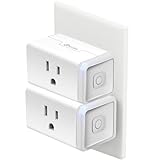
Two plugs is the sweet spot for a first smart-home purchase: one for the living-room lamp, one for the bedroom fan, and no leftover hardware. This 2-pack delivers the same 15A rating, 2.4GHz Wi-Fi pairing and Alexa and Google Home support as the larger Kasa packs, in the same app, at the lowest tier in the Kasa line. It is the plug to buy when you are not sure yet whether you will use scheduling at all.
Key specs
- Rating: 15A, 1800W at 120V
- Pack: 2 plugs
- Wireless: 2.4GHz Wi-Fi
- Voice: Alexa and Google Home
- Hub: none
- App: Kasa app with schedules, timers and away mode
Because it shares the Kasa app with every other Kasa plug, this pack is the natural way to test the ecosystem before committing. If away mode and sunset schedules turn out to be the features you actually use, you can add more Kasa plugs later and they will all sit in the same place, with the same groups. Nothing is wasted. The 15A rating also means you can move these plugs to heavier jobs later, such as a window fan or a desk setup, rather than treating them as lamp-only devices.
The limitation is simply quantity. Two plugs rarely cover a whole flat, and the cost per outlet is higher than in the 4-pack. There is also no Apple Home support and no energy monitoring, which is consistent across the Kasa Wi-Fi line at this tier.
Pros
- Lowest entry point into the Kasa app and its away mode
- 15A rating gives headroom beyond lamps and fairy lights
- Alexa and Google Home support, no hub
- Two plugs is enough to test whether scheduling fits your routine
Cons
- Higher cost per outlet than the 4-pack versions
- No Siri or Apple Home
- No energy monitoring
- Standard-size body rather than ultra-mini
Against the HS103P4, it is the same hardware in a smaller box; against the EP10, it trades a smaller footprint for a second plug at a lower tier. If your receptacles are tight, buy two EP10s instead. If they are not, this pack is the better value for getting started.
8. Amazon Smart Plug – Best for the Simplest Alexa Setup
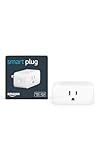
This is the plug for someone who wants a smart outlet working in under five minutes and never wants to think about protocols again. It works with Alexa, pairs through a guided flow, and then lives entirely inside the Alexa app for schedules, routines and remote control. Setup is the product here: there is no Matter commissioning, no separate vendor account, and no question about which assistant owns the device.
Key specs
- Voice: Alexa
- App: Alexa app for remote control, schedules and routines
- Setup: guided pairing designed to be low-friction
- Body: compact single outlet
- Wireless: 2.4GHz Wi-Fi
- Hub: none beyond an Echo device
The strength is integration depth within one ecosystem. Because it is native to Alexa, it slots into routines that already exist, responds to voice commands with the same latency as Alexa’s own features, and appears in the same device list as your Echo speakers and any other Alexa-compatible gear. If you run a morning routine that turns on lights and reads the weather, adding this plug is one extra line, not a new integration to maintain.
The limits are the same as any single-ecosystem device. There is no Google Home or Apple Home path, no Siri, and no local HomeKit control. It is a single plug, so covering several lamps means several purchases, and there is no energy monitoring. If your household is Alexa-first and likely to stay that way, none of that is a real loss.
Pros
- Fastest setup path of anything in this list for an Alexa household
- Routines and schedules live in the app you already use
- Compact body that fits behind furniture
- No hub, no bridge, no subscription
Cons
- Alexa only; no Google or Apple support
- Single plug per purchase at a mid-range tier
- No energy monitoring
- Locked into one ecosystem with no upgrade path
Against the Amazon Basics Smart Plug, the two are functionally close: both are Alexa-only single plugs. This one emphasises a polished, guided setup; the Basics version emphasises a plain housing. Against the Linkind Matter plug, this gives up multi-ecosystem flexibility for a faster first-time experience. Buy it if simplicity is the priority; buy Matter if you might change assistants later.
9. GHome Smart Plug Mini – Best for Tight Spaces Behind Furniture

The Mini takes the GHome formula and shrinks the housing, which solves the most common physical problem in smart-plug installs: not fitting behind a sofa, a media console or a bedside table. It works with Alexa and Google Home, pairs over Wi-Fi, and offers app timers and schedule control. It suits anyone whose receptacles are partly hidden or already half occupied, and anyone who wants several plugs on the same wall plate without turning it into a brick wall.
Key specs
- Body: mini housing, single outlet
- Wireless: 2.4GHz Wi-Fi
- Voice: Alexa and Google Home
- App: GHome app with timer and schedule control
- Hub: none
- Use: indoor
The value of a mini body is easy to underestimate until you have a standard plug that will not sit flush against the wall behind a bookshelf, leaving the plug half inserted and the socket strained. A mini housing sits closer to the plate and leaves more room for the neighbouring cord. That makes this a better choice than the standard GHome plug for bedrooms, desks and entertainment units, where cables and furniture compete for the same few inches.
The trade-offs mirror the standard GHome model: the app is functional rather than elegant, there is no Apple Home or Siri support, and there is no energy monitoring. It also sits at a higher tier than the standard GHome plug, which means you are paying specifically for the smaller housing. If your outlets are open and accessible, the standard version or the EIGHTREE packs give you more outlets per dollar.
Pros
- Mini body fits behind furniture and inside crowded power strips
- Alexa and Google Home support at a mid-to-high tier
- Timers and schedules cover lamp, fan and charger routines
- No hub required
Cons
- Premium tier for a single plug
- No Apple Home, Siri or energy monitoring
- App less refined than Kasa’s or Govee’s
- Small housing does not help if you need multiple outlets on one plate
Against the Kasa EP10, this is a close call on footprint, and the EP10 wins on app quality and stated 15A rating. Against the standard GHome plug, the Mini is the same software in a better body. Choose the Mini when physical clearance is the constraint; choose Kasa or EIGHTREE when price per outlet is.
10. EIGHTREE Smart Plug 2-Pack – Best for Two Outlets With Headroom

EIGHTREE sells a straightforward proposition: a 15A-rated Wi-Fi plug that works with Alexa and Google Home, in a 2-pack, at the budget tier. The 15A rating is the differentiator at this price, because it means the plug is specified for the same 1800W ceiling as the Kasa and Govee models rather than being a lamp-only device. It suits anyone who wants two switched outlets that can later be repurposed for a fan, a desk setup or a small kitchen appliance.
Key specs
- Rating: 15A
- Pack: 2 plugs
- Wireless: 2.4GHz Wi-Fi
- Voice: Alexa and Google Home
- Hub: none
- App: EIGHTREE app with schedules and timers
Two plugs with a 15A rating at the lowest tier is a good combination for the undecided buyer. You can start with a lamp and a fan, confirm the app behaves on your network, and then decide whether to expand with the 4-pack version or move to a different ecosystem entirely. The amperage rating means these are not throwaway devices if your needs change.
The limitations are the usual budget-tier ones: the app is less polished than Kasa’s, there is no Apple Home or Siri support, and there is no energy monitoring. The body is a standard size, so on a tight duplex plate it may block the second receptacle. Setup is a conventional 2.4GHz pairing flow, which is fine on a normal router but will not work on a 5GHz-only SSID.
Pros
- 15A rating at the budget tier
- Alexa and Google Home support without a hub
- 2-pack is a sensible size for a first purchase
- Clear upgrade path to the 4-pack version
Cons
- No Apple Home, Siri or energy monitoring
- Standard-size housing
- App is functional rather than feature-rich
- Higher cost per outlet than the 4-pack
Against the GHome Smart Plug, this is the better pick if you need two outlets and want a stated 15A rating. Against the EIGHTREE 4-pack, it is the same hardware in a smaller quantity, so buy the 2-pack only if four outlets would be excessive.
11. EIGHTREE 15A Smart Plug 4-Pack – Best for Filling a Whole Room in One Order
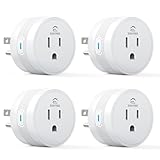
This is the volume play: four 15A Wi-Fi plugs with Alexa and Google Home support, no hub, at a mid-range tier. It suits someone who has already decided that smart outlets are useful and wants to cover a living room, a home office or a whole flat’s lamps in one purchase and one setup session. Because all four share the same app, groups and schedules stay consistent.
Key specs
- Rating: 15A
- Pack: 4 plugs
- Wireless: 2.4GHz Wi-Fi
- Voice: Alexa and Google Home
- Hub: none
- App: EIGHTREE app with schedules, timers and groups
The economics work in favour of the 4-pack: cost per switched outlet drops noticeably compared with buying two 2-packs or four singles, which is the main reason to commit to one brand early. The 15A rating also means you can distribute the plugs across different jobs, from bedroom lamps to a fan and a desk setup, without worrying that a cheap relay will be the weak link.
As with the 2-pack, the compromises are app polish, no Apple Home or Siri, no energy monitoring, and a standard-size body. The other consideration is that four plugs on one 2.4GHz network is fine, but if you are stacking this pack on top of a dozen other Wi-Fi devices, plan your network a little: keep plugs on the main SSID, avoid guest networks, and do not enable client isolation, or pairing and cloud control will misbehave.
Pros
- Lowest cost per outlet in the EIGHTREE range
- 15A rating on every plug in the pack
- Alexa and Google Home support, no hub, no subscription
- One app and one routine set for four outlets
Cons
- Standard-size bodies can crowd a duplex plate
- No Apple Home, Siri or energy monitoring
- App lacks the away-mode sophistication of Kasa’s
- Four plugs is a lot if you are still experimenting
Against the Kasa HS103P4, both are 15A four-packs with Alexa and Google support; Kasa brings the more developed app and the physical touch actuator, while EIGHTREE usually sits a tier lower. Against the Govee 4-pack, the difference is ecosystem: choose Govee if your lighting already lives there, EIGHTREE if you want the plainest four-outlet bundle.
12. Govee Dual Smart Plug 4-Pack – Best for Two Devices on One Wall Plate
The Dual is the odd one out in a good way: each unit is a 2-in-1 body with two independently controlled outlets, so a single wall plate can switch two devices separately. Four of these units means eight switched outlets in total. It suits anyone with one awkward receptacle behind a console table, TV stand or desk, where running an extension cord just to get two smart outlets is worse than using a dual plug. The listing specifies 15A and Wi-Fi with Bluetooth pairing, and it works with Alexa and Google Assistant.
Key specs
- Design: 2-in-1 dual-outlet body, two independently switched sockets per unit
- Pack: 4 dual plugs (eight switched outlets total)
- Rating: 15A
- Wireless: Wi-Fi with Bluetooth for setup
- Voice: Alexa and Google Assistant
- App: Govee Home, with per-outlet naming, schedules and groups
Bluetooth-assisted pairing is a genuine convenience. Instead of fighting a 2.4GHz handoff during setup, the plug and phone talk directly over Bluetooth first, which reduces the “device not found” loop that plagues Wi-Fi-only plugs on busy networks. Once paired, control runs over Wi-Fi as normal, and each socket can be named separately, so one unit can switch a lamp while leaving a charger permanently live.
The clear trade-off is geometry. A dual body occupies the entire wall plate, so you lose the neighbouring receptacle rather than preserving it. If you have one receptacle and two devices, that is exactly what you want. If you have two receptacles and four devices, standard single plugs will usually be cheaper and more flexible. There is also no Apple Home support, and energy-monitoring capability varies across Govee’s plug range, so confirm the feature on the specific listing before assuming per-outlet wattage reporting.
Pros
- Two independently switched outlets per unit, eight total in the pack
- Bluetooth-assisted setup avoids common Wi-Fi pairing failures
- 15A rating with per-outlet naming in the Govee Home app
- Ideal for single-receptacle locations behind furniture
Cons
- Occupies both halves of a wall plate
- No Apple Home or Siri
- Energy-monitoring support is not guaranteed across the range
- More outlets than many rooms need, which raises the entry cost
Against the standard Govee 4-pack, the decision is coverage versus concentration: four separate plugs spread across four receptacles, or four dual units that turn one receptacle into two smart outlets each. If your rooms have plenty of sockets, take the standard pack. If you are short on sockets, take the Dual.
How to Choose
Price is the least interesting variable here, because every product above lives in the same under-$25 band at typical street pricing. The decisions that actually change your experience are electrical headroom, wireless path, physical clearance, ecosystem and whether you need to see power consumption at all.
Start with the electrical budget, not the app
A North American smart plug rated at 15A is passing 120V, which gives a theoretical 1800W ceiling. In practice, sustained loads should stay at or below 80% of that, so treat 1440W as your real continuous limit for anything that runs for hours. That rule is what separates a safe install from a warm plug.
| Load | Typical draw | Share of a 15A / 1800W plug | Practical verdict |
|---|---|---|---|
| LED lamp or fairy lights | 5–15W | Under 1% | Any plug in this list is fine |
| Desk fan | 40–60W | 2–3% | Fine on any 15A plug |
| Desktop PC plus monitor | 250–600W under load | 14–33% | Fine; avoid switching mid-game to protect the PSU’s inrush tolerance |
| Window air conditioner | 900–1400W running | 50–78% | Risky: compressor inrush can spike well past the running figure |
| Space heater | 1500W on high | 83% | Do not use a smart plug; exceeds the 80% continuous guideline |
| Kettle or coffee maker | 1200–1500W | 67–83% | Short bursts are usually tolerated, but a 15A plug is at its edge |
The reasoning behind the 80% rule is heat. A relay carrying near its rated current warms up, and a plug buried behind a sofa has no airflow to shed that heat. Staying under 1440W continuous keeps the relay in a comfortable range and leaves margin for the brief inrush every motor and compressor produces at startup. If you want to switch a heater or an air conditioner, use the appliance’s own thermostat and keep the smart plug out of the loop.
Work out whether energy monitoring is worth chasing
Most plugs at this price report on/off state and schedules, not watts. If per-device energy data matters to you, verify it on the specific listing before buying, because the feature is inconsistent even within a single brand’s plug range. That said, it is worth understanding what monitoring would tell you, because it often justifies the effort of killing phantom loads.
Take a typical entertainment corner: a television, a soundbar and a game console sitting in standby. Together they might draw around 12W. Run that continuously and you get 0.012 kW × 24 hours × 365 days = 105 kWh per year. At a residential rate of roughly $0.17 per kWh, that is about $17.90 a year spent on devices that are switched off. If you schedule the plug to cut that corner for eight hours a night while everyone sleeps, you remove 0.012 kW × 8 hours × 365 days = 35 kWh, or about $5.95 a year, from a single receptacle. Do the same in four rooms and you are looking at roughly $24 a year — which is approximately the cost of the plugs themselves. That is the honest payback story: the plug does not pay for itself in a month, but it pays for itself in about a year, and the scheduled routine keeps working after that.
For heavier loads the numbers get more interesting. A 60W fan running eight hours a day consumes 0.06 kW × 8 × 365 = 175 kWh a year, about $29.75 at the same rate. Trimming two hours a day off that with a schedule saves 0.06 × 2 × 365 = 43.8 kWh, or about $7.45 a year, per fan. Multiply by the number of fans, dehumidifiers and space-heater-adjacent devices in a house and the arithmetic starts to favour buying the 4-pack rather than the single.
Check the wireless path before you buy
Every plug in this list is a 2.4GHz device. None of them will join a 5GHz-only network, and none of them need a proprietary hub. What differs is whether they need a controller. The Linkind Matter plug requires a Matter controller such as a compatible smart speaker or streaming box to commission and to run local automations. The rest are cloud-controlled Wi-Fi plugs that talk directly to their vendor app and to Alexa or Google.
Three practical checks before you buy:
- Band split. If your router publishes one merged SSID with band steering, temporarily disable 5GHz during pairing so the plug cannot try to associate on the wrong band. Re-enable it afterwards.
- Client isolation. Guest networks and “AP isolation” settings block the phone-to-plug discovery traffic that both Matter commissioning and vendor-app pairing rely on. Pair on the main network with isolation off.
- IPv6 for Matter. Matter commissioning expects IPv6 to be enabled and mDNS traffic to pass between devices on the same subnet. On most modern routers this is on by default; on locked-down ISP routers it may not be.
Measure your outlets, then pick a body size
Physical fit decides more installs than any software feature. There are three classes in this roundup. Ultra-mini bodies, like the Kasa EP10, are designed to sit close to the wall plate and typically leave the second receptacle usable. Standard single bodies, like the Kasa HS103 line, the GHome plugs and the EIGHTREE packs, are wider and may overlap the neighbouring socket on a tight duplex plate. Dual bodies, like the Govee Dual, deliberately occupy the whole plate in exchange for two switched outlets in one spot.
The check takes ten seconds: look at the receptacle you plan to use. If it already has a chunky adapter or a wall wart in one half, you need an ultra-mini or a dual. If it is empty and the plate
Related guides
- Best Streaming Gear for Twitch: Webcams, Capture Card, Backdrop and Light (2026)
- Best Over Ear Headphones: 9 Closed, Open-Back and Bluetooth Picks Explained (2026)
- Best Monitor for Console Gaming: Eight 1080p and 1440p Screens Compared by HDMI and Refresh Rate (2026)
- Best Monitors for PS5 Pro 4K 120Hz: Eight Screens and the HDMI Bandwidth Check (2026)