Tablets are often sold with stingy internal storage and a generous microSD slot, which turns a card into the cheapest upgrade you can buy. The catch is that tablets get used differently from phones. A child fills a tablet with downloaded shows for a long flight, a student stores textbooks and lecture recordings, and a family shares one device that holds offline maps, games, and a growing photo library. The decision behind “best micro SD cards for tablets” is how much capacity you need, whether the tablet supports it, and whether you need the speed to run apps from the card or just a place to park media.
This guide is for owners of Android and Fire-style tablets with a microSD slot. Eight cards and multi-packs are compared using only what their listings state, from a 64GB Patriot card to 256GB SanDisk Ultra models, two cards branded for Fire tablets, and two-packs of 128GB. Tablets that lack a slot, including most iPads, cannot use any of them. For 2026 shoppers, the sections below explain which ratings matter on a tablet, where a cheap pack is fine, and where a branded card earns its place.
Our Top Picks


Top 3 picks at a glance
Quick Picks
As an Amazon Associate we earn from qualifying purchases at no extra cost to you.


| Product | Best for | Key spec from the listing |
|---|---|---|
| SanDisk 128GB for Fire Tablets | Fire tablet owners wanting a matched card | 128GB, made for Fire tablets and Fire TV |
| SanDisk Ultra 256GB (150MB/s) | Big media libraries on Android tablets | Up to 150MB/s, UHS-I, C10, U1, A1, adapter |
| SanDisk Ultra 256GB (195MB/s) | Faster reads and better app rating | Up to 195MB/s, UHS-I, V10, U1, C10, A4 |
| Patriot EP 64GB | Small, inexpensive extra storage | A1, V30, Android, tablets, 4K |
| SanDisk 256GB for Fire Tablets | Fire tablet owners with large libraries | 256GB, made for Fire tablets and Fire TV |
| TOPESEL 128GB 2 Pack | Two cards for two devices | 2 cards, microSDXC, UHS-I, U3, adapter |
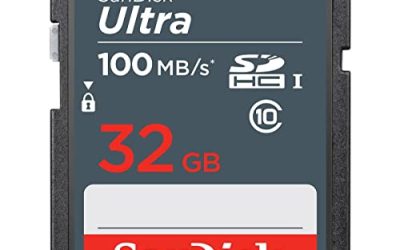
| SanDisk Ultra 128GB (140MB/s) | Mainstream tablet storage | Up to 140MB/s, UHS-I, C10, U1, A1, adapter |
| Silicon Power 128GB | Camera-style sustained writes | U3, SDXC, up to 100MB/s |
How to Choose
Confirm the slot, the card type, and the capacity limit
Check the tablet’s specifications for a microSD slot and for the maximum supported capacity, which is often 256GB, 512GB, or 1TB depending on the model. Cards larger than 32GB are microSDXC and use exFAT, which current Android and Fire tablets read without difficulty. A card that is larger than the tablet supports may not mount at all or may be reported as blank. If the tablet is a hand-me-down for a child, a modest card keeps the experience simple and the loss small if the card goes missing.
Think about how the storage will be used before choosing a size. Streaming apps with an offline mode can fill a card quickly, because a single season of a show downloaded in high quality may take several gigabytes. Comic and textbook libraries are much lighter, and music takes little room. Matching the card to the content avoids both the frustration of a full card in the middle of a trip and the waste of a large card that stays mostly empty.
Decode the ratings that matter on a tablet
Tablets mainly read large files such as video, books, and music, so read speed and capacity matter more than extreme write speeds. UHS-I with Class 10 and U1 is enough for Full HD playback, and U3 adds headroom for recording video or copying big files. The A1 and A4 ratings relate to app performance; A4 indicates stronger random performance than A1 and helps if you install apps or games to the card. “Up to 140MB/s” or “up to 195MB/s” describe maximum read speed, not what you will see every day, and a slow tablet card reader may not reach those numbers at all.
Matched cards, multi-packs, and branded cards
Some cards are labeled for Fire tablets and Fire TV, which means they match the device’s expected format and are easy to set up. For other Android tablets, mainstream Ultra cards and Patriot cards are typical choices. A two-pack gives one card for the tablet and one for a camera or phone, which is helpful for families, though generic multi-packs vary in quality and warranty support. Always buy from a reputable seller to avoid counterfeit cards that report a larger size than they truly have.
What to ignore, and where budgets cut corners
Ignore stickers that promise “4K” or “gaming” without a matching speed class, and do not assume that a larger number on the box means a better card. Budget cards often cut corners on sustained write speed, endurance, and support. Format the card in the tablet, copy a large file to test it, and store backups of irreplaceable content elsewhere. If the tablet is for kids, consider a card slot cover or a case, since microSD cards are tiny and easy to lose.
The 8 Best Options
SanDisk 128GB for Fire Tablets
This card is branded for Fire tablets and Fire TV and lists 128GB capacity. It is designed to be an easy, matched upgrade for owners of those devices.
- Strength: Branded for Fire tablets, which simplifies compatibility decisions.
- Strength: 128GB suits a healthy stash of downloaded shows and books.
- Trade-off: The title lists no speed class, so check the full specification before buying.
Skip it if you own a non-Fire Android tablet and want clearly stated speed ratings. It makes the most sense for a household with an existing Fire tablet or a Fire TV stick that can use the same card, since the branding is aimed squarely at those devices and the 128GB size is a comfortable midpoint.
SanDisk Ultra 256GB (150MB/s)
The SanDisk Ultra 256GB lists up to 150MB/s read speeds, UHS-I, Full HD, C10, U1, and A1 ratings with an adapter, positioned for Android smartphones, tablets, and mirrorless cameras.
- Strength: 256GB offers ample space for video libraries and offline content.
- Strength: A1 rating supports app use and Full HD playback.
- Trade-off: A1 is a lower app rating than the A4 listed on the other Ultra model.
Skip it if you want the strongest app-performance rating among the Ultra cards. For a tablet whose main job is playing downloaded movies and holding photos, the A1 rating is not a limitation, and the large capacity is the feature that most buyers will actually notice in daily use.
SanDisk Ultra 256GB (195MB/s)
This Ultra 256GB card lists up to 195MB/s reads with UHS-I, Full HD video, V10, U1, C10, and A4 ratings. The A4 rating is the highest app rating in this group.
- Strength: A4 and 195MB/s read figures suit apps and quick file transfers.
- Strength: 256GB capacity gives plenty of room for media.
- Trade-off: U1 and V10 are suited to Full HD, not heavy 4K recording.
Skip it if your tablet’s card reader cannot take advantage of the faster read speed.
Patriot EP 64GB
The Patriot EP lists A1 and V30 ratings and is marketed for Android phones, tablets, and 4K video. It is the smallest capacity here and a simple add-on for light use.
- Strength: V30 and A1 ratings cover video and app use.
- Strength: 64GB is enough for a child’s tablet with a few downloaded shows.
- Trade-off: 64GB fills quickly with large video files.
Skip it if you plan to store a big library or many games. A card of this size works well as a dedicated media shelf: load a few movies before a trip, keep the rest of the tablet free for apps, and swap in a second card later if you need more space.
SanDisk 256GB for Fire Tablets
The larger sibling of the 128GB Fire card, this model lists 256GB capacity and is branded for Fire tablets and Fire TV. It targets owners with a large media collection.
- Strength: 256GB leaves room for plenty of downloaded content.
- Strength: Branded for the device family it is meant to serve.
- Trade-off: Speed class details are absent from the title.
Skip it if your Fire tablet’s supported maximum is lower than 256GB.
TOPESEL 128GB 2 Pack
This pack includes two 128GB microSDXC cards with an adapter, UHS-I and U3 rated, for cameras, smartphones, tablets, dash cams, and drones. Two cards allow you to split storage across devices.
- Strength: Two 128GB cards give 256GB in total at a modest per-card cost.
- Strength: U3 supports sustained writes for video.
- Trade-off: Lesser-known brand, so warranty and long-term reliability deserve caution.
Skip it if you want a single name-brand card.
SanDisk Ultra 128GB (140MB/s)
The SanDisk Ultra 128GB lists up to 140MB/s reads, UHS-I, Full HD, C10, U1, and A1, with an adapter, for Android smartphones, tablets, and mirrorless cameras.
- Strength: A mainstream card with a clear spec sheet.
- Strength: 128GB covers most tablet use without waste.
- Trade-off: Maximum read speeds are lower than the 195MB/s Ultra.
Skip it if you need more than 128GB or the highest A rating.
Silicon Power 128GB
The Silicon Power card lists 128GB SDXC, U3, and up to 100MB/s, marketed for cameras, DJI Pocket devices, and drones. It works as general storage but is aimed at recording devices.
- Strength: U3 supports sustained writes for video capture.
- Strength: 128GB suits mixed media on a tablet.
- Trade-off: No A rating is listed, so it is less clearly aimed at apps.
Skip it if you plan to run apps or games from the card. Since the listing is written for recording devices, it suits a family that shuffles one card between a tablet and a small action camera, but it is not the most obvious choice for someone buying purely for a tablet.
Which One Fits Your Situation
You have a Fire tablet
The SanDisk 128GB or 256GB cards branded for Fire tablets are the simplest choice, since they are designed for that device family.
You want to run games or apps from the card
The SanDisk Ultra 256GB with A4 is the most app-oriented card here. Confirm the tablet supports installing apps to external storage.
You are shopping for a child’s tablet
The Patriot EP 64GB or the SanDisk Ultra 128GB gives enough space without the cost and risk of a very large card. Load it with a handful of shows and educational apps, keep an eye on how quickly it fills, and keep a spare card at home so that a lost or damaged one does not end the tablet’s usefulness for the week.
You also have a camera or a second tablet
The TOPESEL 2 Pack gives two 128GB cards, with U3 for camera use and an adapter for other readers.
Common Mistakes
- Buying a card for a tablet that has no microSD slot, such as most iPads.
- Choosing a capacity above the tablet’s supported maximum.
- Ignoring the A rating when planning to install apps on the card.
- Trusting an unusually cheap high-capacity card from an unknown seller.
- Leaving the only copy of important files on a card with no backup.
Related guides
- How To Clean Quest 3 Lenses And Facial Interface
- Vr Facial Interfaces For Glasses Wearers
- Micro Sd Cards For Samsung Galaxy Phones
Frequently Asked Questions
How much storage do I need on a tablet?
128GB suits most uses. Go to 256GB if you download many shows or large games, and choose 64GB for a simple child’s tablet.
Do iPads accept microSD cards?
Most iPads have no microSD slot, so these cards are for Android and Fire-style tablets. Always check the specifications of your model.
Can I move apps to the card?
Many Android and Fire tablets allow some apps to be stored on the card, though not all apps cooperate. Cards with an A rating perform better for this.
Is a faster card worth it for video playback?
For Full HD playback, a U1 or Class 10 card is enough. Faster cards matter more for copying files and recording video.
Related guides
- How to Check VRAM Usage in Windows 11: Task Manager, Game Bar and Overlay Methods
- How Much VRAM for 4K Gaming: 8GB, 12GB or 16GB, and What Actually Fills It
- How Many VRM Phases Do You Need? Match Phase Count and Power Stage Rating to Your CPU
- Best Gaming PCs for VR: Seven Prebuilts Compared by Graphics Card, CPU and Memory (2026)