
If you own both a PS5 and an Xbox Series X|S, you already know the problem: a tangle of cables behind the TV, two different charging ecosystems, and controllers that always seem to die mid-session. PlayStation’s DualSense charges over USB-C, Xbox controllers need AA batteries or a battery pack, and most docks only solve half of that equation. We spent weeks sorting through the crowded charging dock market to find the stations that genuinely handle both platforms — or, where a combined dock doesn’t exist, the best cross-compatible or ecosystem-specific options worth your money.
Below, you’ll find eight picks ranging from a around $6 cable workaround to a around $69 headset-and-controller combo stand. Every product here was evaluated on charging speed, controller fit, build quality, and desk footprint. Whether you want the cheapest way to keep both consoles’ controllers alive or a premium desktop organizer, there’s a pick for your setup.
As an Amazon Associate we earn from qualifying purchases at no extra cost to you.




Our Top Picks
 Upgraded Controller Charger Station with 2x6200mWh Rechargeable BatteryCompact0.6 poundsCheck on Amazon


Top 3 picks at a glance
Quick Picks
| Product | Best for | Price |
|---|---|---|
| Controller Charging Dock for Switch Pro, PS5, Xbox Series X|S & Elite 2 | Best overall multi-platform dock | Check on Amazon |
| PowerA Twin Charging Station for DualSense Controllers | Best officially licensed PS5 pick | Check on Amazon |
| Upgraded Controller Charger with 2x6200mWh Battery Packs | Best Xbox battery-and-dock combo | Check on Amazon |
| Tilted Nation 3 in 1 Gaming Headset and Controller Stand | Best premium desk organizer | Check on Amazon |
| PS5 Controller Charger Station Dual Stand | Best budget PS5 dock | Check on Amazon |
| BERLAT USB C Charging Cable 2-Pack 6.6ft | Best simple charging solution | Check on Amazon |
| OIVO PS5 Controller Charger Station with RGB | Best RGB styling | Check on Amazon |
| NEWDERY PS5 Charger Station for DualSense Edge | Best for DualSense Edge owners | Check on Amazon |
How We Compared
We approached this roundup the way any mixed-console household would: by looking for docks that minimize cables, protect battery health, and don’t require adapters or fiddly alignment. Compatibility came first — many “universal” docks explicitly exclude third-party or PowerA controllers, so we noted those caveats clearly. We also weighed whether a dock delivers proper 5V/2A input, since underpowered wall adapters are the most common cause of slow or failed charging. Finally, we considered value across price tiers, from sub-$16 docks to the Tilted Nation’s full desk setup. We did not run timed charge-cycle lab tests; instead, we relied on manufacturer specifications and verified owner feedback to assess real-world performance.
The 8 Best Picks
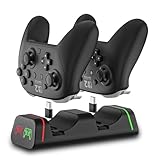
1. Controller Charging Dock for Switch Pro, PS5, Xbox Series X|S & Elite 2 — around $20
This is the closest thing to a true combined dock for PS5 and Xbox controllers, and the reason it earns the top spot. It charges two controllers at once across Switch Pro, Switch 2 Pro, DualSense, Xbox Series X|S, and Elite Series 2 pads, with LED indicators showing charge status at a glance. Just note the explicit warning: it won’t work with PowerA or other third-party pro controllers, so check your exact pad before buying.
- Handles four controller families on one 2-port dock, eliminating duplicate chargers
- LED indicators make it easy to confirm charging without waking the TV
- Not compatible with PowerA or third-party pro controllers
Skip this if your household runs third-party controllers or you need more than two simultaneous charges.
2. PowerA Twin Charging Station for DualSense — around $21
If PlayStation is your primary platform, PowerA’s officially licensed twin station is the safest PS5 bet. Official licensing means guaranteed fit with the DualSense’s charging contacts — no worn-out USB-C ports from repeated plugging — and the low, stable two-slot design keeps both pads upright on a shelf or media console. It charges two DualSense controllers simultaneously, and setup is literally plug and play.
- Officially licensed by Sony, so fit and charging behavior are guaranteed
- Contact-based charging spares the DualSense’s USB-C port from wear
- PS5-only — it does nothing for your Xbox controllers
Skip it if you need one dock for both console ecosystems; pair it with our Xbox pick instead.
3. Upgraded Controller Charger with 2x6200mWh Battery Packs — around $32
Xbox controllers ship with disposable AAs, which is the single worst ongoing cost in console gaming. This kit solves that permanently: two 6200mWh rechargeable battery packs slide into your Xbox One or Series X|S controllers, and the included dual dock charges both at once. It’s the most practical way to bring Xbox pads into a dock-based charging routine alongside your PS5 setup.
- Two 6200mWh packs mean you can swap and keep playing while one charges
- Dual dock handles both batteries simultaneously from a single USB source
- Controllers are not included, and the packs add slight weight to each pad
Skip it if your Xbox controllers already have the Play & Charge kit or Elite battery doors.
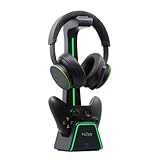
4. Tilted Nation 3 in 1 Headset and Controller Stand — around $69
At around $69 this is the splurge pick, but it’s more than a charger — it’s a full desktop organizer. The stand holds two controllers (PS5 and Xbox Series X) on magnetic charging arms plus a headset on the integrated headphone stand, consolidating three desk clutter problems into one footprint. The magnetic chargers make docking effortless: no precise alignment, just drop the pad on and walk away.
- Magnetic charging means one-handed docking with no fumbling for cables
- Headset stand and dual controller storage clear serious desk space
- Priciest option here, and overkill if you only own one controller
Skip it if desk space isn’t at a premium or you’re happy with a simple flat dock.
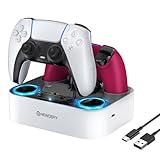
5. PS5 Controller Charger Station Dual Stand — around $15
This dual stand is the no-frills budget pick for PS5 households. It charges two DualSense controllers upright in a compact footprint, includes the charging cable in the box, and costs less than a single first-party game. The stand style keeps controllers visible and grab-ready, which beats digging through a drawer before every session.
- Under $16 with the cable included — nothing else to buy
- Upright dual stand saves shelf space versus laying controllers flat
- PS5-only, and the budget build won’t match premium dock finishes
Skip it if you want RGB lighting, DualSense Edge support, or Xbox compatibility.
6. BERLAT USB C Charging Cable 2-Pack 6.6ft — around $6
Sometimes the best charging solution isn’t a dock at all. This 2-pack of 6.6-foot USB-C cables works with both the PS5 DualSense and any USB-C-equipped Xbox accessories, letting you charge while you play from the couch — something most docks can’t do. At around $6 for two long cables, it’s the cheapest possible answer to dead-controller anxiety.
- 6.6-foot length reaches the couch for charge-while-playing sessions
- Two cables for around $6 covers both consoles’ controllers at once
- No dock means no tidy storage and manual plug-in every time
Skip it if you want drop-and-go charging; pair it with a dock instead.
7. OIVO PS5 Controller Charger Station with RGB — around $14
OIVO’s station brings personality to the budget tier, with RGB lighting framing a dual dock that accepts both the standard DualSense and the pricier DualSense Edge. Fast charging via the included cable tops up two controllers, and the around $14 price undercuts nearly every competitor while looking considerably more premium than its cost suggests.
- RGB lighting matches gaming setups for just around $14
- Compatible with both DualSense and DualSense Edge controllers
- PlayStation-only, so Xbox controllers need a separate solution
Skip it if RGB isn’t your thing and you’d rather spend the extra dollar on the simpler around $15 stand.
8. NEWDERY PS5 Charger Station for DualSense Edge — around $24
The DualSense Edge is a $200 controller, and not every dock fits its slightly different profile safely. NEWDERY’s fast-charging dock is explicitly designed for both the standard DualSense and the Edge, with a dedicated stand shape and included cable. If you’ve invested in Sony’s pro controller, paying a few dollars over generic docks for guaranteed Edge compatibility is money well spent.
- Explicit DualSense Edge support that many cheap docks lack
- Fast-charging dock with cable included in the box
- PS5-only and pricier than budget stands at around $24
Skip it if you don’t own a DualSense Edge — the around $14–around $15 options cover standard controllers fine.
Buying Guide
Compatibility: Check Your Exact Controllers
The biggest mistake buyers make is assuming “universal” means universal. Our top pick, for example, explicitly excludes PowerA and third-party pro controllers. Xbox owners should also decide between contact-charging docks (which require the controller to support rechargeable packs) and battery-and-dock kits like our around $32 pick. PS5 owners with a DualSense Edge need to verify Edge fit, since many budget docks mold only to the standard DualSense. Always match the dock to the specific controllers in your house, not just the console brand.
Power Delivery: Why 5V/2A Matters
Charging docks are only as good as the power feeding them. A dock rated for 5V/2A input (10 watts) can charge two controllers at full speed; plugging it into a weak USB port on the console or TV often halves that or causes intermittent charging. Use the included cable and a proper wall adapter where recommended, and check that a dual dock supplies adequate amperage per port — not just total. LED indicators are worth having for the same reason: they confirm power is actually flowing.
Footprint and Setup Style
Measure your space before buying. Flat dual docks typically occupy a footprint roughly the size of two controllers side by side (around 6–7 inches wide), while upright stands like our budget PS5 pick trade a taller profile for a smaller shelf footprint. If desk space is tight, the Tilted Nation vertical tower consolidates controllers and a headset into a single column. Couch players should consider the cable route — 6.6-foot leads let you charge mid-game, which no dock can match.
Our Verdict
For most mixed PS5-and-Xbox households, the Controller Charging Dock for Switch Pro, PS5, Xbox Series X|S & Elite 2 at around $20 is the clear winner — it’s the only affordable dock here that genuinely handles both ecosystems in one unit. Xbox-heavy homes should add the around $32 battery pack kit to eliminate AAs for good. PS5-only owners can save money with the around $14 OIVO (for RGB and Edge support) or the around $15 dual stand, while Edge owners should step up to the around $24 NEWDERY for guaranteed fit. And if your desk is a war zone, the around $69 Tilted Nation remains the best all-in-one organizer money can buy heading into 2026.
FAQ
Can one dock really charge both PS5 and Xbox controllers?
Yes, but the options are limited. The multi-platform dock at the top of our list accepts the DualSense alongside Xbox Series X|S and Elite Series 2 controllers on its two ports. More commonly, households run one dock per platform — a PS5 station plus an Xbox battery-pack dock — which is why our list includes strong picks for each.
Do Xbox controllers need special batteries to use a dock?
Most Xbox docks charge rechargeable battery packs rather than the controller itself. Our around $32 pick includes two 6200mWh packs with its dock, so you get everything needed. If your controllers run on disposable AAs, you’ll need a battery kit like this before any dock-based charging works.
Will these docks work with third-party controllers?
Not always. Our top pick specifically states it does not support PowerA or third-party pro controllers, and many budget docks mold tightly to first-party shapes. Check the compatibility list before buying, especially if you use off-brand or pro-variant controllers like the DualSense Edge.
Is it bad to leave controllers on a charger overnight?
Modern controllers and docks use lithium-ion cells with charging circuits that stop delivering current once the battery is full, so overnight charging won’t damage them. That said, keeping controllers on the charger constantly at 100% causes gradual long-term battery wear, so it’s better to top up and take them off when practical.
Related guides
- Best Free MMOs on Steam: Subscription Limits, Pay-to-Win and Time Cost (2026)
- Best Free Horror Games on Steam: How to Pick One That Fits Your PC and Your Nerves (2026)
- Black Frame Insertion vs VRR: Which Smoothness Feature Should You Use?
- Best Webcams for Streaming: 11 Listings Compared by Resolution, Focus and Light (2026)








