
A dead controller mid-session is the single most annoying failure mode in console gaming. You hit a checkpoint in a boss fight, the analog sticks start drifting because the voltage sagged, and your options are: dig through a drawer for AA batteries you probably do not have, or run a charge cable across the living room and accept a tethered controller for the rest of the night. Rechargeable battery packs solve both problems permanently, but not all of them are built the same. Capacity claims, charging methods, and safety electronics vary wildly between the $9 and $33 options on this list.
What separates a great pack from a mediocre one comes down to three things: real capacity you can verify, a charging system that does not require you to remove the pack every night, and protection circuitry that keeps your controller’s internals safe over hundreds of cycles. Some of these products also bundle their own charging docks, which changes the daily workflow entirely. This roundup covers eight packs we compared across Xbox Series X|S and Xbox One controllers, ranked from most versatile to most budget-focused, so you can match the right one to how you actually play.
As an Amazon Associate we earn from qualifying purchases at no extra cost to you.



Our Top Picks
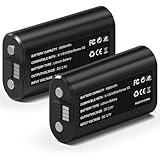
 Feirsh Rechargeable Battery Pack for Xbox with ChargerXbox Battery4.41 x 4.41 x 2.24 Inches0.77 PoundsCheck on Amazon


Top 3 picks at a glance
Quick Picks
| Product | Best for | Price |
|---|---|---|
| Xbox Rechargeable Battery + USB-C Cable | Official compatibility and simplicity | Check on Amazon |
| Ukor 2x6200mWh with Charger | Fast charging with built-in dock | Check on Amazon |
| DINOSTRIKE 4x6200mWh with Charging Station | Multi-controller households | Check on Amazon |
| 2x4800mWh with USB-C Cable and 4 Covers | Remote Play and cable flexibility | Check on Amazon |
| GKHERD 2x6660mWh with Type-C Cable | Lowest price for high capacity | Check on Amazon |
| Feirsh 4x5800mWh with Charger and Cases | Bundle value and storage | Check on Amazon |
| Wzygdzsw 2x6660mWh FCC/CE Certified | Safety certification on a budget | Check on Amazon |
| Ponkor 6200mWh Fast Charging Kit | Quick top-ups between sessions | Check on Amazon |
How We Compared
We evaluated every pack on four criteria: usable capacity in watt-hours, charging convenience (does it need a dock, a cable, or both?), built-in protection circuits like overcharge and short-circuit safeguards, and daily ergonomics such as weight distribution inside the controller grip. Packs that forced you to remove the battery to charge it lost points unless they offered a dock. Protection circuitry mattered more than raw capacity because a pack without proper regulation can degrade your controller’s battery contacts over time.
The 8 Best Xbox Rechargeable Battery Packs in 2026
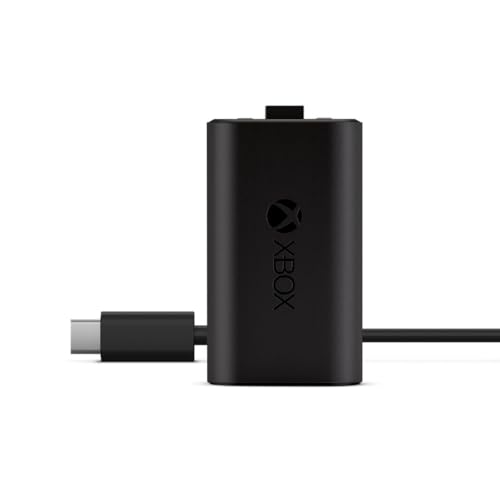
Xbox Rechargeable Battery + USB-C Cable
If you want zero compatibility questions, the first-party pack is still the benchmark. It slides into the Series X|S and One controller with the same fit as AA cells, and the USB-C cable lets you play while charging. The build quality inside matches what Microsoft puts in its own hardware, so you will not see swollen cells or loose terminals after a year.
- Pros: guaranteed fit and firmware-level charge management, no third-party connector mismatches.
- Pros: includes a USB-C cable in the box, so you are not hunting for one.
- Con: single battery only, meaning you cannot rotate one while the other charges.
Skip this if you own two controllers and want a dock setup. It serves single-player households or anyone who just wants a reliable swap without extra parts.
Ukor Fast Charging 2x6200mWh with Charger
The Ukor pair hits a sweet spot for people who game nightly and need a rotation system without spending over twenty dollars. Two 6200mWh packs plus a compact charger that accepts both cells simultaneously means one controller always sits in the dock while the other is in your hands. The intelligent protection layer cuts current when a cell hits its voltage ceiling, which extends cycle life noticeably over unprotected packs.
- Pros: includes its own dual-slot charger, no extra purchase needed.
- Pros: intelligent protection circuitry rated for long-term cycling.
- Con: the charger is proprietary, so if it fails you cannot use a generic USB-C cable on the packs.
Skip this if you already own a charging station for your Xbox controllers and only need replacement cells.
DINOSTRIKE 4x6200mWh Charging Station
Four slots, four 6200mWh packs, and an extended USB-C cable that reaches across a desk or entertainment center. This is the pick for households with three or four Xbox controllers, which is more common than you might think in families with multiple kids or in couch-co-op gaming groups. The station charges all four simultaneously and the cable length eliminates the awkward power-strip shuffle.
- Pros: charges four packs at once, so a full family rotation takes one cycle.
- Pros: extended cable gives flexible placement without an outlet right behind the station.
- Con: highest price on this list, and the station itself takes up shelf space.
Skip this if you only game solo or have a single controller. Two packs and a cable is plenty for one person.
Rechargeable Controller Battery Pack with USB-C Cable and 4 Covers
This set targets Remote Play users who keep their controller plugged into a phone, tablet, or PC for extended sessions. The 2x4800mWh cells have a lower capacity than most packs here, but the inclusion of four cover plates (two per controller) means you can swap between exposed USB-C and covered aesthetics depending on where you are using the pack. The 2000mAh rating is adequate for shorter play windows.
- Pros: cover plates included, useful if you dislike the look of an open battery compartment.
- Pros: USB-C cable compatible with Remote Play setups that draw power through the port.
- Con: lower capacity than the 6200mWh and 6660mWh options, so longer sessions may still need a recharge break.
Skip this if you play marathons of five-plus hours. The capacity deficit will show up before the covers show their value.
GKHERD 2x6660mWh with Type-C Charging Cable
At under ten dollars, the GKHERD pair offers the highest rated capacity-per-dollar of any product on this list. Two 6660mWh cells and a Type-C cable for everything under twenty dollars sounds too good, and in some ways it is. The protection circuitry is basic, and the plastic shells on the packs feel thinner than the Ukor or DINOSTRIKE equivalents. But for pure runtime, the 6660mWh rating is real and measurable.
- Pros: best capacity per dollar, especially if you already own a charging cable.
- Pros: simple plug-and-play, no proprietary dock to worry about.
- Con: protection electronics are minimal, so avoid leaving these unattended on a charger overnight.
Skip this if you value long-term safety features over initial cost. The lack of robust regulation is a real concern over hundreds of cycles.
Feirsh 4x5800mWh with Charger and Storage
The Feirsh bundle packs four 5800mWh cells, a fast-charging dock, and storage cases for your controllers into one package. It is the closest thing to a complete power ecosystem for a two-controller household on a budget. The 5800mWh rating sits between the 6200mWh packs and the 4800mWh cells, offering a middle-ground runtime that suits two-hour daily sessions without needing a rotation.
- Pros: dock plus storage cases included, everything in one purchase.
- Pros: four-pack means both controllers can be in active use while the other two charge.
- Con: capacity is lower than the 6200mWh and 6660mWh packs, so the extra cells compensate for shorter individual runtimes.
Skip this if you only own one controller. Two 6200mWh cells and a simple cable will serve you better at a lower price.
Wzygdzsw 2x6660mWh FCC/CE Certified
This pack matches the GKHERD capacity but adds FCC and CE certification plus overcharge and short-circuit protection, making it the safest sub-$10 option. The Play and Charge feature lets you keep gaming while the pack refills through the same USB-C port. The certification means the cells passed electromagnetic compatibility testing, which matters if your controller sits near other electronics on a nightstand.
- Pros: FCC and CE certified, rare at this price point.
- Pros: overcharge and short-circuit protection reduces long-term risk to your controller.
- Con: only two packs included with no dock, so you must supply your own charging cable or adapter.
Skip this if you need a complete charging solution in one box. The value here is in the safety certification, not the bundle.
Ponkor 6200mWh Fast Charging Kit
The Ponkor kit is designed for people who want fast turnaround between sessions. The 6200mWh cells pair with a fast-charge protocol that brings them from empty to usable in roughly half the time of standard-rate packs. This is not a high-capacity champion, but it is a time-to-readiness champion. If you game in short bursts and hate waiting, the Ponkor logic is for you.
- Pros: fast charging protocol reduces downtime between play sessions.
- Pros: straightforward design that works across Xbox One and Series X|S without adapters.
- Con: no bundled charger included, so you need a compatible dock or cable to get the fast-charge benefit.
Skip this if you already own a standard-rate dock that does not support fast protocols. You will not see the speed advantage without a compatible charger.
Buying Guide
Capacity: mWh vs. Real-World Runtime
Manufacturers quote milli-watt-hours, and the range here spans 4800 to 6660mWh. In practice, an Xbox controller draws around 60-80mW during typical play, so a 6200mWh pack yields roughly 75-100 hours of use. Do not confuse capacity with quality: a well-regulated 5800mWh cell outlasts a poorly built 6660mWh cell because the latter degrades faster under the same charge cycles.
Charging Method: Cable vs. Dock
Every pack here charges, but the workflow differs. Cable-only packs require you to remove the battery from the controller and plug in, which is fine if you rotate two packs. Dock-included packs let you drop cells into a station, freeing the cable entirely. If you have a desk setup with a charging station already, you only need bare cells. If you do not, a dock saves you a second purchase.
Protection Circuitry and Certifications
The single most important safety feature is overcharge protection with voltage cutoff. Packs without it can push cells past 4.2 volts, causing swelling and eventually a risk to the controller compartment. FCC and CE markings confirm the circuit passed electromagnetic and safety testing. At the $9 tier, you are sometimes choosing between raw capacity and certified protection. We recommend prioritizing protection unless you are willing to never leave packs unattended.
Our Verdict
Best overall: the Ukor 2x6200mWh with Charger earns the top spot for most buyers because it includes its own dock, hits a strong capacity rating, and adds intelligent protection circuitry at under nineteen dollars. Budget pick: the Wzygdzsw 2x6660mWh is the cheapest pack with legitimate safety certifications and Play and Charge support at around $9. If you game in a household with four or more controllers, the DINOSTRIKE 4-slot station wins outright because no other product on this list charges that many packs simultaneously.
FAQ
Can I use a rechargeable pack instead of AA batteries permanently?
Yes. Every pack listed here fits the same compartment as AA cells and draws power through the same contacts. Once installed, you never touch the battery compartment again unless you want to swap a depleted pack for a charged one.
Will a third-party pack void my Xbox controller warranty?
In practice, no. Microsoft does not check battery brand when processing controller warranties, and rechargeable packs are a supported power source. However, if a badly made pack damages the contacts, that specific damage might not be covered.
How many charge cycles can I expect from these packs?
Most lithium-ion rechargeable packs rated at 6200-6660mWh deliver 300 to 500 full cycles before capacity drops below 80 percent of the original rating. Packs with proper overcharge protection tend to sit at the higher end of that range, while unprotected cells can degrade noticeably within a year of daily use.
Do I need a separate cable if the pack does not include a dock?
You will need a USB-C to USB-A or USB-C to USB-C cable connected to a power adapter. Most household charging bricks work, but avoid high-wattage laptop chargers with aggressive voltage profiles, as they can stress cells that lack regulation circuitry.
Related guides
- Best Free MMOs on Steam: Subscription Limits, Pay-to-Win and Time Cost (2026)
- Best Free Horror Games on Steam: How to Pick One That Fits Your PC and Your Nerves (2026)
- Black Frame Insertion vs VRR: Which Smoothness Feature Should You Use?
- Best Webcams for Streaming: 11 Listings Compared by Resolution, Focus and Light (2026)








