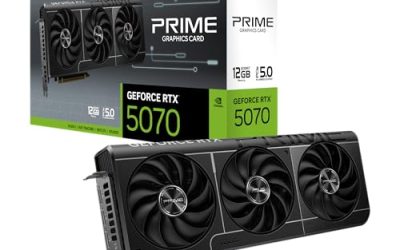
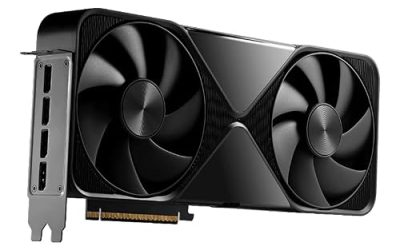
The best graphics cards for FSX pair DirectX 10 support with enough video memory for dense scenery and add-on airports, and the ASUS Dual GeForce RTX 4060 OC Edition leads this guide with 8GB of GDDR6 memory and a compact dual-fan design. Microsoft Flight Simulator X is a 2006 title, so modern cards run it comfortably, and the real gains come from smooth frame delivery at high resolutions, clean anti-aliasing over detailed terrain, and enough outputs for multi-monitor cockpits. The four cards below all meet those needs, with 8GB or 12GB of video memory and current driver support.
Our top pick: ASUS Dual GeForce RTX 4060 OC Edition. Runner-up: MSI Gaming GeForce RTX 3060 Ventus 2X 12G OC.
This guide compares published specifications only: every card below is judged on its listed memory, outputs, power requirements, and physical size, with no claims about in-house measurement. FSX is an older simulator that leans heavily on the processor, so the graphics card has a narrower job than it does in a modern title: hold a steady frame rate over detailed terrain, keep textures sharp at high resolution, and drive the displays a cockpit builder wants. That makes memory capacity, output count, and driver support more important than raw shader throughput. A card with 8GB of GDDR6 memory handles photoreal scenery and detailed add-on airports without texture swapping, while 12GB gives extra headroom for the heaviest scenery packs. Every card in this guide is a current retail model with a published specification sheet, so the numbers below come from the manufacturer and the product listing rather than from estimates.
Our Top Picks


At a Glance
| Product | Best for | Key specification |
|---|---|---|
| ASUS Dual GeForce RTX 4060 OC Edition | Overall FSX performance in a compact card | 8GB GDDR6, boost clock up to 2505 MHz |
| MSI Gaming GeForce RTX 3060 Ventus 2X 12G OC | Heavy scenery and add-on airports | 12GB GDDR6, 192-bit memory interface |
| GIGABYTE GeForce RTX 4060 WINDFORCE OC 8G | Quiet dual-fan cooling with four display outputs | 8GB GDDR6, 17 Gbps memory speed |
| XFX Speedster SWFT 210 Radeon RX 6600 CORE | An AMD option for single-monitor FSX flying | 8GB GDDR6, boost clock up to 2491 MHz |
How to Choose
1. Match video memory to your scenery
Video memory is the first number to check for FSX, because scenery is what fills it. Photoreal terrain, high-resolution airport textures, and detailed city add-ons all live in VRAM, and a card that runs out of it will stutter as textures swap in and out. 8GB of GDDR6 memory is the practical floor for a modern FSX setup with add-ons installed, and it covers dense scenery at 1440p without strain. 12GB is the safer choice for flyers who run the largest scenery packs, fly at 4K, or keep several add-on regions loaded at once. Cards with 4GB or less belong to an older generation and will struggle with the scenery libraries most FSX pilots use today.
2. Confirm DirectX 10 support and current drivers
FSX is a DirectX 10 title, and its full set of visual effects depends on a card and driver that support that API. Every current NVIDIA and AMD card supports DirectX 10 and later versions, so any modern retail card clears this bar, but driver support matters just as much. A card from a current product line receives regular driver updates, which keeps it working cleanly on modern versions of Windows. Older cards that have moved to legacy driver status can still run FSX, yet they lose the steady stream of compatibility fixes that a current card receives. Check the manufacturer driver page for the model before buying, and prefer a card that is still in active production.
3. Count the display outputs for your cockpit
Many FSX pilots fly with two or three monitors, or with a dedicated panel for instruments, and the card must have the outputs to match. Most modern cards carry three DisplayPort connectors and one HDMI connector, which covers a three-monitor setup with a spare output for a panel display. Some compact dual-fan models trade one DisplayPort for a second HDMI connector, which suits a two-monitor layout with a television or projector attached. Count the displays you plan to use, then match the connector mix on the card rather than assuming an adapter will fix a shortfall. Adapters work, but a native output is always the cleaner path for a multi-monitor cockpit.
4. Check the power supply and connectors
A graphics card is only a good fit if the power supply can feed it, and FSX rigs often reuse an older power supply from a previous build. The cards in this guide draw between 132W and 170W under load, and each one needs a single 8-pin PCIe power connector. The manufacturer guidance for these models calls for a power supply in the 450W to 550W range, depending on the card and the rest of the system. Open the case and check the wattage label and the available PCIe connectors before ordering, because a card that arrives without a matching connector cannot be installed. A card with a lower power draw also runs cooler in a small case, which matters for a rig that sits beside a desk for long flights.
5. Measure the card against the case
Card length is the most common physical surprise in a graphics card upgrade, and FSX rigs are often built in mid-tower or compact cases. The dual-fan cards in this guide measure between 199mm and 240mm long, which fits most mid-tower cases and many compact ones, yet a triple-fan model can exceed 280mm and block drive bays. Measure the clear space from the rear bracket to the nearest obstruction, then compare it with the length on the specification sheet. Also check the card thickness: a 2-slot card fits a standard layout, while a 2.5-slot card can cover the PCIe slot below it. A card that fits cleanly leaves room for airflow, which keeps fan noise down during long sessions.
6. Weigh cooling design against noise
FSX sessions run long, often for hours on a single flight, so a card that stays quiet matters more here than in a short gaming session. Dual-fan coolers with a 0dB or zero-fan mode stop the fans entirely at low load, which keeps the rig silent during flight planning and light scenery. Larger fans move the same air at lower speeds, which also keeps noise down, and a card with a reinforced backplate adds rigidity that prevents sag in a case that is moved often. Look for a cooler with heat pipes that cover the full GPU die and a fan curve that stays below full speed under sustained load. Noise is subjective, yet the published fan and acoustic figures on the specification sheet give a usable comparison between models.
7. Balance the card with the processor
FSX leans on single-core processor performance more than on the graphics card, so an oversized GPU cannot fix a slow processor. A mid-range modern card is the right partner for a mainstream processor from the last several generations, and it will hold a steady frame rate while the processor handles flight dynamics, weather, and traffic. Pairing a high-end card with an older dual-core processor wastes the card, because the processor becomes the limit long before the GPU does. If the frame rate is already limited by the processor, the money is better spent on a processor upgrade first, then on the card. For most FSX rigs, a card with 8GB of memory and a current architecture is already more than the simulator demands.
8. Pick the resolution before the card
Resolution decides how much card an FSX setup needs, and it is worth settling before shopping. A single 1080p monitor is the lightest load, and any card in this guide handles it with room to spare, including dense scenery and high anti-aliasing. A 1440p monitor raises the load noticeably, and 8GB of memory becomes the practical minimum for smooth flying with add-ons. A 4K monitor or a triple-monitor cockpit is the heaviest load, and that is where 12GB of memory and a stronger GPU earn their place. Decide the display layout first, then choose the card that matches it, rather than buying the strongest card and hoping the displays catch up.
Our Picks
ASUS Dual GeForce RTX 4060 OC Edition — ASIN B0CVPDY3HN
The ASUS Dual GeForce RTX 4060 OC Edition is the strongest all-round card in this guide, with 8GB of GDDR6 memory, a boost clock up to 2505 MHz, and a compact dual-fan cooler that fits most mid-tower cases. It connects over PCIe 4.0 and carries HDMI 2.1a and DisplayPort 1.4a outputs, which cover a multi-monitor cockpit and a high-resolution display at the same time. Axial-tech fans and 0dB technology keep the card quiet at low load, and a dual BIOS lets the owner switch between performance and quiet operation. DLSS 3 support is listed on the specification sheet, which is useful for other titles even though FSX itself does not use it.
Best for: FSX pilots who want one card that covers high-resolution scenery, multi-monitor cockpits, and modern titles without a large case or a heavy power supply.
Consideration: The 8GB memory capacity is ample for FSX, yet pilots who run the very largest scenery libraries at 4K may prefer the 12GB card below.
MSI Gaming GeForce RTX 3060 Ventus 2X 12G OC — ASIN B08WPRMVWB
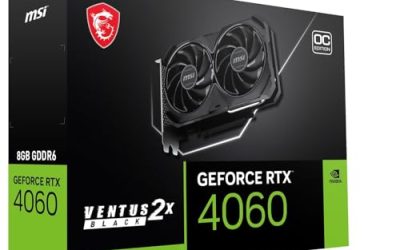
The MSI Gaming GeForce RTX 3060 Ventus 2X 12G OC is the memory leader in this guide, with 12GB of GDDR6 memory on a 192-bit interface and a memory speed of 15 Gbps. Its boost clock reaches 1807 MHz, and the TORX Fan 3.0 dual-fan cooler with Zero Frozr stops the fans at low load for silent operation during flight planning. Three DisplayPort connectors and one HDMI connector support a three-monitor cockpit, and the maximum screen resolution is listed at 7680×4320. The card measures 9.3 by 4.9 inches, which fits most mid-tower cases, and the published guidance calls for a 550W power supply.
Best for: FSX pilots with heavy scenery libraries, photoreal terrain, and detailed add-on airports who want the extra memory headroom.
Consideration: It draws more power than the RTX 4060 cards in this guide, so the power supply and its available 8-pin connector deserve a check before ordering.
GIGABYTE GeForce RTX 4060 WINDFORCE OC 8G — ASIN B0C8JZNLZL
The GIGABYTE GeForce RTX 4060 WINDFORCE OC 8G pairs 8GB of GDDR6 memory with a 128-bit interface, a memory speed of 17 Gbps, and 272 GB/s of memory bandwidth. Its 2X WINDFORCE dual-fan cooler keeps the card compact, and the output mix of two DisplayPort and two HDMI connectors suits a two-monitor setup with a television or projector attached. The 24MB L2 cache is listed on the specification sheet, and the card connects over PCIe 4.0. It is a 2-slot card, so it leaves the neighbouring PCIe slot free for other hardware.
Best for: FSX pilots who want a quiet dual-fan RTX 4060 with two HDMI outputs for a monitor plus a television or projector.
Consideration: The two DisplayPort connectors limit a triple-monitor cockpit to a mix of DisplayPort and HDMI, so pilots planning three DisplayPort monitors should check the other cards in this guide.
XFX Speedster SWFT 210 Radeon RX 6600 CORE — ASIN B09HHLX543
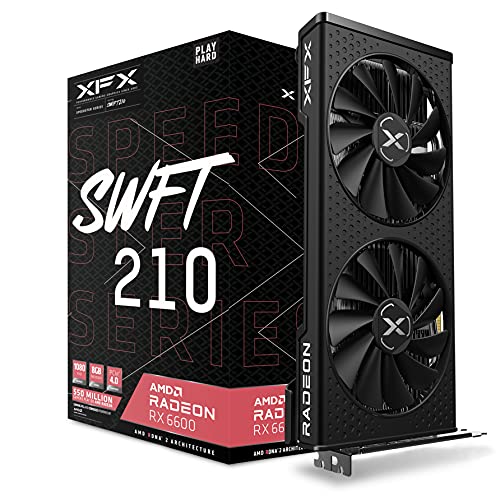
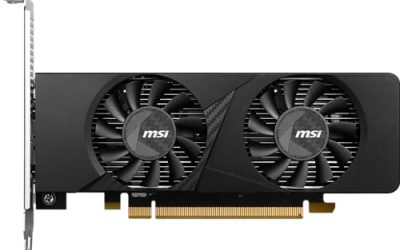
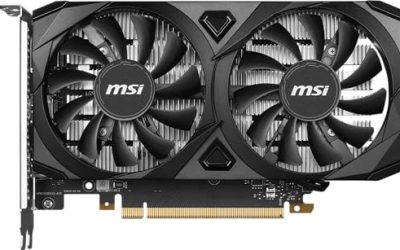
The XFX Speedster SWFT 210 Radeon RX 6600 CORE is the AMD option in this guide, built on RDNA 2 architecture with 8GB of GDDR6 memory and a boost clock up to 2491 MHz. It carries three DisplayPort connectors and one HDMI connector, which covers a three-monitor cockpit, and it connects over PCIe 4.0 with a single 8-pin power connector. HDMI 2.1 with variable refresh rate is listed on the specification sheet, and the dual-fan cooler keeps the card compact for smaller cases. The 128-bit memory interface and 14 Gbps memory speed give it enough throughput for dense FSX scenery at 1080p and 1440p.
Best for: FSX pilots who prefer an AMD card or who fly on a single monitor and want solid scenery performance in a compact, low-power design.
Consideration: It lacks the DLSS feature set of the NVIDIA cards in this guide, which matters only for other titles, since FSX does not use DLSS.
Which One Is Right for You?
Choose the ASUS Dual GeForce RTX 4060 OC Edition when one card must cover everything: high-resolution scenery, a multi-monitor cockpit, quiet operation, and modern titles alongside FSX. Its compact dual-fan design fits most cases, and its 8GB of memory is the right size for the simulator with add-ons installed. Choose the MSI Gaming GeForce RTX 3060 Ventus 2X 12G OC when scenery is the priority and the largest add-on libraries are in play, because its 12GB of memory gives the most headroom for photoreal terrain and detailed airports. Choose the GIGABYTE GeForce RTX 4060 WINDFORCE OC 8G when the setup includes a television or projector beside the monitor, since its two HDMI outputs make that connection simple without adapters. Choose the XFX Speedster SWFT 210 Radeon RX 6600 CORE when the rig is a single-monitor setup or a smaller case, and an AMD card with modest power draw is the better fit. Any of the four will run FSX comfortably, so the decision comes down to memory needs, outputs, and case fit rather than raw speed.
Frequently Asked Questions
Does FSX need a powerful graphics card?
FSX is a 2006 title, so it does not need a high-end modern card. A current mid-range card with 8GB of memory runs it comfortably, and the processor matters more for frame rate than the GPU does. The card earns its place through memory for scenery, outputs for extra monitors, and current driver support rather than through raw speed.
How much video memory does FSX need?
8GB of GDDR6 memory is the practical floor for FSX with add-on scenery installed, and it covers dense terrain and detailed airports at 1440p. 12GB gives extra headroom for the largest scenery packs and for 4K flying. Cards with 4GB or less will struggle with the scenery libraries most FSX pilots use today.
Can I run FSX on multiple monitors?
Yes, provided the graphics card has enough outputs. Most cards in this guide carry three DisplayPort connectors and one HDMI connector, which supports a three-monitor cockpit with a spare output for an instrument panel. Count the displays first, then match the connector mix on the card.
Do I need a new power supply for one of these cards?
The cards in this guide draw between 132W and 170W and each needs a single 8-pin PCIe power connector. Published guidance calls for a power supply in the 450W to 550W range, depending on the model. Check the wattage label and the available connectors inside the case before ordering.
Will these cards work with FSX on a modern version of Windows?
Yes. FSX is a DirectX 10 title, and every card in this guide lists DirectX 10 support with current drivers from NVIDIA or AMD. A card from a current product line receives regular driver updates, which keeps it working cleanly on modern versions of Windows.
Bottom Line
The ASUS Dual GeForce RTX 4060 OC Edition is the best graphics card for FSX for most pilots, because it pairs 8GB of GDDR6 memory with a compact dual-fan cooler, current driver support, and the outputs for a multi-monitor cockpit. The MSI Gaming GeForce RTX 3060 Ventus 2X 12G OC is the pick for the heaviest scenery libraries, thanks to its 12GB of memory. The GIGABYTE WINDFORCE OC 8G suits a monitor plus television setup, and the XFX RX 6600 CORE is the compact AMD option for single-monitor flying. Measure the case, check the power supply, count the displays, and any of these four will keep FSX flying smoothly.
Disclosure: As an Amazon Associate, this site earns from qualifying purchases.
Related guides
More from Amazon
Programs that pair well with the guide above. Offers and eligibility are set by Amazon and may change.
Free shipping on eligible items, Prime Video and more. Eligible new members can start with a free trial.
Start a Prime free trialAd-free music streaming. Eligible new subscribers can start with a free trial.
Try Music Unlimited freeA Prime membership for ages 18-24 with a trial period. Eligibility is set by Amazon.
See Prime for Young AdultsAudiobooks and podcasts to listen to on the go. Eligible new members can start with a free trial.
Try Audible freeAs an Amazon Associate we earn from qualifying purchases.