Our Short List of 3

- Best for: A desktop gamer adding a large second drive for an installed game library.
- Capacity: 2TB
- Form factor: 3.5 inch
- Interface: SATA 6Gb/s
- Rotational speed: 7200 RPM

- Best for: An older PC or laptop getting a fast SATA SSD as its main drive.
- Capacity: 2TB
- Form factor: 2.5 inch
- Interface: SATA III, 6 Gb/s
- Sequential read speed: up to 560 MB/s

- Best for: Everyday desktop storage and a large game library beside a faster system drive.
- Capacity: 2TB
- Form factor: 3.5 inch
- Interface: SATA 6 Gb/s
- Rotational speed: 7200 RPM class
All 4 Picks at a Glance
| Product | Specs | Action |
|---|---|---|
| Seagate BarraCuda 2TB |
| Check price on Amazon |
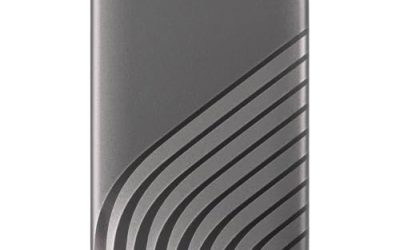
| Samsung 870 EVO 2TB |
| Check price on Amazon |
| WD Blue 2TB |
| Check price on Amazon |
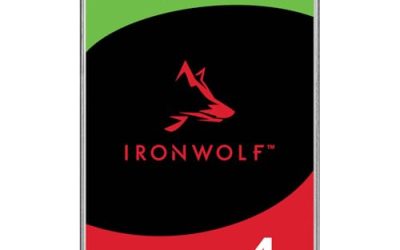
 Seagate IronWolf 4TB |
| Check price on Amazon |
An internal drive decides how many games stay installed, how quickly a level loads, and how often you shuffle files to make room for the next download. A drive that is too small turns every new release into a deletion decision, while a drive that does not match your motherboard or your spare bay turns a simple upgrade into a return and a second round of research. The real choice is not between a famous brand and an unknown one; it is between raw capacity, everyday responsiveness, and the physical slot you actually have free.
This guide is for PC gamers adding storage to a desktop, for players replacing a tired drive in an older tower, and for builders setting up a shared library or a home server alongside a gaming rig. Every drive below was selected from its Amazon listing, using only the capacity, interface, form factor, and headline figures stated there, so you can match each pick to your machine before you buy.
Our Top Picks
Top 3 picks at a glance
Quick Picks
As an Amazon Associate we earn from qualifying purchases.
| Product | Best for | Key spec from title |
|---|---|---|
| Seagate BarraCuda 2TB | A desktop game library on a spinning disk | 2TB, 3.5 inch, SATA 6Gb/s, 7200 RPM, 256MB cache |
| Samsung 870 EVO 2TB | A fast SATA upgrade for an older PC or laptop | 2TB, 2.5 inch SATA III, up to 560MB/s read |
| WD Blue 2TB | Everyday PC storage with cloning software included | 2TB, 3.5 inch, 7200 RPM class, SATA 6Gb/s, 256MB cache |
| WD_BLACK SN850X 1TB | A Gen4 NVMe slot that needs maximum game load speed | 1TB, M.2 2280, up to 7,300 MB/s read, Gen4 PCIe |
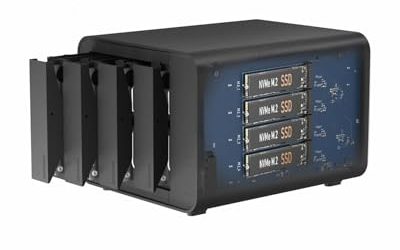
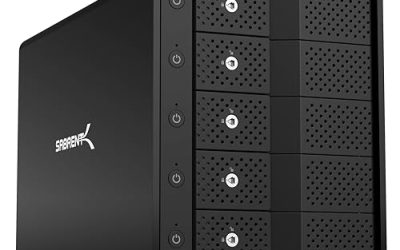
| Seagate IronWolf 4TB | A NAS box or shared library that runs around the clock | 4TB, 3.5 inch, SATA 6Gb/s, NAS, up to 8 bays |
How to Choose
Match the interface to a slot you actually have
Start with the physical connection, because it rules out more drives than any benchmark ever will. A 3.5 inch SATA hard drive needs a desktop bay, a SATA data cable, and a spare SATA power lead, while a 2.5 inch SATA SSD fits the same SATA cables in a smaller bay or a laptop caddy. An M.2 NVMe drive needs an M.2 slot on the motherboard, and that slot must support the NVMe protocol and the drive length, usually 2280. Open the case, count the free SATA ports and M.2 slots, and check the motherboard manual for any slot that shares lanes with another port, because a drive that cannot be connected is useless.
Decide how much capacity your library really needs
Modern games routinely occupy tens of gigabytes each, so ten or fifteen titles can fill a small drive quickly. A 1TB drive works well as a fast home for the operating system and the handful of games you play every week, while a 2TB drive gives a growing collection room to breathe without constant uninstalls. A 4TB drive suits a shared library, a media collection, or a household where several people install games on the same machine. Count the installed size of the games you play now, add the next two or three titles you plan to buy, and leave a margin for updates, patches, and temporary files.
Weigh a spinning disk against a solid state drive
A mechanical hard drive stores a large amount of data on spinning platters, which makes it the natural home for a big library, recordings, and files you open less often. A solid state drive has no moving parts, so it responds faster when a game loads a level, when the system starts, and when you move between applications. That difference matters most for the games you play daily and for the drive that holds your operating system. Many gamers settle on a combination: a fast SSD for the system and current favourites, plus a high-capacity hard drive for the rest of the library. Judge each drive by the job it will do, not by a single headline figure.
Check endurance, warranty, and the fine print of the listing
Every drive wears with use, and the listing usually states how the maker backs it. Look for the warranty length, the endurance figure where the listing gives one, and the exact model number, because two drives with similar names can differ in cache size, spindle speed, or recording method. Read the title and technical details together, since one figure can differ elsewhere in the listing. Confirm the form factor, interface, and whether a heatsink is included: an M.2 drive without one may need one in a tight case, and a 3.5 inch drive will not fit a 2.5 inch bay without an adapter. A few minutes of checking here prevents a mismatched delivery.
The 5 Best Options
Seagate BarraCuda 2TB
- Best for: A desktop gamer adding a large second drive for an installed game library.
- Capacity: 2TB
- Form factor: 3.5 inch
- Interface: SATA 6Gb/s
- Rotational speed: 7200 RPM
A desktop gamer adding a large second drive for an installed game library.
Confirm a free 3.5 inch bay, a spare SATA port, and a SATA power lead before ordering, and remember that a mechanical drive loads games more slowly than an SSD.
The BarraCuda 2TB is the straightforward choice for a desktop gamer who wants a large library without moving to solid state storage for everything. Its 3.5 inch body drops into a standard desktop bay, its SATA connection works with almost any desktop motherboard, and its 2TB capacity holds a broad collection of installed games, recordings, and media. The 7200 RPM spindle keeps load times reasonable for a mechanical drive, and the large cache helps when the system reads files in sequence. It suits a second drive in a gaming PC, where a faster SSD already holds the operating system and the current favourites.
Watch out for: Confirm a free 3.5 inch bay, a spare SATA port, and a SATA power lead before ordering, and remember that a mechanical drive loads games more slowly than an SSD.
Samsung 870 EVO 2TB
- Best for: An older PC or laptop getting a fast SATA SSD as its main drive.
- Capacity: 2TB
- Form factor: 2.5 inch
- Interface: SATA III, 6 Gb/s
- Sequential read speed: up to 560 MB/s
An older PC or laptop getting a fast SATA SSD as its main drive.
Check that your machine has a 2.5 inch SATA bay and a SATA cable, and note that SATA caps speed well below a modern NVMe drive.
The 870 EVO 2TB is the easy upgrade for a PC or laptop that still has a 2.5 inch SATA bay and no free M.2 slot. It uses the familiar SATA connection, so it replaces an old mechanical laptop drive or an ageing desktop drive, and its 2TB capacity is generous for a system drive plus a working library. Sequential reads up to 560 MB/s sit at the practical limit of the SATA interface, which makes everyday loading, startup, and file movement feel far snappier than a spinning disk. Samsung Magician software is listed for monitoring, and the drive uses V-NAND flash.
Watch out for: Check that your machine has a 2.5 inch SATA bay and a SATA cable, and note that SATA caps speed well below a modern NVMe drive.
WD Blue 2TB
- Best for: Everyday desktop storage and a large game library beside a faster system drive.
- Capacity: 2TB
- Form factor: 3.5 inch
- Interface: SATA 6 Gb/s
- Rotational speed: 7200 RPM class
Everyday desktop storage and a large game library beside a faster system drive.
Confirm the recording technology and the exact model number on the listing, since WD Blue drives with similar names differ, and confirm a free 3.5 inch bay.
The WD Blue 2TB is the mainstream desktop hard drive for a gamer who wants simple bulk storage and a straightforward move from an old disk. Its 3.5 inch form factor and SATA 6Gb/s interface fit the standard desktop bay, its 7200 RPM class spindle suits a game library that is read often, and its 256MB cache smooths sequential reads. The listing includes Acronis True Image WD Edition cloning software, which helps when you move an existing system or library onto the new drive. With 2TB on offer, it holds a large collection while a separate SSD handles the operating system and the games you load most often.
Watch out for: Confirm the recording technology and the exact model number on the listing, since WD Blue drives with similar names differ, and confirm a free 3.5 inch bay.
WD_BLACK SN850X 1TB
The SN850X 1TB is the drive for a gaming PC with a free Gen4 M.2 slot, for the fastest load times in this guide. It mounts directly on the motherboard as an M.2 2280 stick, it uses the Gen4 PCIe NVMe interface, and its title states read speeds up to 7,300 MB/s with write speeds up to 6,300 MB/s. That headroom suits large open-world games and frequent level loads. This is the no-heatsink version, model WDS100T2X0E, so it fits boards with their own M.2 heatsink or a slot with clear airflow. The listing also states 7,200 MB/s in one detail line, so treat that as the lower figure.
Specs
- Capacity: 1TB
- Form factor: M.2 2280
- Interface: Gen4 PCIe, NVMe
- Sequential read speed: up to 7,200 MB/s, with 7,300 MB/s stated in the title
- Sequential write speed: up to 6,300 MB/s
- Drive type: Internal solid state drive
- Model number: WDS100T2X0E
- Heatsink: Not included with this version
Best for: A gaming PC with a free Gen4 M.2 slot that needs the fastest game loading in this guide.
Watch out for: Confirm a free M.2 2280 NVMe slot and a heatsink or airflow plan, since this version ships without a heatsink, and check the listing figures carefully.
Seagate IronWolf 4TB
- Best for: A home NAS box or shared library that runs continuously for several users.
- Capacity: 4TB
- Form factor: 3.5 inch
- Interface: SATA 6 Gb/s
- Rotational speed: 5400 RPM, with 5900 RPM stated in some listing sources
A home NAS box or shared library that runs continuously for several users.
The listing gives conflicting cache and spindle figures, so confirm the exact model number and check NAS compatibility before ordering, and do not expect SSD load times.
The IronWolf 4TB is built for a network attached storage box or a shared home library that stays powered on and serves several users at once. Its 3.5 inch SATA body fits standard NAS bays, its 4TB capacity holds a large shared collection, and it is designed for multi-user NAS enclosures with up to eight bays. IronWolf Health Management is listed for monitoring the drive inside a compatible enclosure, and the listing includes a three-year limited warranty with Rescue Data Recovery Services. Sequential speeds up to 180 MB/s suit streaming, backups, and shared files rather than fast local game loading, so pair it with an SSD for daily games.
Watch out for: The listing gives conflicting cache and spindle figures, so confirm the exact model number and check NAS compatibility before ordering, and do not expect SSD load times.
Which One Fits Your Situation
You are adding bulk storage to a gaming desktop
Pick the Seagate BarraCuda 2TB or the WD Blue 2TB, depending on which brand and model you prefer, and let a separate SSD keep holding your operating system and current games. Both give you 2TB in a standard 3.5 inch bay with a SATA connection, so either one expands a library without changing how your system boots or loads its fastest titles.
You are reviving an older PC or laptop
Pick the Samsung 870 EVO 2TB, because its 2.5 inch SATA form factor drops into the bay an old mechanical drive occupied, and its 560 MB/s reads sit at the SATA limit. It makes startup and everyday loading feel far quicker, and its 2TB capacity is enough for the system, applications, and a working game library.
You want the fastest load times your board supports
Pick the WD_BLACK SN850X 1TB, provided you have a free Gen4 M.2 2280 slot and a heatsink or airflow plan for it. Its NVMe interface moves far more data than any SATA drive in this guide, so large games load quickly, and its 1TB capacity suits the operating system plus the titles you play most.
You are building shared storage for the household
Pick the Seagate IronWolf 4TB, because it is designed for a NAS enclosure with up to eight bays and for several users reading files at once. Its 4TB capacity holds a shared library, its health monitoring suits a box that runs continuously, and its warranty and recovery services fit storage you rely on every day.
Safety Notes
Internal drives run on power from inside the computer, so switch the machine off, unplug it, and discharge static by touching a metal part of the case before you open it. Handle a drive by its edges, keep it away from magnets and liquids, and do not force a connector that does not line up. Back up files you cannot replace before you clone, format, or replace any drive, and check the drive is seated firmly and recognised in the system firmware before you close the case. If a drive makes unusual clicking or grinding sounds, switch the machine off and seek help rather than continuing to use it.
Common Mistakes
- Buying an M.2 NVMe drive for a board with no free M.2 slot, or a 3.5 inch drive for a case with no matching bay.
- Choosing a drive by capacity alone and ignoring the interface, so a fast drive is throttled by an old SATA port.
- Filling a drive almost completely, leaving no room for updates, patches, and temporary files.
- Skipping a backup before cloning or formatting, then losing files that existed only on the old drive.
- Trusting a single headline figure when the listing states a different figure elsewhere, instead of checking the exact model number.
Frequently Asked Questions
Can I use an internal hard drive in a laptop?
Many laptops accept a 2.5 inch SATA SSD such as the Samsung 870 EVO, provided the bay and connector match, while most modern thin laptops only accept an M.2 drive. Check the laptop manual for the supported form factor, interface, and thickness before ordering, because a 3.5 inch desktop drive will not fit any laptop. If the manual is unclear, check the existing drive first.
Is an SSD always better than a hard drive for gaming?
An SSD loads games and starts the system faster, which makes it the better home for the operating system and the games you play most. A hard drive still makes sense for a large library, recordings, and files you open less often, because it holds far more data in the same bay. Many gamers use both, with an SSD for current titles and a hard drive for the rest.
How much internal storage do I need for a gaming PC?
A 1TB drive suits the operating system and a small rotation of current games, while 2TB gives a growing library room without frequent uninstalls. A household with a shared collection, recordings, and media may need 4TB or a second drive. Count your current installed games, add the next titles you plan to buy, and leave a margin for updates.
Do I need a heatsink for an NVMe SSD?
A heatsink helps an NVMe drive stay cool during long gaming sessions, and many motherboards include one over the M.2 slot. The SN850X version in this guide ships without a heatsink, so check whether your board provides one or whether the slot has clear airflow. If neither is true, choose a version with a heatsink or add a compatible one.
Related guides
More from Amazon
Programs that pair well with the guide above. Offers and eligibility are set by Amazon and may change.
Free shipping on eligible items, Prime Video and more. Eligible new members can start with a free trial.
Start a Prime free trialAd-free music streaming. Eligible new subscribers can start with a free trial.
Try Music Unlimited freeA Prime membership for ages 18-24 with a trial period. Eligibility is set by Amazon.
See Prime for Young AdultsAudiobooks and podcasts to listen to on the go. Eligible new members can start with a free trial.
Try Audible freeAs an Amazon Associate we earn from qualifying purchases.