Our Short List of 3
All 3 Picks at a Glance
| Product | Specs | Action |
|---|---|---|
 TerraMaster D8 Hybrid | Check price on Amazon | |
 OWC ThunderBay 8 | Check price on Amazon | |
 Mediasonic ProBox H82-SU3S2 | Check price on Amazon |
Eight drive bays change the question a desktop owner asks. With four or five bays, the question is which drives fit. With eight bays, the question is how a whole library should be organised: active projects on fast storage, finished work on large hard drives, a mirrored copy for safety, and room left over for the next year of files. An eight-bay direct-attached storage enclosure is built for that scale, and it belongs on a desk where storage is a central part of the work, not an afterthought.
An eight-bay unit is larger, heavier, and louder than a four-bay box, and it draws more power, so placement matters. It needs a sturdy shelf or a clear stretch of desk, space behind it for cables, and airflow around its fan. In return, it holds a video archive, a photo library spanning years, a game collection, and a backup set, all behind one cable to one computer.
Top 3 picks at a glance
At a Glance
| Product | Key feature | Best for |
|---|---|---|
| TerraMaster D8 Hybrid | Four SATA bays plus four M.2 NVMe slots | Mixing bulk HDD archives with fast NVMe work drives |
| OWC ThunderBay 8 | Eight SATA bays, Thunderbolt 40Gbps, software RAID | A high-throughput editing and archive tower |
| Mediasonic ProBox H82-SU3S2 | Eight SATA bays, USB 3.0 and eSATA, simple layout | A large plain archive with separate volumes |
TerraMaster D8 Hybrid
The TerraMaster D8 Hybrid is an eight-slot enclosure with a split personality, and that split is its strength. Four front bays hold 3.5-inch or 2.5-inch SATA hard drives and SSDs, while four internal slots hold M.2 2280 NVMe SSDs. Total capacity is listed at up to 152TB, combining up to 120TB from the SATA side at 30TB per drive with up to 32TB from the NVMe side at 8TB per drive. A creator can keep active timelines on NVMe, finished projects on large HDDs, and a working copy on a SATA SSD, all in one chassis.
Connection is USB 3.2 Gen 2 Type-C at 10Gbps, with read speeds up to 1020MB/s from a single M.2 SSD. The SATA side supports RAID 0, RAID 1, Single, and JBOD, with an exclusive 4+4 hybrid array mode listed for the combined set, and the enclosure includes TPC Backupper software. Tool-free drive installation, a smart fan, and plug-and-play support for Windows, macOS, and Linux keep setup manageable.
Considerations
All eight drives share one 10Gbps USB link, so NVMe drives in this enclosure cannot reach the speeds they would reach in a direct PCIe slot. The SATA and NVMe sides have different RAID options, so a single uniform array across all eight slots is not the design here. The enclosure is diskless, the NVMe slots accept M.2 2280 drives only, and eight drives together need careful power and cooling planning, including a clear space around the fan.
OWC ThunderBay 8
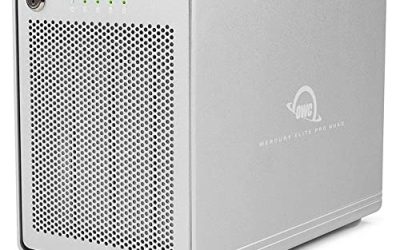
The OWC ThunderBay 8 is the throughput leader in this group. Its eight bays accept 2.5-inch and 3.5-inch SATA hard drives and SSDs, and its Thunderbolt link runs at 40Gbps, with OWC listing speeds up to 2586MB/s. That bandwidth suits a video editing tower, a photo studio, or a media archive where several drives are read at once and the host link should not become the bottleneck. A front panel lock, LED status lights, and a perforated grille give the unit a professional, rack-like presence on a desk.
RAID is handled in software, through the operating system or through SoftRAID where a compatible bundle is chosen, rather than by a hardware controller inside the box. That software approach lets the owner build mirrored sets, striped sets, and parity sets across the eight bays, and reshape them as projects change. The enclosure is available diskless and in populated configurations, with the diskless version letting the owner choose every drive. A one-year OWC limited warranty covers the enclosure, and the chassis is built to stay cool and stable under sustained load.
Considerations
Thunderbolt is required to reach the listed speeds, so a host without a Thunderbolt port will need a different enclosure or an adapter path that may limit throughput. The unit is large and heavy when fully loaded, and it needs mains power and clear airflow. SoftRAID is not included with every configuration, so software RAID must be arranged separately where a redundant array is wanted, and drives are not included with the diskless version.
Mediasonic ProBox H82-SU3S2
The Mediasonic ProBox H82-SU3S2 is the plain eight-bay option in this group. It holds eight 3.5-inch SATA hard drives, connects by USB 3.0 and eSATA, and presents each drive as its own volume, with no hardware RAID and no network function. For an archive that is organised by category, year, or project, that plain layout is easy to follow: each bay holds a labelled drive, each drive holds a set of files, and a drive can be removed and stored without disturbing an array.
The enclosure includes a fan, a power supply, and drive trays for standard 3.5-inch drives, and it works with Windows and Mac systems. Its design follows the same pattern as the smaller Mediasonic ProBox units, scaled to eight bays, so owners who have used a four-bay ProBox will find the controls and layout familiar. For a home media library, a photo archive spanning many years, or a backup set that grows one drive at a time, the H82 gives eight drives a single powered home on a desk.
Considerations
USB 3.0 is the slowest host link in this group, so large transfers take longer and direct editing from the enclosure is less fluid than on a Thunderbolt or 10Gbps USB-C unit. The enclosure accepts 3.5-inch SATA drives, so 2.5-inch SSDs and M.2 drives need another home. Drives are not included, the chassis is large and needs a sturdy surface, and a separate backup routine is still needed for files that cannot be lost, because eight separate volumes give no redundancy on their own.
How to Choose
Map eight bays to jobs before buying. Assign bays to active work, nearline storage, archive, and backup, and leave at least one bay free for growth or for a replacement drive.
Choose the RAID approach early. Hardware RAID, software RAID, and JBOD each suit a different owner. A parity array protects against a single drive failure, a mirrored set protects a working copy, and separate volumes suit an archive organised by category. No RAID mode replaces a separate backup copy.
Match the link to the drives. A Thunderbolt link suits fast SSDs and striped HDD sets. A 10Gbps USB-C link suits a hybrid SATA and NVMe set. A 5Gbps USB 3.0 link suits archives and backups, where capacity matters more than transfer speed.
Check drive types for every slot. Hybrid enclosures have different rules for SATA bays and NVMe slots, while plain eight-bay units may accept 3.5-inch drives only. Confirm drive size, interface, and maximum capacity for each slot before ordering drives.
Plan cooling, noise, and power. Eight drives generate warmth and need steady airflow. Look for a fan with temperature control, ventilation on more than one side, and a power supply rated for eight drives spinning together. Keep the fan intake clear and the unit away from direct heat.
Measure the footprint and the weight. An eight-bay enclosure is a piece of furniture as much as a peripheral. Check depth, height, and loaded weight, confirm that the shelf or desk can hold it, and leave room behind it for cables and warm air to escape.
Keep a backup apart from the enclosure. Even with RAID, eight drives in one box share one power supply, one location, and one set of risks. Hold a copy of irreplaceable files on a separate device, and confirm that the copy can be read back.
FAQ
Is an 8-bay enclosure too large for a normal desk?
It can be, depending on the desk. Measure the depth and height of the model, compare them with the space beside or under the monitor, and allow room behind the unit for cables and airflow. A sturdy shelf, a desk return, or a small stand beside the desk often suits an eight-bay tower better than a crowded main work surface.
Can different drive sizes be mixed in one enclosure?
Yes, in most JBOD and single-disk layouts. For a RAID array, drives should match in brand, model, and capacity where possible, because the smallest drive in the set can limit the usable size of the array. For separate volumes, mixed sizes are normal.
Does a hybrid enclosure need both HDDs and NVMe drives?
No. A hybrid enclosure can run with only SATA drives, only NVMe drives, or a mix of both, depending on the model. The hybrid design is useful because it allows a mix, not because it requires one. Start with the drives already owned, fill the matching slots first, and add the other drive type later when a project needs it.
How should eight drives be backed up?
Use a routine that copies important files to a separate device, not just to another bay in the same enclosure. A common pattern is a working copy on fast storage, a nearline copy on large HDDs in the enclosure, and a separate copy elsewhere. Test the backup by reading files back from it, and repeat the copy on a regular schedule.
Conclusion
An eight-bay DAS enclosure suits a library that has outgrown smaller boxes. The TerraMaster D8 Hybrid mixes HDD bulk with NVMe speed, the OWC ThunderBay 8 brings Thunderbolt throughput to an eight-drive tower, and the Mediasonic ProBox H82-SU3S2 keeps eight SATA drives in a simple separate-volume layout. Choose the RAID approach and the host link first, map each bay to a job, and keep a backup apart from the enclosure.
As an Amazon Associate, we earn from qualifying purchases.
Related guides
More from Amazon
Programs that pair well with the guide above. Offers and eligibility are set by Amazon and may change.
Free shipping on eligible items, Prime Video and more. Eligible new members can start with a free trial.
Start a Prime free trialAd-free music streaming. Eligible new subscribers can start with a free trial.
Try Music Unlimited freeA Prime membership for ages 18-24 with a trial period. Eligibility is set by Amazon.
See Prime for Young AdultsAudiobooks and podcasts to listen to on the go. Eligible new members can start with a free trial.
Try Audible freeAs an Amazon Associate we earn from qualifying purchases.