Our Short List of 3

- Best for: a compact everyday backup drive for a laptop or desktop.
- 2TB capacity
- USB 3.0 connection
- 1-Year Rescue Service included
- Portable 2.5-inch design

- Best for: the largest backup drive in this group for big media libraries.
- 4TB capacity
- USB 3.2 Gen 1 / USB 3.0
- 2.5-inch portable design
- 2-year limited warranty
- Best for: a slim drive that lives in a laptop bag.
- 2TB capacity
- USB 3.0 connection
- Slim portable design
All 5 Picks at a Glance
| Product | Specs | Action |
|---|---|---|
| Seagate Portable 2TB |
| Check price on Amazon |
| WD Elements Portable 4TB |
| Check price on Amazon |
| Seagate Backup Plus Slim 2TB |
| Check price on Amazon |
 Toshiba Canvio Advance 2TB Red |
| Check price on Amazon |
 Toshiba Canvio Basics 2TB Black |
| Check price on Amazon |
Not every external drive needs to be an SSD. Spinning hard drives still win on capacity per dollar, and for backups, media libraries, and long-term storage, their slower speed rarely matters — the files move once and sit there for months. The trick is picking a drive built for that job: a portable HDD with a good warranty, honest specs, and a capacity that matches how much you actually keep. A drive that mostly sits on a shelf and runs on a schedule does not need cutting-edge speed, but it does need to still work when you reach for it in two years.
This guide covers external hard drives for PC only — spinning HDDs, not SSDs. The site already has an SSD-led storage article, so the picks here are the portable hard-drive class: Seagate, WD, and Toshiba models chosen from their listing names and specifications on Amazon. One drive in this group also appears in the PS4 article, since the same portable drive serves both jobs.
Our Top Picks
Top 3 picks at a glance
Quick Picks
As an Amazon Associate we earn from qualifying purchases
| Product | Best for | Key spec from title |
|---|---|---|
| Seagate Portable 2TB | A compact everyday backup drive | 2TB, portable |
| WD Elements Portable 4TB | The roomiest drive here | 4TB, portable |
| Seagate Backup Plus Slim 2TB | A slim drive for a laptop bag | 2TB, slim |
| Toshiba Canvio Advance 2TB Red | Backup software in the box | 2TB, backup software |
| Toshiba Canvio Basics 2TB Black | A plain no-frills backup drive | 2TB, 5400 RPM |
How to Choose
Pick the capacity from your backup, not your hope
Work out how much you actually back up before choosing a size. A 2TB drive holds a full system image plus years of photos and documents for most people, while a 4TB drive suits households with large media libraries or several machines sharing one backup drive. Buying more capacity than you need costs more and gains nothing, while buying too little means juggling files within a year. System images grow with every update, so a drive that fits today’s backup with no headroom will run out of room within a year.
Ignore the speed figures that do not belong to HDDs
Hard-drive listings sometimes carry copy-paste errors, and one listing in this group quotes a read speed that belongs to an SSD. A portable HDD moves data at the pace of a spinning disk, and the USB 3.0 connection is the real bottleneck figure. Judge the drive by its capacity, warranty, and build, and treat any speed claim that looks too fast for a spinning disk as a listing error. The WD Elements listing in this group is the example: its spec table quotes a four-figure read speed that no spinning disk can reach, so the figure should be ignored entirely.
Look at the warranty and the bundled software
A two-year warranty beats a one-year warranty when the drive holds your only copy of family photos, and backup software included in the box saves you buying a separate tool. Some drives in this group ship with backup software and some ship bare, so check the listing for what is included. Rescue services add value too, since a failed drive with no backup is the worst outcome in this category. A Rescue Service that recovers data from a failed drive is worth more than a longer warranty alone, since the data matters more than the hardware.
Consider the colour and the cable
Portable drives live in laptop bags and on desks, so their colour and cable matter more than the spec sheet suggests. A red drive is easy to spot in a bag, a black one blends into a desk, and a short cable keeps the setup tidy. None of these details changes performance, but they decide whether the drive gets used or sits in a drawer. A drive that is easy to find and easy to plug in gets backed up to regularly, while one that hides in a drawer does not.
The 5 Best Options
Seagate Portable 2TB
- Best for: a compact everyday backup drive for a laptop or desktop.
- 2TB capacity
- USB 3.0 connection
- 1-Year Rescue Service included
- Portable 2.5-inch design
a compact everyday backup drive for a laptop or desktop.
no backup software is bundled, so bring your own backup tool.
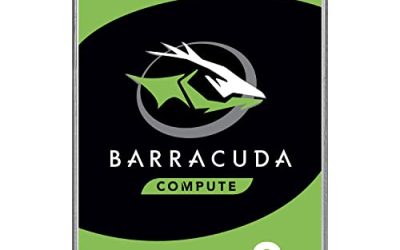
The Seagate Portable is the straightforward pick of this group: a compact 2TB drive with a USB 3.0 connection and a one-year Rescue Service for data recovery. It is small enough to live in a laptop bag, simple enough to use without software, and large enough for a full backup plus a media library. It is the drive to buy when you want backup storage without thinking about it further. The one-year Rescue Service adds a safety net for the data, which is the part of the purchase that actually matters.
WD Elements Portable 4TB
- Best for: the largest backup drive in this group for big media libraries.
- 4TB capacity
- USB 3.2 Gen 1 / USB 3.0
- 2.5-inch portable design
- 2-year limited warranty
the largest backup drive in this group for big media libraries.
the listing’s spec table contains incorrect speed figures, so judge this drive on capacity and warranty, not on its quoted read speed.
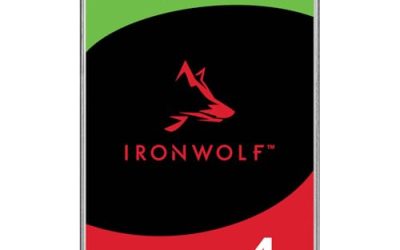
The WD Elements Portable is the roomiest drive here, with 4TB in the same portable form factor as the 2TB picks. Its USB 3.2 Gen 1 connection matches USB 3.0 speeds in practice, and the two-year limited warranty is the longest in this group. It suits households with large media libraries or anyone backing up several machines to one drive, and it stays portable enough to carry between rooms. The extra capacity means fewer decisions about what to delete, which is the real benefit of a larger backup drive.
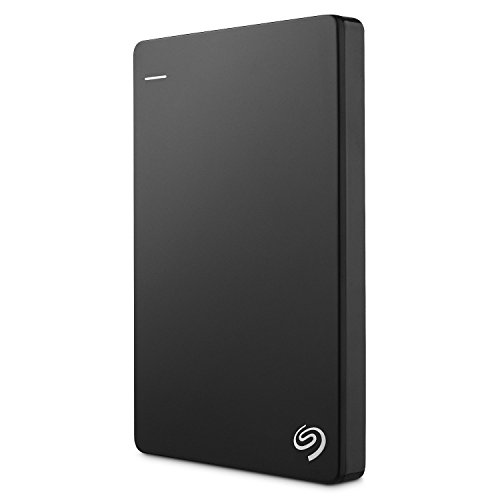
Seagate Backup Plus Slim 2TB
- Best for: a slim drive that lives in a laptop bag.
- 2TB capacity
- USB 3.0 connection
- Slim portable design
a slim drive that lives in a laptop bag.
this line has been replaced in many stores by newer Seagate families, so confirm the listing shows a live offer before ordering.
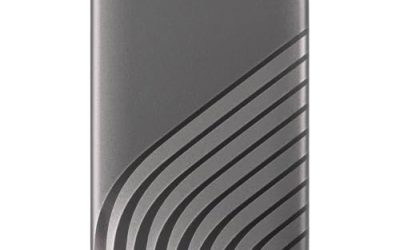
The Backup Plus Slim is the thinnest drive in this group, built to slip into a laptop bag without adding bulk. Its 2TB capacity and USB 3.0 connection cover everyday backup and file storage, and the slim profile makes it the easiest of the five to carry daily. It is the pick for anyone who backs up on the move and wants the drive to disappear into a bag pocket. The slim shape also means it takes up no more room than a phone in the bag, so it travels without a second thought.
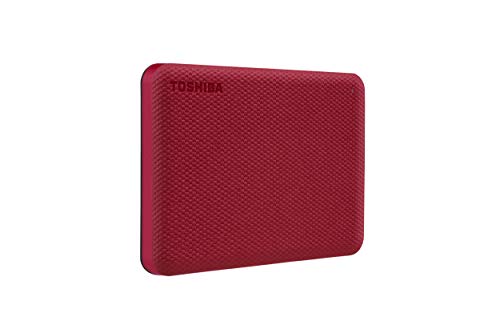
Toshiba Canvio Advance 2TB Red
- Best for: a first backup drive with software included in the box.
- 2TB capacity
- USB 3.0 connection
- Backup software included
- 2.5-inch portable design
a first backup drive with software included in the box.
confirm the listing is the red model if the colour matters to you, since the same drive ships in other colours.
The Canvio Advance is the only drive in this group that ships with backup software included, which makes it the easiest pick for anyone who wants backup to work out of the box. The red finish makes it easy to spot in a bag, and the USB 3.0 connection and 2.5-inch portable design match the rest of the group. It is the pick for a first backup drive where the software matters as much as the hardware. For a first backup drive, the software in the box removes the hardest step, which is choosing and setting up a backup tool.
Toshiba Canvio Basics 2TB Black
- Best for: a plain no-frills backup drive for someone who already has software.
- 2TB capacity
- USB 3.0 connection
- 5400 RPM
- 5.3 oz
a plain no-frills backup drive for someone who already has software.
the listing behind this pick is 342 days old, so confirm a live offer on the product page.
The Canvio Basics is the plain pick: a 2TB portable hard drive with no bundled software and no frills, just storage. Its 5400 RPM spindle and 5.3 oz weight make it light and quiet, and the one-year warranty covers the basics. It suits anyone who already has backup software and wants the cheapest way to add 2TB of portable storage to a PC. The pre-formatted NTFS layout means it works on a Windows PC the moment it is plugged in, with no formatting step first.
Which One Fits Your Situation
You want the simplest backup drive
Pick the Seagate Portable 2TB. It is compact, simple, and large enough for a full backup, with a Rescue Service included for the worst case. It needs no software and no setup beyond plugging it in, which is all most people want from a backup drive. A drive that needs no setup gets used, and a backup drive that gets used is the only kind that protects anything.
Your media library is large
Pick the WD Elements Portable 4TB. Twice the capacity of the 2TB picks in the same portable size, with the longest warranty in the group, makes it the right choice for big photo and video collections. Ignore the listing’s speed figures and judge it on capacity and coverage. The extra room also means fewer decisions about what to delete, which is the real benefit of a larger backup drive.
You back up on the move
Pick the Seagate Backup Plus Slim 2TB. Its slim profile fits a laptop bag without bulk, and 2TB covers a full system backup plus documents. Confirm the listing shows a live offer first, since the line has been replaced in many stores. The slim shape means it takes up no more room than a phone in the bag, so it travels without a second thought.
You want backup software included
Pick the Toshiba Canvio Advance 2TB in Red. The bundled backup software means the drive works as a backup solution from the moment you plug it in, and the red finish makes it easy to find in a bag. The Canvio Basics is the alternative if you already own backup software and want the plainer drive. For a first backup drive, the software in the box removes the hardest step, which is choosing and setting up a backup tool.
Common Mistakes
- Buying an SSD when a spinning drive would hold twice the data for the same outlay.
- Trusting a speed figure on a hard-drive listing that clearly belongs to an SSD.
- Choosing a drive by capacity alone without checking the warranty length.
- Assuming a slim drive is fragile, or that a bigger drive is automatically faster.
- Buying a backup drive and never actually running the first backup.
Frequently Asked Questions
Is a hard drive or an SSD better for PC backup?
A hard drive wins on capacity per dollar, which matters when a backup holds years of photos, videos, and system images. An SSD wins on speed, which matters when you restore or move large files often. For a backup drive that mostly sits on a shelf and runs on a schedule, a hard drive is the sensible choice.
How long do external hard drives last?
A portable hard drive used for scheduled backups typically lasts several years, and the warranty length is a reasonable guide to the maker’s confidence. Keep the drive somewhere cool and still, avoid dropping it while it spins, and remember that any single drive can fail — the backup of the backup is what protects you.
Can I use the same drive for PC backup and PS4 storage?
Yes, but not at the same time. A PS4 formats a drive as extended storage, which a PC cannot read without reformatting, and reformatting erases the drive. The Seagate Portable in this guide works for either job, but pick one job per drive and keep a separate drive for the other.
Do I need backup software, or can I just drag files?
Dragging files works for documents and photos, but it does not back up your system, settings, or applications. Backup software creates scheduled, complete backups and lets you restore the whole machine after a failure. The Canvio Advance includes software in the box, while the other drives in this guide need a separate tool.
Related guides
More from Amazon
Programs that pair well with the guide above. Offers and eligibility are set by Amazon and may change.
Free shipping on eligible items, Prime Video and more. Eligible new members can start with a free trial.
Start a Prime free trialAd-free music streaming. Eligible new subscribers can start with a free trial.
Try Music Unlimited freeA Prime membership for ages 18-24 with a trial period. Eligibility is set by Amazon.
See Prime for Young AdultsAudiobooks and podcasts to listen to on the go. Eligible new members can start with a free trial.
Try Audible freeAs an Amazon Associate we earn from qualifying purchases.