Our Short List of 3

- Best for: Xbox One owners who want a compact, officially Xbox-branded drive with room for dozens of games.
- Digital storage capacity: 2 TB
- Interface: USB 3.0
- Form factor: 2.5-inch
- Read speed: 140 MB/s

- Best for: Players with a small or growing library who want the lightest Xbox-branded drive in this list.
- Digital storage capacity: 1 TB
- Interface: USB 3.0
- Dimensions: 4.65 x 3.46 x 0.5 inches
- Item weight: 5 ounces

- Best for: Multi-platform households that want one large portable drive for Xbox One and other machines.
- Digital storage capacity: 4 TB
- Type: Portable external HDD
- Compatible devices: PlayStation, Xbox, PC, Mac
- Compatible console models: includes Microsoft Xbox One
All 4 Picks at a Glance
| Product | Specs | Action |
|---|---|---|
| Seagate Game Drive for Xbox 2TB |
| Check price on Amazon |
| WD_BLACK P10 Game Drive for Xbox 1TB |
| Check price on Amazon |
| WD_BLACK P10 Game Drive 4TB |
| Check price on Amazon |
 WD_BLACK P10 Game Drive for Xbox 6TB |
| Check price on Amazon |
An Xbox One with a full internal drive turns every new download into a decision about what to delete, and that trade-off gets old fast when modern games swallow tens of gigabytes each. The real choice is not whether to add storage but how much room to buy, how fast the drive needs to be, and whether an Xbox-branded model is worth it over a general-purpose portable drive. A USB 3.0 drive of at least 256 GB plugs into any Xbox One and holds full games, so the decision comes down to capacity, portability, and daily use.
This guide is for Xbox One, Xbox One S, and Xbox One X owners who are out of space, players who want a library they can carry to a friend’s console, and households where several people share one machine. Every drive below was picked from its Amazon listing, using only the capacity, interface, and compatibility details stated there, and each one names Xbox One among its compatible consoles.
Our Top Picks
Top 3 picks at a glance
Quick Picks
As an Amazon Associate we earn from qualifying purchases.
| Product | Best for | Key spec from title |
|---|---|---|
| Seagate Game Drive for Xbox 2TB | A compact Xbox-branded drive for a first storage upgrade | 2TB portable USB 3.0 drive for Xbox |
| WD_BLACK P10 Game Drive for Xbox 1TB | A light starter drive for a small or growing library | 1TB portable external hard drive for Xbox |
| WD_BLACK P10 Game Drive 4TB | A mid-size drive shared across Xbox, PlayStation, and PC | 4TB portable external HDD for PlayStation, Xbox, PC, and Mac |
| WD_BLACK P10 Game Drive for Xbox 6TB | The largest library in this list for heavy collectors | 6TB portable external hard drive for Xbox |
How to Choose
Match capacity to the size of your library
Start by counting what you actually keep installed. A 1TB drive roughly doubles the room of a standard Xbox One and suits players who rotate a handful of titles, while 2TB covers a broader library without constant deletions. Households with several players, or collectors who revisit older games, should look at 4TB or 6TB, because reinstalling a large game over a slow connection takes far longer than most people expect. Buying more room than you need today also leaves space for the next few releases, so size the drive for the library you will have in a year, not just the one you have now.
Confirm Xbox One compatibility before anything else
Xbox One only accepts an external drive for games when it meets two rules: a USB 3.0 connection and at least 256 GB of capacity. Anything smaller, or connected through a USB 2.0 port, will not be offered as game storage, no matter what the box says. Every drive in this guide names Xbox One among its compatible consoles on its listing, and the Xbox-branded models go further by listing Xbox One, Xbox One S, and Xbox One X separately. Check that line on the listing before ordering, especially with general-purpose drives that were designed mainly for computers.
Understand what hard drive speed really changes
All four drives here are mechanical hard drives, so none of them will load games as quickly as an SSD, and that is a fair trade for the extra capacity at this size. Within hard drives, the difference between models is modest: the Seagate lists read speeds up to 140 MB/s, while the WD_BLACK P10 line lists up to 130 MB/s, and both connect over USB 3.0. Loading screens and large open-world areas will feel similar across these drives. If faster loading is the priority, a portable SSD is a different purchase, and it will hold far fewer games for the same amount of room.
Think about portability and power
Every drive in this guide runs from the USB connection alone, with no wall adapter to pack or plug in, which matters more than it sounds. A bus-powered drive can move from the living room console to a bedroom console or a friend’s house with nothing but its cable, and it keeps the area behind the TV free of extra plugs. Weight and size still differ: the 1TB WD_BLACK P10 weighs 5 ounces, while the 6TB model weighs 8.8 ounces in its general listing, so the smaller drives travel a little easier. Keep the supplied cable with the drive, since a worn or low-quality replacement cable is a common source of disconnects.
The 4 Best Options
Seagate Game Drive for Xbox 2TB
- Best for: Xbox One owners who want a compact, officially Xbox-branded drive with room for dozens of games.
- Digital storage capacity: 2 TB
- Interface: USB 3.0
- Form factor: 2.5-inch
- Read speed: 140 MB/s
Xbox One owners who want a compact, officially Xbox-branded drive with room for dozens of games.
the listing’s game-count claims differ between its description and the Seagate datasheet, so plan on the lower figure; also confirm the green 2TB model when ordering, since the same line sells other capacities and colors.
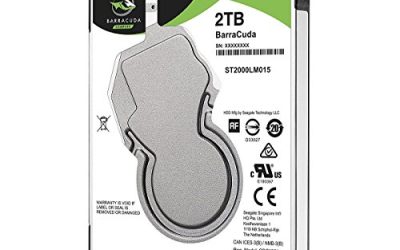
The Seagate Game Drive for Xbox is the most Xbox-specific drive in this list, built for Xbox One and Xbox 360 and finished in green with Xbox branding. Its 2TB of room holds dozens of Xbox One titles, so it suits a player moving off a full 500 GB console who wants one simple upgrade rather than a storage project. Setup is plug and play over USB 3.0, and the drive draws power from the console, so there is no adapter to find a socket for. At 7.68 ounces it is light enough to carry to another console, and the 2.5-inch body slips into a bag without taking much space.
Watch out for: the listing’s game-count claims differ between its description and the Seagate datasheet, so plan on the lower figure; also confirm the green 2TB model when ordering, since the same line sells other capacities and colors.
WD_BLACK P10 Game Drive for Xbox 1TB
- Best for: Players with a small or growing library who want the lightest Xbox-branded drive in this list.
- Digital storage capacity: 1 TB
- Interface: USB 3.0
- Dimensions: 4.65 x 3.46 x 0.5 inches
- Item weight: 5 ounces
Players with a small or growing library who want the lightest Xbox-branded drive in this list.
1TB fills quickly once several large modern titles are installed, so heavy downloaders should size up; bundle terms can also change, so confirm the Game Pass membership is still included before ordering.
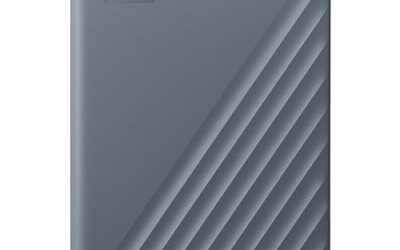
The 1TB WD_BLACK P10 Game Drive for Xbox is the smallest and lightest drive in this guide, and it is the starting point for a player whose library is still modest. One terabyte roughly doubles the storage of a standard Xbox One, which is enough for a rotation of favorites plus a few older titles kept for replay. The drive measures 4.65 x 3.46 x 0.5 inches and weighs 5 ounces, so it sits neatly beside the console. Its listing also includes a 1-month Xbox Game Pass Ultimate membership, which is a useful bonus for someone setting up a new drive and looking for something to play on it.
Watch out for: 1TB fills quickly once several large modern titles are installed, so heavy downloaders should size up; bundle terms can also change, so confirm the Game Pass membership is still included before ordering.
WD_BLACK P10 Game Drive 4TB
- Best for: Multi-platform households that want one large portable drive for Xbox One and other machines.
- Digital storage capacity: 4 TB
- Type: Portable external HDD
- Compatible devices: PlayStation, Xbox, PC, Mac
- Compatible console models: includes Microsoft Xbox One
Multi-platform households that want one large portable drive for Xbox One and other machines.
this ASIN was verified through a retailer mirror of Amazon data rather than the Amazon page itself, so confirm the exact model and Xbox One compatibility on the Amazon listing before ordering.
The 4TB WD_BLACK P10 Game Drive is the flexible middle option, built to work with PlayStation, Xbox, PC, and Mac rather than a single console. That breadth makes it the right pick for a household where one drive may serve an Xbox One today and another machine later, or for a player who splits time between console and computer. With 4TB of room and a listing claim of up to 125 games, it holds a large library without forcing regular deletions. It is a portable external hard drive in the same P10 family as the Xbox-branded models, and Microsoft Xbox One is listed among its compatible console models.
Watch out for: this ASIN was verified through a retailer mirror of Amazon data rather than the Amazon page itself, so confirm the exact model and Xbox One compatibility on the Amazon listing before ordering.
WD_BLACK P10 Game Drive for Xbox 6TB
- Best for: Heavy collectors and shared households that want the biggest Xbox One library in this list.
- Digital storage capacity: 6 TB
- Interface: USB 3.0
- Hardware connectivity: USB 3.2 Gen 1
- Read speed: up to 130 MB/s
Heavy collectors and shared households that want the biggest Xbox One library in this list.
the listing gives two different game-count figures, 150 in its description and 125 in the manufacturer section, so plan on the lower figure; 6TB is also more room than a small library needs, so smaller collections should look at the 1TB or 2TB models.
The 6TB WD_BLACK P10 Game Drive for Xbox is the largest drive in this guide, aimed at collectors and shared households that never want to think about deleting a game again. Its listing names Xbox One, Xbox One S, and Xbox One X among the compatible consoles, alongside Xbox Series X and Series S, so it also stays useful if the household adds a newer console later. Read speeds reach up to 130 MB/s over USB 3.2 Gen 1, and the 2.5-inch body stays portable despite the capacity. The listing also includes a 1-month Xbox Game Pass Ultimate membership and a 3-year manufacturer’s limited warranty.
Watch out for: the listing gives two different game-count figures, 150 in its description and 125 in the manufacturer section, so plan on the lower figure; 6TB is also more room than a small library needs, so smaller collections should look at the 1TB or 2TB models.
Which One Fits Your Situation
You are starting from a full 500 GB console
The Seagate Game Drive for Xbox 2TB is the straightforward fix. It quadruples the room of a base console, it is Xbox-branded and bus-powered, and it is light enough to move between rooms. Players who only need a modest boost and want the lightest option can take the 1TB WD_BLACK P10 instead, but the 2TB Seagate leaves more headroom for the next few installs.
You own a large library and rarely delete anything
The WD_BLACK P10 Game Drive for Xbox 6TB is built for this habit. With the largest capacity in this guide, it holds a deep library of Xbox One titles without forcing a choice every time a new game arrives. Its listing also covers Xbox Series X and Series S, so the drive keeps working if the household upgrades consoles later.
You carry games between consoles or to a friend’s house
The Seagate Game Drive for Xbox 2TB travels best, at 7.68 ounces with no power adapter and a cable that fits in the same bag. The 1TB WD_BLACK P10 is even lighter at 5 ounces and is the better pick when the library being carried is small. Either way, use the supplied cable and let the console finish writing before unplugging.
You play on more than one platform
The WD_BLACK P10 Game Drive 4TB is the only drive here that lists PlayStation, Xbox, PC, and Mac together, so it fits a household where storage moves between machines. Its 4TB capacity is a sensible middle ground: large enough for a serious Xbox One library, without committing to the biggest drive in the list.
Safety Notes
External hard drives are low-voltage USB devices, but a few habits keep them healthy. Always eject the drive through the console’s storage settings before unplugging it, and never disconnect it while a game is installing, updating, or saving. Let the drive sit on a flat surface with airflow around it during long transfers, since a drive working hard will feel warm, and keep it away from heaters and direct sunlight. Use the cable supplied with the drive, and replace a frayed or loose cable before it causes disconnects. No safety certification is claimed for these drives here.
Common Mistakes
- Buying a drive smaller than 256 GB, which Xbox One will not accept as game storage.
- Plugging the drive into a USB 2.0 port, or using a worn cable, and getting slow transfers.
- Unplugging the drive while a game is running, installing, or saving, which can corrupt data.
- Expecting Xbox Series X|S optimized games to run from the USB drive; they can be stored there, but they must move back to internal storage to play.
- Reformatting the drive on a computer without checking what the console needs, then having to set it up again.
Frequently Asked Questions
Can I play Xbox One games directly from an external hard drive?
Yes. Once the console formats a USB 3.0 drive of at least 256 GB as game storage, Xbox One titles install and run from it just as they do from the internal drive. You can also move installed games between internal and external storage from the console settings, which makes it easy to shuffle titles around when space gets tight.
What is the minimum size for an Xbox One external drive?
Xbox One requires an external drive of at least 256 GB with a USB 3.0 connection before it will offer the drive as game storage. Smaller drives, and drives connected through USB 2.0, can only be used for media files such as music and video. All four drives in this guide clear both requirements comfortably.
Will these drives work on Xbox Series X or Series S?
Yes, for Xbox One games. A drive formatted on Xbox One can plug into a Series X or Series S and play Xbox One titles directly, which makes it handy during a console upgrade. Xbox Series X|S optimized games are different: they can be stored on the USB drive, but they must be moved back to the internal drive or an expansion card before they will run.
Do I need an Xbox-branded drive for Xbox One?
No. Any USB 3.0 drive of at least 256 GB works as Xbox One game storage, branded or not, so the general-purpose WD_BLACK P10 4TB in this guide is a valid choice. Xbox-branded models add console-specific styling and sometimes a Game Pass membership, but they do not change how the console treats the drive.
Related guides
More from Amazon
Programs that pair well with the guide above. Offers and eligibility are set by Amazon and may change.
Free shipping on eligible items, Prime Video and more. Eligible new members can start with a free trial.
Start a Prime free trialAd-free music streaming. Eligible new subscribers can start with a free trial.
Try Music Unlimited freeA Prime membership for ages 18-24 with a trial period. Eligibility is set by Amazon.
See Prime for Young AdultsAudiobooks and podcasts to listen to on the go. Eligible new members can start with a free trial.
Try Audible freeAs an Amazon Associate we earn from qualifying purchases.