Choosing an ASUS laptop is less about the logo and more about which of the company’s very different lines you actually need. The brand sells rugged-looking gaming machines under the ROG Strix banner, everyday Vivobook models with full-power processors, and stripped-down Vivobook Go units aimed at light study and browsing. A buyer who walks in expecting one kind of ASUS and ends up with another is the most common source of disappointment, so the first decision is the job, not the badge.
This guide is for shoppers who have already settled on ASUS and want to sort seven specific models by purpose in 2026. It covers three ROG Strix G16 gaming laptops, one high-spec Vivobook 15, and three Vivobook Go models, using only what each product title states: processor, memory, storage, screen size, refresh rate, and listed extras. Pricing is described only in broad tiers, because the listings do not make a fair per-dollar comparison possible.
Our Top Picks


Top 3 picks at a glance
Quick Picks
As an Amazon Associate we earn from qualifying purchases at no extra cost to you.

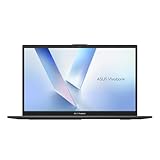


| Product | Best for | Key spec from the title |
|---|---|---|
| ROG Strix G16 with RTX 5060 | Balanced gaming and creative work | Core i7 14650HX, RTX 5060, 16GB DDR5, 1TB Gen 4, 165Hz |
| Vivobook 15 (Core i9) | Heavy multitasking without a gaming chassis | Core i9-13900H, 32GB RAM, 1TB SSD |
| ROG Strix G16 with RTX 5050 | Entry gaming on a 16-inch screen | Core i5 14450HX, RTX 5050, 16GB DDR5-5600, 165Hz |
| Vivobook Go 15 (N150) | Basic browsing and documents | Intel N150, 4GB RAM, 128GB SSD |
| Vivobook Go 15 (Ryzen 5) | Students and office use | Ryzen 5, 8GB RAM, 512GB SSD, WiFi 6E |
| ROG Strix G16 with RTX 5080 | High-end gaming and display quality | Core Ultra 9 290HX Plus, RTX 5080, 32GB DDR5, 2.5K 240Hz |
| Vivobook Go Slim 15.6 | Lightweight student carry | Intel N4500, 4GB RAM, 128GB SSD |
How to Choose
Start with the product line, not the spec sheet
ROG Strix titles mean a dedicated NVIDIA graphics card and a high-refresh panel. Vivobook and Vivobook Go titles mean integrated graphics. If you plan to run modern 3D games, only the ROG Strix models here are in the conversation. If your work lives in browsers, spreadsheets, and video calls, paying for a dedicated GPU adds weight and fan noise you will never use.
Check memory and storage floors
Sixteen gigabytes of RAM is a sensible floor for gaming and heavy multitasking, and 8GB is workable for light office use. Four gigabytes, as listed on two models here, leaves very little room once a browser with several tabs is open alongside Windows 11. For storage, 128GB fills quickly after system updates and a few apps, so 512GB or more is the safer line unless you rely on cloud storage.
Read the display line carefully
For gaming, look at refresh rate and response time together. The listings show 165Hz at 3ms on two ROG models and 240Hz on the top one, with a 2.5K HDR panel. The Vivobook Go units list 60Hz, which is standard for office screens and perfectly fine for documents and video, but it will feel less fluid in fast games, though those models are not aimed at gaming anyway.
Know where budget models cut corners
Entry processors such as the Intel N150 and the dual-core N4500 are built for light tasks. Expect slow multitasking and long waits when installing large apps. Plastic builds and modest storage are the usual trade-offs. Higher tiers add faster memory, bigger SSDs, and better screens, so decide which single upgrade matters most before comparing totals.
It also helps to ignore marketing phrases such as “AI ready” or “long battery life” unless the listing backs them with a processor and battery figure. A named chip, a RAM amount, and a storage size are facts you can verify; adjectives are not. Two laptops with the same screen size can differ enormously in what they can actually do, which is why the processor and graphics line deserve more attention than the badge or the color.
The 7 Best Options
ASUS ROG Strix G16 (RTX 5060)
This model pairs a Core i7 14650HX with an RTX 5060 and 16GB of DDR5 on a 16-inch FHD+ 16:10 panel running 165Hz with 3ms response. A 1TB Gen 4 drive is also listed. It suits players who want smooth frame rates at 1080p-class resolutions and who also edit video or code on the same machine.
- Strength: the 16:10 screen gives extra vertical room for editing timelines and documents.
- Strength: 1TB of Gen 4 storage holds a sizable game library.
- Trade-off: a gaming laptop in this class is typically heavier than a Vivobook, a point the title does not quantify, so check the spec sheet.
Skip it if you only browse and write documents, because the graphics card would sit idle and you would be carrying more laptop than the work demands.
ASUS Vivobook 15 (Core i9-13900H)
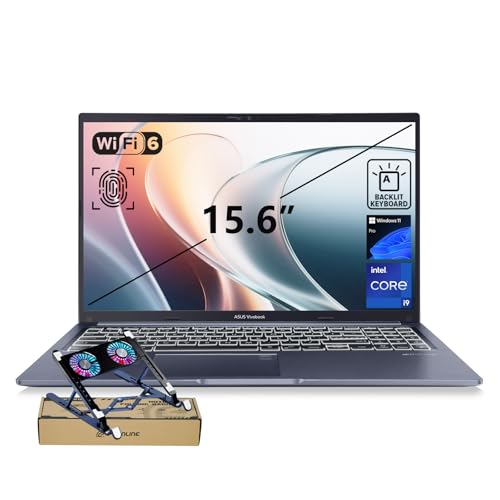
The Vivobook 15 stands out for pairing a Core i9-13900H with 32GB of RAM and a 1TB SSD on a 15.6-inch FHD display. The title also lists a physical webcam shield, a backlit keyboard, and a fingerprint reader. It is meant for professionals who run many apps at once but do not need a gaming card.
- Strength: 32GB of RAM leaves comfortable headroom for large spreadsheets and dozens of tabs.
- Strength: the webcam shield and fingerprint sensor suit privacy-minded work setups.
- Trade-off: no dedicated graphics are listed, so demanding 3D games are not the target.
Skip it if gaming performance is your priority.
ASUS ROG Strix G16 (RTX 5050)
This is the lower-cost entry in the ROG group, listing a Core i5 14450HX, an RTX 5050 Laptop GPU, 16GB of DDR5-5600, and a 165Hz 16:10 FHD+ screen. A 512GB drive appears at the end of the title. It fits newer players who want a real gaming laptop without stepping up to the top graphics tier.
- Strength: it shares the same 165Hz, 3ms panel as the pricier RTX 5060 version.
- Strength: 16GB of DDR5-5600 is a sound baseline for modern games.
- Trade-off: 512GB of storage fills fast with large game installs.
Skip it if you want the strongest graphics available or plan to store many large titles.
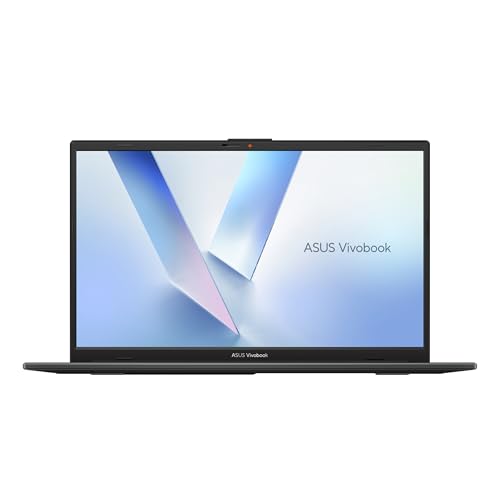
ASUS Vivobook Go 15 (Intel N150)
A 15.6-inch FHD 60Hz screen sits alongside an Intel N150 processor, Intel UHD Graphics, 4GB of RAM, and a 128GB SSD. It is the sort of laptop that fits a spare-room computer, a kid’s first machine for homework, or a secondary device for email.
- Strength: the full HD 15.6-inch display is a comfortable size for reading and documents.
- Strength: a low-power processor is a natural match for light daily tasks.
- Trade-off: 4GB of RAM and 128GB of storage leave little room as software grows.
Skip it if you multitask heavily or want to keep large files locally.
ASUS Vivobook Go 15 (Ryzen 5)
This Vivobook Go steps up to a Ryzen 5 chip with Radeon graphics, 8GB of RAM, and a 512GB SSD, still on a 15.6-inch FHD 60Hz screen. The title adds military-grade construction, an ErgoSense keyboard, and WiFi 6E. It is a practical pick for students and home offices.
- Strength: 8GB of RAM with 512GB of storage is a far more usable pairing than the entry models.
- Strength: WiFi 6E support suits modern routers.
- Trade-off: it is still an integrated-graphics machine, so gaming expectations should stay modest.
Skip it if you need a high-refresh display or dedicated graphics.
ASUS ROG Strix G16 (RTX 5080)
The flagship here lists a Core Ultra 9 290HX Plus, an RTX 5080, 32GB of DDR5, and a 1TB drive behind a 16-inch ROG Nebula HDR 2.5K panel at 240Hz and 3ms. It is built for players who want high-resolution, high-refresh gaming and plan to keep the machine for years.
- Strength: the 2.5K HDR 240Hz display is a clear step up from the 165Hz FHD+ models.
- Strength: 32GB of DDR5 supports gaming alongside streaming and background apps.
- Trade-off: it sits in the premium tier, and heat and weight are likely higher, though the title gives no figures.
Skip it if your budget is limited or your workload is mostly office tasks.
ASUS Vivobook Go Slim 15.6
The Vivobook Go Slim is described as thin and portable for student study, with an Intel dual-core N4500, 4GB of RAM, a 128GB SSD, and Windows 11 in a black finish. It is a simple note-taking and web machine.
- Strength: the slim, portable positioning suits carrying between classes.
- Strength: it ships with Windows 11 and a familiar 15.6-inch screen size.
- Trade-off: a dual-core processor with 4GB of RAM will feel slow under any real workload.
Skip it if you need smooth multitasking or plan to keep the laptop for many years.
Which One Fits Your Situation
You game and also work on the same machine
The ROG Strix G16 with the RTX 5060 is the balanced choice, with a strong processor, 16GB of DDR5, and a roomy 1TB drive. First-time gaming buyers who want to spend less can step down to the RTX 5050 version, which keeps the same 165Hz, 3ms panel.
You want the strongest display and graphics
The ROG Strix G16 with the RTX 5080 is the one to look at, thanks to its 2.5K HDR 240Hz screen and 32GB of memory.
You handle office work with many apps open
The Vivobook 15 with the Core i9 and 32GB of RAM is built for this, and its webcam shield suits shared offices.
You need a low-cost student laptop
The Vivobook Go 15 with the Ryzen 5 offers 8GB and 512GB, which is a sturdier base than the N150 or N4500 models. If carrying weight matters more than speed and your coursework is mostly writing, the Vivobook Go Slim is the lighter-duty alternative, though it asks you to accept a dual-core processor.
Common Mistakes
- Assuming every ASUS laptop can play new games; only the ROG Strix models list a dedicated graphics card.
- Buying 4GB of RAM and expecting Windows 11 to feel quick with many browser tabs.
- Ignoring storage: 128GB runs out quickly after updates and a few applications.
- Comparing processors by name alone; the HX and H suffixes signal power, while N-series chips signal low-power use, so two laptops with the same screen can behave very differently.
- Overlooking the display refresh rate when buying a gaming model, since 60Hz and 240Hz feel very different.
Related guides
- How To Check Motherboard Vrm Temperature In Hwinfo
- How To Clean Quest 3 Lenses And Facial Interface
- Micro Sd Cards For Samsung Galaxy Phones
Frequently Asked Questions
Are ROG Strix laptops only for gaming?
No. Their processors and memory also suit video editing, programming, and other heavy work. The trade-off is size and fan noise compared with a Vivobook.
Is 8GB of RAM enough?
For light office work and web browsing it is workable. For gaming or heavy multitasking, look for 16GB or more, as listed on the ROG models and the Core i9 Vivobook 15.
Should I buy the Vivobook Go with 4GB of RAM?
Only for very basic use such as email, documents, and video streaming. Buyers who want room to grow should choose the 8GB Ryzen 5 version.
What does 16:10 mean?
It describes the screen shape. A 16:10 panel is slightly taller than a standard 16:9 display, which gives more room for documents, code, and timelines.
Related guides
More from Amazon
Programs that pair well with the guide above. Offers and eligibility are set by Amazon and may change.
Free shipping on eligible items, Prime Video and more. Eligible new members can start with a free trial.
Start a Prime free trialAd-free music streaming. Eligible new subscribers can start with a free trial.
Try Music Unlimited freeA Prime membership for ages 18-24 with a trial period. Eligibility is set by Amazon.
See Prime for Young AdultsAudiobooks and podcasts to listen to on the go. Eligible new members can start with a free trial.
Try Audible freeAs an Amazon Associate we earn from qualifying purchases.