People who type “best rated work laptops” are usually asking a more practical question than the phrase suggests: which machine will get through a full workday without slowing down, running out of space, or hurting their eyes? A listing title cannot tell you how other buyers felt, so this guide ranks eight laptops by the things you can check on a spec sheet: memory, storage, screen size and finish, ports, and the kind of processor named in the title. That is a firmer foundation than any popularity badge, and it keeps the list honest as 2026 listings fill up with similar-sounding names.
The audience is anyone buying a laptop mainly for work: remote employees, freelancers, accountants, teachers, and managers who live in email, documents, spreadsheets, and video meetings. Gaming is not the focus, although plenty of readers of a PC site will want a work machine that sits beside their gaming rig. Titles are often truncated, so wherever a detail is missing the advice is to open the listing and confirm it before buying. The aim is to leave you with a short list of the right tier, not a single magic pick. Work needs differ so much that a laptop ideal for a spreadsheet-heavy analyst can be wasteful for someone who mostly sends email.
Our Top Picks
 Apple 2026 MacBook Neo 13-inch Laptop with A18256GB8.12 x 11.71 x 0.5 inches2.7 PoundsCheck on Amazon




Top 3 picks at a glance
Quick Picks
As an Amazon Associate we earn from qualifying purchases at no extra cost to you.








| Product | Best for | Key spec taken from the title |
|---|---|---|
| Dell Inspiron 15.6 Touchscreen | Power with touch input | Ryzen 7 7730U, 16GB RAM, 512GB PCIe SSD |
| Lenovo V14 G5 | Compact, higher-end workhorse | Core 7 240H, 14-inch FHD anti-glare, 16GB DDR5 |
| Lenovo V15 | Ports and keypad for desk work | Ryzen 5 5500U, 16GB RAM, HDMI, RJ45, numeric keypad |
| HP 17 Business | Large-screen multitasking | 17.3-inch FHD, Ryzen 5, 16GB RAM, 512GB SSD |
| Dell 15.6 (Core 3 100U) | Simple, dependable office use | 8GB RAM, 512GB SSD, anti-glare 250 nits |
| Apple MacBook Neo 13 | Mac users who want a light laptop | A18 Pro chip, 8GB unified memory, 256GB SSD |
| Lenovo Business 15.6 (128GB) | Light tasks and Office | 8GB DDR5, 128GB storage, Wi-Fi 6, USB-C |
| HP Everyday Laptop (128GB) | Basic web and cloud work | 128GB storage, 1TB cloud, Office 365, Wi-Fi 6 |
How to Choose
Work out your multitasking load first
A typical work session means a browser with a dozen tabs, a chat app, a video call, and a spreadsheet or document open at once. That load is comfortable on 16GB of RAM and manageable on 8GB. Anything below that, including the 4GB seen on some budget listings, will start to stutter. If your applications include large spreadsheets, databases, or design tools, aim for 16GB and a processor with six or more cores, such as the Ryzen 5 5500U’s hexa-core design named in one title.
Storage you will not outgrow
Choose 512GB if files live on the laptop. A 128GB drive, which several budget entries list, is acceptable only if you work almost entirely from cloud storage, because Windows updates alone can eat a large share of it. Look for PCIe or NVMe-class SSDs, named in a few titles, which load programs faster than older drive types.
Screen size and finish
For all-day work, full HD resolution is the minimum, and anti-glare finishes reduce reflections from windows and overhead lights. A 14-inch screen carries easily but limits side-by-side windows. A 15.6-inch screen is the common compromise, and a 17.3-inch panel is best for a desk setup. A numeric keypad, mentioned in several titles, matters if you enter figures all day. Do not overlook weight and size if the laptop will travel between home and the office: a 14-inch model is far kinder to a shoulder bag than a 17-inch one, and an extra inch of screen is rarely worth a sore back.
Ports, wireless, and Windows edition
Work often means connecting to monitors, projectors, and wired networks. HDMI and RJ45 (Ethernet) ports, both on the Lenovo V15, simplify that. Wi-Fi 6 is plentiful at this tier and helps in busy offices. If your employer manages devices, check whether you need Windows 11 Pro, since many of these listings state Windows 11 without naming the edition. Ignore claims that a chip “beats” a named rival, because the listing cannot prove it. Likewise, treat bundled extras such as free cloud storage or office trials as a small bonus, not a reason to accept weak memory or a small drive.
The 8 Best Options
Dell Inspiron 15.6 Touchscreen
The strongest all-round Windows laptop in the list on paper: a 15.6-inch FHD touchscreen, an AMD Ryzen 7 7730U with eight cores, 16GB of RAM, and a 512GB PCIe SSD, with Bluetooth, HDMI, and USB ports.
- Strength: a Ryzen 7 with 16GB handles heavy multitasking.
- Strength: touch input helps with quick document checks.
- Trade-off: touch panels can be glossier, which is worse in bright rooms.
Who should skip it: people who prefer a matte, anti-glare screen or a more compact body. For someone who wants one laptop to do nearly everything, from video calls to big spreadsheets and light photo work, it is the most convincing combination in the list.
Lenovo V14 G5
A business-oriented 14-inch laptop with an Intel Core 7 240H, 10 cores and 16 threads, a 14-inch FHD anti-glare display, 16GB of DDR5 memory, a 512GB PCIe SSD, and Wi-Fi 6.
- Strength: DDR5 and a high core count give plenty of headroom.
- Strength: the anti-glare panel is practical for office lighting.
- Trade-off: 14 inches offers less room for side-by-side windows.
Who should skip it: anyone who wants a large display or a numeric keypad. It is the model for people who value a smaller footprint without giving up memory, and the anti-glare panel is a thoughtful touch for open-plan offices.
Lenovo V15
A 15.6-inch FHD laptop with a Ryzen 5 5500U hexa-core processor, 16GB of RAM, a 512GB SSD, HDMI, RJ45, and a numeric keypad.
- Strength: wired Ethernet and HDMI are ideal for a docked office.
- Strength: 16GB and 512GB cover most office workloads.
- Trade-off: the 5500U is an older chip generation, and the title includes an unverifiable comparison with an Intel rival.
Who should skip it: buyers who want the newest processor platform. For a docked desk with a monitor and a wired connection, though, the port list is more valuable than a marginal speed bump.
HP 17 Business
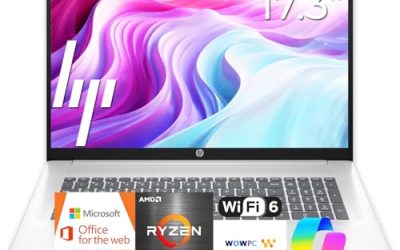
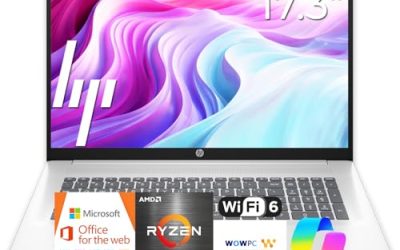
A 17.3-inch FHD laptop with a Ryzen 5 CPU, 16GB of RAM, a 512GB SSD, a numeric keypad, and long battery life listed in the title.
- Strength: the large display suits spreadsheets and split-screen work.
- Strength: 16GB and 512GB are balanced for office use.
- Trade-off: a 17-inch body is bulkier to carry.
Who should skip it: commuters and frequent travelers. It is best kept on a desk, where its size becomes an advantage rather than a burden.
Dell 15.6 (Core 3 100U)
A plain 15.6-inch laptop with an Intel Core 3 100U, 8GB of RAM, a 512GB SSD, Windows 11 Home, an anti-glare IPS display at 250 nits, and Wi-Fi 6.
- Strength: the anti-glare screen and 512GB drive suit office tasks.
- Strength: it covers the 8GB and 512GB baseline.
- Trade-off: Windows 11 Home and 8GB limit heavy or managed work.
Who should skip it: power users and anyone who needs Windows 11 Pro features. It is the safe, unexciting pick for a straightforward office role, such as scheduling, email, and documents.
Apple MacBook Neo 13
A 13-inch MacBook with an A18 Pro chip, a Liquid Retina display, 8GB of unified memory, and a 256GB SSD in the listing.
- Strength: a compact Mac for writing, email, and meetings.
- Strength: Apple Intelligence features are named in the title.
- Trade-off: 256GB of storage and 8GB of memory are modest for heavy work.
Who should skip it: people dependent on Windows-only business software, or who need lots of local storage. The title names only some of its details, so confirm the exact configuration and finish in the listing before choosing it.
Lenovo Business 15.6 (128GB)
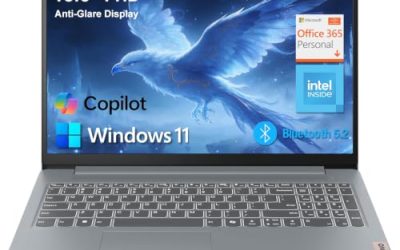
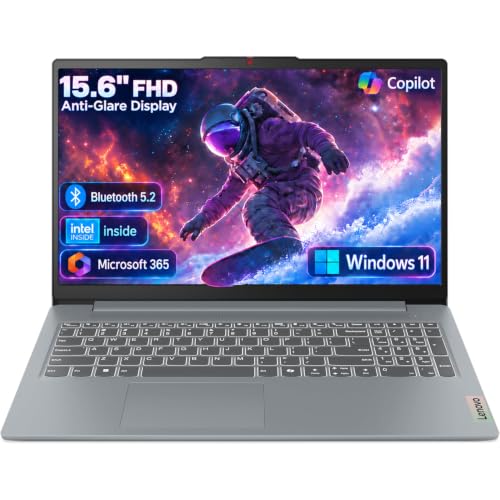
A 15.6-inch FHD laptop with an Intel processor, 8GB of DDR5 memory, 128GB of storage, Office 365, Copilot AI, Wi-Fi 6, USB-C, and an anti-glare screen.
- Strength: the anti-glare screen and USB-C suit a modern office.
- Strength: DDR5 memory is current.
- Trade-off: 128GB of storage fills up quickly.
Who should skip it: people who keep many local files. It works for a light role built around web apps and cloud documents, where the USB-C port and DDR5 memory add a bit of modern convenience.
HP Everyday Laptop (128GB)
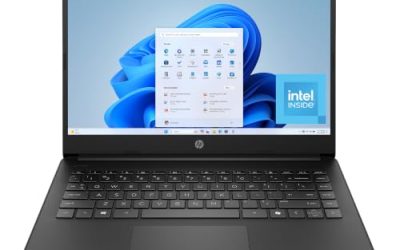
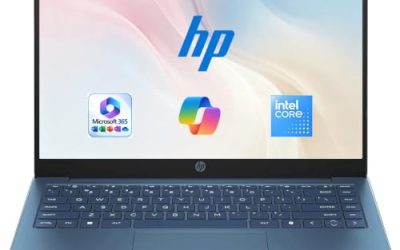
An entry-level HP with an Intel CPU, 128GB of storage, Copilot AI, Office 365, 1TB of cloud storage, Windows 11, fast charging, and Wi-Fi 6.
- Strength: cloud storage and Office are bundled for light work.
- Strength: fast charging is named in the title.
- Trade-off: the RAM and screen size are not visible in the truncated text.
Who should skip it: anyone who needs a dependable multitasker. A second HP Everyday listing with a near-identical title exists, so compare the two carefully; they likely differ in small details such as color or configuration.
Which One Fits Your Situation
A remote worker with a home desk
The Lenovo V15 is the practical choice: HDMI for a monitor, RJ45 for a stable wired connection, and a numeric keypad.
A number-heavy role in finance or operations
Choose the HP 17 Business for its big display and numeric keypad, or step up to the Dell Inspiron touchscreen for more processing power.
A traveling consultant
The Lenovo V14 G5 is the better fit: 14 inches, strong specs, and an anti-glare screen. Mac users can consider the MacBook Neo 13 for lighter carry. Both options keep the footprint small enough for airport trays and client conference tables.
A tight budget with mostly cloud tools
The Dell 15.6 (Core 3 100U) offers the safest baseline. Only drop to the Lenovo Business 15.6 or the HP Everyday Laptop if your work lives almost entirely online.
Common Mistakes
- Treating popularity as proof of quality instead of reading memory, storage, and screen details.
- Accepting 128GB of storage for a laptop that will hold work files.
- Assuming Windows 11 means Windows 11 Pro.
- Believing “beats Intel Core” claims without checking the model number.
- Ignoring the screen finish, then fighting glare from windows all day.
Related guides
- How To Check Motherboard Vrm Temperature In Hwinfo
- How To Clean Quest 3 Lenses And Facial Interface
- Micro Sd Cards For Samsung Galaxy Phones
Frequently Asked Questions
Which spec matters most for a work laptop?
RAM and storage matter most for day-to-day smoothness. Aim for 16GB and 512GB if you can.
Is a MacBook a good work laptop?
It can be, as long as your tools run on macOS. Check the memory and storage in the listing, since the Neo model shown has 8GB and 256GB.
Should a work laptop have a touchscreen?
It is optional. Touch helps with quick scrolling and signing documents, but a matte, anti-glare panel can be better in bright offices.
Do I need Windows 11 Pro?
If your employer manages devices or you need disk encryption, yes. Otherwise Windows 11 Home is fine. Always confirm the edition in the listing.