Under 300 dollars is the first budget tier where a laptop can feel like a real computer instead of a web terminal, but only if you pick carefully. The extra spending room over the lowest bracket buys three things: a sharper screen, a more capable processor, or a generous slice of memory. Most listings at this level still cut corners on RAM and storage, so the central decision is which of those three upgrades matters to you and which you can live without.
This guide is for students, parents, and anyone who wants a dependable everyday laptop without a premium bill. It sorts eight options into clear use cases and relies strictly on the text of each title. Listing prices shift daily, so confirm that the current figure still lands under 300 dollars before you commit, and read the condition notes closely on renewed units.
Our Top Picks
 Dell Latitude 5420 14" FHD Business Laptop Computeri5-1145G7-16-256-SV-Win1112.76 x 8.35 x 0.76 Inches3 poundsCheck on Amazon


Top 3 picks at a glance
Quick Picks
As an Amazon Associate we earn from qualifying purchases at no extra cost to you.


| Product | Best for | Key spec from the title |
|---|---|---|
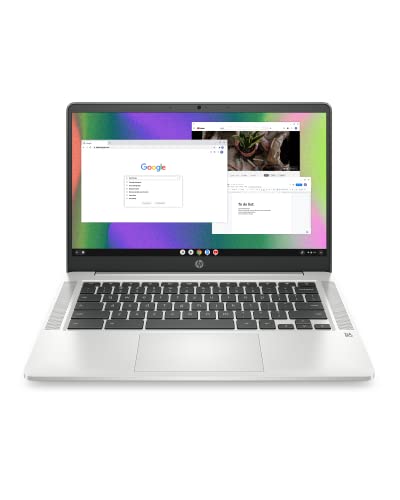
| HP Chromebook 14 | Straightforward Chrome OS schoolwork | Celeron N4120, 4GB RAM, 64GB eMMC |
| HP 14-inch with Microsoft 365 | Windows 11 plus Office software | Intel N150, 128GB UFS, 1-year Microsoft 365 Personal |
| Amzboy 15.6-inch | Larger FHD screen with expansion | N4020, 128GB eMMC, 45W PD charging, TF card support |
| Dell Latitude 5420 (Renewed) | Serious performance for the money | Core i5-1145G7, 16GB DDR4, 256GB SSD, 14-inch FHD |
| Phatom 15.6-inch | Upgradeable memory and storage | 4GB RAM, 128GB SSD, upgradeable up to 2TB |
| Lenovo Flagship Chromebook 14 | Touchscreen Chromebook with Wi-Fi 6 | FHD touch, 8-core MediaTek Kompanio 520 |
| HP 2027 Everyday Laptop | Office software and cloud storage bundle | 128GB storage, Office 365, 1TB cloud, fast charge |
| HP 14-inch HD Chromebook for Students | Ports and webcam for class | Quad-core N4120, HDMI, USB-A and USB-C, 14-hour battery claim |
How to Choose
Decide on Chrome OS, Windows, or a used business laptop
Chromebooks are the safest value at this level: they run fast on modest chips and demand little maintenance. A mainstream Windows 11 laptop gives you desktop software but needs more memory to stay responsive. A renewed business laptop, like the Latitude, often delivers a stronger processor and 16GB of RAM that new machines at this level simply do not offer.
Memory is the spec that ages first
Four gigabytes of RAM is the norm here and works for basic tasks, but 8GB is noticeably smoother and 16GB is the rare prize. If you can find a model with more memory, it will stay useful longer than one with a nicer exterior but the same 4GB. Storage of 64GB is cramped; 128GB is a safer floor, and 256GB is comfortable.
Screen: touch, resolution, and size
FHD (1920 by 1080) is worth the premium over HD for reading and spreadsheets. A touchscreen suits Chromebooks used with Android apps. Fourteen inches balances portability and comfort, while 15.6 inches gives more room for documents but adds weight. Ignore battery claims such as 14 hours on a spec line; real usage with a bright screen and video calls is usually shorter.
Ports, wireless, and where corners are cut
Look for USB-C, HDMI, and Wi-Fi 6 where possible. Budget laptops cut corners with dim panels, creaky plastic, and basic webcams. For 2026, avoid buying anything that cannot be updated for years, and confirm that Chromebooks still receive automatic updates by checking the manufacturer’s support schedule.
The 8 Best Options
HP Chromebook 14
This HP Chromebook lists a Celeron N4120, 4GB of RAM, 64GB of eMMC, and a 14-inch HD display, with a thin design. It is the entry point for Chrome OS and shows its strengths in boot speed and simplicity.
- Strength: Chrome OS is quick on modest hardware and updates automatically.
- Strength: a thin, light body is easy to carry between classes.
- Trade-off: 64GB of storage and an HD screen are the compromises at this level.
Skip it if you need Windows programs or lots of local storage. It makes sense as a no-fuss school laptop for a younger student, since there is little to configure and little that can go wrong with unwanted software.
HP 14-inch Laptop with Microsoft 365
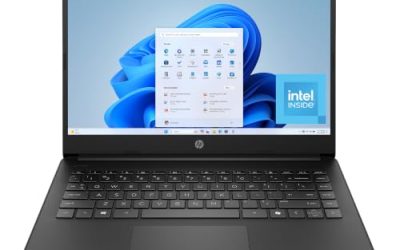
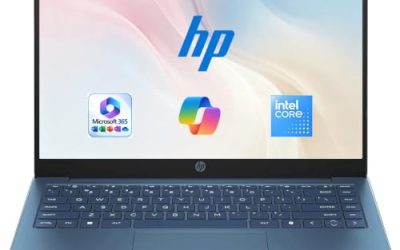
This HP lists an Intel N150, a 14-inch HD display, 4GB of RAM, 128GB of UFS storage, Windows 11 Home, and a 1-year Microsoft 365 Personal subscription. It combines a full Windows desktop with a built-in Office license for the first year.
- Strength: bundled Microsoft 365 saves money for students who need Word and Excel.
- Strength: 128GB of storage gives breathing room over the 64GB Chromebooks.
- Trade-off: 4GB of RAM keeps multitasking modest, and the HD display is basic.
Skip it if you already own an Office license or want a sharper display. Think of it as the pick for a high-school or college student who writes papers and builds presentations but never touches heavy software.
Amzboy 15.6-inch Windows 11 Laptop
Amzboy lists a 15.6-inch FHD display, an N4020 processor, 4GB of RAM, 128GB of eMMC, 45W PD fast charging, a 180-degree lay-flat hinge, a privacy camera, and support for a 1TB TF card. The expandable storage is its practical highlight.
- Strength: an FHD screen at 15.6 inches is roomy for documents and video.
- Strength: USB-C fast charging and a card slot add flexibility.
- Trade-off: the N4020 is a low-power chip, and the brand has less service history than larger names.
Skip it if you want a compact laptop or a well-known support network. It suits a home desk where the bigger screen and the card slot for photos or music matter more than portability.
Dell Latitude 5420 14-inch (Renewed)
The renewed Latitude 5420 lists a 14-inch FHD display, a quad-core Core i5-1145G7, 16GB of DDR4 RAM, a 256GB SSD, a camera, HDMI, and Windows 11 Pro. On paper it is the most capable machine in this group by a clear margin.
- Strength: 16GB of RAM and a Core i5 handle multitasking far better than the 4GB models.
- Strength: a business-class build with Windows 11 Pro features and a true SSD.
- Trade-off: renewed units can show cosmetic wear and have an older battery.
Skip it if you want a brand-new device with a full manufacturer warranty. For anyone willing to buy renewed, it is the standout value. A freelancer, a remote worker, or a parent who wants one capable machine for the household is the audience that benefits the most.
Phatom 15.6-inch FHD Laptop
The Phatom lists a 15.6-inch FHD display, 4GB of RAM, a 128GB SSD, HDMI output, and upgradeable RAM and SSD with support for up to 2TB. It is notable because most laptops at this level offer no way to expand.
- Strength: upgrade paths for RAM and storage extend its useful life.
- Strength: a true SSD and HDMI keep everyday use smooth.
- Trade-off: the title’s claim of beating Celeron is marketing language, not a measurement.
Skip it if you are not comfortable opening a laptop to upgrade parts. The upgrade path only pays off if you actually use it, so confirm which memory type and drive format it needs before buying parts.
Lenovo Flagship Chromebook 14
This Lenovo lists a 14-inch FHD touchscreen, an 8-core MediaTek Kompanio 520 processor, 4GB of RAM, 64GB of eMMC, and Wi-Fi 6. The touchscreen and sharp display make it the most polished Chromebook of the group.
- Strength: an FHD touchscreen suits tablet-style Android apps and reading.
- Strength: Wi-Fi 6 helps in crowded campus or apartment networks.
- Trade-off: 64GB of storage depends on cloud files.
Skip it if you want Windows programs. It fits students and families who live in a browser and Android apps. Because the screen is touch-enabled, it also works as a casual reading and streaming device on the couch.
HP 2027 Everyday Laptop
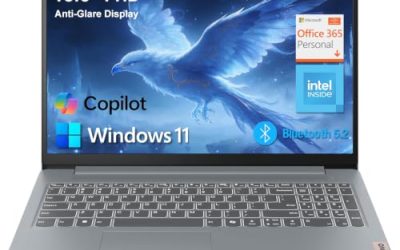
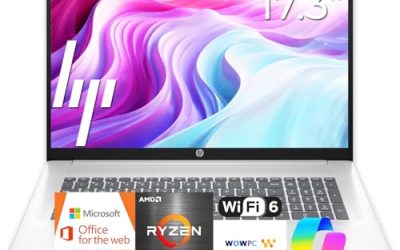
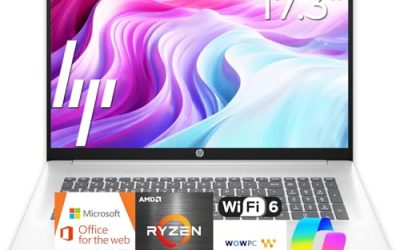
This HP lists an Intel CPU, 128GB of storage, Copilot AI, Office 365, 1TB of cloud storage, Windows 11, fast charge, Wi-Fi 6, and long battery life. The title leaves out the RAM and processor model, so confirm those details.
- Strength: bundled Office and cloud storage help new users start quickly.
- Strength: fast charge and Wi-Fi 6 suit daily use.
- Trade-off: key specs such as RAM and the exact chip are not in the visible title.
Skip it if you want to verify memory and processor details before purchase. A careful buyer should ask the seller for the processor model and RAM amount in writing, because those two numbers decide how the laptop feels day to day.
HP 14-inch HD Chromebook for Students
This Chromebook lists an Intel quad-core N4120, 4GB of RAM, 64GB of eMMC, Wi-Fi, a webcam, HDMI, USB-A and USB-C ports, and a 14-hour battery claim. It stands out for its port selection.
- Strength: HDMI plus USB-A and USB-C ports reduce the need for adapters.
- Strength: a webcam suits remote classes and video calls.
- Trade-off: the 14-hour figure is a seller claim, and the HD display is basic.
Skip it if you need Windows software or a high-resolution screen. Its mix of ports and a webcam makes it a practical classroom tool for plugging into projectors, flash drives, and chargers without a pile of adapters.
Which One Fits Your Situation
You want the strongest performance for the money
The renewed Dell Latitude 5420 offers a Core i5 and 16GB of RAM, which outclass every other listing here.
You are buying for a student who types essays and builds slides
The HP 14-inch with Microsoft 365 bundles an Office license and 128GB of storage on Windows 11.
Your child lives in a browser and Android apps
The Lenovo Flagship Chromebook with its FHD touchscreen and Wi-Fi 6 is a pleasant choice.
You want to expand the machine later
The Phatom 15.6-inch gives you room to add RAM and storage as your needs grow.
Common Mistakes
- Choosing a pretty exterior over more memory.
- Assuming a renewed laptop will arrive in perfect condition without checking the grade.
- Believing battery claims from the title as real-world numbers.
- Buying a Chromebook and expecting to install Windows software.
- Ignoring missing specs, like RAM or processor, in a vague title.
Related guides
- How To Check Motherboard Vrm Temperature In Hwinfo
- How To Clean Quest 3 Lenses And Facial Interface
- Micro Sd Cards For Samsung Galaxy Phones
Frequently Asked Questions
Is a renewed laptop better than a new one at this price?
It can be, because a renewed business laptop may carry more RAM and a stronger processor than a new budget model. The tradeoff is a possibly shorter warranty and some wear, so buy from a seller that spells out the condition grade and offers an easy return.
How much RAM do I need?
Four gigabytes covers basic browsing, while 8GB is better for more tabs, and 16GB is excellent for multitasking.
Is Chrome OS enough for school?
For most coursework done in a browser or with Google tools, yes. Check whether your school requires specific desktop programs.
Do these laptops support external monitors?
Several list HDMI, and USB-C models may support video output. Confirm on the listing before you rely on it, especially if you plan to run a second display for a home office or a dorm desk setup.