Searching for the best Hewlett Packard laptop usually means one of two things: you trust the HP name and want to pick the right model inside the range, or you are comparing HP against other brands and need a sense of what the lineup offers. HP sells everything from 14-inch machines with 4GB of memory to 17-inch models with a full-size keypad and 16GB of RAM, and the model names do little to explain the gaps. The real decision is which tier of HP matches how you work.
This guide is for shoppers who have settled on HP and want to avoid paying for the wrong features. Seven HP laptops from the current listings are compared using only what their titles state: screen size, processor family, memory, and storage. Titles are cut off in places, so the notes point out what to confirm on the listing. For buyers weighing options in 2026, the biggest divide is between the compact 14-inch models with 4GB of RAM and the larger 15-inch and 17-inch machines with 8GB or 16GB.
Our Top Picks


Top 3 picks at a glance
Quick Picks
As an Amazon Associate we earn from qualifying purchases at no extra cost to you.


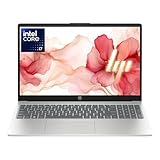

| Product | Best for | Key spec from the title |
|---|---|---|
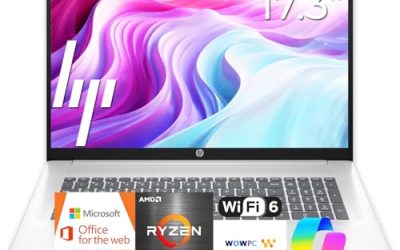
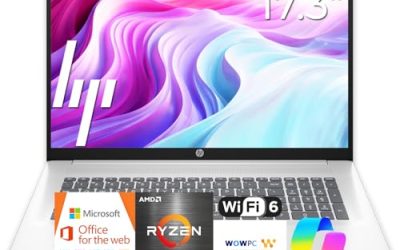
| HP 17 Business Laptop (Ryzen 5) | Large-screen office work | AMD Ryzen 5, 16GB RAM, 512GB SSD, 17.3-inch FHD |
| HP OmniBook 3 17.3 (Core Ultra 5) | Premium-feel large display | Intel Core Ultra 5 225U, 8GB RAM, 512GB SSD |
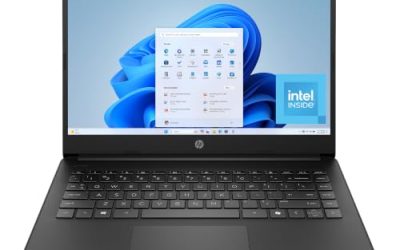
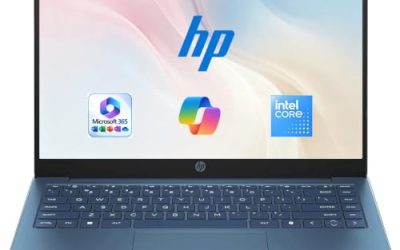
| HP 14 Inch Laptop (N150) | Light browsing and a free year of Office | Intel N150, 4GB RAM, 128GB UFS, Microsoft 365 Personal |
| HP 14 Ultra-Light (N150) | Students needing extra storage | Intel N150, 4GB RAM, 128GB plus 128GB SD card |
| HP Core i7 15.6-inch | Heavier multitasking | Core i7-1255U, 16GB RAM, 1TB PCIe SSD, FHD |
| HP 17.3 Business (Core 5-120U) | Business use with expandable storage | 10-core Core 5-120U, 12GB RAM, 256GB SSD plus 512GB SD card |
| HP OmniBook 3 17.3 (Ryzen 3) | Entry large-screen AMD option | AMD Ryzen 3, 8GB RAM, 512GB SSD, Radeon 610M |
How to Choose
Decide on screen size first
HP sells nearly identical internals in 14-inch, 15.6-inch, and 17.3-inch bodies. A 14-inch laptop fits in a small bag and suits commuters; a 17.3-inch model often adds a numeric keypad and a roomier display but weighs more and is harder to use on a train tray. Pick the size that matches where you actually use the machine, then compare specs inside that size.
Processor tier and memory set the ceiling
The N150 in the 14-inch models is a low-power chip for browsing, documents, and streaming. Ryzen 5, Core 5, Core Ultra 5, and Core i7 parts sit in a higher tier and handle spreadsheets and many open tabs more smoothly. Memory matters as much as the chip: 4GB is thin, 8GB is workable, and 12GB to 16GB gives real headroom. Do not pay for a faster processor if it is paired with 4GB.
Read the storage line carefully
HP titles sometimes add storage in odd ways. “128GB UFS” is a slower flash module than an SSD, and “256GB SSD plus 512GB SD card” is not the same as a 768GB SSD, since the SD card is removable and slower. A single 512GB or 1TB PCIe SSD is the cleanest setup. If a listing adds a card or external drive, confirm what is built in.
What to ignore and where budget models cut corners
Ignore edition labels, color names, and “long battery life” claims without hours. Budget HP laptops usually economize on screen quality (HD instead of Full HD), memory, and the drive. If the title says HD display, expect a lower-resolution panel that looks softer for documents. Windows 11 Home in S mode, where it appears, restricts which apps you can install, so check the listing.
It also helps to sort the seven by tier. Budget: the two 14-inch N150 models and the Ryzen 3 OmniBook. Mid-range: the Core Ultra 5 OmniBook and the Core 5-120U business model. Premium within this group: the Ryzen 5 business laptop and the Core i7 model, both of which pair a stronger processor with 16GB of RAM. Within each tier, favor the listing that names its memory, storage type, and display resolution plainly; vague titles are harder to compare and more likely to hide a compromise.
The 7 Best Options
HP 17 Business Laptop (Ryzen 5)
This is the strongest all-around HP in the group on paper. The title lists a 17.3-inch Full HD display, a Ryzen 5 processor, 16GB of RAM, a 512GB SSD, a numeric keypad, and a long-battery claim. It suits office workers who live in spreadsheets and want a big screen.
- Strength: 16GB of RAM and a 512GB SSD handle multitasking comfortably.
- Strength: the numeric keypad speeds up data entry.
- Trade-off: a 17.3-inch body is less portable than a 14-inch laptop.
Skip it if you carry your laptop daily on public transit.
HP OmniBook 3 17.3 (Core Ultra 5)
The OmniBook 3 with Intel Core Ultra 5 225U targets users who want a newer-generation Intel chip in a large body. The title lists a 17.3-inch FHD display, 8GB of RAM, a 512GB SSD, Intel graphics, Windows 11 Home, and a Glacier Silver finish.
- Strength: a Core Ultra processor represents a newer Intel family.
- Strength: 512GB of SSD storage is roomy for documents and photos.
- Trade-off: only 8GB of RAM, half of the Ryzen 5 model above.
Skip it if you want 16GB of memory without paying for upgrades.
HP 14 Inch Laptop (N150)
This is an entry-level 14-inch model for basic computing. The title lists an HD display, Intel N150, 4GB of RAM, 128GB of UFS storage, Windows 11 Home, and a one-year Microsoft 365 Personal subscription. It is a light-duty laptop for students and relatives.
- Strength: the 14-inch size is easy to carry.
- Strength: the included one-year Office subscription removes an early software expense.
- Trade-off: HD resolution, 4GB of RAM, and UFS storage are all entry-level.
Skip it if you plan to keep many apps open or want a sharp display.
HP 14 Ultra-Light (N150)
This 14-inch model is aimed at students and home users who want a little extra capacity. The title lists an Intel N150, 4GB of RAM, 128GB of storage plus a 128GB SD card, a one-year Office 365 subscription, fast charge, and a long-battery claim.
- Strength: the added SD card gives extra file space for school documents.
- Strength: fast-charge wording helps in a pinch between classes.
- Trade-off: the SD card is slower and removable, so it does not replace a larger internal drive.
Skip it if you need fast, internal storage or more than 4GB of memory.
HP Core i7 15.6-inch
This is the performance pick for buyers who want a mainstream-sized HP. The title lists an Intel Core i7-1255U up to 4.7GHz, 16GB of RAM, a 1TB PCIe SSD, an FHD display, and a webcam. It is built for heavier multitasking and large file libraries.
- Strength: 16GB of RAM and a 1TB SSD offer plenty of breathing room.
- Strength: a Core i7 chip is a step above the entry-level processors in this group.
- Trade-off: the 12th-generation naming suggests an older generation than newer Core Ultra chips.
Skip it if you want the newest processor generation.
HP 17.3 Business (Core 5-120U)
This 17.3-inch HP leans toward business use with an AI Copilot label. The title lists a 10-core Intel Core 5-120U, 12GB of RAM, and 768GB of total storage split between a 256GB SSD and a 512GB SD card, running a Windows 11 edition that is cut off in the title.
- Strength: 12GB of RAM sits between the 8GB and 16GB tiers.
- Strength: a large display suits spreadsheets and side-by-side windows.
- Trade-off: much of the storage is an SD card rather than a fast SSD.
Skip it if you need a single large SSD.
HP OmniBook 3 17.3 (Ryzen 3)
This OmniBook is the entry point to the larger-screen HP range. The title lists a 17.3-inch FHD display, an AMD Ryzen 3 processor, 8GB of RAM, a 512GB SSD, Radeon 610M graphics, Windows 11 Home, and a Mica Silver finish.
- Strength: 8GB of RAM and a 512GB SSD are a solid baseline.
- Strength: it offers a big screen at an entry-level tier.
- Trade-off: Ryzen 3 is the lowest processor tier among the larger models.
Skip it if you do demanding multitasking all day.
Which One Fits Your Situation
You work in spreadsheets all day
The HP 17 Business Laptop (Ryzen 5) fits best, thanks to its 16GB of RAM, 512GB SSD, and numeric keypad. Large formulas, multiple workbooks, and a video call in the corner of the screen are the kind of load that 16GB and a 17.3-inch panel absorb without complaint. If the keypad is not essential and you want a smaller body, the Core i7 15.6-inch model is the alternative.
You need heavy multitasking and storage
The HP Core i7 15.6-inch is the better fit, with 16GB of RAM and a 1TB PCIe SSD. Photo libraries, large downloads, and a browser with many tabs all benefit from that storage and memory pairing, and the standard 15.6-inch size is easier to carry than the 17.3-inch models.
You want a student laptop that is easy to carry
The HP 14 Ultra-Light adds an SD card for notes and slides, and the 14-inch size slips into a backpack. Pair it with realistic expectations for 4GB of memory.
You want a big screen on a modest tier
The OmniBook 3 with Ryzen 3 is the entry route, while the Core Ultra 5 version adds a newer Intel chip. Both list 8GB of RAM and a 512GB SSD, so the decision comes down to processor preference and finish. Neither is the right choice if you expect heavy multitasking, but both give a roomy 17.3-inch screen for documents and video.
Common Mistakes
- Treating an SD card as equal to internal SSD storage.
- Paying for a faster processor while accepting only 4GB of RAM.
- Choosing a 17.3-inch laptop and then discovering it is too heavy for daily commuting.
- Ignoring HD versus Full HD, which affects text sharpness all day long.
- Assuming an included Office subscription lasts forever when many are one-year terms.
Related guides
- How To Check Motherboard Vrm Temperature In Hwinfo
- How To Clean Quest 3 Lenses And Facial Interface
- Vr Facial Interfaces For Glasses Wearers
Frequently Asked Questions
Is HP a reliable laptop brand?
HP is a long-established maker with a broad range, but reliability varies by model and tier. Judge each listing by its specs and warranty terms rather than the brand alone.
What is the difference between OmniBook and standard HP laptops?
OmniBook is a newer HP product line, often with updated chips and finishes. Compare the processor, memory, and storage in each listing rather than relying on the name.
Is 8GB of RAM enough?
For office work and browsing, yes. For heavy multitasking or large spreadsheets, 16GB is a safer choice.
Should I buy a 14-inch or 17-inch HP?
Choose 14 inches for portability and 17.3 inches for a bigger display and a numeric keypad. The right size depends on whether the laptop travels or stays on a desk.