Searching for the best Windows laptop sounds simple until you notice how wide the spread is. The same operating system runs on a small 11-inch convertible with a Pentium chip, on a 15.6-inch machine with an eMMC drive, and on a 13.8-inch touchscreen with a Snapdragon X2 Elite processor and 1TB of storage. The Windows badge tells you very little about what the daily experience will feel like, so the real decision is which tier of hardware matches the work you actually do.
This guide is for buyers who have already settled on Windows and now need to sort through the listings. It covers seven laptops from entry level to premium, judged only on the specs printed in each product title, so you can compare screen size, memory, storage, and processor class without guessing. Whether you are outfitting a student for the school year, replacing an aging office machine, or shopping for a family computer in 2026, the sections below explain which numbers matter and which are marketing noise.
Our Top Picks





Top 3 picks at a glance
Quick Picks
As an Amazon Associate we earn from qualifying purchases at no extra cost to you.







| Product | Best for | Key spec from the title |
|---|---|---|
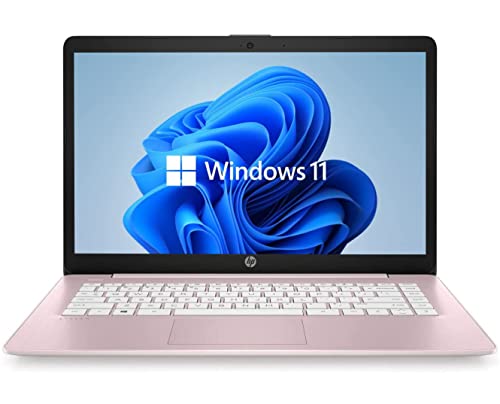
| HP 14-inch N150 Laptop | Light browsing and school basics | Intel N150, 4 GB RAM, 128 GB UFS |
| 15.6-inch Core i5-7Y57 Laptop | Buyers who want to upgrade later | Upgradeable RAM and SSD, 15.6-inch FHD IPS |
| Dell 15.6 Core 3 100U | All-round home and office use | 8 GB RAM, 512GB SSD, Wi-Fi 6 |
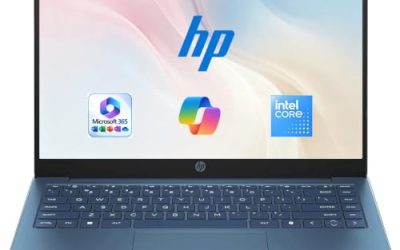
| HP Everyday Laptop with Copilot AI | Cloud-first, Office-heavy users | 1TB cloud storage, Wi-Fi 6, fast charge |
| Microsoft Surface Laptop 13.8-inch | Premium portable work machine | Snapdragon X2 Elite, 16GB RAM, 1TB SSD, touchscreen |
| 15.6-inch N4020 Laptop | Tight budgets with a big screen | 180-degree lay-flat hinge, 45W fast charging |
| Dell 11-inch Touchscreen Convertible | Compact tablet-style use | 11-inch IPS touchscreen, 8GB RAM, 128GB SSD |
How to Choose
Match the processor class to the job
Windows 11 runs on everything from an Intel Celeron-class N4020 to a Snapdragon X2 Elite, but the gap in responsiveness is large. Entry processors such as the N4020 or N150 handle a handful of browser tabs, video calls, and documents. If you regularly keep a dozen tabs open alongside a spreadsheet, look for a Core-class chip such as the Core 3 100U or Core i5, or step up to the Snapdragon X2 Elite tier. Remember that Snapdragon laptops run Windows on Arm, so confirm that any niche software you depend on, such as older printer utilities or specialty plugins, supports it before you buy.
Treat 8 GB of memory as the practical floor
Several listings here carry 4 GB of RAM. That is enough to boot Windows 11 and open a browser, but it leaves little headroom once a video call, a few tabs, and a background sync are running together. For anything beyond light use, aim for 8 GB, and choose 16 GB if you multitask heavily or plan to keep the laptop for five years. A listing that advertises upgradeable RAM, like the i5-7Y57 model, softens this limit, though you should confirm the slot type and maximum capacity on the product page.
Storage type matters more than the gigabyte count
A 128 GB drive fills quickly once Windows updates, Office, and a few apps are installed. SSD storage, as in the Dell, Surface, and i5 listings, is generally faster than eMMC or UFS flash, which appear on the HP 14-inch and the N4020 model. If you can only afford a small drive, plan on cloud storage or an external drive. A 512GB SSD is a comfortable starting point for most households, and 1TB suits anyone storing photos or project files locally.
Check the screen, ports, and charging before the badge
Look for a full HD (1920 by 1080) panel with an IPS-type display for wider viewing angles; a plain HD panel on a 14-inch screen will look softer for text work. Brightness figures such as the 250 nits listed on the Dell are adequate indoors but dim near a window. Wi-Fi 6 support, a USB-C port, and fast charging are worth confirming. Ignore vague phrases such as long battery life unless the title gives a battery capacity, and note that bundled Office subscriptions are time-limited trials or one-year terms, not permanent licenses.
The 7 Best Options
HP 14-inch N150 Laptop
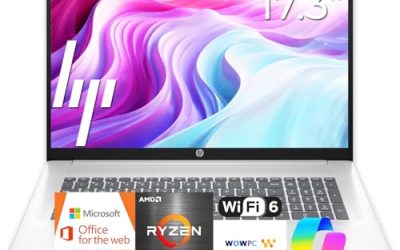
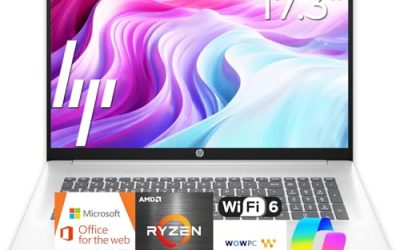
This HP is aimed at buyers who want a compact, simple Windows 11 Home machine for email, web browsing, and streaming. The listing pairs an Intel N150 with 4 GB of RAM and 128 GB of UFS storage, and it includes a one-year Microsoft 365 Personal subscription, which saves a purchase if you need Word and Excel right away.
- Strength: the 14-inch size and entry-class Intel chip suit a carry-everywhere school or travel laptop.
- Strength: the bundled Microsoft 365 term covers office software for the first year.
- Trade-off: 4 GB of memory and a small UFS drive limit multitasking and local file storage.
Skip it if you plan to keep dozens of tabs open or install large programs; step up to a model with 8 GB of RAM instead.
15.6-inch Core i5-7Y57 Laptop
This unbranded 15.6-inch listing stands out for one reason: the title says the RAM and SSD are upgradeable. It pairs a Core i5-7Y57 with 4GB of SO-DIMM memory and a 128GB SSD, adds a full HD IPS display, a 2MP webcam, a cooling fan, and Type-C connectivity. A buyer comfortable opening a laptop can grow the memory later.
- Strength: the upgrade path for RAM and SSD extends the useful life.
- Strength: an IPS full HD panel and an active cooling fan are included.
- Trade-off: the processor model is older, and the title does not name a warranty or support provider.
Skip it if brand-backed service matters to you or if you do not want to open the case for upgrades.
Dell 15.6 Core 3 100U
Dell’s 15.6-inch laptop is the balanced pick for households that want one dependable machine. The title lists a Core 3 100U processor, 8 GB of RAM, a 512GB SSD, Wi-Fi 6, Bluetooth, and a full HD anti-glare IPS-type display rated at 250 nits. It is the clearest match to the 8 GB and 512GB targets described above.
- Strength: 8 GB of memory and 512GB of SSD storage cover everyday work comfortably.
- Strength: an anti-glare screen helps in bright rooms and shared offices.
- Trade-off: integrated Intel UHD graphics and a 250-nit panel are not meant for gaming or outdoor use.
Skip it if you need a touchscreen or serious graphics performance.
HP Everyday Laptop with Copilot AI
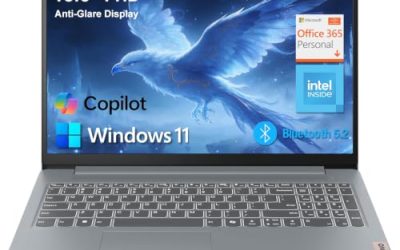
This HP everyday listing leans on software and connectivity: Copilot AI, Office 365, 1TB of cloud storage, Windows 11, Wi-Fi 6, fast charging, and a long battery life claim. It carries 128GB of local storage, so it works best for people who keep files in the cloud rather than on the drive.
- Strength: the included cloud storage and Office access reduce add-on costs.
- Strength: Wi-Fi 6 and fast charging suit a laptop that moves between rooms.
- Trade-off: the title says only Intel CPU, so the exact processor is unclear; check the listing before buying.
Skip it if you prefer to store large files locally or want to know the processor model up front.
Microsoft Surface Laptop 13.8-inch
The Surface Laptop is the premium choice here. The listing names a Snapdragon X2 Elite processor, 16GB of RAM, 1TB of SSD storage, and a 13.8-inch touchscreen display. That combination points to a lightweight machine for professionals, writers, and students who value portability and a refined build over raw port count.
- Strength: 16GB of RAM and a 1TB SSD leave real headroom for work.
- Strength: the touchscreen display adds flexibility for note-taking and navigation.
- Trade-off: it is the most expensive tier here, and it runs Windows on Arm, so software compatibility deserves a check.
Skip it if your budget is tight or you rely on legacy Windows software.
15.6-inch N4020 Laptop
This low-cost 15.6-inch listing offers a full HD display, an N4020 processor, 4GB of LPDDR4 RAM, and 128GB of eMMC storage. Distinctive extras include a 180-degree lay-flat hinge, a 38Wh battery, and 45W fast charging, along with a dual-band Wi-Fi connection and Office 365.
- Strength: a large full HD screen at the budget tier.
- Strength: 45W fast charging is a practical convenience for a small battery.
- Trade-off: the 38Wh battery is modest, and the N4020 with 4GB RAM is slow under heavy multitasking.
Skip it if you need all-day battery life or plan to run demanding applications.
Dell 11-inch Touchscreen Convertible
Dell’s small convertible is the odd one out and the right choice for a specific buyer: someone who wants an 11-inch IPS touchscreen that folds into tablet mode. The title lists an Intel Pentium processor up to 3.3GHz, 8GB of RAM, a 128GB SSD, and Wi-Fi 6, which is more memory than many bigger budget laptops carry.
- Strength: the 8GB of RAM and touchscreen convertible design in a very small body.
- Strength: Wi-Fi 6 support in a compact, easy-to-carry size.
- Trade-off: an 11-inch screen is cramped for long document work or side-by-side windows.
Skip it if you want a full-size keyboard and a large display for spreadsheets.
Which One Fits Your Situation
You need a laptop for a middle-schooler
The HP 14-inch N150 laptop is a sensible fit. The one-year Microsoft 365 term covers homework software, and the compact size fits a school bag. Add an external drive or cloud storage to compensate for the limited local space.
You work from home and need steady performance
Choose the Dell 15.6 Core 3 100U. With 8 GB of RAM and a 512GB SSD, it handles video calls, spreadsheets, and a full browser session without feeling cramped.
You travel and want a premium machine
The Microsoft Surface Laptop 13.8-inch suits frequent travelers who want a lightweight touchscreen computer with 16GB of RAM and a large SSD, as long as the software you use runs on Windows on Arm.
You want the lowest entry cost with a big screen
The 15.6-inch N4020 laptop gives you full HD real estate for the least spending, and the lay-flat hinge helps when sharing the screen across a table. Keep expectations modest for speed.
Common Mistakes
- Buying 4 GB of RAM for a laptop that will run video calls and many browser tabs together.
- Assuming a large storage number means fast storage; eMMC and UFS are slower than a true SSD.
- Overlooking Windows on Arm limits when choosing a Snapdragon laptop for older software.
- Treating a bundled Office subscription as a lifetime license when it is usually a one-year term.
- Skipping the screen details and ending up with a dim, low-resolution panel for daily text work.
Related guides
- How To Check Motherboard Vrm Temperature In Hwinfo
- How To Clean Quest 3 Lenses And Facial Interface
- Vr Facial Interfaces For Glasses Wearers
Frequently Asked Questions
How much RAM does a Windows 11 laptop need?
Eight gigabytes is the practical minimum for smooth everyday use. Four gigabytes will run Windows 11 but struggles once several apps and tabs are open together. Sixteen gigabytes is the better choice for multitaskers.
Is a 128GB drive enough?
It works if most of your files live in the cloud and you install few apps. Otherwise Windows updates and applications consume it quickly, so a 256GB or 512GB SSD is a safer choice.
What does Windows on Arm mean for me?
Laptops with Snapdragon processors run Windows on Arm. Most mainstream apps work, but older drivers and niche programs may not. Check your must-have software before choosing one.
Is a touchscreen worth it?
It helps for note-taking, tablet-style use, and quick navigation, and the Surface and Dell convertible listings offer it. If you mostly type and browse, a standard non-touch screen on a faster processor can be the better use of your budget.