Fixed focus, a basic microphone and so-so low-light handling are what a budget webcam usually comes with, and a 1080p label does not change that. Among these nine, the Logitech Brio 101 is the sensible balance of cost and trust, while XOCLON and Diccik are the cheapest paths. Two listings here are near-duplicates, and one is renewed.
Our Top Picks
 Logitech C920x HD Pro PC Webcam Full 1080p/30fps1 Pack2.8 x 1.7 x 3.7 inches0.4 poundsCheck on Amazon
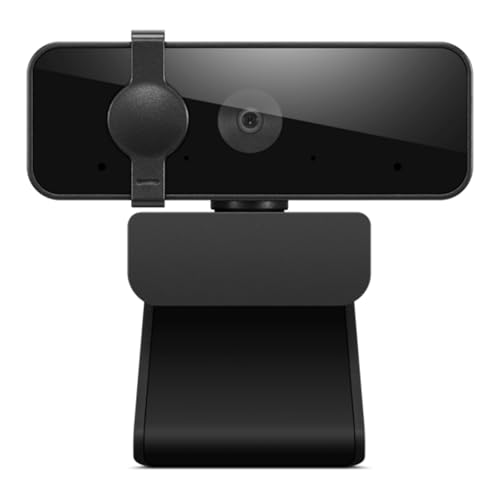 Lenovo Essential FHD Webcam Gen 22.2" x 2.2" x 3.54"3.54 x 2.2 x 2.2 Inches0.31 PoundsCheck on Amazon
The nine, compared

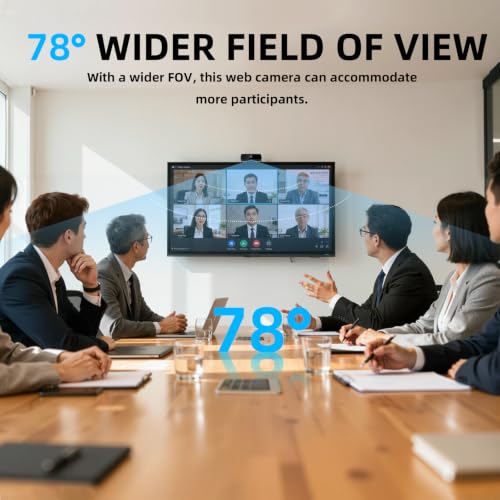
1080P HD Webcam with Microphone, Streaming Computer Camera for Laptop PC | 30fps Webcam, Plug & Play USB, Auto Light Correction, for Remote Work, Online Teaching & Video Calls



As an Amazon Associate we earn from qualifying purchases. Product prices and availability are accurate as of the date/time indicated.

Logitech Brio 101 Full HD 1080p Webcam for Streaming and Meetings - Black | 1080p with auto-light correction, built-in mic, privacy shutter, USB-A, compatible with Teams, Google Meet, Zoom and more


As an Amazon Associate we earn from qualifying purchases. Product prices and availability are accurate as of the date/time indicated.
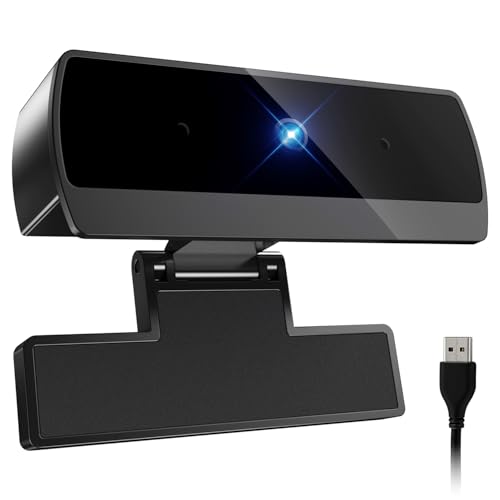
Diccik 1080P Webcam with Microphone, Full HD Video Calling Web Camera, HD Light Correction Streaming Webcam for Zoom/Skype/Teams, Plug and Play PC Camera Web cam for Windows & Mac


As an Amazon Associate we earn from qualifying purchases. Product prices and availability are accurate as of the date/time indicated.
Logitech C920x HD Pro PC Webcam Full 1080p/30fps Video - Black | 30fps Video, Clear Audio, Light Correction, Works with Teams, Meet, Zoom, Nintendo Switch 2, Mac, Tablet


As an Amazon Associate we earn from qualifying purchases. Product prices and availability are accurate as of the date/time indicated.
Lenovo Essential FHD Webcam Gen 2, Full HD, 1080p, Dual Microphones, 85 Degree FOV, 30 fps, USB-A Connection, Bulit-in Manual Privacy Shutter, Black


As an Amazon Associate we earn from qualifying purchases. Product prices and availability are accurate as of the date/time indicated.

Logitech - Brio 300 1920x1080p USB-C Webcam with Privacy Shutter, Auto Light Correction - Graphite (Renewed)


As an Amazon Associate we earn from qualifying purchases. Product prices and availability are accurate as of the date/time indicated.
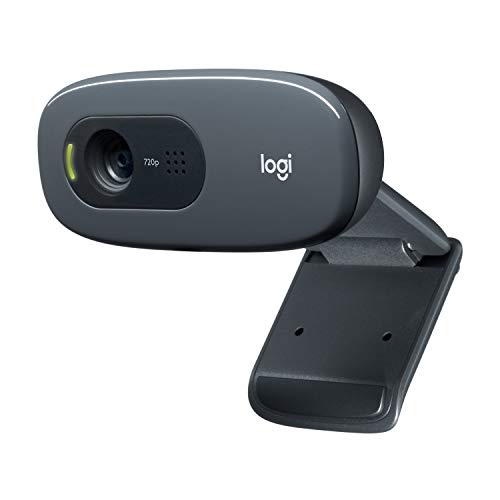
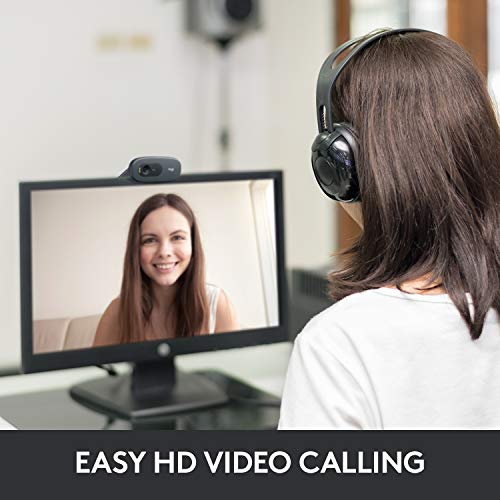
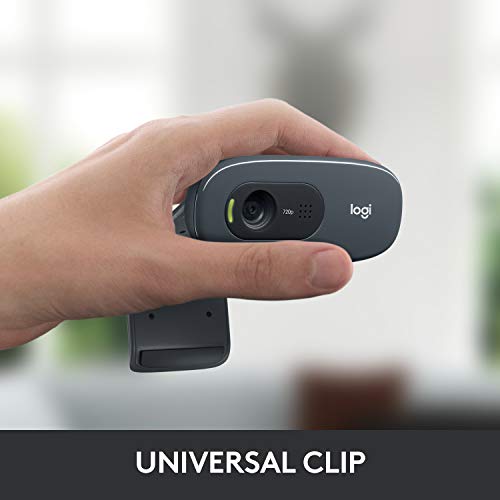
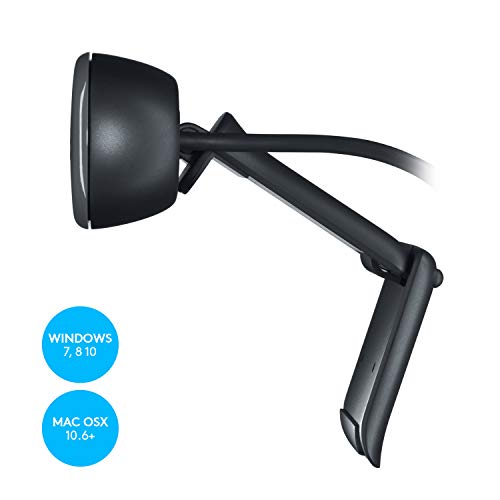
Logitech C270 720p Webcam Plug-and-Play Wide Screen Video Calling - Black | Auto-Light Correct, Noise-Reducing Mic, Zoom, Microsoft, Teams, Skype, Nintendo Switch 2 New GameChat Mode, PC Mac compatible



As an Amazon Associate we earn from qualifying purchases. Product prices and availability are accurate as of the date/time indicated.

EMEET Piko 4K Webcam for Streaming, World’s 1st Dual-Camera AI-Powered 4K | AI Autofocus, 3 Mics Array&3 Sound Modes, USB Webcam with Clip, USB C-C&C-A, Great for Streaming/ Content Creation


As an Amazon Associate we earn from qualifying purchases. Product prices and availability are accurate as of the date/time indicated.
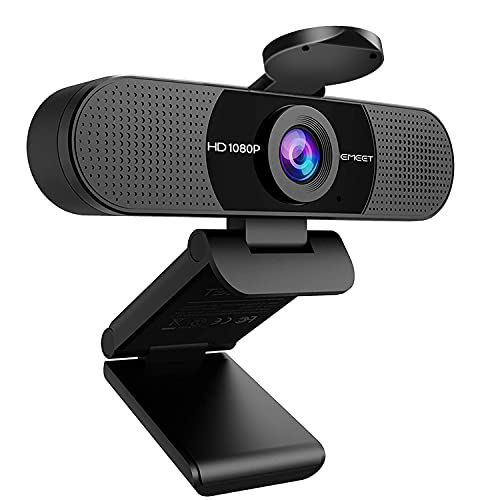
EMEET 1080P Webcam with Microphone, C960 Web Camera 2 Mics Streaming Webcam | 90°FOV Computer Camera, Plug and Play USB Web Cam for Online Calling/Conferencing, Zoom/Teams/Facetime/YouTube, Laptop/PC


As an Amazon Associate we earn from qualifying purchases. Product prices and availability are accurate as of the date/time indicated.
| Model | Key point from title | Price tier | Best for |
|---|---|---|---|
| XOCLON 1080P HD Webcam | 1080P, microphone, 30fps, plug and play USB, auto light correction | Budget | The lowest-cost way to get a camera on a desktop |
| Logitech Brio 101 | Full HD 1080p, auto-light correction, built-in mic, privacy shutter, USB-A | Mid-range | A shutter and a known brand without a big jump in cost |
| Diccik 1080P Webcam | 1080P, microphone, light correction, Windows and Mac, plug and play | Budget | A cheap camera that names both Windows and Mac |
| Logitech C920x HD Pro | 1080p/30fps, clear audio, light correction, lists Mac, tablet and Switch 2 | Premium | Buyers who want the established benchmark model |
| Lenovo Essential FHD Webcam Gen 2 | 1080p, dual microphones, 85 degree FOV, 30fps, USB-A, manual privacy shutter | Mid-range | Home-office desks that want a tidy, narrower view |
| Logitech Brio 300 (Renewed) | 1920x1080p, USB-C, privacy shutter, auto light correction, Graphite | Mid-range | USB-C laptops where a renewed unit is acceptable |
| Logitech C270 720p | 720p, plug and play, noise-reducing mic, light correction, PC and Mac | Budget | The simplest brand-name option when 720p is enough |
| EMEET Piko 4K | 4K dual camera, AI autofocus, 3-mic array, USB C-C and C-A, clip | Premium | Streamers who want 4K and autofocus for a modest premium |
| EMEET C960 1080P | 1080P, two mics, 90 degree FOV, plug and play, Zoom/Teams/FaceTime | Mid-range | A plainly specified 1080p with two mics |
Notes on each model
XOCLON 1080P HD Webcam
XOCLON sits at the very bottom of this set on price. The title promises 1080P at 30fps, a microphone and automatic light correction, aimed at remote work and online teaching. At this level, expect a fixed lens and a basic mic, and treat the 1080P label as a seller claim: sensor quality and compression decide how sharp it looks. Little is known about the brand, so lean on recent buyer comments.
- Pro: Very low cost
- Pro: USB plug and play, no software mentioned
- Con: Unknown brand, limited track record
- Con: Fixed focus type not stated; check the listing
Who it’s for: A spare camera for occasional classes or calls where cost matters most.
Logitech Brio 101
The Brio 101 title adds a privacy shutter to the familiar 1080p, light correction and mic list, and names Teams, Meet and Zoom. Its main case is trust: a recognizable brand and a physical lens cover for a modest step up from the cheapest options. Only USB-A is mentioned, so a laptop with just USB-C ports will need an adapter.
- Pro: Privacy shutter included
- Pro: Established brand
- Con: USB-A only per the title
- Con: Costs several times the cheapest options
Who it’s for: Shoppers who care about a lens cover and brand support.
Diccik 1080P Webcam
Diccik matches XOCLON on price and names Windows and Mac plus Zoom, Skype and Teams. That OS wording is a small plus over listings that stay silent. The two are close to interchangeable on paper, so treat them as near-duplicates and choose by recent buyer comments, return terms or which one ships faster.
- Pro: Windows and Mac named
- Pro: Very low cost
- Con: Near-duplicate of the XOCLON listing on paper
- Con: Limited brand history
Who it’s for: Buyers who want the cheapest tier and prefer explicit Mac wording.
Logitech C920x HD Pro
The C920x is the most expensive pick here. Its title adds little beyond 1080p/30fps, clear audio and light correction compared with cheaper rows, so the premium buys brand history, wide support and, usually, strong resale and replacement availability. If the Brio 101 meets your needs, this is hard to justify on titles alone.
- Pro: Long-established model
- Pro: Wide platform list in the title
- Con: Priciest in this set
- Con: Title shows no privacy shutter
Who it’s for: People who want a proven model and will pay for it.
Lenovo Essential FHD Webcam Gen 2
Lenovo’s title lists dual microphones, an 85 degree field of view, USB-A and a manual shutter. The narrow view crops out more of your room, useful in a shared space. The title contains a typo, ‘Bulit-in’, which is a small flag about listing care rather than the product. Confirm the cable and mount details in the listing.
- Pro: Dual mics and a shutter listed
- Pro: 85 degree view limits background
- Con: Narrow view may cut out a second person
- Con: Typo in the title
Who it’s for: Solo workers who want less of the room in frame.
Logitech Brio 300 (Renewed)
This is a renewed listing, which means it is a refurbished unit. The title states 1920x1080p, USB-C, a privacy shutter and light correction. USB-C is a clear advantage for modern thin laptops. The trade-off is warranty and condition: check who renews it, what return window applies and whether the box includes the cable.
- Pro: USB-C connection
- Pro: Shutter included
- Con: Renewed condition varies by seller
- Con: Warranty terms need checking
Who it’s for: USB-C laptop owners comfortable buying refurbished.
Logitech C270 720p
The C270 is a 720p camera, so it gives up resolution to the 1080p models. For video calls, which often compress to 720p anyway, that gap may matter little. Its title lists a noise-reducing mic, PC and Mac support and Nintendo Switch 2 GameChat mode. A good fit if lighting and framing are your priority.
- Pro: Brand-name camera at a low price
- Pro: Mac named
- Con: 720p only
- Con: No privacy shutter in the title
Who it’s for: Light users who prefer a known brand over a no-name 1080p.
EMEET Piko 4K
EMEET claims a dual-camera AI-powered 4K design with autofocus and a three-microphone array. The ‘world’s first’ wording is a marketing claim you cannot check from the listing. It is the only 4K option here and is not truly a budget camera, but its price tier is below the C920x. Bundled USB-C to C and C to A cables are a convenience.
- Pro: 4K and autofocus claimed
- Pro: Both USB-C and USB-A cabling listed
- Con: Marketing superlatives in the title
- Con: 4K needs a capable PC and software to matter
Who it’s for: Content creators on a limited budget who want 4K.
EMEET C960 1080P
The C960 title lists 1080P, two microphones and a 90 degree field of view, with FaceTime among the named apps, a hint that Mac and iPhone users were in mind. The wider-than-Lenovo field of view fits two people. There is no shutter in the title, so a sticky cover may be needed if privacy is a concern.
- Pro: Two mics listed
- Pro: 90 degree view fits a second person
- Con: No shutter in the title
- Con: Brand less known than Logitech
Who it’s for: Shared desks and small households.
How the list was built
Each model was chosen from listing titles, published specifications, manufacturer documentation and buyer reviews, with attention to resolution, mics, connectors and whether the title names your operating system. Nobody on the team used or measured these units. Price tiers compare only the models in this set, and every spec is a seller claim to confirm.
What low cost means for a webcam
Fixed focus is normal
Cheap webcams tend to use a fixed-focus lens tuned for roughly arm’s length. Sit about a desk’s depth from the lens and you will usually be in the sweet spot. Autofocus models cost more and can hunt in dim light.
Light does more than pixels
Auto light correction is software brightening, not a bigger sensor. Place a lamp or window in front of you, never behind. This beats upgrading a camera and costs almost nothing.
Microphones are the weak spot
Built-in mics pick up keyboard noise and room echo. If audio matters, a headset or desk mic is a bigger upgrade than a better lens. Compare the cost of a decent mic against the price difference between camera tiers.
Connector and platform
Check whether you need USB-A or USB-C and whether the title names your OS. Unlabeled models usually work, but the title is your only hint.
Spec claims to treat carefully
Phrases like ‘world’s first’ or ‘4K’ on a low-priced unit deserve a second look. Open the listing and look for the sensor, the frame rate at each resolution and actual buyer photos. Teams, Zoom and Meet logos only suggest the camera should be recognized as a standard USB device; they are not performance guarantees. For streaming-oriented hardware, our budget CPU for streaming guide covers the processing side.
Budget trade-off checklist
- Pick your two must-haves: shutter, USB-C, autofocus or 1080p.
- Set a ceiling and ignore models above it.
- Avoid renewed units unless the return window is clear.
- Skim recent buyer comments for fraud-like patterns.
Cost per hour of use
As a rough estimate: six hours of calls a week for two years is about 620 hours. Spread over that time, even a camera that costs three times the cheapest option adds only a small amount per hour. If you are on camera daily, a model with a shutter, better mics or USB-C usually earns its premium; for a few calls a month, the cheapest tier is reasonable.
Mistakes buyers make
The first mistake is paying for 4K on a modest PC that will not run it smoothly. Next is choosing two near-identical no-name listings and agonizing over them; the differences are tiny, so decide on return terms. Buyers also overlook USB-C versus USB-A and then wait on adapters. Many ignore lighting and blame the camera. Finally, some buy renewed units without reading the warranty, which can turn a bargain into a hassle.
Verdict
Pick the Logitech Brio 101 if you want one dependable all-round choice with a shutter. Choose XOCLON or Diccik only if the very lowest cost matters and you accept brand uncertainty. Take the Brio 300 renewed for a USB-C laptop if the warranty looks clear, and skip the C920x unless you specifically want it.
Questions buyers ask
What should I expect from a cheap webcam?
Expect fixed focus, a basic microphone and software brightening for low light. The 1080p label describes the sensor output, not the sharpness of the lens. Good lighting and a stable mount will improve the picture more than a small price upgrade. Read recent buyer comments for fit and finish issues, and keep the return window in mind in case the picture quality disappoints you.
Is 720p good enough for video calls?
For many calls, yes. Meeting apps often compress video, so a 720p stream can look close to 1080p in typical lighting. 1080p helps when you share a bigger window, record, or stream. If your priorities are cost and simplicity, 720p from a known brand can be a sensible choice. Check that the listing is not a lower-resolution model sold under a 1080p banner.
Are renewed webcams a good idea?
They can be, if the seller states who refurbished the unit, the return window and warranty. Check that the cable is included and that the camera model matches the title. If any of these details is unclear, a new low-cost camera may be the safer option, even if it costs a little more.
Do cheap webcams work on Mac?
Basic USB webcams are generally recognized by macOS as standard video devices, but some listings never mention it. Titles that name Mac are a better sign. Extra features that rely on brand software might not work. Read buyer comments from Mac users before buying, and check that the camera needs no extra software.
Should I buy a webcam with a privacy shutter?
If the camera stays plugged in all day, a physical shutter gives a clear signal that it is off. It matters less if you unplug it. Several models here include one; others lack it, and a small sliding cover or sticker can fill the gap. Just make sure any cover does not leave residue on the lens.
Related guides
- How To Check Motherboard Vrm Temperature In Hwinfo
- How To Clean Quest 3 Lenses And Facial Interface
- Micro Sd Cards For Samsung Galaxy Phones