A basic laptop is a purchase defined by what you are willing to leave out. The buyer typing “best basic laptop” usually wants a machine for email, web forms, streaming video, online banking and a word processor, and does not want to pay for a graphics card, a creator-grade screen or a premium chassis. The real question is where the money should go when there is not much of it: more memory, a roomier SSD, a sharper display, or simply a larger screen.
This guide is written for parents setting up a family computer, retirees replacing an aging desktop, and anyone who needs a dependable second laptop for the kitchen table. In 2026 the entry tier is split between very light Windows machines built around low-power Intel N-series and Celeron chips, and a slightly more capable group with 8GB of memory and full-size screens. Each of the six models below is judged strictly on the specifications printed in its listing title.
Our Top Picks
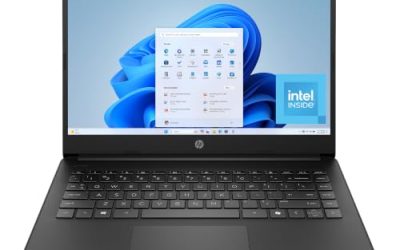
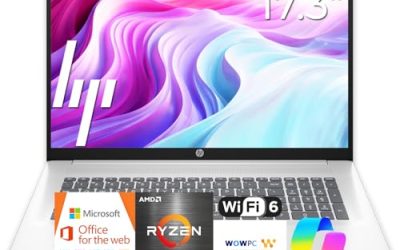
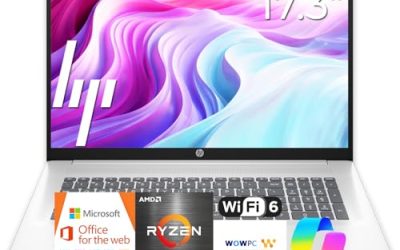
 HP 14" Ultra-Light Laptop for Student & Home4GB|128GB Storage12.76 x 8.86 x 0.71 inches3.24 poundsCheck on Amazon


Top 3 picks at a glance
Quick Picks
As an Amazon Associate we earn from qualifying purchases at no extra cost to you.



| Product | Best for | Key spec from the title |
|---|---|---|
| Dell 15.6 Core 3 100U | Most capable all-round basic machine | 8 GB RAM, 512GB SSD, FHD anti-glare IPS |
| acer Aspire 3 A315-24P | Smooth multitasking on a budget | Ryzen 3 7320U, 8GB LPDDR5, 128GB NVMe SSD |
| OTVOC 15.6 inch | Buyers who want to upgrade later | Upgradeable RAM and SSD, 15.6″ FHD IPS |
| HP 14 N150 (UFS) | Light web and office use | Intel N150, 4 GB RAM, 128 GB UFS |
| HP 14 N150 (DDR5 SSD) | Portable everyday use with cloud space | Intel N150, 4GB DDR5, 128GB SSD |
| HP 14 Ultra-Light Celeron | Carrying to class or the couch | Celeron N4500, 12-hour battery claim, SD card expansion |
How to Choose
Memory is the first number to read
Windows 11 and a modern browser with several tabs open will feel cramped on 4GB. Treat 8GB as the comfortable floor for a laptop you plan to keep for years, and accept 4GB only when the price is clearly in the budget tier and the work is limited to a handful of tabs and documents. Also note the memory type: DDR5 and LPDDR5 offer more bandwidth than older DDR4, though capacity matters more than type at this level.
Storage type and size
A 128GB drive fills quickly once Windows updates and Office are installed, leaving little room for photos. Look for 256GB or more if you can. Understand the labels, too: an NVMe or standard SSD is generally the faster choice, while eMMC and UFS flash are slower, and an SD card slot used as extra storage is a convenience rather than a true replacement for internal space.
Screen size and panel quality
Full HD (1920 by 1080) is the threshold worth holding to, since low-resolution panels make text look soft on a 15.6-inch display. An IPS panel gives wider viewing angles than the cheaper panels often found in this tier. Brightness around 250 nits is adequate indoors but dim near a window. If portability matters more than screen area, 14 inches is easier to carry than 15.6.
Processor expectations
Intel N150 and Celeron N4500 chips are designed for efficiency and light tasks. Core 3 and Ryzen 3 parts have more headroom for opening many tabs, video calls and spreadsheets together. Ignore marketing phrases like “high performance” when the memory is only 4GB; the processor can only help as much as the rest of the system allows. Budget models usually cut corners on screen brightness, storage speed and port selection first.
The 6 Best Options
Dell 15.6 Core 3 100U
This Dell pairs an Intel Core 3 100U with 8 GB of RAM and a 512GB SSD, a combination that is rare in the basic category. The listing also names an anti-glare IPS WVA screen at 250 nits, Full HD resolution and Wi-Fi 6, which suggests a display that is comfortable for long documents. It suits households that want one laptop for everyone, from a student writing essays to a parent managing bills. The Core 3 class processor and the larger drive also make it the easiest of the group to pick for people who dislike thinking about storage cleanup or software limits.
- Strength: 8 GB of memory and a 512GB SSD give room to grow.
- Strength: Full HD anti-glare IPS panel suits reading and office work.
- Trade-off: 250 nits is modest, so bright rooms may wash out the screen.
Skip it if you want something small to carry daily, because the 15.6-inch size favors the desk over the backpack.
acer Aspire 3 A315-24P
The Aspire 3 uses an AMD Ryzen 3 7320U quad-core processor with AMD Radeon graphics and 8GB of LPDDR5 memory in a slim 15.6-inch Full HD body. Wi-Fi 6 is listed, and the NVMe SSD should make startup and app launches feel quick. It is a good match for students and home workers who juggle many browser tabs. The slim profile and Radeon graphics add to the appeal for light photo viewing and video calls, and the Full HD panel keeps text sharp across long reading sessions.
- Strength: 8GB LPDDR5 and a quad-core Ryzen chip support multitasking.
- Strength: NVMe storage and a Full HD screen at a basic-tier level.
- Trade-off: only 128GB of storage fills up fast with updates and photos.
Skip it if you store large photo or video libraries locally and do not plan to use an external drive.
OTVOC 15.6 inch
OTVOC lists a Core 8100Y processor, 4GB of SO-DIMM memory and a 128GB SSD, with the notable promise of upgradeable RAM and SSD. The 15.6-inch FHD IPS screen, 2MP webcam and cooling fan round out the title. It speaks to tinkerers who would rather buy low and add memory later. Because the title promises a cooling fan and a 2MP webcam, it reads as a complete everyday package, and a family member comfortable with basic hardware can turn the starting configuration into something far more capable.
- Strength: upgradeable memory and storage extend the useful life.
- Strength: FHD IPS display and a cooling fan are named in the title.
- Trade-off: it ships with 4GB, so an upgrade is practically a requirement.
Skip it if you do not want to open a laptop or buy parts, since the out-of-box configuration is thin.
HP 14 N150 (UFS)
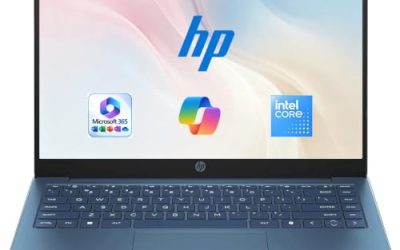
This HP 14-inch model uses an Intel N150 with 4 GB of RAM, 128 GB of UFS storage, an HD display and Windows 11 Home. A one-year Microsoft 365 Personal subscription is included, which saves a purchase for people who only need Word and Excel. It fits email, browsing and streaming. For an older relative or a child’s first computer, the 14-inch form and included subscription remove a few setup decisions, and the low-power Intel chip keeps the focus on simple, steady use rather than speed.
- Strength: 14-inch size is easy to carry around the house.
- Strength: bundled Microsoft 365 Personal for one year.
- Trade-off: HD resolution and 4GB of RAM feel limiting with many tabs.
Skip it if you want a sharp Full HD screen or plan to keep many apps open together.
HP 14 N150 (DDR5 SSD)
Another HP 14-inch laptop with the Intel N150, this version lists 4GB of DDR5 memory, a 128GB SSD, 1TB of cloud storage and Windows 11 with Microsoft 365. The cloud allowance helps offset the small drive for anyone willing to store files online. It suits people who already keep documents and photos in an online account, and the SSD should make everyday startup feel more responsive than flash-based alternatives in this tier.
- Strength: DDR5 memory and an SSD in a compact 14-inch frame.
- Strength: 1TB of cloud storage compensates for limited local space.
- Trade-off: 4GB of memory caps multitasking.
Skip it if your internet connection is unreliable, because the cloud storage only helps when you are online.
HP 14 Ultra-Light Celeron
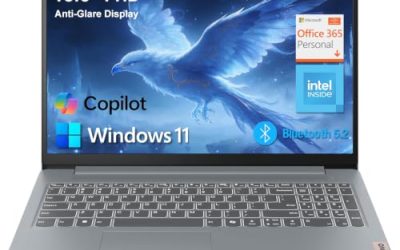
This HP combines a Celeron N4500, 4GB of RAM and 64GB of eMMC with a 64GB SD card, plus a one-year Office 365 subscription and a 12-hour battery claim. It is aimed at students and home users who want a light laptop to move between rooms. The SD card slot lets the owner offload school files or family photos, and the Celeron N4500 is an efficiency-focused chip, which fits a laptop used mostly for reading, writing and video lessons.
- Strength: the listed 12-hour battery life suits unplugged days.
- Strength: SD card adds extra capacity for documents.
- Trade-off: eMMC storage is the slowest type in this group and the total space is small.
Skip it if you want fast boot times or plan to install many large programs.
Which One Fits Your Situation
You want one laptop that lasts the longest
The Dell 15.6 Core 3 100U stands out because its 8 GB of RAM and 512GB SSD leave the most headroom as software grows heavier. Of the six, it is the one least likely to feel outdated midway through ownership.
You work in many browser tabs
The acer Aspire 3 A315-24P offers 8GB of LPDDR5 and a Ryzen 3 quad-core chip, the right pairing for tab-heavy research, video calls and spreadsheets running together.
You enjoy upgrading hardware
The OTVOC 15.6 inch is built around the idea that you can add memory and storage later, which suits a buyer comfortable with a screwdriver and a parts order.
You need something light for the couch or classroom
The HP 14 Ultra-Light Celeron emphasizes portability and a 12-hour battery claim, making it the natural choice for moving around the house or carrying to a lecture hall.
Common Mistakes
- Buying 4GB of RAM for a laptop you expect to use for five years without checking whether it can be upgraded.
- Assuming “1TB cloud storage” replaces internal storage, when it requires a stable connection.
- Ignoring screen resolution and settling for an HD panel on a 15.6-inch display.
- Treating eMMC, UFS and SSD as the same thing, even though speeds differ noticeably.
- Paying for a year of bundled office software that you will not use after it expires.
Related guides
- How To Check Motherboard Vrm Temperature In Hwinfo
- How To Clean Quest 3 Lenses And Facial Interface
- Micro Sd Cards For Samsung Galaxy Phones
Frequently Asked Questions
Is 4GB of RAM enough for a basic laptop?
It can handle light browsing and documents, but it leaves little margin for Windows updates and many tabs. Buyers who want a longer useful life should look for 8GB, or choose a model with upgradeable memory.
Do I need a 15.6-inch screen?
Not necessarily. A 15.6-inch display is easier on the eyes for reading and spreadsheets, while a 14-inch model is lighter to carry. Choose based on whether the laptop stays on a desk or travels with you.
What does the bundled Microsoft 365 subscription mean?
Several listings include a one-year subscription to Microsoft 365 or Office 365. It covers the core office apps for that period, after which you need to renew or switch to a free alternative.
Is a Celeron or N-series chip fast enough?
For email, video streaming and word processing, yes. They struggle when you stack many demanding tasks, so pair them with as much memory as the budget allows.
Related guides
More from Amazon
Programs that pair well with the guide above. Offers and eligibility are set by Amazon and may change.
Free shipping on eligible items, Prime Video and more. Eligible new members can start with a free trial.
Start a Prime free trialAd-free music streaming. Eligible new subscribers can start with a free trial.
Try Music Unlimited freeA Prime membership for ages 18-24 with a trial period. Eligibility is set by Amazon.
See Prime for Young AdultsAudiobooks and podcasts to listen to on the go. Eligible new members can start with a free trial.
Try Audible freeAs an Amazon Associate we earn from qualifying purchases.