A cap of under 200 dollars changes the whole shopping problem. At this level you are not choosing the best laptop; you are choosing which compromise you can live with. Every machine in this bracket gives up something, whether it is memory, storage, screen quality, or software freedom, and the smart move is to decide up front which sacrifice hurts least. A Chromebook trades Windows programs for speed and simplicity. A renewed Windows laptop trades a fresh warranty for a better processor. A new budget Windows model trades storage space for a modern operating system.
This guide is for people who need a dependable device for homework, streaming, email, and web apps, and who will not be asking it to edit video or run big programs. Listing prices move all the time, so treat the cap as a filter and confirm the current figure still lands under 200 dollars before ordering. The notes below rely only on what each title states.
Our Top Picks


Top 3 picks at a glance
Quick Picks
As an Amazon Associate we earn from qualifying purchases at no extra cost to you.


| Product | Best for | Key spec from the title |
|---|---|---|
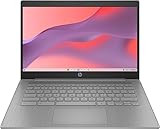
| HP Chromebook 14 (Ash Gray) | Simple web-first schoolwork | Celeron N4120, 4GB RAM, 64GB eMMC, Chrome OS |
| HP 2023 Chromebook 14 | Chrome OS alternative at the same specs | 14-inch, Intel UHD Graphics 600, Wi-Fi, Bluetooth |
| Lenovo IdeaPad 130S (Renewed) | Windows 11 on the cheapest renewed unit | Celeron N4000, 4GB RAM, 64GB eMMC |
| HP 14-inch with Microsoft 365 | Modern chip plus bundled software | Intel N150, 128GB UFS, 1-year Microsoft 365 Personal |
| Amzboy 15.6-inch | Big FHD screen and expandable storage | N4020, 128GB eMMC, 45W PD charging, 1TB TF card support |
| Microsoft Surface Laptop Go (Renewed) | Premium feel and touch on a budget | 12.4-inch touch, Core i5-1035G1, 64GB eMMC |
| HP Stream 14 (Renewed) | Light Windows use with Wi-Fi 6 | Intel N150, 128GB UFS, Windows 11 S, webcam |
| Phatom 15.6-inch | Upgradeable RAM and SSD | Pentium, 4GB RAM, 128GB SSD, supports up to 2TB |
How to Choose
Chrome OS or Windows 11
If your work lives in a browser, a Chromebook is quicker and tougher on cheap hardware, and it updates itself quietly. If you need desktop programs such as full Office, specialty school software, or a printer driver, pick Windows. Windows 11 in S mode, as in the HP Stream, only allows Microsoft Store apps, which is simple but restrictive.
Memory and storage reality
Almost every laptop here has 4GB of RAM, which is the lowest practical amount for Windows 11 and tight even for Chrome OS with many tabs. Storage is usually 64GB or 128GB of eMMC or UFS, which is slower than a true SSD. Windows updates can eat a large share of 64GB, so prefer 128GB, or a model with a card slot or upgrade path.
Screen size and resolution
Fourteen-inch HD screens (1366 by 768) are common at this level and look soft for reading. A 15.6-inch FHD screen, as listed on two of the picks, is sharper and roomier but heavier. Whatever you pick, expect lower brightness and narrower viewing angles than a mid-range laptop.
Where corners get cut, and what to ignore
Plastic bodies, flexible keyboards, and single-channel memory are standard. Ignore marketing phrases like “4K graphics” on a Celeron machine; the chip decides the real capability. Renewed units can offer a better processor, such as the Core i5 in the Surface, but ask for the condition grade and return window. In 2026, Wi-Fi 6 is a nice bonus but not required.
The 8 Best Options
HP Chromebook 14 (Ash Gray)
This HP Chromebook lists a Celeron N4120, 4GB of RAM, 64GB of eMMC storage, a 14-inch HD display, and Chrome OS in a thin body. It is a classic school-and-browser machine that benefits from Chrome OS’s light overhead.
- Strength: Chrome OS runs smoothly on modest hardware and updates automatically.
- Strength: the Celeron N4120 is a step up from the N4000 and N4020 chips on this list.
- Trade-off: 64GB of storage depends on cloud files, and the HD display is only adequate.
Skip it if you need Windows-only programs. It works best for a younger student or a household browsing machine, where Google Docs, video lessons, and a handful of tabs make up the entire workload.
HP 2023 Chromebook 14
Nearly the same hardware appears in this HP Chromebook listing: a 14-inch display, a Celeron N4120, 4GB of RAM, 64GB of eMMC, Intel UHD Graphics 600, Wi-Fi, and Bluetooth. The choice between the two HP Chromebooks comes down to seller, condition, and availability.
- Strength: Chrome OS plus the N4120 gives dependable web performance.
- Strength: Bluetooth and Wi-Fi cover headphones and a wireless mouse.
- Trade-off: the model year in the name indicates an older release, which may shorten the remaining software-update window.
Skip it if you want the longest possible update support. Compare it against the other HP Chromebook before choosing, and confirm the automatic update expiration date on the manufacturer’s support page, since that date matters more than the model year.
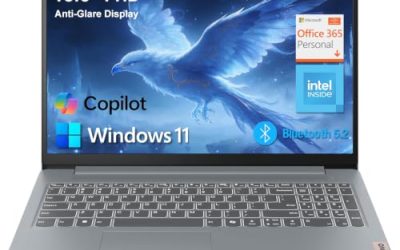
Lenovo IdeaPad 130S (Renewed)
The IdeaPad 130S is a renewed 14-inch HD laptop with a Celeron N4000, 4GB of RAM, 64GB of eMMC, and Windows 11. It is the least powerful chip on this list, and its appeal is purely cost. It is best thought of as a stopgap for a spare room, a dedicated email terminal, or a first computer for someone who just needs to get online.
- Strength: a lightweight body with a full Windows 11 desktop for basic tasks.
- Strength: renewed pricing can undercut new models with similar specs.
- Trade-off: the N4000 and 64GB of eMMC will struggle once Windows updates accumulate.
Skip it if you plan to keep the laptop for more than a year or two.
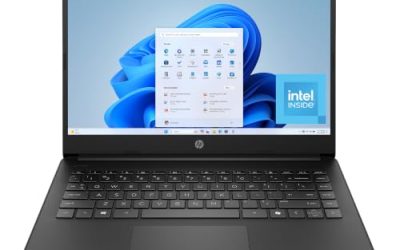
HP 14-inch with Microsoft 365 (Intel N150)
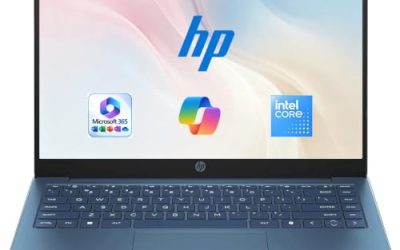
This HP lists an Intel N150, 4GB of RAM, 128GB of UFS storage, Intel graphics, Windows 11 Home, and a 1-year Microsoft 365 Personal subscription. The N150 is a more recent chip than the Celerons here, and the bundled subscription can matter for students whose school expects Word, Excel, and PowerPoint files rather than web-only editors.
- Strength: the bundled Microsoft 365 subscription saves a separate purchase for Word and Excel.
- Strength: 128GB of storage doubles the usable room of the 64GB models.
- Trade-off: 4GB of RAM limits multitasking, and the HD display is basic.
Skip it if you already have an Office license or need more memory.
Amzboy 15.6-inch Windows 11 Laptop
Amzboy lists a 15.6-inch FHD display, an N4020 processor, 4GB of RAM, 128GB of eMMC, 45W PD fast charging, a 180-degree lay-flat hinge, a privacy camera, and support for a 1TB TF card. The card slot is a rare way to add storage cheaply, which helps if you keep photos, music, and downloaded lessons on the machine instead of in the cloud.
- Strength: the FHD screen is sharper than the HD displays elsewhere in the group.
- Strength: expandable storage and USB-C power delivery add practical flexibility.
- Trade-off: the brand is lesser-known, so check warranty and support terms.
Skip it if you need a compact machine or a well-known service network.
Microsoft Surface Laptop Go (Renewed)
The renewed Surface Laptop Go lists a 12.4-inch touchscreen, a Core i5-1035G1, 4GB of RAM, 64GB of eMMC, and Windows 11 Home in Platinum. It brings a more capable processor in a small, well-built body. Buyers who value a nicer touchscreen and a lighter bag over sheer screen size will find it the most polished option in the bracket.
- Strength: the Core i5 outpaces the Celeron and Pentium parts in raw capability.
- Strength: a touchscreen and compact size are unusual at this level.
- Trade-off: 64GB of eMMC and 4GB of RAM undermine the chip’s potential.
Skip it if you need lots of storage or a large display.
HP Stream 14 (Renewed)
This renewed HP Stream lists an Intel N150, 4GB of RAM, 128GB of UFS storage, a webcam, Wi-Fi 6, Copilot, and Windows 11 in S mode. It aims at light, web-centered use, such as streaming, email, and video calls on a home network. Because it is renewed, the condition grade and battery health deserve a close look.
- Strength: Wi-Fi 6 and a recent N150 chip pair well for streaming and calls.
- Strength: S mode locks installs to the Microsoft Store, which suits cautious users.
- Trade-off: S mode blocks most desktop programs unless you leave it.
Skip it if you want unrestricted software installation.
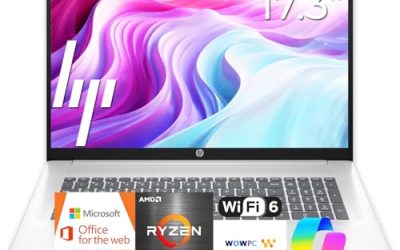
Phatom 15.6-inch FHD Laptop
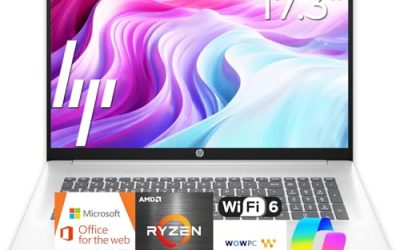
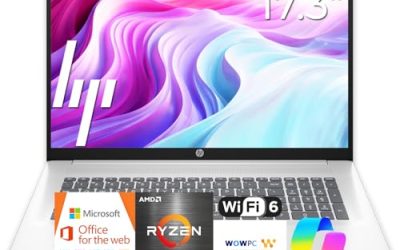
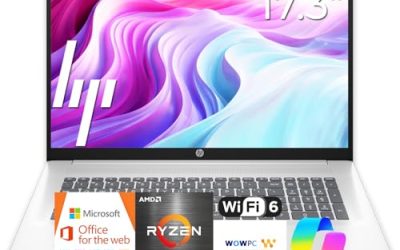
The Phatom lists a 15.6-inch FHD display, 4GB of RAM, a 128GB SSD, a Pentium processor, 1080P HDMI, and the ability to upgrade RAM and storage up to 2TB. Upgradeability is its distinguishing feature. If memory prices fall or your needs grow, you can add capacity later rather than replacing the whole laptop, which is unusual for machines in this bracket.
- Strength: user-upgradeable RAM and SSD extend its useful life.
- Strength: a true SSD and HDMI output add everyday convenience.
- Trade-off: comparison claims such as beating Celeron are marketing, not measurements.
Skip it if you want a recognizable brand with local support.
Which One Fits Your Situation
A kid starting middle school
The HP Chromebook 14 keeps things simple and easy to manage, with a better chip than the cheapest Windows models.
Someone who needs Word and Excel
The HP 14-inch with Microsoft 365 bundles a one-year subscription and 128GB of storage.
A buyer who wants room to grow
The Phatom 15.6-inch lets you add memory and storage later, which stretches the life of an inexpensive machine.
A traveler who wants something premium and small
The renewed Surface Laptop Go packs a Core i5 into a 12.4-inch touchscreen body.
Common Mistakes
- Assuming 64GB of storage will last once Windows updates pile up.
- Buying Windows 11 in S mode and then being surprised by installation limits.
- Believing graphics marketing terms on entry-level processors.
- Skipping the condition grade and return policy on a renewed laptop.
- Letting the price cap blind you to the memory floor of 4GB.
Related guides
- How To Check Motherboard Vrm Temperature In Hwinfo
- How To Clean Quest 3 Lenses And Facial Interface
- Micro Sd Cards For Samsung Galaxy Phones
Frequently Asked Questions
Can a laptop under 200 dollars run Windows 11 well?
It can run basic tasks, but 4GB of RAM and eMMC storage make it feel slow with many tabs. Expect light use only, and plan on keeping a cloud drive or memory card handy for files you cannot afford to lose.
Is a Chromebook better than Windows at this level?
For web-based work, usually yes, because Chrome OS needs fewer resources. For desktop software, Windows is the only option.
Are renewed laptops safe to buy?
They can be reasonable if the seller states a condition grade and offers returns. Battery wear is the most common weak point, so look for a stated battery condition and a return window of at least a couple of weeks.
Can I upgrade the storage later?
Some models support a memory card or a replaceable SSD, such as the listings that mention a TF card or upgradeable parts. Soldered eMMC cannot be replaced, so check the listing for a card slot or an access panel before you count on expanding the machine later.