A convertible laptop earns its place when one device has to be two things: a typing machine at a desk and a slate you can prop up, sketch on, or hand across a table. The decision this keyword points to is less about raw speed and more about the hinge, the touch panel, and whether the operating system suits how you work. Windows convertibles run full desktop programs, while Chromebook convertibles trade that flexibility for simplicity and lighter hardware demands.
The eight listings below span a wide range, from a renewed 11.6-inch business machine to a 14-inch model with a Ryzen 7 processor. They suit students who annotate lecture slides, teachers who present from the middle of a room, and professionals who sign documents on screen. Everything here is judged only from the text in each title, so use the notes to build a shortlist and confirm the details on the listing page.
Our Top Picks
 Dell 2027 Portable 11-inch IPS Touchscreen Convertible Laptop11.8 x 8.08 x 0.95 inches4 PoundsCheck on Amazon
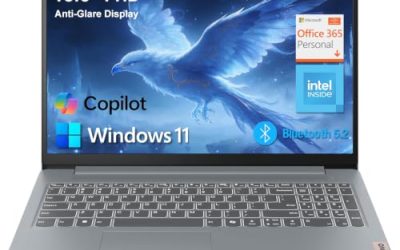
 Lenovo 2027 11'' HD IPS Convertible Laptop with11 Inches14.17 x 9.2 x 0.7 inches4 PoundsCheck on Amazon
 Acer Chromebook Spin 314 CP314-2HN-30V1 Convertible Laptop12.59 x 0.86 x 9.05 inches3.46 PoundsCheck on Amazon
 Tylvx 15.6" 2-in-1 Laptop/Tablet16GB+512SSD Laptop14.14 x 9.8 x 0.89 inches3.59 poundsCheck on Amazon


Top 3 picks at a glance
Quick Picks
As an Amazon Associate we earn from qualifying purchases at no extra cost to you.




| Product | Best for | Key spec from the title |
|---|---|---|
| Dell 11-inch IPS Convertible | Compact everyday Windows use | Pentium up to 3.3GHz, 8GB RAM, 128GB SSD |
| Lenovo 11-inch HD Convertible | Portable note taking | 8GB DDR5, 128GB SSD, HDMI, webcam |
| Exilapsire 15.6-inch Yoga | Large touch screen on a tight budget | AMD A9, 8GB RAM, 256GB SSD, IPS FHD |
| Acer Chromebook Spin 314 | Durable Chrome OS convertible | Core i3-N305, 14-inch WUXGA IPS Gorilla Glass touch |
| Dell 14 2-in-1 | Performance in a convertible | Ryzen 7 8840HS, 16GB DDR5, 1TB SSD, Wi-Fi 6E |
| Tylvx 15.6-inch 2-in-1 | Big screen with ample memory | Core m3-8100Y, 16GB RAM, 512GB SSD |
| Samsung 12.2-inch Chromebook Plus | School and light business use | FHD touchscreen, 4GB RAM, 224GB listed storage |
| HP ProBook x360 11 G5 EE | Renewed rugged-style classroom unit | 11.6-inch, Celeron N4020, 128GB SSD, Windows 11 Pro |
How to Choose
Hinge style and body size
A true convertible folds back 360 degrees, which lets you use tent mode for video and tablet mode for drawing. Eleven- and twelve-inch bodies are easy to hold as tablets, while 15.6-inch convertibles become heavy in one hand. If you plan to use it on your lap or standing up, favor the smaller sizes and read the weight on the listing.
Touch panel and pen support
Look for an IPS panel for consistent color at wide angles, and an FHD (1920 by 1080) resolution if you read small text. Gorilla Glass, as named in the Acer title, is a sign of scratch resistance. If you want to write or draw, check whether an active pen is supported, since the titles here do not promise one.
Processor, memory, and storage targets
For Windows convertibles, 8GB of RAM is the working minimum and 16GB is better. For Chromebooks, 4GB can be acceptable, but 8GB is smoother. A 128GB SSD is a floor, and 256GB or more gives breathing room. The Ryzen 7 in the Dell 14 is in a different performance class from the Celeron, Pentium, and Core m3 chips elsewhere on this list.
Operating system and where budgets cut corners
Windows runs full desktop software, while Chrome OS favors web apps and Android apps. Budget convertibles often cut corners with dim screens, wobbly hinges, and weak speakers. Wi-Fi 6 or 6E and USB-C charging are worth looking for, and a renewed unit is worth considering only with a clear return policy.
The 8 Best Options
Dell 11-inch IPS Touchscreen Convertible
This Dell pairs an Intel Pentium processor, 8GB of RAM, and a 128GB SSD with a touchscreen convertible body and 6th Gen WiFi. It is a straightforward, compact option for basic Windows work, and the modern wireless standard in the title means fewer dropped connections on crowded networks. Think of it as a dependable second computer for the couch or the commute.
- Strength: 8GB of RAM is a healthy base for a small Windows machine.
- Strength: the 11-inch IPS panel is portable enough for tablet-style handling.
- Trade-off: a Pentium chip is intended for light tasks, not demanding software.
Skip it if you want a larger display or plan to run heavy programs. It is a better fit for a student on a bus or a retiree who mostly reads and emails.
Lenovo 11-inch HD IPS Convertible
The Lenovo lists an Intel N processor up to 3.60GHz, 8GB of DDR5 memory, a 128GB SSD, HDMI, and a webcam. The DDR5 memory is a modern detail in this price tier, and HDMI makes it easy to present on a projector. Having a port on board matters more than it sounds, because many thin convertibles force you to carry a dongle just to show a slide.
- Strength: DDR5 memory and a built-in webcam suit classes and video calls.
- Strength: HDMI lets you connect to a monitor or projector directly.
- Trade-off: the screen is HD rather than FHD, so fine text looks softer.
Skip it if sharp text matters most. Teachers who present from the room get the most out of the connectivity.
Exilapsire 15.6-inch Yoga 2-in-1
Exilapsire offers a 15.6-inch IPS FHD touchscreen with an AMD A9 processor up to 3.2GHz, 8GB of RAM, and a 256GB SSD. It is the largest-screen budget option here and suits someone who wants a roomy canvas. For watching video, reading PDFs side by side, or filling out long forms with a finger, the extra surface area is the main draw over the 11-inch group.
- Strength: a 15.6-inch FHD screen is comfortable for documents and video.
- Strength: 256GB of storage doubles the 128GB found on several rivals.
- Trade-off: the AMD A9 is an older entry-level chip with limited multitasking headroom.
Skip it if you want to carry a tablet-sized device. It works better as a mostly-desk machine that occasionally flips for presentations.
Acer Chromebook Spin 314
The Spin 314 lists a Core i3-N305, a 14-inch WUXGA IPS touch display with Corning Gorilla Glass, a matte finish, and 8GB of LPDDR5 memory. It runs Chrome OS, which favors web apps and keeps maintenance simple. Updates arrive automatically, and the system asks little of the hardware, which is why Chromebooks often feel quicker than Windows laptops with similar processors.
- Strength: a matte WUXGA panel with Gorilla Glass suggests a scratch-resistant, glare-reduced screen.
- Strength: 8GB of LPDDR5 memory is generous for a Chromebook.
- Trade-off: Chrome OS cannot run most traditional Windows desktop software.
Skip it if you depend on Windows-only programs. It suits students and cloud-first workers.
Dell 14 2-in-1
This Dell stands out with a Ryzen 7 8840HS, 16GB of DDR5 memory, a 1TB SSD, a 14-inch FHD+ touchscreen, AMD Radeon graphics, and Wi-Fi 6E. It is the performance leader in the group and moves convertibles beyond basic tasks. It could serve as a primary computer for photo editing, spreadsheets, and coding, while still folding into tablet mode for markup sessions and meetings.
- Strength: the Ryzen 7 chip and 16GB of DDR5 handle heavier multitasking than the other picks.
- Strength: a 1TB SSD and Wi-Fi 6E suit long-term use.
- Trade-off: it sits in a higher tier than the basic convertibles and may be heavier in tablet mode.
Skip it if you only need light browsing. Creators and analysts get the most from it.
Tylvx 15.6-inch 2-in-1
The Tylvx lists a 15.6-inch 360-degree flip FHD touchscreen, an Intel Core m3-8100Y up to 3.4GHz, 16GB of RAM, and a 512GB SSD, running Windows 11. The memory and storage are generous for the category. That makes it appealing to a buyer who keeps lots of documents and media on the device and rarely closes tabs.
- Strength: 16GB of RAM and 512GB of storage give room to grow.
- Strength: the large FHD touchscreen suits media and documents.
- Trade-off: the Core m3 is a low-power chip that will not match a modern Core i5 for sustained work.
Skip it if you want strong processor performance. It is better for a reader or a student who values memory over speed.
Samsung 12.2-inch Chromebook Plus 2-in-1
This Samsung is a 12.2-inch FHD touchscreen Chromebook Plus with an Intel dual-core processor, 4GB of RAM, and 224GB of storage, with the title attributing part of it to a docking station, so confirm how much is built in. It targets students and light business use. Because the Chromebook Plus label signals a higher baseline than entry-level Chromebooks, it fits families who want something simple that still feels responsive.
- Strength: Chromebook Plus positioning and a 12.2-inch FHD screen suit school tasks.
- Strength: a name-brand build tends to come with a more reliable support network.
- Trade-off: 4GB of RAM is tight if you keep many tabs open.
Skip it if you run many browser tabs. It is ideal for a middle-school or high-school student.
HP ProBook x360 11 G5 EE (Renewed)
The ProBook x360 11 G5 EE is a renewed 11.6-inch 2-in-1 with an Intel Celeron N4020, 4GB of RAM, a 128GB SSD, and Windows 11 Pro. The EE designation points to the education market. For a school or a parent who wants a managed Windows environment on a small, replaceable machine, that background is useful.
- Strength: Windows 11 Pro and a 128GB SSD suit classroom or managed use.
- Strength: the compact body is easy to carry between rooms.
- Trade-off: a Celeron N4020 and 4GB of RAM leave little room for multitasking.
Skip it if you want a new unit. Check the seller’s condition grade first.
Which One Fits Your Situation
A teacher presenting around the room
The Lenovo 11-inch convertible offers HDMI, a webcam, and a light body, which suits moving between desks and projectors.
A creator who wants real performance
The Dell 14 2-in-1 with the Ryzen 7 8840HS is the strongest choice, thanks to 16GB of DDR5 and a 1TB SSD.
A cloud-first student
The Acer Chromebook Spin 314 pairs Chrome OS simplicity with a durable matte touchscreen.
Someone who wants the biggest screen on a budget
The Exilapsire 15.6-inch Yoga or the Tylvx 15.6-inch gives the most screen area, with the Tylvx offering more memory.
Common Mistakes
- Choosing a 15.6-inch convertible and then finding it too heavy to use as a tablet.
- Assuming every touchscreen supports an active pen.
- Buying a Chromebook and expecting Windows desktop programs to run.
- Skipping the resolution label and ending up with a soft HD panel.
- Ignoring the condition and warranty details on a renewed convertible.
Related guides
- How To Check Motherboard Vrm Temperature In Hwinfo
- How To Clean Quest 3 Lenses And Facial Interface
- Micro Sd Cards For Samsung Galaxy Phones
Frequently Asked Questions
What is the difference between a 2-in-1 and a convertible?
A convertible has a hinge that folds the screen over the keyboard, while many 2-in-1s are detachable tablets. The listings here are all hinge-based convertibles.
Are convertibles good for 2026 school use?
Yes, especially smaller ones with a touchscreen for notes and a keyboard for essays. Prioritize 8GB of RAM on Windows models.
Do convertibles have worse battery life?
Touchscreens and heavier hinges can draw more power, but the processor and battery size matter more. Listings rarely state hours reliably, so look for the battery capacity if available.
Windows or Chrome OS for a convertible?
Choose Windows for traditional desktop programs and Chrome OS for web-first work and simpler upkeep.
Related guides
More from Amazon
Programs that pair well with the guide above. Offers and eligibility are set by Amazon and may change.
Free shipping on eligible items, Prime Video and more. Eligible new members can start with a free trial.
Start a Prime free trialAd-free music streaming. Eligible new subscribers can start with a free trial.
Try Music Unlimited freeA Prime membership for ages 18-24 with a trial period. Eligibility is set by Amazon.
See Prime for Young AdultsAudiobooks and podcasts to listen to on the go. Eligible new members can start with a free trial.
Try Audible freeAs an Amazon Associate we earn from qualifying purchases.