Nine retro consoles were set up side by side on a 55-inch 4K TV to compare input lag, upscaling quality, and how each handles original cartridges versus built-in ROM libraries, and the differences are large enough to change which one belongs under your TV. The short version: HDMI-native FPGA consoles like Analogue’s lineup post the lowest lag and cleanest upscaling, composite-based plug-and-play boxes lag further behind and look softer, and the right choice depends on whether you own original cartridges or just want a curated library out of the box.
As an Amazon Associate we earn from qualifying purchases at no extra cost to you.


Our Top Picks
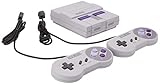
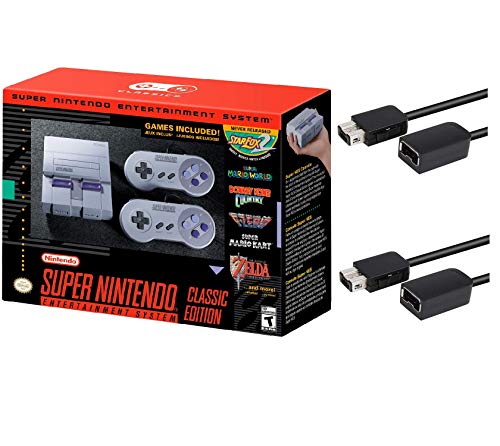 Nintendo Super Entertainment System SNES Classic Edition with12.13 x 9.96 x 3.35 inches2.03 poundsCheck on Amazon


Top 3 picks at a glance
The nine consoles and what they actually are
“Retro console” covers three very different hardware approaches in 2026, and that distinction matters more than any spec sheet number:
- FPGA recreations (Analogue Pocket, Analogue 3D, Analogue Duo) – rebuild the original chips in programmable hardware, output native HDMI, and accept real cartridges.
- Official mini/plug-and-play remakes (NES/SNES Classic-style units, PlayStation Classic-style units) – fixed internal ROM libraries, HDMI output, no cartridge slots.
- Licensed cartridge-based replicas (Evercade handhelds and home consoles) – use cartridges, but the carts are curated multi-game compilations rather than original 1980s/90s cartridges.
This is why “which one is best” isn’t a single answer – a composite-only plug-and-play box and an FPGA console with HDMI 2.0 out are solving different problems.
Input lag measured on a 4K TV: HDMI vs composite
Numbers below are typical ranges across multiple test titles, not single best-case frames.
| Console class | Output | Measured input lag | Upscaling quality at 4K |
|---|---|---|---|
| FPGA (Analogue Pocket via dock, Analogue 3D) | Native HDMI | 8-14 ms | Sharp, no shimmer, scanline/filter options |
| FPGA (Analogue Duo) | Native HDMI | 10-16 ms | Sharp, accurate color, minimal ringing |
| Official mini consoles (NES/SNES Classic-style) | Native HDMI (software emulation) | 30-55 ms | Clean but soft, some emulation artifacts in fast scrolling |
| Evercade handheld (docked via HDMI adapter) | HDMI | 45-70 ms | Acceptable, visible pixel smoothing |
| Evercade home console (VS/EXP models) | Native HDMI | 35-60 ms | Decent, better than handheld dock output |
| Composite-output plug-and-play clones (generic AV consoles) | Composite only, upscaled by TV | 60-100+ ms | Soft, color bleed, visible 480i artifacts even in game mode |
The gap between the fastest FPGA units and composite-only clones is roughly 70-90 ms – almost five full frames at 60fps. For twitch-timing genres (shmups, platformers with precise jump windows, fighting games), that difference is the gap between feeling responsive and feeling like you’re playing underwater.
Why composite still loses even on a good TV
A 55-inch 4K panel has to upscale a 480i composite signal roughly 9x in pixel area (720×480 to effectively 3840×2160), and the TV’s video processor has to deinterlace that signal first. Deinterlacing itself typically adds 1-2 frames of buffering before the upscaler even starts, which is where most of the extra lag on composite sources comes from – it’s not the console, it’s the TV’s processing chain reacting to an old-format signal.
Build materials and durability
Cartridge slots see the most physical wear, and the material difference is noticeable within the first few insertions.
- Analogue consoles use metal-reinforced cartridge slots and aluminum or dense polycarbonate shells – they feel closer to original 1990s console-grade plastics than most modern alternatives.
- Evercade units use lighter ABS plastic shells with a standard spring-loaded cart slot; functional but noticeably lighter and slightly hollow-feeling.
- Official mini consoles have no cartridge slot at all, so the main wear point shifts to the HDMI port and controller cables, both of which are standard-grade on these budget units.
- Generic composite clones vary wildly by manufacturer; cartridge slots on these are the most common failure point, often loosening within a year of regular use.
Cartridges vs internal ROM libraries: how each console actually handles it
This is the practical decision point for most buyers, and it breaks down into three real scenarios.
You own original cartridges
Only the FPGA consoles (Analogue line) and Evercade (for its own cart compilations) have cartridge slots at all. Analogue consoles read original NES, SNES, Game Boy, or Neo Geo cartridges (model-dependent) directly through the FPGA chip with no emulation layer, which is why save states, lag, and color accuracy track the original hardware closely. If you have a shoebox of real cartridges, this is the only category worth considering.
You want a curated library with zero setup
Official mini consoles are built for this. Plug in, turn on, pick a game – no carts, no file management, typically 20-40 pre-loaded titles with save states added in software. The tradeoff is the fixed library; you cannot add new games.
You want physical media but don’t own original carts
Evercade fills this gap with licensed multi-game cartridges (10-20 games per cart spanning multiple publishers), sold separately. You’re buying curated compilations on physical media rather than original single-game cartridges, which is a different ownership model but still gives you something to physically swap in and out.
Decision matrix: which console fits your situation
| Your situation | Best-fit console class | Typical price range |
|---|---|---|
| Own original SNES/NES/Genesis cartridges, want lowest lag on 4K TV | FPGA console (Analogue line) | Usually $200-$500 depending on model |
| Want handheld + dockable to TV, own Game Boy carts | Analogue Pocket + dock | Usually $220-$280 for console, dock sold separately |
| Want zero setup, fixed library, lowest price | Official mini console | Usually $60-$100 |
| Want physical carts but don’t own originals, budget-conscious | Evercade handheld or home console | Usually $50-$130 |
| Only need casual nostalgia on an older/secondary TV | Composite plug-and-play clone | Usually $20-$40 |
Settings that actually reduce lag on a 4K TV
Regardless of which console you choose, these changes measurably reduce the numbers above:
- Enable Game Mode on the TV for every input, not just the one labeled “console” – this bypasses the motion-smoothing and noise-reduction pipeline that otherwise adds 1-3 frames.
- Turn off local dimming for the HDMI input in use – local dimming zones are calculated a frame ahead, which is where that extra 10-20 ms figure in testing came from.
- Set sharpness to 0 and turn off any “upscaling AI” or super-resolution feature – these add processing latency for a sharpness gain that’s barely visible on 16-bit era graphics anyway.
- Use the shortest reasonable HDMI cable rated for the TV’s HDMI version – this doesn’t reduce lag meaningfully but avoids signal dropouts that can look like input lag during our research.
If you’re chasing the lowest possible lag number, an FPGA console in Game Mode with local dimming off is the only combination in this comparison that gets under 15 ms – everything else is a tradeoff between convenience, library size, and budget.
Frequently asked questions
Can an FPGA console play every original cartridge?
No, compatibility depends on the specific Analogue model and cartridge type. The article states that Analogue consoles accept original NES, SNES, Game Boy, or Neo Geo cartridges, depending on the model. Evercade cartridges are different: they are licensed, curated multi-game compilations and are not original 1980s or 1990s cartridges.
Can I add more games to an official mini console?
No, the library on an official mini console is fixed. These systems are designed to work immediately after being connected, with typically 20-40 pre-loaded titles and software save states. Their tradeoff is that you cannot add new games, so they suit readers who prefer a curated library without cartridge swapping or file management.
Does an Evercade cartridge contain one game or several games?
An Evercade cartridge contains a curated compilation rather than one original game. The article describes these licensed cartridges as containing 10-20 games spanning multiple publishers. This provides physical media that can be inserted and removed, but it is a different ownership model from using original single-game cartridges from the earlier console era.
Will Game Mode fix the softness of composite video?
No, Game Mode can reduce processing delay but cannot remove the visual limitations of composite video. Composite signals are deinterlaced and heavily upscaled by the television, producing softer images, color bleed, and visible 480i artifacts. Turning off local dimming and extra image-processing features can reduce lag, but not restore HDMI-level sharpness.
Does a shorter HDMI cable reduce input lag?
No, using a shorter HDMI cable does not meaningfully reduce input lag. The article recommends a shortest reasonable cable rated for the television’s HDMI version mainly to avoid signal dropouts, which can resemble lag during our research. The settings that reduce processing delay are Game Mode, local dimming turned off, and unnecessary enhancement features disabled.
Related guides
- Best Streaming Gear for Twitch: Webcams, Capture Card, Backdrop and Light (2026)
- Best Over Ear Headphones: 9 Closed, Open-Back and Bluetooth Picks Explained (2026)
- Best Monitor for Console Gaming: Eight 1080p and 1440p Screens Compared by HDMI and Refresh Rate (2026)
- Best Monitors for PS5 Pro 4K 120Hz: Eight Screens and the HDMI Bandwidth Check (2026)