The best condenser microphones for gaming and streaming are cardioid USB models like the Elgato Wave:3 or Audio-Technica AT2020USB-X for plug-and-play simplicity, and XLR models like the Rode NT1 5th Gen or Audio-Technica AT2035 with an audio interface for lower noise and long-term upgrade flexibility.
As an Amazon Associate we earn from qualifying purchases at no extra cost to you.
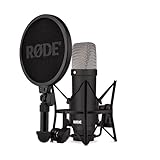

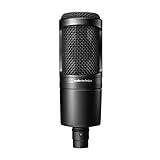

Our Top Picks
 Logitech Creators Blue Yeti USB Microphone for PC1 Count (Pack of 1)4.92 x 4.72 x 11.61 Inches3.51 poundsCheck on Amazon
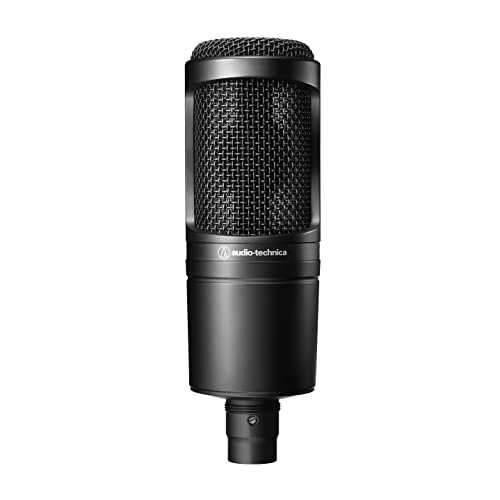 Audio-Technica AT2020 Cardioid Condenser Studio XLR Microphone09.6 x 9.6 x 2.6 Inches1.3 poundsCheck on Amazon
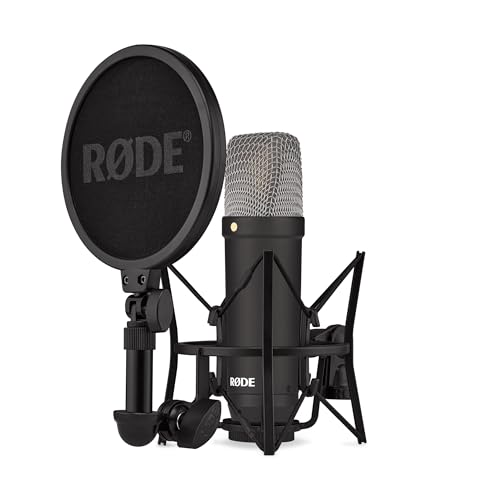

Top 3 picks at a glance
USB vs XLR: Which Connection Makes Sense for You
Condenser microphones need power to charge their capsule. USB condensers get 5V from your PC and include a built-in analog-to-digital converter and headphone amp. XLR condensers need 48V phantom power from an interface or mixer and rely on that external device for conversion.
That difference drives everything else:
- USB: One cable to PC, zero-latency monitoring on the mic itself, hardware gain knob if you’re lucky. Easier for Discord, OBS, and single-PC setups. Limited to the mic’s internal preamp and converter quality. You cannot swap components later.
- XLR: Requires interface (e.g., Focusrite Scarlett Solo, MOTU M2, Audient iD4 MkII, SSL2). More cables, more desk space, but lower self-noise, higher max gain before hiss, and you can upgrade mic and interface independently. Supports hardware inserts, better routing, and balanced long cable runs.
- Dual-output (USB/XLR hybrid): Models like the Rode NT1 5th Gen offer both. You can start on USB and move to XLR without buying a new mic.
For streaming and voice chat, latency and reliability matter more than absolute fidelity. USB is often the right call if you want to be live in 10 minutes. XLR wins if you podcast, record voiceovers, or plan to add a boom arm, hardware compressor, or GoXLR-style mixer later.
Pickup Patterns: What Actually Matters for a Gaming Room
Most gaming condensers are side-address cardioid, but knowing the variants helps you avoid picking up keyboard, fans, and room echo.
Cardioid (The Default You Want)
Picks up from the front, rejects from the rear by roughly 15-25 dB, and partially rejects the sides. Ideal when the mic faces you and the back faces the monitor. Keeps keyboard clicks and PC exhaust behind the mic quieter without aggressive noise gates.
Omnidirectional
Picks up evenly from all directions. Found on multi-pattern mics like the Blue Yeti in omni mode. Avoid this for gaming unless you intentionally want to capture everyone in the room — it will bring in all reflections and background noise.
Figure-8 (Bidirectional)
Front and rear equally sensitive, sides rejected. Useful for two-person interviews face-to-face, not for solo streaming. It will capture your keyboard if the keyboard is behind the mic.
Stereo
Two capsules for left-right imaging. Gimmicky for voice chat — Discord and Twitch are mono. Stereo only helps for ASMR or instrument recording.
Practical takeaway: Leave a multi-pattern condenser on cardioid for 99% of gaming and streaming. If your condenser has a switch, tape it or lock it in software so you don’t accidentally bump it mid-stream.
Noise Handling: Why Condensers Sound Noisy in Untreated Rooms
Condensers are sensitive by design. A typical gaming condenser has a sensitivity of -33 to -37 dBV/Pa and self-noise of 14-19 dBA. That sensitivity is great for detail, but it also captures PC fans, air conditioning, and reflections from bare walls.
You can’t fix sensitivity — you work around it:
- Distance: Keep the mic 15-20 cm (6-8 inches) from your mouth, slightly off-axis to reduce plosives. Condensers follow the inverse square law: doubling distance drops level ~6 dB but raises room noise proportionally. Close-miking maximizes voice-to-room ratio.
- Gain staging: Aim for peaks around -12 dB to -6 dB in OBS/Windows with normal speech averaging -18 dB to -12 dB. If you have to crank interface gain past 75% to hit that target, your mic is too far or your interface preamp is too noisy for that capsule.
- High-pass filter (low-cut): Engage the 80Hz filter if your mic or interface has one. It cuts rumble from desk vibrations, HVAC, and thumps without touching voice clarity. Add it before noise suppression for cleaner gating.
- Pad switch (-10 dB): Only needed if you shout or your keyboard is extremely loud next to the mic. For most gamers, leave it off; it reduces sensitivity and forces you to add more preamp gain.
Where Dynamic vs Condenser Fits In
If your room is untreated, loud, or you use a mechanical keyboard with clicky switches under 40 cm from the mic, a dynamic like the Shure MV7, Rode PodMic, or Samson Q9U will reject more room by nature and need less acoustic treatment. A condenser will sound more open and airy in a quiet, soft-furnished space, but it will not hide a noisy environment — software noise suppression can only do so much before your voice sounds watery.
Decision Matrix: Match Your Situation to the Right Type
| Situation | Best Fit | Why | Extra Gear Needed |
|---|---|---|---|
| Single PC, desk mic on stand, want cheapest clean setup | USB cardioid condenser | Built-in converter, no phantom power needed | Arm or stand only |
| Loud mechanical keyboard / PC fans under desk / untreated walls | XLR condenser + low-noise interface OR consider dynamic | Lower self-noise, better gain control; allows inline gate/compressor later | Interface with 48V, XLR cable |
| Plan to podcast, record music, or add hardware processing | XLR or hybrid USB/XLR condenser | Upgrade path without re-buying mic | Interface now or later |
| Laptop / console / frequent movement between PCs | USB condenser | Driverless class-compliant operation | USB-C cable |
| Two people on one mic | Multi-pattern condenser (cardioid + figure-8) | Figure-8 for face-to-face | Shared arm, 2 headphones via splitter/interface |
Spec Comparison: Common Gaming Condensers in 2026
All models below are real product lines available in 2026. Specs are manufacturer-rated and vary slightly by revision. Condensers require stable power — USB mics draw from the bus, XLR mics draw phantom from the interface.
| Model | Type | Capsule / Pattern | Frequency Response | Self-Noise | Sample Rate / Bit Depth | Power |
|---|---|---|---|---|---|---|
| Elgato Wave:3 | USB-C | Electret condenser, cardioid | 70 Hz – 20 kHz | ~15 dBA | Up to 96 kHz / 24-bit | 5V USB, ~70mA |
| Audio-Technica AT2020USB-X | USB-C | Condenser, cardioid | 20 Hz – 20 kHz | ~16 dBA | Up to 96 kHz / 24-bit | 5V USB |
| Audio-Technica AT2020 / AT2035 | XLR | Condenser, cardioid | 20 Hz – 20 kHz | AT2020 ~20 dBA, AT2035 ~12 dBA | Depends on interface | 48V phantom, ~2-3mA |
| Rode NT1 5th Gen | USB-C + XLR hybrid | Condenser, cardioid | 20 Hz – 20 kHz | ~4.5 dBA (one of the quietest) | Up to 192 kHz / 32-bit float (USB) | 5V USB or 48V phantom |
| Rode NT-USB Mini | USB-C | Condenser, cardioid | 20 Hz – 20 kHz | ~16 dBA | 48 kHz / 24-bit | 5V USB |
| Blue Yeti (Yeti / Yeti X) | USB | Triple condenser, cardioid/omni/figure-8/stereo | 20 Hz – 20 kHz | ~16-18 dBA | 48 kHz / 16-bit (classic) or 48 kHz / 24-bit (X) | 5V USB, ~150mA |
| HyperX SoloCast | USB-C / USB-A | Electret condenser, cardioid | 20 Hz – 20 kHz | ~18 dBA | 48 kHz / 16-bit | 5V USB |
Market pricing in 2026 typically follows: compact USB condensers usually $60-$130, premium USB like Wave:3 and AT2020USB-X usually $100-$170, entry XLR condensers usually $80-$150 before interface, and low-noise studio condensers like Rode NT1 5th Gen usually $220-$300. An entry interface adds usually $60-$170.
Concrete Settings That Work for Streaming and Chat
Use these as starting points in OBS Studio, Discord, or your interface software. Reasoning is included so you can adjust without guessing.
- Sample rate: 48 kHz / 24-bit. Matches OBS, Twitch, and YouTube without resampling. 96 kHz+ adds file size with no audible benefit for voice and can cause mismatch crackles if Windows, OBS, and Discord disagree. Set the same rate everywhere: Windows Sound > Device Properties > Advanced > 48 kHz, then match interface and OBS.
- Gain: Speak at normal streaming volume and set gain so quiet speech sits at -20 dB and loud laughs peak at -7 dB. This leaves 7 dB headroom before clipping at 0 dB while keeping noise floor low. If Discord’s input meter barely moves, add 5-10 dB analog gain before adding digital boost.
- High-pass filter: 80 Hz, 12 dB/oct. Removes desk rumble and proximity boom if you are close. Turn off if your voice sounds thin and you are more than 25 cm away.
- Noise gate: Close -44 dB, Open -38 dB, Attack 5 ms, Hold 200 ms, Release 150 ms. Gate closes between sentences to hide fan hum. The 6 dB hysteresis prevents chatter. If gate cuts word endings, lower Close threshold to -48 dB.
- Compressor: Ratio 3:1, Threshold -18 dB, Attack 10 ms, Release 80 ms, Makeup +4 to +6 dB. Evens shouting vs whispering without squashing dynamics. 3:1 keeps gaming callouts intelligible when you get loud.
- Limiter: Ceiling -1.5 dB. Final safety net before OBS sends to stream; prevents harsh digital clipping if you yell.
- Monitoring: Plug headphones into the mic or interface, not the PC’s front panel. Direct monitoring has ~5-10 ms latency vs 40-120 ms through Windows, so you hear plosives and mouth noise instantly.
Worked Calculation: Bandwidth, File Size, and USB Power Headroom
Spec sheets list “24-bit / 96 kHz” but don’t tell you what that costs in storage, streaming bandwidth, or CPU. This is why 48 kHz is the sweet spot for most gamers.
1. File size per hour (mono voice — what you actually record):
File size = Sample Rate × Bit Depth × Channels × Time / 8
At 48,000 Hz × 24-bit × 1 channel × 3,600 seconds = 4,147,200,000 bits = 518,400,000 bytes ≈ 494 MB per hour. In practice WAV headers make it ~516 MB/hr. Stereo doubles that to ~1.03 GB/hr.
At 96 kHz / 24-bit mono: 96,000 × 24 × 1 × 3,600 / 8 ≈ 988 MB per hour. At 192 kHz / 32-bit float (Rode NT1 5th Gen max over USB): 192,000 × 32 × 1 × 3,600 / 8 ≈ 2.76 GB per hour — over 5x larger with no audible gain for voice chat and much higher CPU load for real-time effects.
2. USB bandwidth and streaming overhead:
Raw bitrate = Sample Rate × Bit Depth × Channels. For 48 kHz / 24-bit mono = 1.152 Mbps. For 48 kHz / 24-bit stereo = 2.304 Mbps. USB 2.0 handles 480 Mbps raw, so audio alone is trivial. The limit is not bandwidth but driver stability — consistent low-latency at 96 kHz+ requires larger buffers, raising round-trip latency from ~8 ms to ~18 ms on many budget interfaces when effects are stacked in OBS.
3. Power headroom check for XLR:
A typical interface phantom supply is rated 48V ±4V at up to 10 mA per channel. An AT2035 draws ~2.5 mA, Rode NT1 5th Gen ~5 mA in XLR mode. Both are well within spec. If you power two condensers plus a 5V USB bus-powered device from the same unpowered hub, you can sag the 5V rail and get whine or dropouts. Use a powered hub or direct motherboard port for the mic/interface, especially with RGB hubs and external drives on the same bus.
Recommended Picks by Use Case (No Hype)
Best Plug-and-Play for Gaming and Discord
Elgato Wave:3 or Audio-Technica AT2020USB-X. Both stay on cardioid, have front gain + capacitive mute, and ship with software that adds gate/compressor without OBS filters. Wave:3 has particularly good clip-guard limiting for loud gamers. Choose the AT2020USB-X if you want a standard mic mount and more neutral high-end; choose Wave:3 if you live inside the Elgato ecosystem with Stream Deck.
Best Value XLR for Treated or Quiet Rooms
Audio-Technica AT2035 + Focusrite Scarlett Solo / MOTU M2. AT2035’s lower self-noise (~12 dBA) versus the older AT2020 (~20 dBA) is audible when you add compression. Pad and high-pass switches help with close-miking. Total system usually costs less than a premium USB mic plus arm once you include the interface.
Quietest Hybrid for Mixed Podcasting and Streaming
Rode NT1 5th Gen. 4.5 dBA self-noise with 32-bit float over USB means you essentially cannot clip the USB path — you can fix gain in post. XLR mode works with any interface. It is larger and needs a solid boom arm to avoid drooping, but it sidesteps the classic “gain too low / hissy” problem of budget condensers.
Compact Budget Option
Rode NT-USB Mini or HyperX SoloCast. Both are small, have built-in pop filtering, and are forgiving about placement. SoloCast is often cheapest and lacks a gain knob (gain is software-only), so it suits Discord’s auto-gain better than OBS manual workflows. NT-USB Mini has a smoother cardioid that rejects desk reflections slightly better.
Quick Placement Checklist Before You Blame the Mic
- Put the mic on an arm, not the desk stand — decouples keystrokes and mouse thumps. Add the included elastic suspension if supplied.
- Point the rear of the mic toward the loudest source (PC case or window). Keep the capsule out of the direct airstream of GPU exhaust.
- Add one soft surface within 1 meter — curtain, blanket, bookshelf, or acoustic panel. A single panel behind the monitor cuts flutter echo more than a foam cube around the mic.
- Test at 15 cm with a spoken “pa pa pa” phrase. If plosives thump, angle the mic 15 degrees off-axis or add a pop filter 5 cm in front. If sibilance hisses, pull back 3 cm or cut 1-2 dB around 6-8 kHz in EQ.
FAQ
Do I need 48V phantom power for a USB condenser?
No. USB condensers create their own bias voltage internally from 5V USB. Only XLR condensers need external 48V, enabled per channel on your interface. Never enable phantom on a channel with a ribbon mic or an unbalanced device connected.
Why does my condenser pick up my keyboard more than my friends’ mics?
Three reasons: distance (you are too far), pattern (you are on omni or stereo), or gate settings (gate too open). Switch to cardioid, move to 15-20 cm, then set a gate with Close at -44 dB. If clicks remain, a dynamic mic or a low-profile membrane keyboard will help more than any filter.
Is 32-bit float worth it for live streaming?
Not for live — Twitch and Discord are 16-bit delivery. 32-bit float helps when recording locally because you can rescue clipped shouts without re-recording. For live, proper gain staging to -12 dB peaks matters far more.
Can I use an XLR condenser with a 3.5mm adapter directly to the PC?
No reliable way. The PC’s mic jack supplies ~2-3V plug-in power, not 48V, and expects electret levels, not balanced XLR. You will get extremely low level and hum. Use an interface or a proper XLR-to-USB converter with phantom.
Related guides
- Best Streaming Gear for Twitch: Webcams, Capture Card, Backdrop and Light (2026)
- Best Over Ear Headphones: 9 Closed, Open-Back and Bluetooth Picks Explained (2026)
- Best Monitor for Console Gaming: Eight 1080p and 1440p Screens Compared by HDMI and Refresh Rate (2026)
- Best Monitors for PS5 Pro 4K 120Hz: Eight Screens and the HDMI Bandwidth Check (2026)