The best wireless headset for PS4 with no lag is the SteelSeries Arctis 7P, because it uses a lossless 2.4GHz USB dongle with under 35ms latency, 24-hour battery life, and a steel-reinforced headband that holds up better than all-plastic designs.
If you want a Sony-native option for 3D audio on PS4, the Sony PULSE 3D Wireless is the closest alternative, while the Astro A50 Gen 4 and Turtle Beach Stealth 700 Gen 2 are better picks if you need a broadcast-quality boom mic for party chat. Avoid Bluetooth-only headsets for PS4 gaming — they add 150-300ms of delay, which feels like your gunshots and footsteps are a half-second behind.
As an Amazon Associate we earn from qualifying purchases at no extra cost to you.


Our Top Picks
 Gold Wireless Stereo Headset9.60in. x 9.20in. x 5.30in.7.01 x 1.89 x 7.56 Inches2 poundsCheck on Amazon
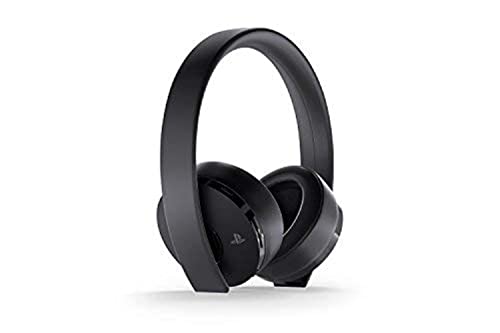


Top 3 picks at a glance
Why only 2.4GHz USB headsets are truly lag-free on PS4
PS4 does not support low-latency Bluetooth audio for games. It supports Bluetooth for chat and for controllers, but game audio over standard Bluetooth uses SBC encoding with large buffers. That is why the best headset and mic for PS4 almost always ships with its own USB dongle.
Here is the latency math that matters:
A PS4 game at 60fps renders a new frame every 16.7ms. A good 2.4GHz gaming dongle adds 15-35ms from game to ear, or about 1-2 frames of delay. Human hearing generally cannot detect that as lag. A typical Bluetooth connection adds 170-250ms, or 10-15 frames of delay. At 30fps, where each frame is 33.3ms, Bluetooth audio can still be 5-7 frames late.
Worked example: if a footstep sound should arrive in 20ms over 2.4GHz, it arrives roughly in sync with the enemy appearing on screen. Over 220ms Bluetooth, you hear it after you have already turned past the doorway. That is why competitive players consider Bluetooth unusable for shooters like Call of Duty, Apex Legends, and Fortnite on PS4.
For no lag on PS4, look for these three specs, not marketing terms like “wireless gaming”:
- Connection: 2.4GHz USB-A dongle, not Bluetooth-only. Dual-wireless (2.4GHz + Bluetooth) is fine as long as you use the dongle on PS4.
- PS4 preset: USB audio output set to “All Audio” and headset selected as input/output device.
- Codec bypass: no phone-app EQ that forces Bluetooth mode during play. Use the dongle for game + chat.
Top lag-free PS4 wireless headsets compared
The models below all exist as PS4-compatible product lines and all include a USB dongle for low-latency audio. Numbers are manufacturer-rated specs for the PS4-compatible versions; actual runtime varies 10-20% with volume and mic monitoring level.
| Model | Wireless tech | Rated range | Battery life | Full charge time | Hinge / frame |
|---|---|---|---|---|---|
| SteelSeries Arctis 7P | 2.4GHz USB-A dongle | 12m / 40ft line-of-sight | 24 hours | 2.5 hours via USB-C | Steel headband, plastic earcup yokes |
| Sony PULSE 3D Wireless | 2.4GHz USB dongle | 10m / 33ft line-of-sight | 12 hours | 3.5 hours via USB-C | All plastic, no folding hinge |
| Astro A50 Gen 4 + Base Station | 2.4GHz proprietary + base | 9m / 30ft indoor | 15 hours | 2.5-3 hours on base dock | Plastic with metal sliders, docked charging |
| Turtle Beach Stealth 700 Gen 2 (PlayStation version) | 2.4GHz USB dongle + Bluetooth | 10m / 33ft line-of-sight | 20 hours | 3 hours via USB-C | Plastic yokes, metal-reinforced headband |
| HyperX Cloud II Wireless | 2.4GHz USB dongle | 20m / 65ft line-of-sight | 30 hours | 3 hours via USB-C | Aluminum frame, plastic yokes |
| Logitech G933 / G935 | 2.4GHz USB dongle | 12-15m / 40-50ft line-of-sight | 12 hours (lights on) | 3.5 hours via micro-USB / USB | Plastic hinge, folding earcups |
Range, battery, and charging: what the numbers mean in a living room
Manufacturer range is measured in an open room. In a real apartment, a wall, fish tank, microwave, or Wi-Fi router 2 meters away can cut that number in half.
For PS4 use, 9-12 meters is enough for most setups. The HyperX Cloud II Wireless advertises the longest range in this class at around 20 meters line-of-sight, which in practice means it is the most likely to stay connected if you walk to the kitchen with a wall in between. The Astro A50 has the shortest practical indoor range because its high-bandwidth base station signal is more sensitive to interference, though its dock makes it the easiest to keep charged.
Battery runtime calculation is more useful than the headline number. Use this formula:
Usable sessions = rated battery hours / average session length. If you play 3 hours per night, a 12-hour headset like the PULSE 3D needs charging every 4 nights, while a 24-hour Arctis 7P needs charging every 8 nights. Fast charge matters more than total size: 15 minutes on USB-C typically adds 2-3 hours on newer models (Arctis 7P, Stealth 700 Gen 2, Cloud II Wireless), but only about 1 hour on older micro-USB designs.
To minimize lag and dropouts:
- Plug the dongle into the front USB port of the PS4, not into a rear port behind the console or into a USB hub shared with an external hard drive.
- Move Wi-Fi routers at least 1 meter away from the PS4 and dongle. Both use 2.4GHz and can cause stutter.
- Charge over USB-C from the PS4 in Rest Mode if you play daily. Leaving lithium batteries at 20-80% rather than always at 100% extends long-term capacity.
Plastic versus metal hinges: which lasts longer
Most PS4 wireless headset failures are not drivers or batteries — they are cracked yokes where the earcup meets the headband. This is where plastic versus metal matters.
All-plastic designs like the Sony PULSE 3D and original PlayStation Gold Wireless Headset are light (around 290-295g) and comfortable, but they concentrate stress on a thin plastic band. They are fine if you leave the headset on a stand and do not stretch it wide to put on. They crack faster if you travel with them, have a large head, or habitually hang them by one earcup.
Metal-reinforced designs last longer under the same abuse. The Arctis 7P uses a steel headband strap inside a ski-goggle suspension band, so there is no traditional folding hinge to snap. The HyperX Cloud II Wireless uses an aluminum frame, and the Stealth 700 Gen 2 adds metal strips inside the headband. Those add 30-60g of weight but spread clamping force and survive repeated stretching.
Durability rule for PS4 buyers:
- Stationary setup, small to medium head, careful storage: all-plastic is acceptable and lighter for long sessions.
- Daily 3+ hour use, kids, travel, or wide fit: choose steel or aluminum reinforcement (Arctis 7P, Cloud II Wireless, Stealth 700 Gen 2).
- Avoid folding hinges if you mostly play at a desk. Folding adds a failure point with no benefit for PS4-only use.
Best PS4 microphone headset for chat and streaming
If your priority is the best PS4 microphone headset for party chat rather than just game sound, rank mics differently than audio. A detachable or flip-to-mute boom will always beat built-in dual mics for wind noise and keyboard rejection.
For clear team chat, the best headset and mic for PS4 in this group is the Astro A50 Gen 4 or Turtle Beach Stealth 700 Gen 2 (PlayStation version). Both use a larger flip-down boom with mic monitoring, so you can hear your own voice and avoid shouting. The Arctis 7P has a retractable Discord-certified bidirectional mic that is excellent for noise rejection but slightly quieter out of the box — raise Mic Level to 7-9 in PS4 Devices settings if teammates say you are faint.
The best ps4 microphone headset for solo players who hate booms is the Sony PULSE 3D. Its dual hidden microphones are good for casual chat and Tempest 3D Audio, but they pick up more room echo than a boom. Do not choose it as a streaming mic; use a USB desk mic for streams instead.
PS4 mic setup for no lag and no echo:
- Go to Settings > Devices > Audio Devices > Input Device and Output Device and select the USB headset, not “TV or Amplifier.”
- Set Output to Headphones to “All Audio” for wireless game + chat mix. Set Volume Control to 70-80% on PS4, then fine-tune on the headset dial to avoid digital clipping.
- Turn Sidetone / Mic Monitor to Low or Medium. High monitoring causes feedback that sounds like lag.
What if you also play on Switch
The best wireless headset for Switch is a different decision, because Switch handles USB audio differently in handheld versus docked mode.
Most PS4 2.4GHz dongles work when plugged into the Switch dock’s USB-A port for TV play, including the Arctis 7P, Cloud II Wireless, and Stealth 700 Gen 2 PlayStation version. They do not work natively in handheld mode unless you use a USB-C adapter or a model designed with a USB-C dongle, like the SteelSeries Arctis 1 Wireless. Sony PULSE 3D and Astro A50 base stations are dock-only and awkward for portable use.
Decision matrix:
- PS4 only, competitive FPS, want longest battery + strongest frame: HyperX Cloud II Wireless or Arctis 7P.
- PS4 only, want Sony 3D audio tuning and lightest fit: PULSE 3D, accept 12-hour battery and all-plastic build.
- PS4 + Switch docked on same TV: Arctis 7P or Cloud II Wireless — move the USB dongle between consoles.
- PS4 + Switch handheld: get a USB-C native model (Arctis 1 Wireless class) as a second headset; do not rely on Bluetooth.
- PS4 party chat leader / streamer: Astro A50 Gen 4 with base station for easy dock charging and best boom mic.
Pricing in 2026 generally falls into three bands: budget PlayStation-compatible wireless usually $80–$130, mid-range long-battery models usually $130–$200, and flagship base-station systems usually $250–$350. Longer battery and metal frames usually cost more, but do not pay extra for Bluetooth multipoint if you only play on PS4 — it adds nothing to in-game latency.
Final choice logic
Start from lag, not brand. If the headset cannot do 2.4GHz USB audio on PS4, skip it regardless of sound quality claims. Then pick battery and build for your habit: 20+ hours and metal reinforcement for heavy daily play, 12-15 hours and all-plastic if you want light weight and Sony tuning.
For most PS4 players who want no perceptible lag, reliable range across a living room, a full week of evening sessions per charge, and a hinge that survives daily use, the Arctis 7P class is the safest baseline. Choose PULSE 3D only if you prioritize native Tempest 3D Audio and lowest weight, and choose Astro A50 only if you want base-station convenience and the clearest boom mic for the best headset and mic for PS4 chat.
Frequently asked questions
Can I use a PS4 wireless headset for both game audio and party chat?
Yes, a headset with a 2.4GHz USB dongle can handle both game audio and party chat on PS4. Plug the dongle into the console, then select the USB headset as both the input and output device under Settings > Devices > Audio Devices. Set Output to Headphones to “All Audio” so game and chat audio use the headset.
Will these headsets work with a PS4 if the console is connected to an external hard drive?
Yes, but the dongle should be plugged into the PS4’s front USB port rather than a shared USB hub. The article recommends avoiding a hub shared with an external hard drive because this can contribute to connection problems. Keeping the dongle away from nearby Wi-Fi routers can also help minimize stutter and dropouts.
Which headset is easiest to keep charged between PS4 sessions?
The Astro A50 Gen 4 is easiest to keep charged because its base station provides docked charging. Its rated battery life is 15 hours, and the listed full charge time is 2.5-3 hours on the base dock. The dock also gives it a convenient place to rest between sessions, unlike headsets that require a separate USB cable.
Can I connect a Bluetooth-only headset to PS4 without noticeable delay?
No, Bluetooth-only headsets are not suitable when minimizing gaming delay is important. The article says typical Bluetooth connections add 170-250ms of delay because standard Bluetooth audio uses large buffers. For PS4 gaming, choose a headset with a 2.4GHz USB-A dongle, and use that dongle for both game audio and chat.
Which PS4 headset is most suitable if I have a large head?
The Arctis 7P, HyperX Cloud II Wireless, or Stealth 700 Gen 2 is more suitable than an all-plastic design if you have a large head. The article recommends steel or aluminum reinforcement for a wide fit because it spreads clamping force and tolerates repeated stretching better. It specifically identifies reinforcement in all three of those models.
Related guides
- Best Streaming Gear for Twitch: Webcams, Capture Card, Backdrop and Light (2026)
- Best Over Ear Headphones: 9 Closed, Open-Back and Bluetooth Picks Explained (2026)
- Best Monitor for Console Gaming: Eight 1080p and 1440p Screens Compared by HDMI and Refresh Rate (2026)
- Best Monitors for PS5 Pro 4K 120Hz: Eight Screens and the HDMI Bandwidth Check (2026)