Viewers forgive rough video far faster than bad audio. If you stream or record PS5, Xbox, or Switch gameplay, a dedicated microphone is the single biggest upgrade to how professional your channel sounds. The good news: you do not need a studio budget, but you do need to understand how console capture chains handle mic audio.
Our Top Picks
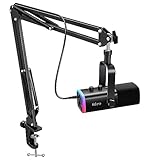
 FIFINE AmpliGame AM8 USB/XLR Dynamic Microphone for Gaming3.35 x 4.96 x 9.65 Inches1.7 poundsCheck on Amazon
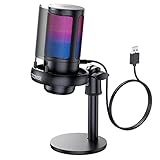
 Logitech Creators Blue Yeti USB Microphone for PC1 Count (Pack of 1)4.92 x 4.72 x 11.61 Inches3.51 poundsCheck on Amazon


Top 3 picks at a glance
How console mic audio actually works
Consoles do not let a USB mic feed directly into a stream the way a PC does. Most streamers run the mic into a PC or a capture-card setup, or into a small audio mixer, then combine it with console gameplay captured over HDMI. So your “USB mic for console streaming” is really part of a PC-plus-capture-card chain. Keep that in mind: the mic connects to the computer doing the encoding, not the console itself.
As an Amazon Associate we earn from qualifying purchases at no extra cost to you.




Condenser vs dynamic
Condenser mics are sensitive and detailed but pick up keyboard clatter, fans, and room echo—great in a treated space, risky in a noisy gaming room. Dynamic mics reject background noise and are far more forgiving of a loud mechanical keyboard or a whirring console, which is why many streamers prefer them.
Specs and features that matter
| Feature | Why it matters | Look for |
|---|---|---|
| Polar pattern | Controls what the mic hears | Cardioid (front-focused) |
| Sample rate | Audio fidelity | 24-bit / 48 kHz+ |
| Headphone monitoring | Zero-latency self-check | Built-in 3.5mm jack |
| Onboard gain / mute | Fast control mid-stream | Physical knob + tap mute |
| Mount type | Reduces desk thumps | Boom arm + shock mount |
Cardioid is your friend
A cardioid pattern captures what is in front (your voice) and rejects sound from the sides and rear (the TV, the console fan). Avoid omnidirectional modes for streaming unless you are recording a group in one room.
Price tiers
Entry USB mics run $50–$90 and sound dramatically better than a headset boom mic. The $100–$180 tier adds better capsules, sturdier stands, and cleaner electronics. Above $200 you are usually paying for XLR flexibility and studio-grade capsules that streaming rarely requires.
Setup tips for clean audio
Position the mic 4–8 in (10–20 cm) from your mouth, slightly off-axis to avoid plosives. Add a pop filter or foam windscreen. Set gain so normal speech peaks around -12 to -6 dB with headroom to spare. A boom arm with a shock mount stops desk bumps and controller slams from thudding into your stream.
FAQ
Can I plug a USB mic straight into my PS5 or Xbox?
You can use some USB mics for in-game party chat, but consoles will not mix that mic into a broadcast the way streaming software does. For real streaming you route the mic into a PC running your encoder alongside a capture card taking the console’s HDMI feed.
Do I need an audio interface and XLR mic?
Not to start. A quality USB mic skips the interface entirely and sounds excellent. Move to XLR only when you want multiple mics, advanced processing, or room to grow into a broader audio setup.
Treating your space for better sound
No microphone overcomes a bad room. Hard walls, bare floors, and glass create echo that makes even a great mic sound hollow. Soft furnishings—a rug, curtains, a bookshelf, or a couple of acoustic panels behind and beside you—absorb reflections and tighten your voice noticeably. A dynamic mic placed close to your mouth also naturally rejects room noise, which is why streamers in untreated bedrooms often prefer them.
Gain staging and processing
Set your gain so normal speech sits well below clipping, then add light processing in your streaming software: a noise gate to silence the mic between sentences, a gentle compressor to even out volume, and a high-pass filter to cut low rumble. These free tools elevate a mid-priced mic above an expensive one used raw.
Latency and monitoring
Use the mic’s headphone jack for zero-latency monitoring so you hear yourself without the delay that software monitoring adds. Hearing your own voice helps you maintain consistent distance and volume, which viewers notice even if they cannot say why.
Do I need a shock mount and pop filter?
Both are cheap and worth it. A shock mount stops desk bumps and keyboard vibration from thudding into the stream, and a pop filter tames the bursts of air on hard “p” and “b” sounds. Together they cost little and remove two of the most common audio distractions.
Bottom line
For console streaming, get a cardioid USB mic—ideally a dynamic model if your room is noisy—with headphone monitoring and a physical mute, mounted on a boom arm with a shock mount. Budget $80–$150 for a mic that will outlast several console generations, and remember the mic lives on the streaming PC, not the console.