Hotel and dorm Wi-Fi is the enemy of portable gaming: shared, throttled, and often blocking the console features you need. A travel router fixes this by creating your own private network on top of the venue’s connection. This guide explains how travel routers help gaming consoles and handhelds, the features that matter, and how to set one up in an unfamiliar place.
As an Amazon Associate we earn from qualifying purchases at no extra cost to you.


Our Top Picks
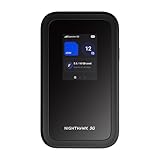
 NETGEAR Nighthawk M6 Pro Mobile Hotspot 5G mmWave4.14 x 0.85 x 4.14 Inches0.56 PoundsCheck on Amazon
 TP-Link Roam 6 AX1500 Portable Wi-Fi 6 TravelPocket Size4.09 x 3.54 x 1.1 inches0.34 poundsCheck on Amazon
 GL.iNet GL-BE3600 Slate 7 Wi-Fi 7 Travel Router3.5 x 1.3 x 5.1 inches (Mini)3.5 x 1.3 x 5.1 inches0.7 poundsCheck on Amazon

Top 3 picks at a glance
What a travel router does for gamers
A travel router connects to the venue’s internet, whether by Ethernet, its Wi-Fi, or a phone hotspot, and rebroadcasts a personal network your devices join. This solves three classic problems: it handles annoying hotel login portals once for all your devices, it gives your console a consistent network even as you move between locations, and it can improve security on untrusted public networks.
Solving the captive portal headache
Many consoles struggle with the sign-in web pages hotels use. A travel router lets you log in through the router once, and then every device behind it, including a console that cannot easily display a portal, gets online.
Features that matter for gaming
| Feature | Why it matters | Priority |
|---|---|---|
| Wi-Fi 6 support | Faster, less congested link | High |
| Ethernet port | Wire the console for stability | High |
| Hotspot/tethering mode | Use phone data as source | Medium-high |
| VPN client support | Security on public Wi-Fi | Medium |
| Compact/USB powered | Truly portable | High |
Wired output is the secret weapon
The most useful gaming feature on a travel router is an Ethernet port. Plugging your console directly into the router gives you a stable, low-jitter link even when the underlying venue Wi-Fi is flaky, because the weak wireless hop happens once at the router rather than at your latency-sensitive console. For competitive play away from home, this is the difference between playable and unusable.
Using phone data as a backup
When venue internet is hopeless, a travel router that accepts a phone hotspot as its source lets you route gaming through cellular data, with the router managing the connection for all your devices at once. Watch your data allowance, since online gaming plus updates adds up.
Realistic limitations
A travel router cannot make a slow or congested venue connection genuinely fast; it can only manage and stabilize what is available. It also adds a small amount of latency as an extra hop. The benefit is consistency, security, and solving portal and NAT headaches, not turning bad hotel Wi-Fi into a fiber line.
Setting one up in an unfamiliar place
A travel router is only useful if you can get it running quickly in a hotel or dorm. Before you travel, configure the router at home so your devices already remember its network name and password. Then on arrival you simply connect the router to the venue internet and everything reconnects automatically, without reconfiguring each console and handheld.
Handling logins and security
For venues with a sign-in page, connect a phone or laptop to the travel router, open a browser, and complete the venue login once; the router then shares that authenticated connection with your console. Enable the router’s firewall and, on untrusted public networks, its VPN client if it has one, since hotel and dorm networks are shared with strangers. Keep the router compact and USB-powered so it runs off a power bank or laptop when no outlet is free. Set up thoughtfully, a travel router turns the frustrating, console-hostile internet of hotels and dorms into a private, stable network that follows you wherever you game.
FAQ
Will a travel router improve my ping in hotels?
It improves consistency more than raw ping. By wiring your console to the router and handling the flaky venue Wi-Fi once at the router, it reduces jitter and dropouts. It cannot overcome a fundamentally slow or overloaded venue connection, but it makes a usable one far more stable.
Can I use a travel router with my phone’s hotspot?
Yes. Many travel routers can take a phone hotspot as their internet source and rebroadcast it to all your devices, which is ideal when venue internet is unusable. Just monitor your mobile data, since game downloads and online play can consume a lot quickly.
Bottom line
A travel router turns unreliable hotel or dorm internet into a private, more stable network for your console or handheld, solving login portals and NAT issues and letting you wire in over Ethernet for consistency. Prioritize Wi-Fi 6, an Ethernet port, hotspot support, and true portability. It stabilizes and secures your connection rather than magically speeding up a slow venue link.