League of Legends is a game of small, fast decisions. A last hit, a flash over a wall, a skill shot threaded between minions, and a click on the right target in a crowded team fight all depend on the mouse in your hand. The best gaming mouse for League of Legends does not need a dozen extra buttons or the highest sensitivity number on the box. It needs a sensor that tracks exactly where your hand moves, a shape that stays comfortable through long sessions, and a few programmable buttons placed where your thumb can reach them without thinking.
This guide covers five mice that fit how League of Legends is actually played. Each one has a precise optical sensor, a reliable click feel, and enough programmable buttons to cover item actives, summoner spells, and camera control. Every product below is a gaming mouse sold on Amazon US, with its exact name and specifications taken from its product listing.
As an Amazon Associate, we earn from qualifying purchases.
Our Top Picks


Top 3 picks at a glance

How to Choose
Pick a sensor that tracks cleanly
League of Legends rewards accurate clicking more than fast flicking. A modern optical sensor with a high maximum sensitivity and a high polling rate gives smooth, consistent tracking at the sensitivity most players use, which is usually far below the maximum. A sensor that spins out or jitters at low speeds will cost more last hits than any extra button will save.
Choose a shape that fits your grip
Most League of Legends players use a palm grip or a relaxed claw grip, with the hand resting on the mouse for hours at a time. A medium to large ergonomic shape with a gentle curve supports the palm and keeps the wrist in a neutral position. Lightweight symmetrical mice suit players who lift and reposition the mouse often, while a heavier ergonomic mouse suits players who keep the mouse planted and move mainly with the wrist.
Count the buttons you will actually use
League of Legends uses the two main buttons, the scroll wheel, and a small set of keyboard commands for most actions. Two side buttons are enough for most players, and they are the natural place for an item active, a ward, or a summoner spell. Mice with more programmable buttons let you move even more commands to the thumb, but every extra button adds weight and a learning curve.
Decide between wired and wireless
A wired mouse has no battery to manage and no wireless link to worry about, which makes it the simplest choice for a desk setup that never moves. A modern wireless gaming mouse uses a low latency wireless link that feels the same as a wired connection in normal play, and it removes the cable drag that can pull against small movements. Either connection works well for League of Legends, so the choice comes down to desk setup and personal habit.
Think about weight and glide
A lighter mouse changes direction faster and puts less strain on the wrist over a long session, while a heavier mouse can feel steadier for precise clicks on small targets. Some mice include adjustable weights so the feel can be tuned, and some are built light from the start.
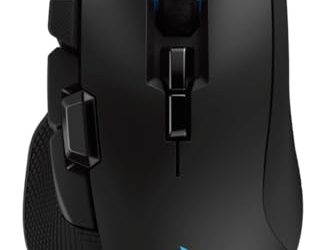
Logitech G502 HERO

The Logitech G502 HERO is a wired gaming mouse built around the HERO 25K optical sensor, which reaches a maximum sensitivity of 25,600 DPI. For League of Legends, the useful part of that sensor is not the top number but the clean tracking at the moderate sensitivities most players actually use. The sensor holds its aim on small movements, which matters when the cursor has to land on a single minion in a wave or on a champion standing behind a tower. Eleven programmable buttons give plenty of room for item actives, summoner spells, and camera controls, and the on-board memory stores those assignments on the mouse itself.
The shape is a right handed ergonomic design with a thumb rest and a textured grip on the side. It suits a palm grip and a relaxed claw grip, and the main buttons have a firm, consistent click. A set of removable weights sits in the bottom of the mouse, so the balance can be shifted toward the front or the back and the total weight can be tuned to taste. The scroll wheel has a free spin mode and a notched mode, and the wheel tilt adds two more inputs that can be assigned in software. RGB lighting runs through the logo and the side, and it can be set to a single color or turned off entirely.
| Spec | Detail |
|---|---|
| Brand | Logitech G |
| Sensor | HERO 25K optical sensor |
| Maximum sensitivity | 25,600 DPI |
| Programmable buttons | 11 |
| Connection | Wired USB |
| On-board memory | Yes |
| Adjustable weights | Yes |
| Lighting | RGB |
| Model number | 910-005469 |
| ASIN | B07GBZ4Q68 |
Who It Suits
This mouse suits League of Legends players who want a full featured wired mouse with plenty of programmable buttons and a tunable weight. It is a good fit for palm grip players who play long sessions and want an ergonomic shape with a thumb rest.
Razer DeathAdder V2
The Razer DeathAdder V2 is a wired ergonomic mouse with a Focus+ 20K optical sensor that reaches a maximum sensitivity of 20,000 DPI. The DeathAdder shape has been a familiar sight on desks for years, and this version keeps the tall, curved body that supports the palm through long games. The optical switches in the main buttons actuate with a light, crisp press, and the sensor tracks cleanly at the sensitivities used for precise clicking in lane and in team fights. Eight programmable buttons cover the commands most League of Legends players move to the mouse, with two side buttons in easy reach of the thumb.
The body weighs 82 grams, which is light for an ergonomic mouse of this size, and the weight helps with quick repositioning between the lane, the minimap, and the shop. Rubberized side grips keep the mouse steady in the hand, and the Speedflex cable is made to drag as little as possible across the desk. Chroma RGB lighting runs through the logo and the scroll wheel, and the software lets each button be reassigned and each lighting zone be set to a fixed color. On-board memory stores up to five profiles, so the setup travels with the mouse.
| Spec | Detail |
|---|---|
| Brand | Razer |
| Sensor | Focus+ 20K optical sensor |
| Maximum sensitivity | 20,000 DPI |
| Programmable buttons | 8 |
| Connection | Wired USB |
| Weight | 82 g |
| Cable | Speedflex cable |
| Lighting | Chroma RGB |
| Model number | RZ01-03210100-R3U1 |
| ASIN | B082G5SPR5 |
Who It Suits
This mouse suits League of Legends players with medium to large hands who use a palm grip and want a comfortable ergonomic shape for long sessions. It is a good fit for players who want a light mouse without giving up a full size body.
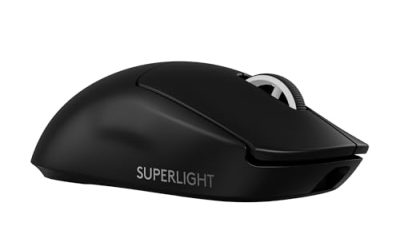
Logitech G Pro X Superlight
The Logitech G Pro X Superlight is a wireless gaming mouse built for players who want as little weight as possible between hand and cursor. It uses the HERO 25K optical sensor with a maximum sensitivity of 25,600 DPI, and the wireless link is the LIGHTSPEED connection that Logitech uses across its gaming range. The body is a symmetrical shape with no side buttons on the right, and five programmable buttons cover the two main buttons, the wheel, and two buttons on the left side. The design is plain on purpose, with no RGB lighting and no extra weight from features that do not help in game.
The low weight is the main reason to choose this mouse. A light mouse changes direction with less effort, and the wrist stays fresher over a long session of constant clicking and repositioning. The sensor is the same HERO 25K found in the heavier Logitech models, so tracking quality does not drop with the weight. The wireless connection runs at a high polling rate, and the battery lasts through long play sessions before it needs charging over USB. The feet on the bottom are large PTFE pads that glide smoothly on a cloth pad.
| Spec | Detail |
|---|---|
| Brand | Logitech G |
| Sensor | HERO 25K optical sensor |
| Maximum sensitivity | 25,600 DPI |
| Programmable buttons | 5 |
| Connection | Wireless LIGHTSPEED |
| Weight | Not stated |
| On-board memory | Yes |
| Lighting | None |
| Model number | 910-005878 |
| ASIN | B087LXCTFJ |
Who It Suits
This mouse suits League of Legends players who want a wireless mouse and the lightest feel in this guide. It is a good fit for claw grip and fingertip grip players who lift and reposition the mouse often.
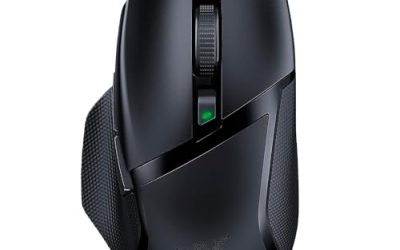
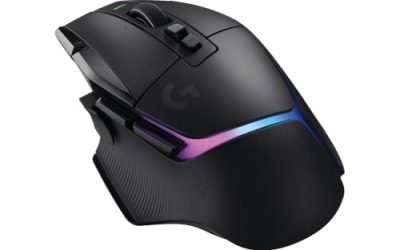
Razer Basilisk V3

The Razer Basilisk V3 is a wired ergonomic mouse with a Focus+ 26K optical sensor that reaches a maximum sensitivity of 26,000 DPI. It is the most feature rich mouse in this guide, with eleven programmable buttons, a HyperScroll tilt wheel, and a thumb rest that supports the hand during long games. The sensor tracks cleanly at the sensitivities used for League of Legends, and the optical switches in the main buttons give a fast, consistent click. The wheel can switch between a notched mode for precise scrolling and a free spin mode for fast movement through long lists.
The shape is a right handed ergonomic body with a textured thumb rest and a small paddle on the side that can be assigned to any command. That paddle is a natural home for an item active or a ward, since it sits under the thumb without getting in the way of the main buttons. Chroma RGB lighting runs through eleven zones, including an underglow strip along the base, and the software can set each zone to a fixed color or turn the lighting off. On-board memory stores profiles on the mouse, so the button setup stays the same on any computer.
| Spec | Detail |
|---|---|
| Brand | Razer |
| Sensor | Focus+ 26K optical sensor |
| Maximum sensitivity | 26,000 DPI |
| Programmable buttons | 11 |
| Connection | Wired USB |
| Scroll wheel | HyperScroll Tilt Wheel |
| Lighting | Chroma RGB, 11 zones |
| On-board memory | Yes |
| ASIN | B09C13PZX7 |
Who It Suits
This mouse suits League of Legends players who want the most programmable buttons and the most ways to customize their setup. It is a good fit for palm grip players who like an ergonomic shape with a thumb rest.
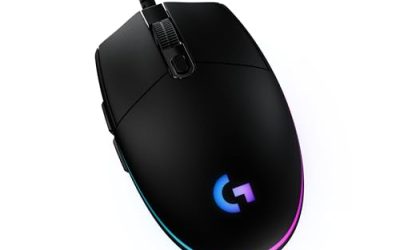
Logitech G203 LIGHTSYNC

The Logitech G203 LIGHTSYNC is a wired gaming mouse with a gaming grade optical sensor that reaches a maximum sensitivity of 8,000 DPI. It is the simplest mouse in this guide, with six programmable buttons, a compact symmetrical shape, and LIGHTSYNC RGB lighting along the side and the logo. The sensor covers the sensitivity range most League of Legends players use, and the polling rate is 1000 Hz, which keeps cursor movement smooth and responsive. The on-board memory stores the button assignments and the lighting setup on the mouse itself.
The body is a compact, ambidextrous shape that suits smaller hands and players who use a claw grip or a fingertip grip. It weighs 85 grams, which keeps it light enough for quick repositioning without feeling insubstantial. The two side buttons sit on the left side where the thumb rests, and they are easy to reach without shifting the grip. The scroll wheel has a defined notched feel, and the main buttons have a firm click. The cable is a standard wired connection, so the mouse is ready to use as soon as it is plugged in.
| Spec | Detail |
|---|---|
| Brand | Logitech G |
| Sensor | Gaming grade optical sensor |
| Maximum sensitivity | 8,000 DPI |
| Programmable buttons | 6 |
| Connection | Wired USB |
| Weight | 85 g |
| Polling rate | 1000 Hz |
| Lighting | LIGHTSYNC RGB |
| Model number | 910-005790 |
| ASIN | B07YN82X3B |
Who It Suits
This mouse suits League of Legends players with smaller hands and players who use a claw grip or a fingertip grip. It is a good fit for players who want a simple, dependable wired mouse with a few programmable buttons.
How the Picks Compare
The five mice in this guide split into two groups. The Logitech G502 HERO and the Razer Basilisk V3 are the feature rich options, with eleven programmable buttons each, ergonomic shapes, and adjustable or tuned weights. They suit players who want every command on the mouse and who play long sessions with a palm grip. The Razer DeathAdder V2 sits between the two groups, with a comfortable ergonomic shape, a light body, and eight programmable buttons. It is the pick for players who want comfort without a long list of features.
FAQ
What DPI should I use for League of Legends?
Most players use a sensitivity between 800 and 1600 DPI with the in game mouse speed set to a comfortable level. The right setting is the one where a sweep of the mouse pad moves the cursor across the screen once without overshooting small targets. Start at 800 DPI, play a few games, and raise or lower it in small steps until last hitting and clicking on champions feels natural.
How many buttons do I need on a mouse for League of Legends?
Two side buttons cover the needs of most players, and they are the natural place for an item active and a summoner spell. Mice with six to eight programmable buttons give room for a ward and a camera control as well. Mice with eleven buttons suit players who want to move even more commands to the thumb, but they are not required to play well.
Is a wireless mouse good for League of Legends?
Yes, a modern wireless gaming mouse uses a low latency wireless link that feels the same as a wired connection in normal play. The main difference is battery life, so check how the mouse charges and whether it can keep playing while plugged in. Either connection works well for this game.
Does mouse weight matter for League of Legends?
Weight matters, but it is a matter of feel rather than a strict rule. A lighter mouse changes direction faster and puts less strain on the wrist over a long session, which helps with the constant clicking and repositioning in this game. A heavier mouse can feel steadier for precise clicks on small targets.
Final Verdict
The best gaming mouse for League of Legends is the one that fits the hand, tracks cleanly, and puts the right buttons under the thumb. The Logitech G502 HERO is the strongest all round pick in this guide, with a precise sensor, eleven programmable buttons, and adjustable weights in an ergonomic wired body. The Razer DeathAdder V2 is the best choice for comfort, with a tall palm filling shape, a light body, and a clean setup. The Logitech G Pro X Superlight is the pick for players who want a wireless mouse and the lightest feel, while the Razer Basilisk V3 suits players who want the most buttons and the most control over their setup.
Product and ASIN Reference
| Product | ASIN |
|---|---|
| Logitech G502 HERO | B07GBZ4Q68 |
| Razer DeathAdder V2 | B082G5SPR5 |
| Logitech G Pro X Superlight | B087LXCTFJ |
| Razer Basilisk V3 | B09C13PZX7 |
| Logitech G203 LIGHTSYNC | B07YN82X3B |
Related guides
More from Amazon
Programs that pair well with the guide above. Offers and eligibility are set by Amazon and may change.
Free shipping on eligible items, Prime Video and more. Eligible new members can start with a free trial.
Start a Prime free trialAd-free music streaming. Eligible new subscribers can start with a free trial.
Try Music Unlimited freeA Prime membership for ages 18-24 with a trial period. Eligibility is set by Amazon.
See Prime for Young AdultsAudiobooks and podcasts to listen to on the go. Eligible new members can start with a free trial.
Try Audible freeAs an Amazon Associate we earn from qualifying purchases.