The Elgato 4K X is the capture card most 2026 roundups pick for a PS5, especially a PS5 Pro or a 4K 120Hz display, the Elgato 4K S is the lower-tier step for 4K60 capture and the successor to the HD60 X, and the Elgato Game Capture Neo is the portable 1080p60 option for streamers who just need a simple, small box. AVerMedia’s Live Gamer Ultra 2.1 is the main alternative for buyers who prefer that brand and want HDMI 2.1 passthrough.
As an Amazon Associate we earn from qualifying purchases at no extra cost to you.


Our Top Picks

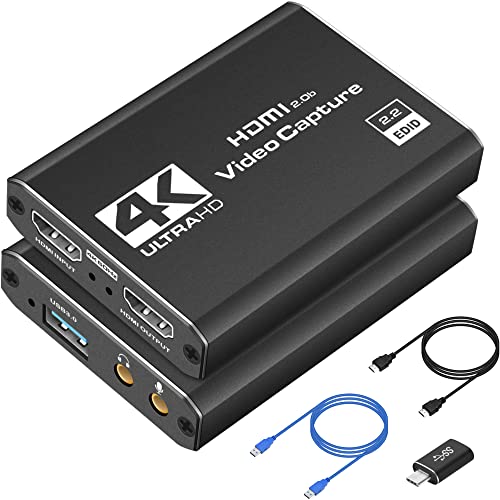


Top 3 picks at a glance
What matters when choosing a PS5 capture card
A capture card sits between the console and the display and sends a copy of the video to your PC or Mac. Four things decide whether a card fits your setup.
- Passthrough: the signal sent to your TV or monitor. If you play at 4K 120Hz or with VRR, the card must pass those signals through untouched, otherwise you play at a lower setting.
- Capture quality: the resolution and frame rate the card records, for example 1080p60 or 4K60. This can be lower than passthrough.
- Connection: external USB cards work with most computers, while internal PCIe cards suit desktops and reduce cable clutter.
- Software and compatibility: check support for OBS, your operating system and your streaming software.
The PS5 outputs up to 4K at 120Hz, and the PS5 Pro adds higher-fidelity modes, so a card with HDMI 2.1 passthrough avoids limiting your display. Remember that capture does not have to match passthrough; many streamers capture at 1080p60 while playing at a higher setting.
At a glance
| Card | Best for | Maker-listed specs | Limits |
|---|---|---|---|
| Elgato Game Capture 4K X | PS5 Pro, 4K 120Hz and high-refresh play, 4K recording | Up to 4K at 144fps, HDMI 2.1, HDR10 (capture HDR on Windows), VRR and ALLM, USB 3.2 Gen 2 | Highest tier among Elgato’s external cards; needs a capable PC and a USB-C port |
| Elgato Game Capture 4K S | 4K60 recording and 1440p/1080p streaming | Capture up to 2160p60 and 1080p120; passthrough up to 2160p60, 1440p120, 1080p240; HDMI 2.0; HDR10 passthrough, VRR and ALLM | HDR capture only to 1080p60 on Windows; no 4K120 passthrough |
| Elgato HD60 X | 1080p60 streaming; now discontinued | Capture up to 4K30; passthrough up to 4K60, 1440p120, 1080p240 with VRR and ALLM | Elgato lists it as discontinued and recommends the 4K S |
| Elgato Game Capture Neo | Portable, simple 1080p60 streaming | Record up to 1080p60; passthrough up to 4K60 HDR; USB 3.0 | No high-refresh capture; HDMI 2.0-class passthrough |
| AVerMedia Live Gamer Ultra 2.1 | PS5 Pro or 4K 120Hz owners preferring AVerMedia | Roundups credit it with HDMI 2.1 passthrough | Maker page not confirmed here; read the listing |
Elgato Game Capture 4K X: the high-end default
Elgato lists the 4K X with capture and passthrough up to 4K at 144fps, HDMI 2.1, HDR10 (HDR capture is Windows-only), VRR passthrough, ALLM and a USB 3.2 Gen 2 connection with a USB-C cable. It is small at 112 x 72 x 18mm and the maker lists compatibility with PS5 and PS5 Pro, Xbox Series X, Nintendo Switch, Steam Deck, PC, Mac and iPad, along with OBS, Streamlabs, Twitch Studio and vMix. The system requirements list an Intel Core i5 sixth generation or AMD Ryzen 5 or better, with a GeForce GTX 10-series class graphics card or equivalent.
Reviews differ on what exactly the card captures. Some outlets list 4K144 capture, while others describe 4K60 HDR10 capture with 4K144 passthrough, so read the maker’s current specification page for the mode you plan to record. Manbolo says PS5 Pro owners who want 4K at 120Hz need this card.
Elgato Game Capture 4K S: the 4K60 step down
Elgato lists the 4K S as recording 2160p60, 1440p60, 1080p120, 1080p60 and 720p60, with HDR10 capture up to 1080p60 on Windows. Passthrough runs up to 2160p60, 1440p120 and 1080p240, with HDR10 passthrough at up to 2160p60, VRR and ALLM over HDMI 2.0. It connects with USB 3.0 Type-C, includes a 3.5mm audio input for chat, works as a UVC device for plug-and-play use and supports Windows 11, macOS 14.2 and iPadOS 18. Elgato positions it as the successor to the HD60 X.
The key limit is passthrough: HDMI 2.0 means it will not carry 4K at 120Hz, so owners of a 4K 120Hz display should choose the 4K X instead.
Elgato HD60 X and the discontinuation note
Many 2026 roundups still list the HD60 X as a value streamer pick. Elgato’s own product page says it is discontinued, recommends the 4K S, and continues to provide software and support for existing users. The maker lists capture up to 4K30, HDR10 and passthrough up to 4K60, 1440p120 and 1080p240 with VRR and ALLM. If you find one at a clearance tier, it remains workable for 1080p60 streaming, but a new purchase is simpler with the 4K S or Neo.
Elgato Game Capture Neo: portable and simple
Elgato lists the Neo as recording up to 1080p60 with passthrough up to 4K60 HDR, using a USB 3.0 connection with an included USB-C to USB-A cable. It weighs about 90 grams and accepts unencrypted HDMI. Elgato lists Windows 10 or 11 and macOS 12 or iPadOS 17 as supported, with minimum processor and memory requirements. It suits streamers who do not need high frame-rate capture and want a compact, budget-tier device. Under-100-class cards generally record at 1080p60, as roundups note.
AVerMedia options
Roundups name the AVerMedia Live Gamer Ultra 2.1 (GC553G2) as a choice for PS5 Pro and Xbox owners who need HDMI 2.1 passthrough, the Live Gamer 4K 2.0 (GC575) as an internal PCIe card with 4K60 HDR capture, and the Live Gamer Ultra S (GC553Pro) as a 4K-capable runner-up. Because specification detail varies between reviews, confirm the exact model and its passthrough limits on AVerMedia’s own page before buying.
Pick X if
| Pick this | If you |
|---|---|
| Elgato 4K X | own a PS5 Pro or a 4K 120Hz display, or want the best capture headroom |
| Elgato 4K S | want 4K60 capture and are happy with 4K60 passthrough |
| Elgato Neo | stream at 1080p60 and want a small, simple device |
| HD60 X (if found) | want a proven 1080p60 card and accept it is discontinued |
| AVerMedia Ultra 2.1 | prefer AVerMedia and want HDMI 2.1 passthrough |
Setup and compatibility notes
- Cables: use an HDMI cable rated for the mode you need. Elgato includes an 8K-rated HDMI cable with the 4K X.
- USB port: a USB 3.x port on the computer’s motherboard is usually more reliable than a hub, and the 4K X lists a USB 3.2 Gen 2 interface.
- HDR capture: Elgato lists HDR capture as Windows-only, so Mac users record in SDR.
- Copy protection: some console screens block capture; if you see a blank feed, check the PS5 system settings for the HDCP option in line with Sony’s instructions.
- Computer load: 4K capture needs a capable processor and graphics card; check the minimums the maker lists.
- VRR: if you rely on variable refresh rate, choose a card that lists VRR passthrough, such as the 4K X, 4K S and HD60 X.
Alternatives
- Elgato HD60 S+: roundups mention it as an older, lower-tier option with 1080p60 capture.
- PS5 Share and Remote Play: for casual clips or streaming to a PC without a card, the console’s own features may be enough.
- Capture-capable monitors or TVs: some displays offer recording features, but quality and control vary.
Budget tiers
At the budget tier, the Elgato Neo and older 1080p60 cards cover streaming at a modest cost. In the mid-range, the Elgato 4K S and AVerMedia options give 4K60 capture. At the premium tier, the 4K X and AVerMedia HDMI 2.1 cards support high-refresh passthrough. If you stream at 1080p60, the cheaper cards are enough.
Frequently Asked Questions
Do I need a capture card for the PS5?
Not for basic sharing, since the console has built-in capture and streaming. A card helps if you want to stream through your PC with overlays, record at higher quality or edit footage without console limits.
Will a capture card add input lag?
Quality cards pass the signal to your display without lag, because the passthrough bypasses processing. Elgato describes the 4K S and others as lag-free passthrough. Playing on the display rather than the PC preview avoids any capture delay.
Can I capture 4K 120Hz from a PS5?
You need a card with HDMI 2.1 passthrough, such as the Elgato 4K X or AVerMedia’s Ultra 2.1, to keep 4K 120Hz on your display. Capture may be at a lower setting, so read the maker’s capture specs.
Does HDR recording work on Mac?
Elgato lists HDR capture as Windows-only for the cards covered here. Mac users record in SDR but can still pass HDR to the display.
Is the HD60 X still worth buying?
Elgato lists it as discontinued and recommends the 4K S. It can still work if you find stock, but the newer cards are simpler to buy and support.
Do I need a powerful PC to capture 4K?
4K capture is demanding. Elgato lists minimums such as an Intel Core i5 sixth generation or Ryzen 5 and a GTX 10-series class GPU for the 4K X, and higher-end hardware makes recording and streaming smoother.
Related guides
More from Amazon
Programs that pair well with the guide above. Offers and eligibility are set by Amazon and may change.
Free shipping on eligible items, Prime Video and more. Eligible new members can start with a free trial.
Start a Prime free trialAd-free music streaming. Eligible new subscribers can start with a free trial.
Try Music Unlimited freeA Prime membership for ages 18-24 with a trial period. Eligibility is set by Amazon.
See Prime for Young AdultsAudiobooks and podcasts to listen to on the go. Eligible new members can start with a free trial.
Try Audible freeAs an Amazon Associate we earn from qualifying purchases.