As an Amazon Associate, we earn from qualifying purchases made through links on this page.
Gaming on a MacBook starts with a constraint Windows players never think about: ports and software. Modern MacBooks offer only USB-C ports, many gaming brands write their configuration software for Windows first, and a mouse that needs a USB-A receiver will not even plug in without an adapter. The best wireless gaming mouse for MacBook, then, is one that connects over Bluetooth or a low-latency receiver, tracks well enough for real games, and keeps its core features working under macOS.
This guide rounds up four wireless mice that meet those conditions and are still sold new on Amazon US, verified at the time of writing. The list deliberately mixes one true gaming mouse with a direct MacBook-friendly design (the Razer Orochi V2), a classic LIGHTSPEED option (the Logitech G305), and two Logitech productivity flagships (the MX Master 3S and the Lift) that many Mac gamers realistically use for mixed work and play. Each entry states plainly where it stands on gaming performance, so you can choose with open eyes.
Top 3 picks at a glance


What to look for in a wireless gaming mouse for MacBook
Connection: Bluetooth versus a 2.4 GHz receiver
Bluetooth is the cleanest MacBook option because it needs no port at all and every pick below that offers it pairs natively with macOS. The trade-off is a standard polling ceiling that feels fine in strategy, RPG, and casual play but less sharp in competitive shooters. A 2.4 GHz receiver gives you the low-latency link gaming mice are built around, but on a MacBook it usually means a USB-C hub or adapter, since most receivers are still USB-A. If you already dock your MacBook at a desk, the receiver route is painless; if you play on the couch or in a café, Bluetooth matters more.
macOS software support
Button remapping, DPI stages, and onboard profiles depend on vendor software, and macOS support varies. Logitech’s Options+ and Razer’s software situation differ, and some gaming suites remain Windows-only for full features. The safe approach: prefer mice whose essential settings can be stored on the device itself, so a profile set up once keeps working, and check the vendor’s current macOS support page for the exact model before ordering. Every mouse here performs its core job on a Mac without any software at all; software only unlocks deeper customization.
Sensor, polling, and the games Mac players actually play
The Mac gaming library skews toward strategy, simulation, indie titles, MMOs, and a growing list of native and streamed AAA games. For those genres, a quality optical sensor with clean tracking at moderate DPI matters more than headline polling figures. If you play competitive shooters through streaming or the limited native catalog, prioritize the 2.4 GHz gaming models in this list; if your library is turn-based, real-time strategy, or story-driven, the productivity flagships here will not hold you back.
Battery and charging around USB-C life
MacBook users live on USB-C, so a mouse that charges over USB-C and runs for weeks is a genuine quality-of-life win. Battery approaches differ below: rechargeable cells in the MX Master 3S, long-life replaceable batteries in the Orochi V2 and G305, and a single AA in the Lift that runs for many months. Consider whether you would rather top up occasionally with a cable or swap a battery a few times a year.
The best wireless gaming mouse picks for MacBook
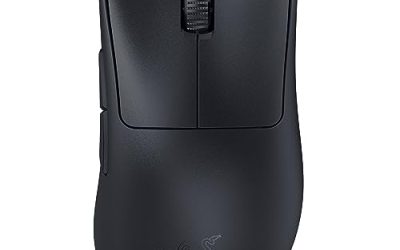
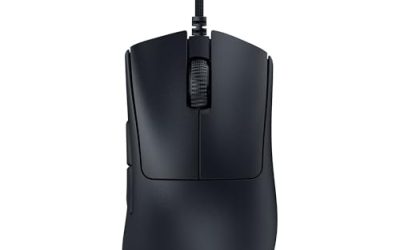
Razer Orochi V2 (ASIN: B0916N2LPZ)

See the Razer Orochi V2 on Amazon
The Orochi V2 is the most natural fit for this category: a proper gaming mouse designed for portable machines. It connects over Bluetooth for everyday use and Razer HyperSpeed 2.4 GHz wireless for gaming latency, and its second-generation 5G optical sensor reaches 18,000 DPI, far beyond what its size suggests. At under 60 grams it disappears into a laptop sleeve, and the battery flexibility is unusually practical: it runs on either an AA or AAA cell, delivering up to 425 hours over the 2.4 GHz link and up to 950 hours over Bluetooth according to Razer.
- Sensor: Razer 5G optical, up to 18,000 DPI
- Weight: under 60 g depending on battery choice
- Connection: HyperSpeed 2.4 GHz wireless and Bluetooth
- Battery: one AA or AAA cell, up to 950 hours on Bluetooth
- Switches: Razer mechanical mouse switches, second generation
Who it is for: MacBook gamers who actually play on the move and want a real gaming sensor with Bluetooth pairing that needs no dongle at the café, plus the option to switch to the low-latency receiver at a desk.
Limitations: the receiver is USB-A, so desk use on a modern MacBook needs a USB-C adapter or hub. The small shell suits fingertip and claw grips better than full palm support, the scroll wheel is a standard stepped design, and full customization depends on Razer’s software ecosystem, which is thinner on macOS than on Windows.
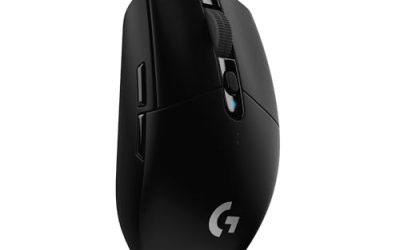
Logitech G305 LIGHTSPEED (ASIN: B07CMS5Q6P)
See the Logitech G305 LIGHTSPEED on Amazon
The G305 is the long-running budget-friendly gaming answer, and it earns its place here because Logitech lists Mac compatibility for it and its HERO sensor remains excellent. The HERO 12K optical sensor delivers up to 12,000 DPI with the efficiency to run for up to 250 hours on a single AA battery over the LIGHTSPEED connection. At 99 grams it is light without feeling hollow, the shape is a safe, ambidextrous-leaning egg that suits most grips, and six programmable buttons cover the essentials for shooters and MOBAs.
- Sensor: Logitech HERO optical, up to 12,000 DPI
- Weight: 99 g
- Connection: LIGHTSPEED 2.4 GHz wireless via USB-A nano receiver
- Battery: one AA, up to 250 hours
- Buttons: 6 programmable, with onboard memory
Who it is for: MacBook owners who want a genuine gaming mouse with a proven sensor and marathon battery life, and who mostly play at a desk where the receiver can live in a hub or adapter permanently.
Limitations: there is no Bluetooth, so this is a receiver-only mouse, and the receiver is USB-A on a laptop line that has been USB-C-only for years; budget for an adapter if you do not already use a hub. There is no rechargeable battery, and the shell shape, while safe, offers no thumb rest or ergonomic sculpting.
Logitech MX Master 3S (ASIN: B09HM94VDS)
See the Logitech MX Master 3S on Amazon
Honesty first: the MX Master 3S is a productivity flagship, not a gaming-branded mouse, and it appears here because so many MacBook setups are mixed work-and-play desks. Its Darkfield sensor tracks up to 8,000 DPI and works even on glass, Bluetooth and the Logi Bolt receiver both pair cleanly with macOS, and Logitech’s Options+ software is fully at home on a Mac, including per-app settings and cross-computer Flow. Battery life runs to about 70 days per charge over USB-C, and the sculpted shell with its thumb wheel and gesture button is built for long days.
- Sensor: Darkfield high precision, up to 8,000 DPI, tracks on glass
- Weight: 141 g
- Connection: Bluetooth and Logi Bolt USB receiver, pairs with up to 3 devices
- Battery: rechargeable over USB-C, up to 70 days per charge
- Extras: MagSpeed electromagnetic scroll wheel, quiet clicks, thumb wheel
Who it is for: MacBook users whose gaming is strategy, simulation, MMOs, and single-player titles between work sessions, and who want one premium mouse that is excellent at the Mac side of their life.
Limitations: at 141 grams with a standard Bluetooth polling ceiling, it is the wrong tool for competitive shooters; fast flicks are simply not its design brief. The included receiver is USB-A, so Bluetooth is the practical connection on a bare MacBook, and the right-handed sculpt does not suit left-handed players.
Logitech Lift Vertical Ergonomic Mouse (ASIN: B09J1TB35S)

See the Logitech Lift on Amazon
The Lift brings the vertical option to MacBook users. Its 57-degree handshake angle takes forearm twisting out of long sessions, and it connects over Bluetooth or the Logi Bolt receiver with full macOS compatibility, which makes it a zero-friction pairing for any modern MacBook. The 4,000 DPI sensor covers desktop work and relaxed gaming comfortably, quiet clicks suit shared spaces, and a single AA battery is rated for up to 24 months, so charging simply stops being a topic.
- Sensor: optical, up to 4,000 DPI
- Weight: 125 g
- Connection: Bluetooth and Logi Bolt USB receiver
- Battery: one AA, up to 24 months
- Shape: 57-degree vertical design for small to medium hands
Who it is for: MacBook users with wrist or forearm discomfort, or anyone whose play time is strategy, builders, and story games, who wants the ergonomic shape without giving up clean Mac pairing.
Limitations: a vertical mouse is a posture tool first; the sensor ceiling and polling are not built for aim-heavy shooters, and the shape takes days of adjustment. This graphite version is right-handed, and there is no wired fallback if the battery dies mid-session.
Comparison table
| Model | Sensor | Max DPI | Weight | Connection | Battery |
|---|---|---|---|---|---|
| Razer Orochi V2 | Razer 5G optical | 18,000 | Under 60 g | 2.4 GHz and Bluetooth | AA or AAA, up to 950 h on Bluetooth |
| Logitech G305 LIGHTSPEED | HERO optical | 12,000 | 99 g | 2.4 GHz receiver | AA, up to 250 h |
| Logitech MX Master 3S | Darkfield | 8,000 | 141 g | Bluetooth and Logi Bolt | Rechargeable, up to 70 days |
| Logitech Lift | Optical | 4,000 | 125 g | Bluetooth and Logi Bolt | AA, up to 24 months |
Frequently asked questions
Can I use a 2.4 GHz gaming mouse with a MacBook that only has USB-C ports?
Yes, but the receiver needs somewhere to plug in. Most gaming receivers are USB-A, so you will need a USB-C adapter or a hub at your desk. Mice with Bluetooth, such as the Orochi V2, MX Master 3S, and Lift above, avoid the issue entirely for everyday play.
Does gaming mouse software work on macOS?
Core mouse functions work with no software at all. For remapping and profiles, support varies by brand and model, and some suites offer reduced features on macOS. Prefer mice with onboard memory for settings you cannot live without, and check the vendor’s current support page for your exact model before buying.
Is Bluetooth responsive enough for gaming on a MacBook?
For strategy, simulation, RPG, MMO, and single-player games, yes; Bluetooth feels entirely normal. For competitive shooters, a 2.4 GHz gaming connection such as HyperSpeed or LIGHTSPEED is noticeably more responsive, which is why the Orochi V2 and G305 are the picks aimed at faster play.
Which of these is best for a MacBook used at a desk and on the go?
The Orochi V2 covers both lives best: Bluetooth on the move with very long battery life, and the low-latency receiver waiting in your desk hub when you get home. If your MacBook never leaves the desk, the G305 or MX Master 3S may suit you better depending on whether you prioritize gaming or productivity.
Conclusion
Start with the Razer Orochi V2 if gaming comes first: it is the only pick here designed as a gaming mouse for portable machines, with Bluetooth for the road and HyperSpeed for the desk. The Logitech G305 remains a dependable, long-battery gaming option if you live at a hub-equipped desk. And if your MacBook is primarily a work machine that games in the evening, the MX Master 3S or the vertical Lift will serve the whole day better, as long as you accept their shooter limitations.
Related guides
More from Amazon
Programs that pair well with the guide above. Offers and eligibility are set by Amazon and may change.
Free shipping on eligible items, Prime Video and more. Eligible new members can start with a free trial.
Start a Prime free trialAd-free music streaming. Eligible new subscribers can start with a free trial.
Try Music Unlimited freeA Prime membership for ages 18-24 with a trial period. Eligibility is set by Amazon.
See Prime for Young AdultsAudiobooks and podcasts to listen to on the go. Eligible new members can start with a free trial.
Try Audible freeAs an Amazon Associate we earn from qualifying purchases.