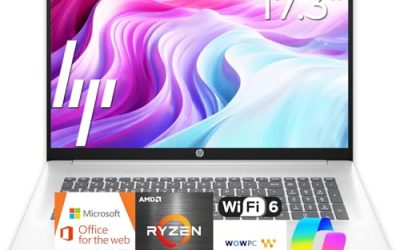
Our Short List of 3

- Best for: Players who want the fastest screen and the roomiest storage in this tier.
- Intel Core i7-13620H processor
- NVIDIA GeForce RTX 4050 Laptop GPU
- 15.6-inch FHD IPS display, 165Hz
- 16GB DDR5 memory

- Best for: Buyers who plan to add memory later and want a bright, understated machine.
- AMD Ryzen 7 7435HS (8 cores, 3.1GHz base)
- NVIDIA GeForce RTX 4050, 6GB GDDR6
- 15.6-inch FHD 144Hz display, 300 nits
- 16GB DDR5 memory (32GB max)

- Best for: Students and everyday users who want one machine for work and 1080p gaming.
- AMD Ryzen 7 7445HS (6 cores, up to 4.7 GHz boost, 16MB L3 cache)
- NVIDIA GeForce RTX 4050, 6GB GDDR6
- 15.6-inch FHD IPS 144Hz display
- 16GB RAM
All 3 Picks at a Glance
| Product | Specs | Action |
|---|---|---|
| Acer Nitro V 15 ANV15-52-76NK |
| Check price on Amazon |
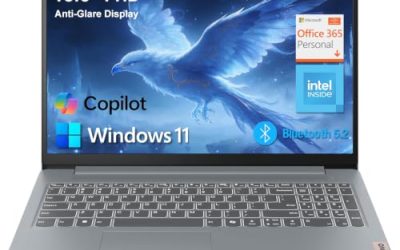
| Lenovo LOQ 15 83JC007KUS |
| Check price on Amazon |
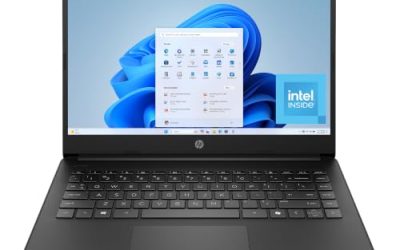
| HP Victus 15 Ryzen 7 7445HS |
| Check price on Amazon |
The honest decision at the affordable end of gaming laptops is not which brand to pick, but which RTX 4050 configuration gives you the most usable machine around that shared graphics tier. All three laptops here run the same GPU class, so the real differences sit in the processor beside it, the screen above the keyboard and how much memory and storage you can add later.
This shortlist suits three kinds of buyer: esports players who care about refresh rate, students who need one machine for work and play, and first-time buyers who want a factory configuration they can upgrade rather than replace. Each pick was chosen from its Amazon listing name and specification block, and each is a standard factory build rather than a reseller-modified unit.
Our Top Picks
Top 3 picks at a glance
Quick Picks
As an Amazon Associate we earn from qualifying purchases.
| Product | Best for | Key spec |
|---|---|---|
| Acer Nitro V 15 ANV15-52-76NK | Fast screens and strong all-round specs | RTX 4050 with a 165Hz display and 1TB SSD |
| Lenovo LOQ 15 83JC007KUS | Buyers planning a memory upgrade | Ryzen 7 7435HS with RAM expandable to 32GB |
| HP Victus 15 Ryzen 7 7445HS | Everyday use plus gaming in one chassis | RTX 4050 with USB-C and DTS:X Ultra audio |
How to Choose
Know What the RTX 4050 Tier Honestly Delivers
Every laptop in this roundup uses an NVIDIA GeForce RTX 4050 Laptop GPU with 6GB of GDDR6 memory, and that shared tier defines what you are really buying. It is an entry-level gaming class aimed squarely at 1080p: competitive titles run at high frame rates, and heavier releases stay smooth when you lean on DLSS upscaling and sensible settings. What it is not is a future-proofing flagship. Judge these machines as strong 1080p systems with a realistic lifespan, and compare them on everything around the GPU instead of expecting one 4050 to outrun another by a wide margin.
Compare the Processor Paired With the GPU
Because the graphics tier is fixed, the processor becomes a genuine separator. The Acer pairs its 4050 with an Intel Core i7-13620H, the Lenovo uses an AMD Ryzen 7 7435HS with eight cores, and the HP runs a Ryzen 7 7445HS with six cores and boost clocks up to 4.7 GHz. For pure gaming at 1080p the GPU does most of the work, so core counts matter less than they would in a workstation. Where the CPU shows up is in multitasking: streaming while you play, editing coursework footage, or keeping voice chat and a browser full of tabs open during a session.
Read the Display Specification Carefully
Screens separate these three more than any other single component. The Acer’s 15.6-inch FHD IPS panel refreshes at 165Hz, the Lenovo and HP panels run at 144Hz, and the Lenovo adds a stated 300-nit brightness figure. If you play shooters or racing games competitively, the faster panel is worth prioritising because the 4050 can feed those frame rates in esports titles. If you mostly play single-player games capped at lower frame rates, brightness and panel type matter more for everyday comfort, especially in a bright room or a shared dorm space.
Favour Machines You Can Upgrade Later
Affordability lasts longer when the laptop lets you grow into it. All three picks start with 16GB of memory and solid-state storage, which is the correct baseline for modern games. The Lenovo states a 32GB maximum memory capacity, which makes a later upgrade straightforward to plan around. Storage headroom differs too: the Acer ships with a 1TB Gen 4 SSD, double the 512GB drives in the other two, so it postpones the day you start deleting games to make room. At this tier, an upgrade path is worth more than a marginal spec bump you cannot change afterwards.
The 3 Best Options
Acer Nitro V 15 ANV15-52-76NK
- Best for: Players who want the fastest screen and the roomiest storage in this tier.
- Intel Core i7-13620H processor
- NVIDIA GeForce RTX 4050 Laptop GPU
- 15.6-inch FHD IPS display, 165Hz
- 16GB DDR5 memory
Players who want the fastest screen and the roomiest storage in this tier.
Nitro V 15 listings span many configurations under similar names, including a lower entry build with half the memory, so confirm the listing is the exact ANV15-52-76NK model with 16GB of memory and the 1TB drive before ordering.
The Nitro V 15 is the most completely specified machine here, and it earns the top spot by leading on the details around the shared GPU. Its Intel Core i7-13620H is the strongest multitasker of the three, the 165Hz IPS display is the fastest panel in the group, and the 1TB Gen 4 SSD doubles the storage of its rivals. Wi-Fi 6 and a backlit keyboard cover the everyday basics without fuss. For a buyer who wants one purchase to feel finished rather than provisional, this is the configuration that asks for the fewest compromises later.
Lenovo LOQ 15 83JC007KUS
- Best for: Buyers who plan to add memory later and want a bright, understated machine.
- AMD Ryzen 7 7435HS (8 cores, 3.1GHz base)
- NVIDIA GeForce RTX 4050, 6GB GDDR6
- 15.6-inch FHD 144Hz display, 300 nits
- 16GB DDR5 memory (32GB max)
Buyers who plan to add memory later and want a bright, understated machine.
Current availability signals for this exact listing code are mixed and no live featured offer was confirmed at the time of writing, so confirm a live featured offer for ASIN B0FWHWWKTV and the exact 83JC007KUS configuration, with the Ryzen 7 7435HS, 16GB of memory and 512GB drive, before ordering; reseller listings with enlarged memory are different, non-factory builds.
Lenovo’s LOQ 15 takes a plainer route to the same tier and is the planner’s pick of the three. The Ryzen 7 7435HS brings eight cores to a budget chassis, the 144Hz display carries a stated 300-nit brightness that helps in bright rooms, and the memory ceiling is documented at 32GB, so a later upgrade is a known quantity rather than a guess. The 512GB NVMe SSD is the modest part of the specification, and Luna Grey keeps the design understated enough for a lecture hall. Buy it for the upgrade path and the balanced specification, not for headline extras.
HP Victus 15 Ryzen 7 7445HS
- Best for: Students and everyday users who want one machine for work and 1080p gaming.
- AMD Ryzen 7 7445HS (6 cores, up to 4.7 GHz boost, 16MB L3 cache)
- NVIDIA GeForce RTX 4050, 6GB GDDR6
- 15.6-inch FHD IPS 144Hz display
- 16GB RAM
Students and everyday users who want one machine for work and 1080p gaming.
This listing is sold as a seller bundle with an accessory hub, and the bundle contents vary by seller, so judge it on the base machine’s specifications and confirm a live featured offer for ASIN B0G2LWJ8YP in the exact Ryzen 7 7445HS configuration before ordering; avoid Renewed units and reseller-opened upgrade builds.
The Victus 15 is the generalist of the group, built for buyers whose laptop splits its life between gaming and everything else. Its Ryzen 7 7445HS boosts up to 4.7 GHz, the 144Hz IPS panel matches the Lenovo’s refresh rate, and the supporting details lean towards daily use: DTS:X Ultra audio, Wi-Fi 6, a backlit keyboard and a USB-C port for modern peripherals and docks. Memory and storage match the Lenovo at 16GB and 512GB. Nothing here chases a headline; instead it is a tidy, current-season configuration that covers work, study and 1080p gaming in one chassis.
Which One Fits Your Situation
You Play Competitive Esports Titles
Choose the Acer Nitro V 15. Its 165Hz panel is the fastest screen here, and the RTX 4050 can drive the frame rates that make a high-refresh display worthwhile in shooters and racing games. The Core i7 processor also keeps voice chat, streaming tools and background apps from crowding the game, and the 1TB drive holds a rotating library of titles without constant uninstalling.
You Want a Laptop That Grows With You
Choose the Lenovo LOQ 15. Its documented 32GB memory ceiling turns a future upgrade into a simple plan: start with the factory 16GB, then add memory when games or coursework demand it. The eight-core Ryzen processor and bright 300-nit screen suit a machine that will spend years split between study and play, even if the 512GB drive needs managing sooner than the Acer’s.
You Split Time Between Work, Study and Gaming
Choose the HP Victus 15. USB-C connectivity, DTS:X Ultra audio and a backlit keyboard make it the easiest of the three to live with as an everyday machine, while the 144Hz IPS display and RTX 4050 keep gaming fully credible after hours. It suits a buyer who would rather have balanced daily details than the fastest panel or the biggest drive.
You Are Buying a First Gaming Laptop
Any of the three will serve, so decide by the detail you care about most: screen speed points to the Acer, upgrade headroom to the Lenovo, everyday features to the HP. What matters more than the badge is buying a factory configuration from a live listing, checking the exact model code at checkout, and skipping modified reseller builds whose specifications cannot be verified against the manufacturer’s listing.
Common Mistakes
- Assuming a higher-tier name guarantees better gaming, when every machine here shares the same RTX 4050 class and differs mainly in screen, processor and storage.
- Ordering from a reseller listing with enlarged memory or storage that was opened and modified after manufacture, instead of the factory configuration.
- Ignoring the display and choosing on processor cores alone, even though panel refresh rate shapes how the games actually feel.
- Buying a 512GB machine without a plan for game installs, which now routinely consume a large share of a small drive.
- Skipping the model-code check at checkout, so a lower entry configuration with the same product name arrives instead of the reviewed specification.
Frequently Asked Questions
Is the RTX 4050 Enough for Modern Games?
For 1080p gaming, yes, with realistic expectations. The 4050 handles competitive titles at high frame rates and plays heavier releases smoothly when you use DLSS upscaling and medium-to-high settings rather than maximum detail. It is an entry gaming tier, so treat it as a strong Full HD card rather than a machine for high-refresh 1440p or ray-traced showcases.
Can I Upgrade the Memory and Storage Later?
On the Lenovo LOQ 15, the listing states a 32GB memory maximum, which makes a memory upgrade a defined option. Storage upgrades depend on the internal layout of each model, so check the manufacturer’s specification for your exact model code before buying parts. Starting from 16GB of memory, as all three picks do, means an upgrade is a future option rather than an immediate necessity.
Why Does the Same Laptop Name Appear With Different Specifications?
Manufacturers sell each model name in several factory configurations with different processors, memory and drive sizes, and resellers add their own modified builds on top. That is why two listings can share a name and a graphics card yet behave very differently. Always match the full model code, such as ANV15-52-76NK or 83JC007KUS, and the listed specification against the configuration you intended to buy.
Does a 144Hz or 165Hz Screen Matter on an Affordable Laptop?
It matters most in fast, competitive games, where the RTX 4050 can produce frame rates high enough to use the extra refresh headroom. In slower single-player titles the difference is subtle, and brightness or panel quality may serve you better. The Acer’s 165Hz panel is the competitive pick, while the 144Hz screens in the Lenovo and HP remain a clear step above a basic 60Hz display.
Related guides
More from Amazon
Programs that pair well with the guide above. Offers and eligibility are set by Amazon and may change.
Free shipping on eligible items, Prime Video and more. Eligible new members can start with a free trial.
Start a Prime free trialAd-free music streaming. Eligible new subscribers can start with a free trial.
Try Music Unlimited freeA Prime membership for ages 18-24 with a trial period. Eligibility is set by Amazon.
See Prime for Young AdultsAudiobooks and podcasts to listen to on the go. Eligible new members can start with a free trial.
Try Audible freeAs an Amazon Associate we earn from qualifying purchases.