“Business laptop” is a label that sellers apply to everything from a serious 32GB workhorse to a four-gigabyte student notebook with a trial of Office. If you are shopping for an HP specifically, the real question is which parts of the business checklist you need: Windows 11 Pro for managed environments, enough RAM to run a dozen tabs plus accounting software, a full-size keyboard with a number pad, and a screen big enough to keep two documents side by side. Everything else is secondary.
This guide is for owners, freelancers, and small-office buyers who want an HP laptop for spreadsheets, video calls, invoicing, and remote work in 2026, not for gaming. It sorts eight HP listings into clear tiers, from a 32GB Ryzen 7 machine down to entry-level 14-inch models with 4GB of memory. Each judgment is drawn only from the listing titles. Several titles are cut short, so open the listing to confirm any detail flagged as missing.
Our Top Picks
 HP Windows 11 Pro 15 15.6" FHD Business16GB RAM | 512GB PCIe SSD14.11 x 9.53 x 0.71 inches3.75 PoundsCheck on Amazon
 HP 255 G10 15.6" FHD Business Laptop32GB RAM | 1TB SSD14.17 x 9.29 x 0.73 inches3.35 PoundsCheck on Amazon


Top 3 picks at a glance
Quick Picks
As an Amazon Associate we earn from qualifying purchases at no extra cost to you.


| Product | Best for | Key spec taken from the title |
|---|---|---|
| HP 255 G10 (Ryzen 7 7730U) | Most capable business build | 32GB RAM, 1TB PCIe SSD, 15.6-inch FHD, Windows 11 Pro |
| HP 17 Business (Ryzen 5) | Large-screen office work | 17.3-inch FHD, 16GB RAM, 512GB SSD, numeric keypad |
| HP Business 17.3 (Ryzen 5 7430U) | Spreadsheets on a big display | 17.3-inch FHD, 16GB RAM, 512GB PCIe, Wi-Fi 6 |
| HP 255 G10 (AMD quad-core) | Secure everyday office laptop | 16GB RAM, 512GB SSD, Windows 11 Pro, webcam shutter |
| HP 15 Windows 11 Pro (Core i5-1135G7) | Intel-based Pro setup | 11th Gen Core i5, 16GB RAM, 512GB SSD, Iris Xe |
| HP 14 Business (128GB UFS) | Light carry-around notes | 14-inch LED, 128GB UFS, WiFi 6, 500GB external HDD |
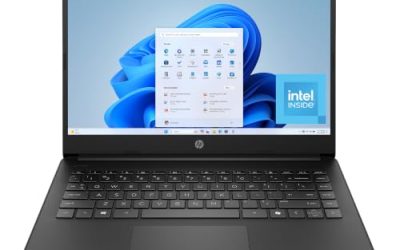
| HP 14 Productivity (Intel 4-Core) | Basic office tasks | 4GB DDR5 RAM, Windows 11 Pro, Office included |
| HP 14 Business (Intel N150) | Entry-level email machine | Quad-core N150, 4GB RAM, 128GB UFS, Windows 11 Home |
How to Choose
Windows 11 Pro versus Home
Windows 11 Pro adds management and security features such as BitLocker drive encryption and the ability to join a company domain. If you handle client data or your IT provider manages devices, Pro is worth looking for. Home is fine for a sole proprietor who only needs email and documents. If you are unsure, ask whoever supports your accounting or CRM software whether it needs Pro features before you buy, because upgrading the edition later is an extra step. Titles are explicit on this, and the 255 G10 listings and the HP 15 model name Windows 11 Pro.
RAM and storage thresholds
Treat 16GB as the business-friendly standard if you run a browser with many tabs, a video call, and a spreadsheet at once. 8GB works for light use. 4GB, which three of these listings show, will feel cramped on Windows 11. For storage, 512GB is a comfortable baseline for documents and local backups, while 128GB UFS storage, which is a flash type used in budget machines, fills quickly and is harder to expand.
Screen size, keypad, and webcam
For spreadsheets, a 15.6-inch or 17.3-inch full HD panel with a numeric keypad makes data entry faster. A 14-inch laptop is easier to carry but offers less working room. Look for a webcam, and a privacy shutter if you handle sensitive meetings. HDMI is useful if you present to clients or connect a second monitor. Wi-Fi 6 helps in a busy office where many devices share one network, though it only matters if your router supports it.
What to ignore
Be skeptical of comparisons buried in titles, such as one processor “beating” another, since a listing cannot prove that. Ignore free earphones, bundled external drives, or office trials as reasons to buy, and judge the core hardware instead. Budget models cut corners on RAM, storage type, and processor class, so check those three first.
The 8 Best Options
HP 255 G10 (Ryzen 7 7730U)
The strongest configuration in the group on paper: a Ryzen 7 7730U, 32GB of RAM, a 1TB PCIe SSD, a 15.6-inch FHD display, a numeric keypad, webcam, Wi-Fi 6, HDMI, and Windows 11 Pro.
- Strength: 32GB of RAM leaves room for heavy multitasking and large spreadsheets.
- Strength: Windows 11 Pro and a 1TB drive suit a full-time work machine.
- Trade-off: it is the premium tier of the group, so the spend is higher than for the 16GB models.
Who should skip it: anyone doing only email and light documents, where 16GB is plenty. It also fits owners who keep the laptop for several years, since extra memory and a 1TB drive delay the point at which the machine feels slow.
HP 17 Business (Ryzen 5)
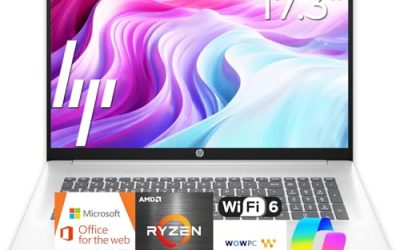
A 17.3-inch FHD laptop with a Ryzen 5 processor, 16GB of RAM, and a 512GB SSD. The title also lists a numeric keypad and long battery life.
- Strength: the large display is ideal for side-by-side windows.
- Strength: 16GB and 512GB cover everyday business needs.
- Trade-off: a 17-inch body is less convenient to carry.
Who should skip it: frequent travelers who want a compact bag-friendly laptop. The Windows edition is not clear from the visible title, so confirm it in the listing. Think of it as a desk-first laptop that occasionally travels, not the other way around.
HP Business 17.3 (Ryzen 5 7430U)
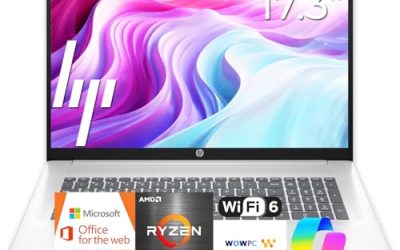
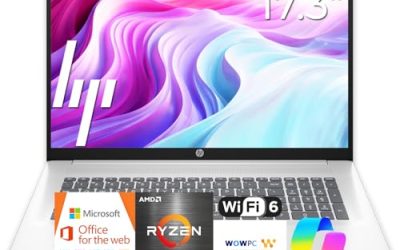
This listing pairs a Ryzen 5 7430U with a 17.3-inch FHD display, Wi-Fi 6, 16GB of RAM, and a 512GB PCIe SSD.
- Strength: a named processor and PCIe storage give you concrete specs to compare.
- Strength: the 17.3-inch screen is comfortable for finance and planning work.
- Trade-off: the title claims it beats an Intel Core i7-1335U, a comparison you cannot verify from a listing.
Who should skip it: buyers who need a verified Pro edition, since the visible text does not specify one. Treat it as a spec-led alternative to the other 17-inch model and compare the two listings line by line before choosing.
HP 255 G10 (AMD quad-core)
A 15.6-inch Full HD business laptop with an AMD quad-core CPU, 16GB of RAM, a 512GB SSD, Windows 11 Pro, a webcam with a shutter, and a numeric keypad.
- Strength: Windows 11 Pro plus a webcam shutter suits privacy-minded offices.
- Strength: the 16GB and 512GB pairing hits the sweet spot for the tier.
- Trade-off: the exact AMD chip is not named in the visible text.
Who should skip it: people who want a 17-inch screen or the extra memory of the Ryzen 7 version. For a typical office with email, a browser, and a handful of documents, this is the model most likely to feel right-sized without overbuying.
HP 15 Windows 11 Pro (Core i5-1135G7)
This one uses an 11th Gen Intel Core i5-1135G7 with Iris Xe graphics, 16GB of RAM, a 512GB SSD, a 15.6-inch FHD display, and a numeric pad.
- Strength: Windows 11 Pro with 16GB and 512GB is a dependable baseline.
- Strength: Iris Xe graphics handle video calls and presentations comfortably.
- Trade-off: an 11th Gen processor is older than the AMD chips elsewhere in the group.
Who should skip it: anyone who wants the newest processor generation. It makes the most sense if you specifically prefer Intel for software compatibility or have fleet standards that call for it.
HP 14 Business (128GB UFS)
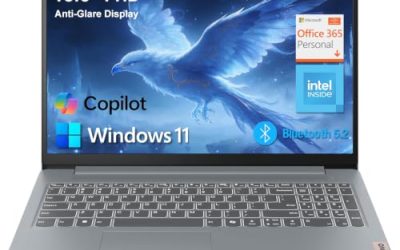
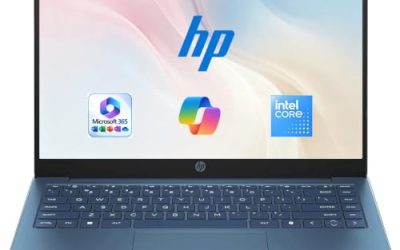
A 14-inch LED laptop with an Intel processor, 128GB of UFS storage, a bundled 500GB external HDD, WiFi 6, Copilot AI and Microsoft 365 mentioned in the title.
- Strength: the 14-inch size is easy to carry to meetings.
- Strength: the external HDD adds extra file space.
- Trade-off: 128GB of internal storage is limited, and the RAM size is not visible in the title.
Who should skip it: heavy multitaskers and anyone storing large files locally. It suits a user who lives in the browser and cloud storage and mostly needs a light device for meetings and notes.
HP 14 Productivity (Intel 4-Core)
Aimed at students and light business use, with Microsoft Office, Windows 11 Pro, Copilot AI, an Intel 4-core CPU, 4GB of DDR5 RAM, and 628GB of combined storage.
- Strength: Windows 11 Pro is rare at this tier.
- Strength: the DDR5 memory type is current.
- Trade-off: 4GB of RAM limits multitasking on Windows 11.
Who should skip it: accountants, designers, and anyone with a long list of open apps. If you consider it, treat it as a basic office terminal rather than a primary workstation.
HP 14 Business (Intel N150)
The most basic entry: an Intel quad-core N150, 4GB of RAM, 128GB UFS storage, Windows 11 Home, one year of Office 365, and bundled earphones.
- Strength: it covers email, web, and light document editing.
- Strength: the included Office subscription helps a new user get started.
- Trade-off: 4GB of RAM and Windows 11 Home limit business use.
Who should skip it: any buyer who needs Windows 11 Pro features or serious multitasking. It is best seen as a starter laptop for a new employee, a seasonal helper, or a family member who only handles email.
Which One Fits Your Situation
A small accounting or finance office
The HP 255 G10 (Ryzen 7 7730U) gives you 32GB of RAM, a full keypad, and Windows 11 Pro for heavy spreadsheets. If the extra capacity is unnecessary, the 16GB HP 255 G10 is the smarter step down. Either way, the webcam shutter and numeric keypad in the titles suit daily client calls and long data-entry sessions.
A consultant who works on a big screen
Choose the HP 17 Business (Ryzen 5) or the HP Business 17.3 (Ryzen 5 7430U). Both pair a 17.3-inch display with 16GB of RAM, which makes it easy to keep a report, a spreadsheet, and a video call visible at once. Pick whichever listing confirms the Windows edition and ports you need.
A freelancer on a tight budget
The HP 14 Business (128GB UFS) is the most reasonable of the low-cost group, thanks to its 14-inch size and extra HDD, though you must manage storage carefully.
A manager who needs an Intel machine for company software
The HP 15 Windows 11 Pro (Core i5-1135G7) is the straightforward choice with Pro, 16GB, and 512GB.
Common Mistakes
- Assuming every business-labeled laptop includes Windows 11 Pro; several listings run Home.
- Accepting 4GB of RAM because Office is bundled.
- Trusting processor comparison claims in titles instead of the model number.
- Buying 128GB of storage for a laptop that will hold client files.
- Overlooking the webcam, HDMI port, or keypad until the laptop arrives.
Related guides
- How To Check Motherboard Vrm Temperature In Hwinfo
- How To Clean Quest 3 Lenses And Facial Interface
- Micro Sd Cards For Samsung Galaxy Phones
Frequently Asked Questions
Is Windows 11 Pro necessary for a small business?
Not always, but it adds device encryption and management tools that matter if you handle sensitive client data or use a managed IT setup.
How much RAM does a business laptop need?
Plan on 16GB for comfortable multitasking. 8GB suits light use, and 4GB is best avoided for daily work.
Is a 17-inch laptop practical?
Yes for a desk-based setup, since it gives you extra space for spreadsheets. It is less pleasant to carry daily.
Do these laptops include Microsoft Office?
Some titles mention Office or Microsoft 365. Check the listing for the exact license, duration, and activation details.