A small business laptop has to do things a student laptop never faces: stay on for a full day of invoices and video calls, handle a dozen browser tabs plus accounting software, connect to a projector or a wired network at a client’s office, and keep company files safe. The decision is rarely about peak speed. It is about whether the machine will still feel responsive after two years of updates, and whether it includes the ports and security features a working office expects.
This guide suits owners, freelancers, and managers who are outfitting one to five people in 2026. It compares seven business-oriented laptops using only what their listings state: processor, memory, storage, screen size, Windows edition, and ports. Prices are discussed in tiers rather than figures, and no battery or durability numbers are invented, so use the spec sheet to confirm anything beyond what is listed here.
Our Top Picks
 Lenovo V15 Gen 4 Business Laptop16GB RAM | 512GB SSD14.13 x 9.29 x 0.78 inches3.64 PoundsCheck on Amazon
 Dell Latitude 5420 14" FHD Business Laptop Computeri5-1145G7-16-256-SV-Win1112.76 x 8.35 x 0.76 Inches3 poundsCheck on Amazon



Top 3 picks at a glance
Quick Picks
As an Amazon Associate we earn from qualifying purchases at no extra cost to you.




| Product | Best for | Key spec from the title |
|---|---|---|
| HP 17 Business Laptop (Ryzen 5) | Spreadsheet-heavy desk work | Ryzen 5, 16GB RAM, 512GB SSD, 17.3″ FHD, numeric keypad |
| Lenovo Business 15.6″ FHD | Light office tasks on a tight budget | 8GB DDR5, 128GB storage, Office 365, USB-C, WiFi 6 |
| Lenovo V15 Gen 4 | Wired offices and Windows Pro management | Core i5-13420H, HDMI, RJ45, Windows 11 Pro |
| HP 255 G10 | Standard office fleet | AMD quad-core, 16GB RAM, 512GB SSD, W11 Pro, webcam shutter |
| Dell Latitude 5420 (Renewed) | Value-minded teams that prefer a business brand | Core i5-1145G7, 16GB DDR4, 256GB SSD, 14″ FHD, Windows 11 Pro |
| HP Business Laptop (Ryzen 5 7430U) | Large-screen mobile work | Ryzen 5 7430U, 17.3″ FHD, 16GB RAM, 512GB PCIe, WiFi 6 |
| Dell Pro 16 | Professionals who want a modern 16-inch business line | Core 5 120U, 16GB DDR5, 512GB SSD, 16″ FHD+ anti-glare |
How to Choose
Windows edition and management features
Look for Windows 11 Pro rather than Home or S Mode. Pro adds domain join, BitLocker drive encryption, and remote management options that matter once you store customer data. Several listings here name Pro, while others do not, so confirm the edition before you buy. S Mode, which restricts apps to the store, is a poor fit for most business software.
Memory and storage that survive daily use
A practical floor is 16GB of RAM and a 256GB SSD for accounting software, a browser, a video client, and email running together. Eight gigabytes can work for a single-task user, but it is the first thing that causes slowdowns as software updates grow. Storage of 128GB runs thin quickly once Windows updates and cached files accumulate.
Ports and screen size
Check for HDMI for presentations, a wired Ethernet RJ45 jack if your office relies on wired connections, and USB-C for docking and charging. A numeric keypad speeds up data entry for bookkeeping, and it usually comes with 15.6-inch and larger bodies. A 14-inch model is easier to carry to client meetings, while 17.3 inches suits a desk that rarely moves.
What to ignore
Treat comparisons such as “beats Intel Core i7” with caution, since they are marketing claims rather than measured results, and ignore bundled extras such as earphones. Focus instead on the named processor, RAM, SSD, and operating system. Budget models tend to cut corners on storage size and memory first, so those are the numbers to inspect most carefully.
One more caution: several of the listings in this category carry edition labels or future-dated names that do not tell you anything about performance. Judge each laptop by its processor, memory, storage, and Windows edition, and treat everything else as decoration. Three lower-spec models with 4GB of RAM or Home edition software were left out of the reviews below for that reason.
The 7 Best Options
HP 17 Business Laptop (Ryzen 5)
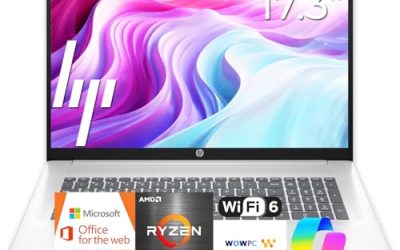
This HP lists a Ryzen 5 processor, 16GB of RAM, a 512GB SSD, and a 17.3-inch FHD display with a numeric keypad. It is aimed at people who live in spreadsheets and want a big canvas without connecting an external monitor. A shop owner reconciling the week’s sales, or an accountant with two ledgers open side by side, will notice the extra width immediately.
- Strength: 16GB of RAM and 512GB of storage match a comfortable daily-use baseline.
- Strength: the large screen and numeric keypad suit data entry and bookkeeping.
- Trade-off: a 17.3-inch body is less pleasant to carry between client sites.
Skip it if you travel often or work from small tables.
Lenovo Business 15.6″ FHD
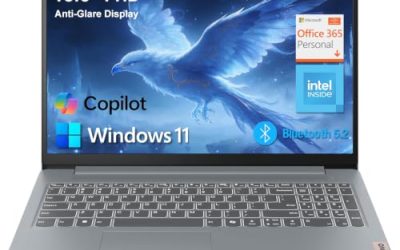
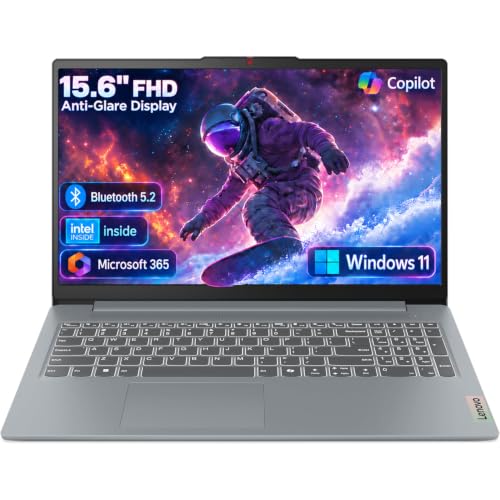
The listing shows an Intel processor with 8GB of DDR5 and 128GB of storage, plus Office 365, WiFi 6, USB-C, and an anti-glare screen. It targets very light work, such as a front-desk terminal or a part-time bookkeeper. Because the bundle includes Office 365 and current wireless, it can be set up quickly for someone who mostly writes, sends email, and joins calls, and who does not expect to keep years of files on the drive.
- Strength: DDR5 memory and USB-C ports are modern touches at an entry tier.
- Strength: the anti-glare finish helps in bright offices.
- Trade-off: 128GB of storage is the main limit and fills quickly.
Skip it if you store many documents locally or run several apps together.
Lenovo V15 Gen 4
The V15 Gen 4 lists a Core i5-13420H, a 15.6-inch FHD display, HDMI, RJ45 Ethernet, a numeric keypad, and Windows 11 Pro. That port mix is exactly what small offices with wired networks and projectors look for. A consultant who presents in client conference rooms, or a clinic that keeps workstations on a cabled network, can plug in without hunting for dongles.
- Strength: built-in Ethernet and HDMI reduce the need for adapters.
- Strength: Windows 11 Pro supports business management tools.
- Trade-off: the title does not state RAM or storage in the visible text, so check those before ordering.
Skip it if you want a thin, ultra-portable design.
HP 255 G10
This model combines an AMD quad-core processor, 16GB of RAM, a 512GB SSD, Windows 11 Pro, and a 15.6-inch full HD display. The webcam includes a shutter, which appeals to privacy-conscious teams. For an owner who needs three or four identical laptops for staff, this kind of plain, consistent configuration is easier to manage and replace than a mix of different models.
- Strength: a sensible 16GB and 512GB pairing with Windows 11 Pro.
- Strength: the webcam shutter and numeric keypad suit shared office use.
- Trade-off: it is a standard workhorse and offers few premium extras.
Skip it if you want a premium chassis or the newest processor generation.
Dell Latitude 5420 (Renewed)
This is a refurbished 14-inch business laptop with a Core i5-1145G7, 16GB of DDR4, a 256GB SSD, a camera, HDMI, and Windows 11 Pro. The Latitude line has long targeted corporate fleets, and renewed units can stretch a tight budget. A startup furnishing a small team may find that a business-grade renewed machine with generous memory beats a new consumer laptop at a similar tier, provided the seller offers clear return terms.
- Strength: a 14-inch size is easy to carry, with a business-focused design.
- Strength: 16GB of RAM is generous for a renewed unit.
- Trade-off: renewed status means an older processor generation and variable condition.
Skip it if you want a brand-new device with a full manufacturer warranty.
HP Business Laptop (Ryzen 5 7430U)
The HP lists a Ryzen 5 7430U, a 17.3-inch FHD display, WiFi 6, 16GB of RAM, and a 512GB PCIe SSD. It is another large-screen choice, with a newer-sounding processor name than some budget rivals. A real estate agent or designer who spends hours on documents, listings, and image reviews at a fixed desk would benefit from the large panel and the fast storage type named in the title.
- Strength: the PCIe SSD and 16GB of RAM suit multitasking.
- Strength: WiFi 6 helps in busy wireless offices.
- Trade-off: the 17.3-inch screen adds bulk for travel.
Skip it if you need a compact machine for meetings away from the office.
Dell Pro 16
The Dell Pro 16 lists a Core 5 120U, 16GB of DDR5, a 512GB SSD, and a 16-inch FHD+ anti-glare display, positioned as a business AI PC in the lineage of the Latitude series. It is the most current-looking business design on this list. The 16-inch size sits between a portable 14-inch and a desk-bound 17-inch, so it suits a manager who splits time between an office and occasional visits to customers.
- Strength: DDR5 memory with an FHD+ anti-glare screen suits long work sessions.
- Strength: it carries a business-line name, which many IT buyers prefer for support.
- Trade-off: it likely sits in a higher price tier than the budget HP and Lenovo models.
Skip it if you only need basic email and web access.
Which One Fits Your Situation
You run bookkeeping or inventory spreadsheets
The HP 17 with the Ryzen 5 and numeric keypad is built for that work, with 16GB of RAM for large files.
Your office uses wired networking and a projector
The Lenovo V15 Gen 4 has both HDMI and RJ45 listed, plus Windows 11 Pro.
You are on a tight budget but want a business brand
The renewed Dell Latitude 5420 offers 16GB of RAM and Windows 11 Pro at a lower tier, as long as you accept refurbished condition.
You need a plain, repeatable fleet for several staff
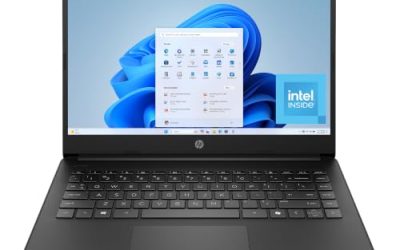
The HP 255 G10 pairs 16GB of RAM, a 512GB SSD, and Windows 11 Pro in a common configuration, which keeps setup and replacement simple. For client-facing work where a modern look matters, the Dell Pro 16 adds DDR5 and an anti-glare 16-inch screen.
Common Mistakes
- Buying a Home edition of Windows and discovering later that BitLocker and domain features are missing.
- Choosing 8GB of RAM to save money, then upgrading within a year.
- Ignoring ports: a laptop without HDMI or Ethernet forces you to carry adapters.
- Trusting comparisons such as “beats a rival chip” instead of reading the actual processor name.
- Skipping the warranty details on renewed units, which can differ from new-device coverage.
Related guides
- How To Check Motherboard Vrm Temperature In Hwinfo
- How To Clean Quest 3 Lenses And Facial Interface
- Micro Sd Cards For Samsung Galaxy Phones
Frequently Asked Questions
Is Windows 11 Pro necessary for a small business?
It is strongly advisable. Pro includes drive encryption and management tools that protect client data, which Home editions lack. If a laptop ships with Home and you only discover that later, the upgrade is an extra step and an extra cost, so it is better to start with the right edition.
How much RAM should a business laptop have?
Sixteen gigabytes is a comfortable target for accounting software, browsers, and video calls together. Eight gigabytes can work for lighter use, but it leaves less room as software keeps growing over the life of the laptop.
Are renewed laptops a good idea for a small company?
They can be, especially from business lines like Latitude, but check the warranty and the seller’s return terms first. Condition varies between units.
Do I need a numeric keypad?
If you enter lots of numbers for invoices or inventory, yes. Models with 14-inch bodies often leave it out, so check the listing. If you want the portability of a 14-inch body anyway, a cheap external number pad is an easy fix.