HP sells laptops at nearly every point on the spectrum, from stripped-down 14-inch models that cost very little to OmniBook machines with newer Intel and AMD silicon. That breadth makes “best HP laptop” a tricky search, because the useful answer depends on the job. A student with a backpack, an accountant who lives in spreadsheets and a family that wants a shared living-room laptop should not land on the same model.
This guide sorts six HP models by who they fit, working only from the specifications printed in each listing title. It is written for shoppers in 2026 who are comparing screen sizes, memory and storage, and who want to avoid paying for features they will never use. The big dividing lines are 4GB versus 8GB or more of memory, flash storage versus a full SSD, and a 14-inch screen versus 16 or 17 inches.
Our Top Picks
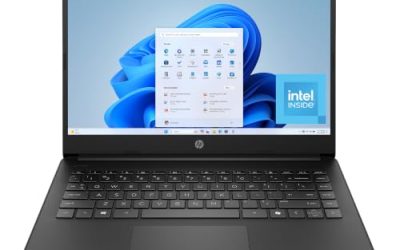
 HP 14 Inch Everyday Laptop16GB RAM | 512GB PCIe SSD12.76 x 8.86 x 0.71 inches3.24 PoundsCheck on Amazon


Top 3 picks at a glance
Quick Picks
As an Amazon Associate we earn from qualifying purchases at no extra cost to you.


| Product | Best for | Key spec from the title |
|---|---|---|
| HP 17 inch Business Laptop | Spreadsheets and multitasking | Ryzen 5, 16GB RAM, 512GB SSD, 17.3″ FHD |
| HP OmniBook 3 17.3 inch | Large-screen daily work | Core Ultra 5 225U, 8 GB RAM, 512 GB SSD |
| HP OmniBook 3 16 inch | Touch use and mixed work and media | 2K touchscreen, Ryzen 3, 8 GB RAM, 512 GB SSD |
| HP 14 inch Intel N150 | Light web and office tasks | N150, 4 GB RAM, 128 GB UFS, Microsoft 365 Personal |
| HP Everyday Slim | Portable family laptop | 4GB DDR5, 128GB SSD, 1TB cloud storage |
| HP 15.6 inch Intel N200 | Basic business and school use | N200 4-core, 4GB RAM, 128GB SSD, Windows 11 Home S Mode |
How to Choose
Start with memory and storage
For Windows 11 with a browser and Office apps, 8GB is the practical minimum and 16GB is the comfortable target if you keep many tabs and programs open. The 4GB models in the HP range are fine for email and streaming but become sluggish quickly. For storage, a 512GB SSD gives room for years of files, while 128GB drives fill up after updates, so plan on cloud storage or an external drive.
Match the screen to the job
A 14-inch display is easy to carry, a 15.6-inch screen suits desk work, and 16 or 17 inches help with spreadsheets side by side. Check resolution: Full HD (1920 by 1080) or the higher “2K” panels on some OmniBook models look noticeably sharper than basic HD. A touchscreen is a nice extra if you annotate documents or use the laptop as a tablet-like device.
Understand the processor tiers
Intel N150 and N200 chips are low-power parts built for basic tasks. AMD Ryzen 3 and Ryzen 5 and Intel Core Ultra 5 parts have more headroom for heavier multitasking, video calls and photo editing. Do not be swayed by phrases like “AI-ready” or “Copilot” on their own, because the memory and storage configuration decides the real day-to-day speed.
Read the fine print on software
Windows 11 Home in S Mode only runs apps from the Microsoft Store unless you switch out of it, which is free but easy to miss. Bundled Microsoft 365 subscriptions are time-limited, typically one year, so factor in renewal. Budget models cut corners on display brightness, port count and build quality, so look closely at what the listing leaves out. If a title never mentions battery hours, port types or screen brightness, treat those as unknowns and verify them on the product page before you buy.
The 6 Best Options
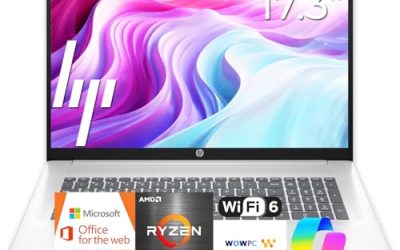
HP 17 inch Business Laptop
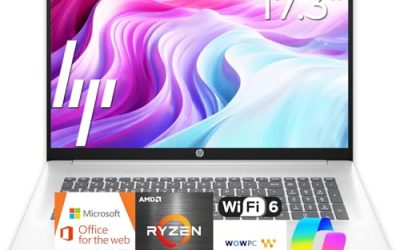
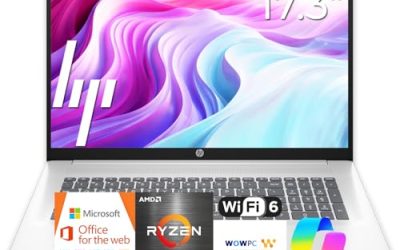
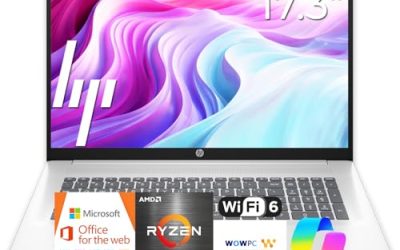
This HP offers an AMD Ryzen 5 processor, 16GB of RAM, a 512GB SSD and a 17.3-inch Full HD display, with a numeric keypad and long battery life mentioned in the title. For accounting, data entry or anyone who splits the screen between two windows, the large panel and generous memory are a rare mix. It is the strongest match here for productivity. Small-business owners, bookkeepers and remote workers who keep a ledger on one half of the screen and email on the other are the people this configuration is built around, and the long battery claim in the title helps on days away from a desk.
- Strength: 16GB of RAM and 512GB of storage give real headroom.
- Strength: 17.3-inch screen and numeric keypad suit spreadsheet work.
- Trade-off: a 17-inch body is less convenient to carry daily.
Skip it if portability matters more than screen space.
HP OmniBook 3 17.3 inch
The OmniBook 3 17.3 inch pairs an Intel Core Ultra 5 225U with 8GB of RAM, a 512GB SSD and a Full HD display in a Glacier Silver finish. It brings a newer chip family to a roomy screen, and the part number in the listing helps buyers match the configuration. It suits households that want a large, reliable laptop for office work and media. A home-office worker who also streams video in the evening gets a large canvas for both, and the model number in the listing makes it easy to confirm you are buying the exact configuration described.
- Strength: Core Ultra 5 processor on a Full HD 17.3-inch display.
- Strength: 512GB SSD offers comfortable storage.
- Trade-off: 8GB of memory is adequate rather than generous for heavy multitasking.
Skip it if you want a laptop that slides easily into a small bag.
HP OmniBook 3 16 inch
This OmniBook has a 16-inch 2K touchscreen, an AMD Ryzen 3 processor, 8GB of RAM, a 512GB SSD and Radeon 610M graphics. The touch input and higher-resolution display set it apart from the plain Full HD models, which makes it appealing for people who read, annotate and browse more than they type. It occupies a middle ground between portable and spacious. A student who writes papers, reads PDFs and watches lectures would use the touchscreen and the sharper panel more than the processor, which is why the display carries this model’s case.
- Strength: 2K touchscreen is a visual step up in this group.
- Strength: 512GB SSD with 8GB of RAM balances storage and speed.
- Trade-off: a Ryzen 3 chip is entry-level for heavy workloads.
Skip it if you plan on demanding multitasking or video editing.
HP 14 inch Intel N150
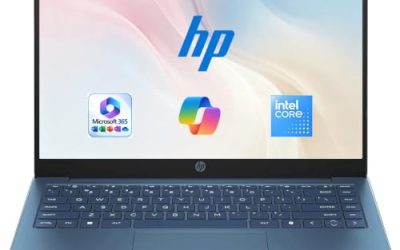
The HP 14 inch pairs an Intel N150 with 4 GB of RAM and 128 GB of UFS storage, along with an HD display, Windows 11 Home and a one-year Microsoft 365 Personal subscription. It is the simplest laptop in the lineup, designed for browsing, streaming and light documents. For an older relative or a child’s first computer, the included software removes a purchase. Because the title spells out the storage as UFS flash rather than a standard SSD, buyers should treat it as a basic machine that favors low cost and simplicity over speed or capacity.
- Strength: compact 14-inch size with included Microsoft 365 for a year.
- Strength: straightforward setup for everyday tasks.
- Trade-off: 4 GB of RAM and an HD screen limit multitasking and sharpness.
Skip it if you plan to keep the laptop for years of heavier use.
HP Everyday Slim
The HP New Everyday Slim uses an AMD processor with 4GB of DDR5 memory, a 128GB SSD and 1TB of cloud storage, running Windows 11 with a long battery life claim. It targets families who want a slim, simple laptop that moves around the house. The cloud allowance helps compensate for the small internal drive. Think of it as a light companion for streaming, school portals and email, where the user rarely installs large programs and the household shares a single account for files.
- Strength: DDR5 memory and an SSD in a slim body.
- Strength: 1TB of cloud storage adds file space.
- Trade-off: only 4GB of RAM, so keep the workload light.
Skip it if you need offline storage or regularly work with large files.
HP 15.6 inch Intel N200
This 15.6-inch HP uses a four-core Intel N200 with 4GB of RAM and a 128GB SSD, running Windows 11 Home in S Mode and aimed at portable business use. It offers a full-size screen at the low end of the HP line, making it a candidate for basic office and school tasks. Because it is described as a portable laptop for business, it may suit a small office that needs a few inexpensive machines for a front desk or a shared workstation, provided the workload stays within a web browser and basic documents.
- Strength: 15.6-inch screen with an SSD at an entry level.
- Strength: four-core processor handles everyday tasks.
- Trade-off: S Mode restricts software to the Microsoft Store until you switch out.
Skip it if you need to install programs from outside the Microsoft Store.
Which One Fits Your Situation
You work in spreadsheets all day
The HP 17 inch Business Laptop, with 16GB of RAM, a Ryzen 5 chip and a numeric keypad, is the one built for data-heavy work.
You want a large screen without going to the top spec
The HP OmniBook 3 17.3 inch gives you a Core Ultra 5 chip and a 512GB SSD at a screen size that makes documents easy to read. It is the choice for a shared home desk where the laptop stays plugged in and several people take turns.
You prefer touch and a sharper display
The HP OmniBook 3 16 inch brings a 2K touchscreen to a mid-size body, a good fit for reading and annotating. Pick it when the laptop sits on a lap or couch more often than on a desk.
You need a light, simple family laptop
The HP 14 inch Intel N150 keeps things easy with a small footprint and a year of Microsoft 365 included. It is the sensible choice for a first laptop or a spare for the kitchen counter, where light tasks dominate.
Common Mistakes
- Assuming every HP laptop is similar and ignoring the memory and storage numbers.
- Buying a 4GB model for work that involves many browser tabs and large spreadsheets.
- Overlooking Windows S Mode, then discovering an app will not install.
- Treating cloud storage as a substitute for a small internal drive.
- Choosing a 17-inch laptop and expecting it to travel like a 14-inch one.
Related guides
- How To Check Motherboard Vrm Temperature In Hwinfo
- How To Clean Quest 3 Lenses And Facial Interface
- Micro Sd Cards For Samsung Galaxy Phones
Frequently Asked Questions
What is the difference between an HP OmniBook and other HP laptops?
OmniBook is HP’s newer naming for its mainstream laptops, and the models here tend to pair newer processors with larger SSDs. Always compare the memory, storage and display specs instead of relying on the name.
Is 4GB of RAM enough on an HP laptop?
It handles basic browsing and documents, but multitasking quickly becomes slow. For longer ownership, choose 8GB or more.
How do I leave Windows S Mode?
Open the Microsoft Store, search for “Switch out of S mode” and follow the prompts. The change is free but cannot be reversed.
Do I need a touchscreen?
Not for most tasks, but it helps with reading, note-taking and quick navigation. If you rarely touch the screen, the extra feature adds little.