A mirrorless body is only as fast as the card sitting in its slot. Fire a burst of raw files, record a long 4K clip, or shoot an event where you cannot pause to clear the buffer, and the card’s sustained write speed decides whether the camera keeps up. That is why picking an SD card for a mirrorless camera is a more specific decision than picking one for a point-and-shoot or a trail cam. The headline read speed on the package is the smallest part of the story.
This guide is for photographers and video shooters who use a mirrorless camera with a standard SD slot and want to match the card to how they work. The eight cards below, current for 2026, range from entry-level Full HD cards to V30-class cards built for 4K. All are UHS-I, which matters if your camera has UHS-II slots, because that faster bus is not part of any listing here. Judge them by the speed classes and write numbers in each title.
Our Top Picks


Top 3 picks at a glance
Quick Picks
As an Amazon Associate we earn from qualifying purchases at no extra cost to you.


| Product | Best for | Key spec from the title |
|---|---|---|
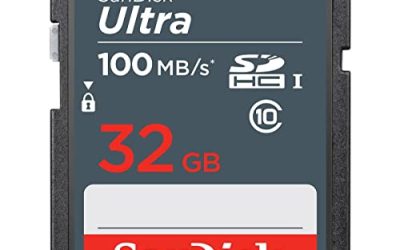
| SanDisk Ultra 128GB | Stills and Full HD at an entry tier | UHS-I, U1, C10, up to 195MB/s read |
| GIGASTONE 256GB 4K | High-capacity 4K shooting | UHS-I, A1, V30, up to 170MB/s |
| SanDisk Extreme Pro 128GB (Sony) | Sony mirrorless owners | UHS-I, works with Sony mirrorless |
| SanDisk Extreme PRO 256GB | Serious 4K and burst work | V30, U3, 200MB/s read, 140MB/s write |
| SanDisk Ultra 64GB | Casual stills on a budget | Class 10, SDXC, UHS-I, up to 80MB/s |
| GIGASTONE 64GB 4K Extreme | 4K shooting in a smaller size | UHS-I, A2, V30, U3, up to 160MB/s |
| SanDisk Extreme Pro 256GB (Nikon Z) | Nikon Z6III, Z5II, and Z50II users | UHS-I, compatible with Nikon Z models |
| SanDisk Extreme PRO 32GB | Small, fast card for stills and short clips | V30, U3, C10, 100MB/s read, 90MB/s write |
How to Choose
Read the write speed, not just the read speed
Read speed affects how fast you copy files to a computer. Write speed affects how well the camera records. The most useful numbers are the minimum sustained write classes: U1 means at least 10 megabytes per second, while U3 and V30 mean at least 30. Stated maximum writes, like 140MB/s or 90MB/s in the Extreme PRO listings, indicate burst potential. If a title lists only a read figure, assume the write speed is lower and check the spec sheet before trusting it for demanding work.
Match the video class to your camera’s bitrate
Many mirrorless cameras record 4K at bitrates that a V30 card can handle, but higher-end modes, like all-intra recording at several hundred megabits per second, may call for V60 or V90 cards. None of the cards in this guide are labeled above V30, so they suit standard 4K and Full HD. Check your camera manual for the recommended class for each mode. Choosing a card below the recommendation risks dropped frames and stopped recordings.
Capacity, UHS bus, and your shooting style
A 128GB card holds a lot of stills but only a modest amount of 4K video. A 256GB card gives roughly double the room. Shooters who cover weddings or events often prefer several smaller cards over one big card, to spread risk. All cards here are UHS-I; if your camera has a UHS-II slot, you can still use them, but you will not get the faster bus the slot offers. Cameras with dual slots are a chance to record to two cards for backup.
Reliability, authenticity, and where budget cards cut corners
Stick with named brands and retailers you trust, since counterfeit memory cards exist and can fail silently. Cheap entry cards tend to cut corners on sustained write speed, which is why the Ultra cards suit stills and Full HD more than long 4K clips. Features such as the five-year data recovery offer in the Gigastone titles are a plus, though they are not a substitute for backups. Ignore the A1 and A2 labels, which describe app performance on phones rather than camera behavior. Always format the card in the camera before the first shoot.
The 8 Best Options
SanDisk Ultra 128GB
The Ultra 128GB is billed as ideal for compact to mid-range cameras and camcorders, with UHS-I, U1, Class 10, and Full HD support, plus up to 195MB/s read in the title. It suits casual mirrorless owners who shoot mostly stills, such as travelers, hobbyists, and parents capturing family events, who want plenty of room without paying for video classes they will rarely use.
- Strength: Generous capacity at an entry tier.
- Strength: Class 10 and U1 labels cover stills and Full HD.
- Trade-off: U1 is not meant for sustained 4K recording.
Skip it if you shoot 4K video or long raw bursts.
GIGASTONE 256GB 4K Camera Pro
Gigastone advertises a 256GB card with UHS-I, A1, V30, and 4K UHD speeds up to 170MB/s, with a five-year free data recovery offer. It is for shooters who want large capacity and a V30 class for 4K, such as travel videographers and vloggers who fill cards quickly and prefer not to swap them mid-shoot. The recovery offer is a reassuring extra, though it does not replace copying files off the card after each day.
- Strength: V30 class suitable for typical 4K recording.
- Strength: 256GB capacity and a data recovery offer.
- Trade-off: Less established in photographer circles than the leading brand.
Skip it if you want a name-brand card for critical jobs.
SanDisk Extreme Pro 128GB (Sony)
This listing says the card works with Sony mirrorless cameras and is UHS-I. It is aimed at Sony users who want a card from the Extreme Pro family without parsing a long spec sheet. It fits a Sony owner who has a specific body in mind and wants a reputable line, as long as they confirm the write class on the card or in the full product details before relying on it for demanding video.
- Strength: Stated Sony mirrorless compatibility.
- Strength: Extreme Pro family positioning for performance.
- Trade-off: The title offers few speed figures, so confirm them on the packaging.
Skip it if you shoot other brands and want explicit speed numbers.
SanDisk Extreme PRO 256GB
This is the most fully specified SanDisk listing: up to 200MB/s read, up to 140MB/s write, V30, U3, C10, 4K UHD, and QuickFlow technology. It suits serious hybrid shooters who mix action stills, raw bursts, and 4K clips in a single session, such as sports and wildlife photographers who cannot afford to wait for the buffer to clear before the next moment arrives.
- Strength: High write speed for bursts and 4K video.
- Strength: V30 and U3 classes clearly stated.
- Trade-off: Not a UHS-II card, so it will not use a UHS-II slot’s full speed.
Skip it if you need V60 or V90 for high-bitrate modes.
SanDisk Ultra 64GB
The Ultra 64GB is a Class 10 SDXC UHS-I card with up to 80MB/s read. It is the simplest, most affordable pick here for stills and everyday shooting. Students learning on a first mirrorless body, or owners who need an inexpensive second card for a spare battery bag, are the people most likely to find it sufficient.
- Strength: Entry-tier choice with a familiar brand.
- Strength: Enough space for a day of casual photos.
- Trade-off: Class 10 only, not suited for 4K video.
Skip it if your camera records 4K or fast bursts.
GIGASTONE 64GB 4K Extreme
This Gigastone card lists UHS-I, A2, V30, U3, and up to 160MB/s, with a data recovery offer. It brings 4K-capable classes in a smaller size. That makes it a sensible second card for a shooter who already has a large one, or a starter card for someone trying 4K recording without committing to a big capacity.
- Strength: V30 and U3 in a compact capacity.
- Strength: Good for short-form 4K clips and stills.
- Trade-off: Only 64GB, which fills quickly with video.
Skip it if you shoot long takes.
SanDisk Extreme Pro 256GB (Nikon Z)
This listing names compatibility with Nikon Z6III, Z5II, and Z50II mirrorless cameras and is UHS-I. The title also mentions a bundle with an additional item, so check what is included. For a Nikon Z shooter who wants a large, fast-labeled card with explicit model names in the listing, that clarity removes some of the guesswork about compatibility.
- Strength: Explicit Nikon Z compatibility.
- Strength: 256GB capacity from the Extreme Pro line.
- Trade-off: Bundle contents add little if you only want the card.
Skip it if you use a different camera system.
SanDisk Extreme PRO 32GB
The smallest Extreme PRO card lists up to 100MB/s read, up to 90MB/s write, V30, U3, C10, and 4K UHD. It is a spare or a card for short clips and stills. Event shooters sometimes rotate several small cards through the day so that a single failure cannot take out an entire job, and a fast 32GB card fits that habit well.
- Strength: V30 and U3 in a small, quick card.
- Strength: Good as a backup or a second-slot card.
- Trade-off: 32GB runs out fast in 4K.
Skip it if you shoot long video sessions.
Which One Fits Your Situation
You shoot weddings or events and cannot lose files
The SanDisk Extreme PRO 256GB gives high write speed and clear V30 and U3 labels. Pair it with a smaller Extreme PRO 32GB in a second slot for backup.
You own a Sony or Nikon Z camera
Match the listing to your system: the Extreme Pro 128GB for Sony, or the Extreme Pro 256GB for Nikon Z models.
You want 4K without paying a premium
The GIGASTONE 64GB or 256GB offers V30 classes with high listed speeds. Verify the packaging and keep backups.
You mostly shoot stills in daylight
The SanDisk Ultra 64GB or 128GB is enough. It covers JPEG and moderate raw use without paying for video classes you will not use. Keep a second card in the bag, though, because a single card failure on a trip is a far bigger problem than a slightly slower buffer.
Common Mistakes
- Buying a card on read speed alone and ignoring V30 or U3 write classes.
- Putting a U1 card in a camera that records high-bitrate 4K.
- Expecting UHS-I cards to use a UHS-II slot at full speed.
- Skipping in-camera formatting before the first shoot.
- Putting a whole job on one large card with no backup.
Related guides
- How To Clean Quest 3 Lenses And Facial Interface
- Vr Facial Interfaces For Glasses Wearers
- Micro Sd Cards For Samsung Galaxy Phones
Frequently Asked Questions
What card speed do I need for 4K on a mirrorless camera?
V30 or U3 is the usual minimum. Higher-bitrate modes may call for V60 or V90, so check your camera manual.
Does a bigger card make my camera faster?
No. Capacity does not change speed. Speed depends on the card’s class and the camera’s slot.
Can I use these cards in a UHS-II slot?
Yes, but they run at UHS-I speeds. For the fastest burst clearing, a UHS-II card is needed.
Should I format in the camera?
Yes. It sets the file structure to match the camera and helps avoid errors.
Related guides
- How to Check VRAM Usage in Windows 11: Task Manager, Game Bar and Overlay Methods
- How Much VRAM for 4K Gaming: 8GB, 12GB or 16GB, and What Actually Fills It
- How Many VRM Phases Do You Need? Match Phase Count and Power Stage Rating to Your CPU
- Best Gaming PCs for VR: Seven Prebuilts Compared by Graphics Card, CPU and Memory (2026)