Our Top Picks


Top 3 picks at a glance
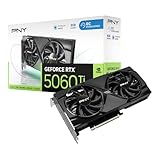
The Short Answer
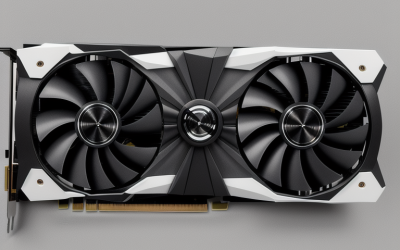
For 1440p and VR gaming in 2026, the RTX 5060 Ti 16GB is the card most buyers should aim for, and the 8GB version only makes sense if you’re staying at 1080p with high-refresh ambitions and a hard budget ceiling. The extra 8GB doesn’t raise average frame rates much in light titles — it mainly prevents frame-time spikes, texture pop-in and “VRAM wall” stutter once you push high-resolution textures, ray tracing or a VR headset. If your budget is tight and your monitor is 1080p, the 8GB card is still a legitimate purchase; if you own or plan to buy a 1440p or VR display, paying the premium for 16GB is the difference between smooth and stuttery in a growing number of 2025–2026 releases.
Quick Comparison
| Pick | Best for | Key specs | Typical market price |
|---|---|---|---|
| RTX 5060 Ti 16GB | 1440p high/ultra, PCVR, texture-heavy and ray-traced games | 16GB GDDR7, 128-bit bus, ~180W board power (varies by model), PCIe 5.0 x8 interface | Usually around $430–$500 |
| RTX 5060 Ti 8GB | 1080p high refresh, esports, budget-limited builds | 8GB GDDR7, 128-bit bus, ~180W board power, PCIe 5.0 x8 interface | Usually around $380–$430 |
| Alternative: RTX 5070 12GB | 1440p with more compute, still VRAM-capped at 12GB | 12GB GDDR7, 192-bit bus, higher board power than 5060 Ti | Usually around $550–$620 |
| Alternative: previous-gen 16GB class card | Value hunting at 1440p, if discounted | 16GB on a wider bus, older architecture | Varies by clearance stock |
Both 5060 Ti cards share the same GPU, the same memory bus width and nearly the same power envelope, per the manufacturer’s spec sheets. The 16GB model simply carries double-density memory modules. That’s why the performance gap is small in some games and enormous in others — it depends entirely on whether the title wants more than 8GB of VRAM at your resolution and settings.
As an Amazon Associate we earn from qualifying purchases at no extra cost to you.


Best Overall for 1440p and VR: RTX 5060 Ti 16GB
Who it suits: anyone gaming at 2560×1440, anyone with a Quest-class or PC-tethered headset, and anyone who keeps a card for three to four years and wants headroom for future texture packs.
The 16GB model’s real advantage isn’t average FPS — in a lightweight, well-optimised esports title both cards land in a similar band. It’s the frame-time graph. When a game’s texture pool exceeds available VRAM, the driver starts streaming assets from system memory over PCIe, and because these cards use a PCIe 5.0 x8 link rather than a full x16 slot, that overflow is more punishing than on wider-bus cards. The visible result is a stutter every time you turn the camera into a new area, plus lower-resolution textures popping in on distant geometry.
Main trade-off: you’re paying roughly $40–$70 more for memory you may not use in every title. If you only play competitive shooters at 1080p with textures on medium, that money is better spent on a faster CPU or a better monitor.
Reasoning for the VR case specifically: a headset renders two eye views per frame and typically at a higher combined pixel throughput than a single 1440p monitor, and it holds a strict frame-time budget — for a 90Hz headset you have about 11.1ms per frame (1000ms ÷ 90), and for 120Hz about 8.3ms. A single VRAM overflow spike of 30–40ms is a dropped frame you feel as a judder. Average FPS hides this entirely; VRAM capacity is what prevents it.
Best Budget Pick: RTX 5060 Ti 8GB
Who it suits: 1080p gamers, esports players chasing high refresh, and builders who need to put the saved money somewhere else in the machine.
At 1080p with high (not ultra) textures, the 8GB card behaves like the 16GB card in most current titles. The gap opens when you switch texture quality to ultra, enable ray tracing, or install high-resolution texture mods. In those situations the 8GB card may show the same average frame rate while feeling noticeably worse, because the 1% low frame times collapse.
Main trade-off: longevity. Buying 8GB in 2026 means accepting that the next wave of texture-heavy titles will push you toward medium textures at 1440p. It is not a wrong purchase — it’s a purchase with a shorter useful life at high settings.
Where the Extra 8GB Actually Matters
VRAM needed per resolution — a working estimate
You can estimate texture-pool demand without a benchmark. Take the frame buffer requirement at your resolution and add the texture budget the game requests at your chosen quality preset:
- 1080p frame buffer: roughly 0.5–0.8GB with modern post-processing and upscaling
- 1440p frame buffer: roughly 0.9–1.4GB
- Ray tracing or path tracing overhead: often adds 1–3GB depending on the title and bounce count
- High/ultra texture pool in a 2025–2026 AAA release: commonly 4–7GB at 1440p, more with 4K texture packs
Add those up for 1440p ultra with ray tracing and you land in the 9–13GB range. That’s the crux: an 8GB card cannot hold that set in memory, so it spills. A 16GB card holds it with room to spare. At 1080p high textures without ray tracing, the same math lands around 5–8GB — right at the edge, which is why results at 1080p are inconsistent rather than uniformly bad.
Decision matrix: which card fits your situation
| Your situation | Recommended card | Why |
|---|---|---|
| 1080p monitor, mostly esports and older titles | RTX 5060 Ti 8GB | Texture pools stay under 8GB; save the money |
| 1080p, but you play new AAA releases at ultra/RT | RTX 5060 Ti 16GB | Ultra textures plus RT can exceed 8GB even at 1080p |
| 1440p, high refresh, mixed library | RTX 5060 Ti 16GB | Headroom prevents texture-streaming stutter |
| PCVR with any headset | RTX 5060 Ti 16GB | Dual-eye rendering plus strict frame-time budget |
| 1440p on a strict budget, willing to use medium textures | RTX 5060 Ti 8GB | Workable if you accept reduced texture settings |
| You want 1440p ultra and can stretch the budget | Consider a 12GB+ card with a wider bus | More compute and bus width, though 12GB is still a ceiling |
Settings that get an 8GB card out of trouble
If you already own the 8GB model or find one at a genuine bargain, these changes address the causes of stutter rather than the symptom:
- Drop texture quality one notch, not resolution. Texture resolution is the biggest single VRAM consumer, and lowering it costs far less image quality than dropping from 1440p to 1080p.
- Disable high-resolution texture packs. Many modern releases ship optional 4K texture downloads; declining them can free 2–4GB.
- Reduce ray-tracing bounces or use the RT preset below ultra. Ray-traced structures and denoising buffers are memory-hungry.
- Keep upscaling on. Rendering internally at 1080p or lower and upscaling to 1440p shrinks the frame buffer, which leaves more memory for textures.
- Close background GPU consumers. Browser hardware acceleration and overlays hold VRAM that a 16GB card wouldn’t miss.
How to Choose — the Numbers That Decide It
Work through this in order:
- Check your resolution and refresh rate. At 1080p/144Hz and below, the 8GB card is defensible. At 1440p or any VR, the 16GB card is the safer buy — VR’s per-frame budget of roughly 8–11ms leaves no room for asset streaming hitches.
- Weigh the price gap as a percentage. If the 16GB card carries a premium of roughly 10–15% over the 8GB model, it’s straightforward value for a card you’ll keep for years. If a retailer prices the gap above about 25%, the 8GB card becomes more interesting for a 1080p build.
- Check your platform’s PCIe support. These cards use an x8 link. On a PCIe 5.0 motherboard that’s ample, but on an older PCIe 3.0 board the link narrows further, and VRAM overflow becomes even more painful — another argument for 16GB on older platforms.
- Budget for power and cooling. Both cards sit in a similar ~180W class by manufacturer spec, so a quality 550–650W power supply covers either. The 16GB premium does not buy you a higher power bill.
Frequently Asked Questions
Is 8GB of VRAM enough for 1440p gaming in 2026?
It’s enough for 1440p at medium-to-high textures in most titles, but it is no longer comfortable at ultra settings in new releases, especially with ray tracing or high-resolution texture packs enabled. The problem isn’t average FPS — it’s frame-time stutter when assets spill out of VRAM. If 1440p is your target resolution and you want to run high or ultra presets, 16GB is the better long-term choice.
Does the extra VRAM improve average frame rates?
Not much on its own. In games that fit inside 8GB, both cards perform within a similar band because they share the same GPU and memory bus. The 16GB card’s advantage shows up as higher 1% low frame rates and fewer stutters, which feel smoother without raising the average dramatically. Published reviews typically show the biggest gaps in texture-heavy and ray-traced scenes.
Which card is better for VR?
The 16GB model, clearly. VR renders two eye views per frame and holds a strict frame-time deadline — about 11.1ms at 90Hz and 8.3ms at 120Hz. Any VRAM overflow that forces asset streaming can blow past that deadline and cause visible judder, even if the average frame rate looks acceptable on a graph.
Is the RTX 5060 Ti 8GB worth buying at all?
Yes, for a specific buyer: a 1080p gamer playing mostly esports, older titles or current games at high rather than ultra textures, with a tight budget. At that resolution and those settings, the memory ceiling rarely bites. Just go in expecting to lower texture quality sooner than you would with the 16GB model.
Will a 16GB card matter more in a few years?
Almost certainly. Texture resolution and ray-traced effects have grown steadily, and 8GB has already become the limiting factor in a number of recent releases at high settings. Buying 16GB in 2026 is partly a bet on that trend continuing — and it’s a bet the market has been rewarding.
Do both cards need the same power supply?
Roughly, yes. Per manufacturer spec sheets both sit in the same ~180W board-power class, so a quality 550–650W unit is appropriate for either in a typical build. The 16GB card’s cost premium is memory, not electricity, so your PSU decision doesn’t change based on which one you pick.
Related guides
- How to Improve VRM Cooling: Airflow, Heatsinks, Thermal Pads and Power Limits
- Does an AIO Cooler Affect VRM Temperature? Radiator Placement, Airflow and a Fair Way to Compare
- Does a Case Fan Help VRM Cooling? What Airflow Can and Cannot Fix on a Motherboard
- Can a Weak VRM Cause CPU Throttling? Signs, Checks and Fixes