Our Top Picks
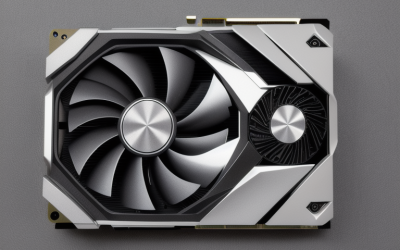
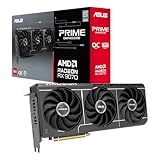
 ASUS Prime Radeon RX 9070 XT 16GB GDDR6RX9070XT|OC|Black12.3 x 5.1 x 2 inches3.3 poundsCheck on Amazon
 ASUS Prime Radeon RX 9070 EVO 16GB GDDR6RX9070|OC|16GB|EVO|Black12 x 5 x 0.1 inches2.4 PoundsCheck on Amazon
 ASUS ATS Radeon RX 9070 GRE 12GB GDDR6RX9070GRE|OC|12GB12 x 4.95 x 0.1 inches2.2 poundsCheck on Amazon

Top 3 picks at a glance
Best Value Graphics Cards & GPUs Right Now (2026)
The best value graphics card right now depends on your target resolution: at 1080p, a 12GB card such as the AMD Radeon RX 9060 XT or Nvidia GeForce RTX 5060 usually delivers the most frames per dollar in the roughly $250–$350 range; at 1440p, the 16GB Radeon RX 9070 or GeForce RTX 5070 Ti are the sweet spot at around $550–$700; at 4K, the GeForce RTX 5080 or Radeon RX 9070 XT offer the most performance per dollar once you accept a $900–$1,200 budget. The single most important spec for long-term value in 2026 is VRAM, because 8GB cards are already hitting texture limits in current titles at 1440p.
Quick comparison: the value picks
| Pick | Best for | Key specs (per manufacturer spec sheets) | Typical price range |
|---|---|---|---|
| Radeon RX 9060 XT (16GB) | Best budget / 1080p high refresh | 16GB GDDR6, 128-bit bus, ~160–182W board power | usually $300–$380 |
| GeForce RTX 5060 Ti (16GB) | Best budget with strong ray tracing and upscaling | 16GB GDDR7, 128-bit bus, 180W board power | usually $380–$450 |
| Radeon RX 9070 | Best value at 1440p | 16GB GDDR6, 256-bit bus, 220W board power | usually $550–$650 |
| GeForce RTX 5070 Ti | Best 1440p with ray tracing / creator work | 16GB GDDR7, 256-bit bus, 300W board power | usually $700–$800 |
| Radeon RX 9070 XT | Best value at 4K | 16GB GDDR6, 256-bit bus, 304W board power | usually $700–$850 |
| GeForce RTX 5080 | Best high-end 4K with ray tracing | 16GB GDDR7, 256-bit bus, 360W board power | usually $1,000–$1,200 |
Prices fluctuate with supply, regional VAT and retailer bundles, so treat every figure above as a market range rather than a fixed sticker.
As an Amazon Associate we earn from qualifying purchases at no extra cost to you.



How to rank value: the math that actually matters
Price-to-performance only means something when you fix three variables: resolution, target frame rate, and how long you plan to keep the card. A useful shortcut is to calculate VRAM needed per resolution before you look at price at all.
- 1080p at 60–144Hz: 8GB is functional today but tight in modern titles with high textures. Budget 10–12GB minimum, 16GB to be comfortable for four years.
- 1440p at 100–165Hz: 12GB is the practical floor, 16GB is the safe buy. Several 2025–2026 releases already exceed 12GB at maximum texture presets, per the games’ own published system requirements.
- 4K at 60–120Hz: 16GB minimum. Ray tracing and frame generation add further memory pressure because they hold extra buffers.
A second number worth doing is a power budget. Take a card’s board power, add roughly 100–150W for a mid-range CPU and platform, add 50W of headroom, and compare against your PSU’s continuous 12V rating. Example: an RTX 5070 Ti at 300W plus a 125W CPU plus 50W headroom needs about 475W of sustained capacity, which means a quality 650W unit is the sensible minimum and 750W leaves room for transient spikes. The RX 9060 XT at ~160W plus the same CPU lands near 335W, so a 550–600W PSU is genuinely enough. That gap is real money if you are upgrading an older prebuilt.
Why bandwidth and bus width still matter
Two cards can share a 16GB capacity but differ sharply in memory bandwidth because of bus width and memory type. A 128-bit GDDR7 card and a 256-bit GDDR6 card both hold 16GB, yet the wider bus moves substantially more data per clock, which shows up at 4K and in ray-traced scenes. When comparing listings, read the bus width and memory type alongside the capacity — capacity prevents stutter from overflow, bandwidth determines how gracefully the card handles high resolutions.
Best budget pick: Radeon RX 9060 XT 16GB
Who it suits: 1080p gamers on a 144Hz panel, or anyone on a 550–600W PSU who does not want to replace the power supply. The 16GB configuration is the reason to choose it over 8GB competitors at the same price; the 8GB variant undercuts it but ages faster. Main trade-off: ray tracing is weaker than Nvidia’s equivalent tier, so if you want maximum ray-traced quality in supported titles, the RTX 5060 Ti is the better spend.
Best 1440p value: Radeon RX 9070
Who it suits: the largest group of buyers — 1440p at 100–165Hz, high textures, ray tracing used selectively rather than always-on. At a 220W board power it is easy to cool in a standard mid-tower and does not demand a premium PSU. Main trade-off: you give up some ray-traced performance and some productivity-app acceleration versus the RTX 5070 Ti, which matters if you also render video or use ray-traced-heavy titles as your main diet.
Best 4K value: Radeon RX 9070 XT
Who it suits: 4K at 60Hz or 1440p at very high refresh, where the extra shader performance per dollar beats the step up to the next Nvidia tier. Main trade-off: 304W board power plus transient spikes means a 750W PSU is the realistic recommendation, and ray tracing at 4K still benefits from upscaling to hold a stable frame rate.
Best premium option: GeForce RTX 5080
Who it suits: 4K high refresh with ray tracing enabled, plus anyone doing GPU-accelerated creative work where Nvidia’s software stack is the deciding factor. Main trade-off: value per frame drops noticeably above about $900 — you are paying a premium for the top of the stack, not for efficiency. If raw 4K raster performance is all you need, the RX 9070 XT is usually the smarter allocation.
Decision matrix: map your situation to a card
| Your situation | Reasonable choice | Why |
|---|---|---|
| 1080p monitor, ≤600W PSU, tight budget | RX 9060 XT 16GB | Low power draw, 16GB for longevity, lowest cost per frame |
| 1080p/1440p, ray tracing wanted, ~$400 | RTX 5060 Ti 16GB | Better ray tracing and upscaling quality at the same capacity |
| 1440p 144Hz, mixed settings, ~$600 | RX 9070 | Strong raster value, moderate 220W draw |
| 1440p plus video editing or 3D work | RTX 5070 Ti | Broader software acceleration alongside gaming |
| 4K 60Hz+, 750W PSU available | RX 9070 XT | Best frames per dollar at 4K raster |
| 4K high refresh, ray tracing always on | RTX 5080 | Highest sustained high-end performance |
Upgrade value: what to weigh beyond the sticker price
- PSU cost. A 300W+ card can turn a $600 GPU into a $750 purchase once a PSU swap is included. Factor it into the comparison before deciding.
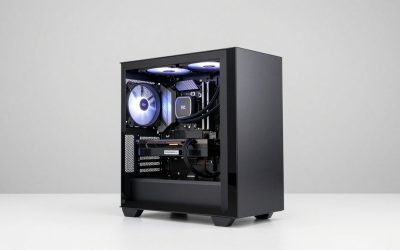
- Case clearance. Three-fan 4K cards commonly run 300–330mm long; check your case’s stated GPU clearance, not the box’s marketing size.
- Resale horizon. 16GB cards hold value better than 8GB ones because buyers in two years will be shopping for 1440p. Capacity is the most durable spec.
- Connector type. Higher-tier models may use a 12V-2×6 connector; confirm your PSU includes the correct cable rather than relying on an adapter.
- Upscaling support. All current cards support at least one reconstruction/upscaling technology, but quality and game coverage differ. If you plan to run demanding titles at high resolution, this is a genuine performance feature, not a bonus.
Frequently Asked Questions
Is 8GB of VRAM still enough in 2026?
At 1080p with medium textures, 8GB remains workable in most titles. At 1440p with high textures, several current releases exceed 8GB according to their published requirements, causing texture streaming stutter. If you keep cards for four or more years, 16GB is the safer purchase even at 1080p.
Should I buy AMD or Nvidia for value?
AMD generally wins on raw frames per dollar in rasterized games at every tier. Nvidia generally wins on ray tracing performance, upscaling quality and creative-application acceleration. The right answer depends on which of those you actually use; if ray tracing is optional for you, AMD usually offers better value.
How much PSU do I need for a modern graphics card?
Add the card’s board power to roughly 100–150W for the CPU and platform, then add 50W of headroom. A ~160W card plus a mid-range CPU lands near 350W, so a 550–600W unit works; a 300W card pushes the sensible minimum to 650W and the comfortable choice to 750W.
Is 16GB enough for 4K gaming?
Yes, 16GB is the practical baseline for 4K today, especially with ray tracing and frame generation enabled, which consume additional memory. It is not unlimited — maximum texture packs plus heavy ray tracing in the most demanding titles can still push against it — but it is the capacity to target.
Do I need the newest generation to get good value?
Not necessarily. A previous-generation card discounted well below its launch price can beat a current card on frames per dollar, provided it still has 12–16GB of VRAM and supports the upscaling technology your games use. Check VRAM capacity and upscaling support first; generation alone is a weak signal.
When is the best time to buy a graphics card?
Value tends to improve shortly after a new generation launches and older stock is discounted, and it worsens during supply shortages or memory-price spikes. Because pricing moves with supply rather than a calendar, compare current prices against the ranges in the tables above rather than waiting for a specific month.
Related guides
- How to Improve VRM Cooling: Airflow, Heatsinks, Thermal Pads and Power Limits
- Does an AIO Cooler Affect VRM Temperature? Radiator Placement, Airflow and a Fair Way to Compare
- Does a Case Fan Help VRM Cooling? What Airflow Can and Cannot Fix on a Motherboard
- Can a Weak VRM Cause CPU Throttling? Signs, Checks and Fixes