An AIO cooler can change your VRM temperature, but the liquid is rarely the reason. What changes is the air. A big tower cooler leaves a fan spinning right beside the motherboard power stages, and some of that moving air washes over their heatsinks. An all-in-one liquid cooler replaces that fan with a small pump block, and the radiator fans sit at the edge of the case, away from the socket. If the rest of the case does not pick up the slack, VRM readings can climb. This page covers how the two cooler types differ, how radiator position changes the picture, a fair way to compare before and after, and when a hot VRM means you should stop tuning. It relies on published specifications and manufacturer documentation; the editorial team ran no lab measurements.
Air cooler versus AIO: what changes near the socket
The VRM is the set of power stages that converts the 12V supply into the voltage the CPU uses. Those stages shed heat into a heatsink, and the heatsink needs moving air to hand that heat off. With a tower air cooler, the CPU fan or fans push a steady stream through the fin stack, and the stream carries on toward the rear exhaust, passing over the upper VRM block on the way.
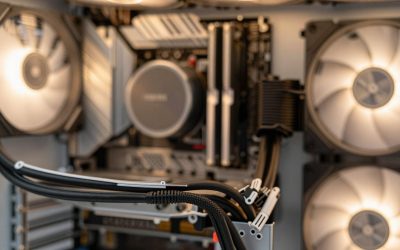
An AIO pump block sits on the CPU and moves coolant to a radiator. The block itself is compact and has no big fan next to the socket. The radiator is where the airflow lives, and that is usually far from the VRM. So the swap does two things at once: it removes a convenient source of local airflow, and it usually lowers the CPU temperature, which can allow the processor to draw more sustained power. More power with less incidental airflow is exactly the recipe for a warmer VRM.
Some boards cover for this. Many include a dedicated heatsink block with generous fins, and some sit at the front of a case with a mesh front panel that feeds cool air directly. The effect varies by build, which is why a fair comparison method matters more than a rule of thumb.
Radiator placement and what it does to VRM airflow
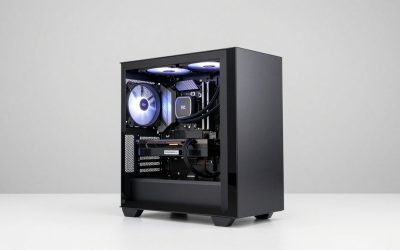
Where the radiator goes changes how air travels through the whole case, and the VRM sits in that path.
- Top, exhaust. Warm air leaves directly above the socket region, which tends to draw cool air across the board from the front. The VRM benefits from the pulling effect when the front intake is strong.
- Top, intake. Fresh air comes down onto the board, cooling the VRM region, but the radiator pre-heats the air with liquid heat first and the case can warm up.
- Front, intake. The radiator takes in room air, but that air is warmed by the radiator before it reaches the board. A rear or top exhaust is then the main VRM helper.
- Rear, exhaust. Only compact 120mm or 140mm radiators fit here. The fans sit close to the upper VRM block and pull air over it, a helpful side effect.
None of these placements is automatically right. Case panels, drive cages and the graphics card all alter the flow. Treat the list as a set of hypotheses to check with readings, not a verdict.
Diagnostic matrix: cooler type versus radiator layout
| Setup | Incidental airflow near VRM | Typical VRM risk | Usual helper |
|---|---|---|---|
| Tower air cooler, rear exhaust fan | High: cooler fan plus exhaust | Lower | Usually none needed |
| AIO, top radiator exhaust | Moderate: top fans pull air upward | Moderate | Rear exhaust fan |
| AIO, front radiator intake | Low near the socket | Moderate to higher | Rear and top exhaust |
| AIO, top radiator intake | Moderate: air pushed down onto the board | Moderate | Strong rear exhaust |
| AIO, rear 120mm radiator | High at the upper VRM block | Lower | Check front intake |
The risk column is a general pattern for planning, not a figure for any specific board. A high-power processor on a modest VRM raises every row.
A fair comparison: normalise for room and power
Raw VRM numbers mislead. A summer afternoon and a winter morning can differ by ten degrees on their own, and a different load can shift the result further. Compare the temperature over room instead, and note the CPU power for each run.
Worked example with assumed readings. Run A on an air cooler: VRM reads 68 C, room 22 C, CPU package power 150W. Run B after switching to an AIO: VRM reads 74 C, room 27 C, CPU package power 150W. The raw gap is 6 C, which looks like an AIO penalty. Over room, A is 46 C and B is 47 C. The AIO accounts for about 1 C once the warmer room is removed.
| Run | VRM reading | Room | Over room | CPU power | Over room per 100W |
|---|---|---|---|---|---|
| A: air cooler (assumed) | 68 C | 22 C | 46 C | 150W | about 31 C |
| B: AIO, same board (assumed) | 74 C | 27 C | 47 C | 150W | about 31 C |
| C: AIO, higher power limit (assumed) | 82 C | 22 C | 60 C | 200W | about 30 C |
Run C shows another trap: the AIO kept the CPU cooler, so a power limit was raised, and the VRM works harder in proportion. The over-room-per-100W figure is steady, which tells you the airflow around the VRM did not change much. All numbers are invented to show the method, not results from any component.
How to check VRM thermals under an AIO
- Find out if your board reports a VRM sensor. Check the manual and monitoring software. If no sensor exists, rely on throttling behaviour and a careful touch test of the heatsink only after the system is off and has cooled.
- Pick one repeatable load. A sustained all-core workload of 15 to 20 minutes works. Write down the CPU power and the room temperature.
- Log peak VRM and CPU clocks. Look for dropping clocks while the CPU stays cool; that hints at a power-delivery limit.
- Change a single variable. Rear fan speed, top exhaust fan, radiator direction, or a spot fan.
- Repeat and compare over-room numbers. Use the table method above.
- Stop when the reading is comfortable. Compare against whatever limits the board maker documents.
Corrective actions when the VRM runs high
Start with the cheapest move: raise the speed of an existing exhaust fan using a curve tied to a motherboard sensor, so it ramps only under load. If that is not enough, add a top or rear exhaust fan, or flip a top radiator to exhaust so it pulls air across the board.
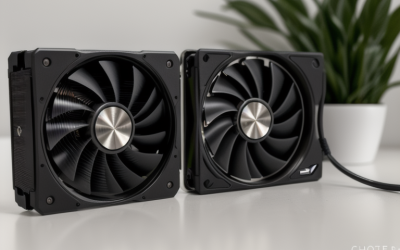
Next consider a slim fan on the VRM heatsink. Many AIO builders use a clip-on or bracket-mounted fan aimed along the fins. Keep cables clear, keep the blade away from tubing, and make sure the mount cannot touch moving parts.
If the case itself is the limit, a model with a mesh front and room for top exhaust makes everything easier; our notes on airflow-focused PC cases explain what to look for. Also review the processor power limit. Many boards ship with unlimited limits that push the CPU well past its rated draw, and trimming that limit lowers VRM heat directly.
Why a few degrees of VRM heat matter
A VRM that stays under its documented limits does its job quietly for years. One that runs hot all the time ages its capacitors faster and may start to cut CPU power to protect itself, which looks like unexplained clock drops in long renders or compiles. Short gaming sessions rarely push the stages that hard, so a slightly higher reading after an AIO swap may be harmless on a strong board. On an entry-level board paired with a high-power processor, the same rise can be the difference between full clocks and throttling. Decide based on the board's documented limits and your own workload, not on a fixed number from a forum post.
AIO VRM thermal checklist
- Pump block mounted evenly, tubing clear of the VRM heatsink.
- At least one exhaust fan near the top or rear of the case.
- Front intake not choked by a dust filter that needs cleaning.
- CPU power limit set deliberately instead of left unlimited.
- Readings logged over room temperature, not raw.
- Heatsink fins dust-free (power off and unplug before cleaning).
When to stop tuning and ask for help
If the VRM throttles at stock settings with plenty of airflow, the board is probably underbuilt for the processor, and the fix is a sturdier board or a lower power limit rather than extra fans. Treat shutdowns under load, a burnt smell, warped or discolored parts near the socket, or a swollen capacitor as faults. Power the system down, unplug it, and contact the board or cooler maker; follow the manufacturer’s instructions and warranty terms before removing a heatsink or remounting the block.
Related guides
- How To Check Motherboard Vrm Temperature In Hwinfo
- How To Clean Quest 3 Lenses And Facial Interface
- Micro Sd Cards For Samsung Galaxy Phones
Frequently asked questions
Does an AIO run the VRM hotter than an air cooler?
It can, though not because the liquid loop heats the VRM. A tower air cooler’s fan blows a stream across the socket area as a side effect, and an AIO pump block has no such fan. If nothing else moves air over the VRM heatsink, readings can rise a few degrees to more than ten, depending on CPU power and the case.
Which radiator position is best for VRM temperatures?
A top-mounted radiator set to exhaust leaves the front fans free to feed the case and keeps hot air moving up and out, which suits the VRM well. A front-mounted radiator pushes pre-warmed air through the case, and a rear 120mm radiator exhausts directly past the upper VRM block. No position is perfect, so judge it with your own temperature readings.
Do I need a fan on the VRM if I use an AIO?
Not always. Many setups with a rear exhaust fan and a decent heatsink on the board stay comfortable. If your board has a VRM sensor and shows steady climbs under long loads, a rear exhaust fan, a top exhaust fan or a small clip-on fan aimed at the heatsink is a cheap fix before you consider replacing anything.
Are AIO pump blocks themselves a heat risk to the motherboard?
The pump block adds a little heat near the socket, but its effect is small compared with the CPU and VRM output. The bigger issue is the missing fan stream. Make sure the block is mounted evenly with the pressure the manufacturer specifies, and route tubing so it does not press against the VRM heatsink.
How do I check my VRM temperature fairly after switching to an AIO?
Repeat the same sustained load at the same CPU power, then compare the difference between the VRM reading and room temperature rather than the raw number. A warmer room or a harder load can explain a rise on its own. If the over-room figure grows by about ten degrees or more, airflow near the socket is the likely cause.