The best 4K gaming PC in 2026 pairs a GeForce RTX 5080 with a Ryzen X3D processor, 32GB of DDR5 and a fast NVMe SSD. That combination is widely described as the realistic baseline for native 4K, and the RTX 5070 Ti or RTX 5070 reach 4K with DLSS upscaling at lower cost. The RTX 5090 tier is for 4K at 144Hz and above, and most players do not need it.
As an Amazon Associate we earn from qualifying purchases at no extra cost to you.
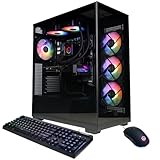


Top 3 picks at a glance
Quick comparison by tier
| Tier | Typical GPU | Typical CPU | Best for | Price tier |
|---|---|---|---|---|
| Entry 4K | RTX 5070 | Ryzen 7 or Core Ultra 7 | 4K with DLSS, medium to high settings | Upper-mid |
| Value 4K | RTX 5070 Ti or RX 9070 XT | Ryzen 7 9700X or similar | 4K 60 with upscaling, 1440p high refresh | Upper-mid |
| Sweet spot | RTX 5080 | Ryzen 7 9800X3D | Native 4K ultra at 60+ FPS in most games | Premium |
| Flagship | RTX 5090 | Ryzen 9 9950X3D or Core Ultra 9 | 4K at 120-144Hz and creator work | Flagship |
Best overall: RTX 5080 with a Ryzen 7 9800X3D
This is the setup behind several popular prebuilts, such as the Skytech Azure 3 and the STORMCRAFT Phantom with a 360 mm liquid cooler, according to retailer listings and roundups. The 5080 handles native 4K in most games, leaning on DLSS 4 or FSR 4 for the heaviest titles. The trade-off is cost: these systems usually sit in the premium bracket.
Best premium prebuilt: Alienware Aurora ACT1250
Configured with an RTX 5080 and a Core Ultra 9 285, it is often called the most powerful standard prebuilt in its class and comes with the maker’s support. The trade-off is a proprietary-leaning design that can limit part swaps.
Best value: RTX 5070 Ti prebuilts
Systems such as the Lenovo Legion Tower 5i and iBUYPOWER Y40 Pro with an RTX 5070 Ti suit high-refresh 1440p and entry-level 4K. The trade-off is that you rely on upscaling for demanding 4K titles.
Best for 4K high refresh: RTX 5090 builds
For 4K at 144Hz and above, plus heavy creator workloads, the 5090 tier is the only one that comfortably gets there. It also needs a large power supply and case, and the cost is far above the 5080.
Worked calculation: why 4K needs more GPU
| Resolution | Pixels per frame | Relative load |
|---|---|---|
| 1080p | 2.07 million | 1.0x |
| 1440p | 3.69 million | 1.8x |
| 4K (3840×2160) | 8.29 million | 4.0x |
4K pushes four times the pixels of 1080p. At 60 FPS that is nearly 500 million pixels per second, and at 120 FPS about one billion. That is why a card that is excellent at 1440p can need DLSS or reduced settings at 4K, with FPS varying by game, settings and CPU.
Power and platform checklist
| Component | Recommended for RTX 5080 |
|---|---|
| Power supply | 850 W or higher with the 12V-2×6 connector |
| Memory | 32GB DDR5-6000 CL30 dual channel |
| Storage | 2TB NVMe Gen4 or Gen5 |
| Cooling | 240-360 mm liquid cooler or a strong dual-tower air cooler |
| Display | 4K 120Hz with HDMI 2.1 or DisplayPort 1.4/2.1 |
How to choose
Pick the GPU first
At 4K the GPU is almost always the limit, so spend there before the CPU.
Choose an X3D CPU if you chase high FPS
The extra cache is the single biggest CPU gain for gaming, especially at lower resolutions and high frame rates.
Check upgradeability
Standard ATX parts and an accessible power supply make future GPU swaps easier than proprietary layouts.
Match your display
A 4K 60Hz TV does not need a 5090. A 4K 144Hz monitor is where bigger GPUs earn their price.
Frequently Asked Questions
What GPU do I need for 4K gaming?
An RTX 5080 is the usual minimum for native 4K ultra. An RTX 5070 or 5070 Ti works at 4K with DLSS.
Is the RTX 5090 worth it for 4K?
Only if you want 4K at 144Hz or heavy creator performance. For most players the 5080 delivers most of the experience for much less.
Should I build or buy a 4K gaming PC?
Building offers better part choice; a prebuilt offers a single warranty and fast delivery. Compare the part list, especially the power supply and cooling.
How much RAM does a 4K gaming PC need?
32GB of DDR5 is the sensible target. 16GB can work, but newer games use more.
Do I need DLSS at 4K?
For the heaviest titles, yes, even on an RTX 5080. Upscaling lets you keep high settings and frame rates.
Related guides
- How to Improve VRM Cooling: Airflow, Heatsinks, Thermal Pads and Power Limits
- Does an AIO Cooler Affect VRM Temperature? Radiator Placement, Airflow and a Fair Way to Compare
- Does a Case Fan Help VRM Cooling? What Airflow Can and Cannot Fix on a Motherboard
- Can a Weak VRM Cause CPU Throttling? Signs, Checks and Fixes