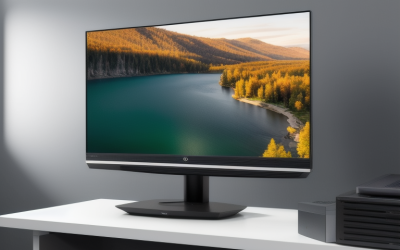
The best 48 inch TV for a compact room is the LG OLED48C5 for most buyers, while the Samsung 48-inch S90D is the stronger alternative for bright rooms and the Sony A90K remains a good choice when accurate, cinematic processing matters more than gaming features.
As an Amazon Associate we earn from qualifying purchases at no extra cost to you.


Our Top Picks
 INSIGNIA 55-inch Class F50 Series LED 4K UHD55-inch10.39 x 48.35 x 30.09 inches28.7 poundsCheck on Amazon

Top 3 picks at a glance
Best 48-inch TVs at a glance
| TV | Best for | Panel and refresh rate | Typical market range | Stand-space consideration |
|---|---|---|---|---|
| LG OLED48C5 | Best overall gaming and movies | 4K OLED, up to 144Hz | Usually $900–$1,300 | Wide central stand; check depth on shallow furniture |
| Samsung 48-inch S90D | Bright-room OLED viewing | 4K OLED, up to 144Hz | Usually $900–$1,300 | Compact central pedestal, but relatively deep footprint |
| Sony A90K 48-inch | Films, streaming and image processing | 4K OLED, 120Hz | Usually $800–$1,200 when available | Two-position feet can suit narrow furniture |
| LG OLED48B5 | Lower-cost OLED gaming | 4K OLED, up to 120Hz | Usually $700–$1,000 | Broad stand; wall mounting may save more space |
Market prices change substantially during sales, and older models may remain available alongside newer ranges. Treat the ranges as buying guidance rather than fixed prices. Before ordering, confirm the exact stand width and depth for the regional model, since those measurements can differ slightly.
1. LG OLED48C5: the best all-rounder
The LG C5 is the easiest recommendation for a small gaming room because it combines OLED contrast with four HDMI 2.1 inputs, 4K gaming at up to 120Hz or 144Hz from a compatible PC, variable refresh rate, and a responsive Game Optimizer interface. Its self-emissive pixels can turn off completely, so dark games and films look far better than they do on a conventional edge-lit LCD.
Its main advantage over the cheaper B5 is processing and gaming flexibility. A gaming PC can use 4K at high refresh rates, while a console can use 4K/120Hz, HDR and VRR without sharing a single premium input. The webOS interface is also quick to navigate and supports major streaming services, although the exact app catalogue varies by region.
For a desk setup, the C5 is particularly practical when used as a large monitor. Enable PC mode, use the HDMI input label for PC, and set the graphics card to RGB or 4:4:4 chroma. This keeps small text sharper than a typical television-processing mode.
2. Samsung 48-inch S90D: best when the room is bright
The 48-inch Samsung S90D is a strong rival to the C5, with vivid OLED colour, very low input lag, 4K/144Hz PC support and a slim central pedestal. Samsung’s Tizen smart-TV platform has a broad app selection and integrates well with Samsung devices.
Choose it over the LG if your room has daylight or lamps reflecting toward the screen and you prefer a punchier, more saturated image. However, OLED screens can still show reflections, and a 48-inch panel does not have the same brightness headroom as a larger premium TV. Positioning matters more than the model name: avoid placing it directly opposite a window.
Samsung’s menus can be less intuitive for users who want every gaming control in one place, and the set’s lack of Dolby Vision may matter if your streaming library uses that format. HDR10 and HDR10+ content remain well supported.
3. Sony A90K: best for film processing
The Sony A90K is an older but still capable 48-inch OLED designed around natural picture processing rather than the highest PC refresh rate. Its 4K/120Hz HDMI 2.1 support is enough for PlayStation 5, Xbox Series X and most console use, while Sony’s motion handling and upscaling can make ordinary HD broadcasts and compressed streams look refined.
It makes the most sense for a compact living room where films, television and console gaming are the priorities. It is less compelling for a high-end gaming PC, because the LG C5 and Samsung S90D can drive 144Hz at 4K and provide more PC-focused options.
One useful small-room feature is the adjustable foot arrangement. Depending on the setup, the feet can be positioned to suit different furniture widths or provide clearance for a soundbar. Check the manual for the exact 48-inch version before assuming a particular configuration is included.
4. LG OLED48B5: the value OLED choice
The LG B5 is the sensible choice when you want OLED black levels but would rather keep the budget below the latest C-series model. It supports modern console features, including 4K/120Hz, VRR and ALLM, and its webOS interface is familiar and comprehensive.
The trade-off is lower peak brightness and less advanced processing. In a dim bedroom or office, that difference may be difficult to justify paying extra for. In a bright room, or when displaying HDR games during the day, the C5 or S90D is a safer choice.
How far away should you sit from a 48-inch TV?
A 48-inch 16:9 screen is approximately 41.8 inches wide and 23.5 inches tall. Its recommended viewing distance depends on whether you want a relaxed television image or a more immersive gaming field of view.
| Use | Recommended distance | What it feels like |
|---|---|---|
| Desktop PC gaming | 3.0–4.0 feet | Very immersive; UI may require scaling |
| Console gaming | 4.0–6.0 feet | Immersive without dominating most rooms |
| Films and streaming | 5.0–7.0 feet | Comfortable for mixed-quality content |
| General television | 6.0–8.0 feet | More relaxed and forgiving of low-resolution broadcasts |
A useful calculation is that 4K resolution provides 3,840 horizontal pixels across roughly 41.8 inches of screen width, or about 92 pixels per inch. At 4 feet, the screen occupies roughly 47 degrees of your horizontal view; at 6 feet, it occupies about 32 degrees. That explains why a 48-inch TV can feel enormous at a desk but perfectly moderate across a small lounge.
Check the stand before measuring your furniture
The panel width is not the same as the clearance required by the stand. A 48-inch television is around 42 inches wide, so a cabinet should generally be at least 44 inches wide for a comfortable overhang-free fit. If the stand uses widely separated feet, allow additional width. A central pedestal may fit a narrower cabinet, but it often extends farther back.
Measure three things: the usable furniture width, the flat depth from the front edge to the wall, and the height available below shelves. Include space for the power cable and HDMI plugs. A television with a 9-inch-deep stand can be awkward on a 10-inch-deep desk once cables are connected.
For the smallest room, wall mounting can remove the stand problem, but leave room for ventilation and use a mount rated for the TV’s weight and VESA pattern. Do not place an OLED inside a tightly enclosed cabinet, where heat and restricted airflow can shorten component life.
Decision matrix: which 48-inch TV fits your room?
| Your situation | Best match | Reason |
|---|---|---|
| PC gaming at a desk, 120Hz or higher | LG OLED48C5 or Samsung S90D | 4K high-refresh support and strong VRR features |
| Mostly console gaming | LG B5, C5 or Sony A90K | 4K/120Hz and low-latency gaming are sufficient |
| Bright room with daytime viewing | Samsung S90D or LG C5 | More convincing HDR brightness than a budget OLED |
| Mostly films and streaming | Sony A90K or LG C5 | Strong upscaling, motion handling and OLED contrast |
| Lowest-cost route to OLED | LG B5 | Retains the key OLED benefits and current gaming basics |
| Very narrow TV cabinet | Model with a central pedestal or wall mount | Panel width is similar, but foot placement can determine compatibility |
Bandwidth and cable requirements for 4K gaming
Uncompressed 4K at 120Hz requires substantially more than ordinary 4K video. The rough calculation is 3,840 × 2,160 pixels × 120 frames per second × 24 bits per pixel, which equals about 23.9 gigabits per second before blanking, overhead and HDR-related requirements. In practice, use an Ultra High Speed HDMI cable rated for 48Gbps, especially for 4K/120Hz HDR with VRR.
If the picture drops out, first connect the PC or console directly to the TV rather than through an older receiver or switch. Then enable the TV’s enhanced HDMI format, replace the cable, and test 4K/120Hz without HDR. If that works, add HDR and VRR separately. This order identifies whether the problem is bandwidth, the cable, or a device setting.
Picture settings worth changing
- Gaming: use Game Mode, enable VRR and ALLM, and set sharpness near its neutral value rather than increasing it. Excessive sharpness creates halos around text.
- HDR: leave the TV’s HDR tone mapping at its default first, then calibrate the console or PC HDR screen. Raising brightness controls beyond the calibration pattern can clip highlight detail.
- PC use: select PC input mode, use 4:4:4 or RGB, and disable overscan. This is the most important step for readable desktop text.
- Night viewing: reduce OLED brightness rather than using an overly bright vivid preset. It lowers eye strain and makes black-level performance easier to appreciate.
Frequently asked questions
Can a 48-inch OLED TV be used as a computer monitor?
Yes, a 48-inch OLED can work well as a large monitor, particularly with the LG OLED48C5. Enable PC mode, label the HDMI input as PC, and set the graphics card to RGB or 4:4:4 chroma. These settings help keep small text sharper than a typical television-processing mode, though desktop gaming at this size can feel very immersive.
Will a soundbar fit beneath these 48-inch TVs?
It depends on the television’s stand arrangement and the available height. The Sony A90K has an adjustable foot arrangement that can provide soundbar clearance in some configurations, while the other models require checking their stand dimensions. Measure the height below shelves and include the soundbar, power cable, and HDMI plugs before choosing a setup.
Do these TVs support Dolby Vision?
The Samsung S90D does not support Dolby Vision, although it supports HDR10 and HDR10+ content. The article does not state Dolby Vision support for the LG OLED48C5, Sony A90K, or LG OLED48B5, so buyers whose streaming library uses that format should confirm the specifications for the exact regional model before ordering.
What should I do if 4K gaming keeps losing the picture?
Connect the PC or console directly to the TV instead of using an older receiver or switch. Then enable the TV’s enhanced HDMI format, replace the cable with an Ultra High Speed HDMI cable rated for 48Gbps, and test 4K/120Hz without HDR. Add HDR and VRR separately afterward to identify whether the issue involves bandwidth, the cable, or a device setting.
Is wall mounting better for a very small room?
Wall mounting can be better when the stand would not fit the furniture or would leave too little usable depth. It removes the stand problem, but you still need ventilation, a mount rated for the TV’s weight, and compatibility with its VESA pattern. Do not place an OLED inside a tightly enclosed cabinet because restricted airflow can shorten component life.
Final recommendation
Buy the LG OLED48C5 if you want one compact TV that handles PC gaming, consoles, streaming and films without a major weakness. Choose the Samsung S90D for a vivid bright-room presentation and a compact pedestal. Pick the Sony A90K when film processing and console use matter more than 144Hz PC gaming, or select the LG B5 when the lower price is the deciding factor. Whichever model you choose, measure the stand footprint and viewing distance before buying; in a small room, those practical details can matter as much as the panel specification.
Related guides
- Best Streaming Gear for Twitch: Webcams, Capture Card, Backdrop and Light (2026)
- Best Over Ear Headphones: 9 Closed, Open-Back and Bluetooth Picks Explained (2026)
- Best Monitor for Console Gaming: Eight 1080p and 1440p Screens Compared by HDMI and Refresh Rate (2026)
- Best Monitors for PS5 Pro 4K 120Hz: Eight Screens and the HDMI Bandwidth Check (2026)