Editing video asks different things of a mouse than gaming does. A timeline session is hundreds of small scroll movements, constant zooming in and out, and the same handful of commands — cut, ripple delete, play, stop — repeated for hours. A lightweight esports shell with five buttons gives you none of that. What editing rewards is a wheel that can move through long footage quickly, extra buttons you can assign to shortcuts, and a sensor that stays steady during slow, careful drags across clips.
This guide is for editors who cut in programs like Premiere Pro or DaVinci Resolve and want one mouse that covers the timeline and the games they play afterwards. Every pick below was chosen from its Amazon listing: the button counts, wheel types and sensor figures quoted here come from the product pages themselves. One pick is a productivity mouse rather than a gaming model, and it is labelled honestly as such.
Top 3 picks at a glance


Quick Picks
As an Amazon Associate we earn from qualifying purchases
| Product | Best for | Key spec from title |
|---|---|---|
| Logitech G502 X Plus | Wireless editing with a free-spinning wheel | 13 Buttons, Infinite Scroll Toggle |
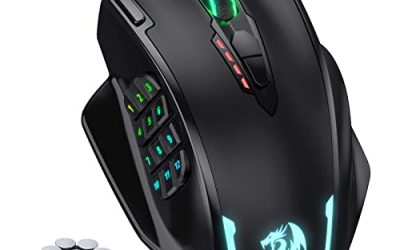
| Razer Naga V2 Pro | Editors who map many shortcuts | 19+1 programmable buttons, swappable side plates |
| Logitech G502 HERO | Wired editing on a tighter setup | 11 programmable buttons, dual-mode scroll wheel |
| Logitech MX Master 3S | Scroll-heavy timelines, quiet desk | Ultra-fast Scrolling, 8K DPI |
How to Choose
The scroll wheel does most of the editing work
Scrubbing through footage is wheel work, so the wheel matters more here than raw sensor speed. A wheel with a free-spin or infinite-scroll mode lets you flick through minutes of footage in one motion, then click back into stepped, notched scrolling for frame-level adjustments. The listings below state this feature in different words — an infinite scroll toggle on the G502 X Plus, a dual-mode hyper-fast wheel on the G502 HERO, ultra-fast scrolling on the MX Master 3S — so check the exact wording on the listing of any mouse you are considering.
Count buttons you will actually assign
Extra buttons only help if they map to commands you repeat. Editors typically assign play and stop, cut at playhead, zoom in and out, and undo — five or six assignments cover most workflows, which a mid-range gaming mouse handles. Beyond that, button grids like the Naga V2 Pro’s swappable side plates suit editors who also use macros for exports, markers or effects presets. Think about your real shortcut list first, then buy the button count that covers it instead of paying for a grid you will leave unassigned.
Sensor figures matter less than steadiness
Gaming listings lead with maximum DPI, but editing rarely uses it. What matters is a sensor that tracks smoothly at the low-to-mid sensitivity you will actually set, so drags across a timeline do not jitter. Every mouse here lists a modern optical sensor with a range far beyond editing needs, so treat the headline DPI as headroom rather than a deciding factor. Shape and weight deserve more of your attention: a heavier, sculpted shell that supports your palm during long sessions usually beats a featherweight shell built for fast flicks.
Wireless freedom versus a cable that never dies
A wireless mouse keeps a desk with a keyboard, control surface and drives from turning into a cable nest, and it moves between a desktop and a laptop without unplugging anything. The listings below state battery figures for the wireless picks, and those figures drop sharply when lighting is switched on, so read the conditions attached to each number. A wired mouse removes charging from your routine entirely and never drops its connection mid-export. Neither is wrong; the deciding factor is how often you move the mouse between machines.
The 4 Best Options
Logitech G502 X Plus

The G502 X Plus is the natural first look for an editor who games, because its listing pairs a gaming sensor with the two features timeline work leans on: 13 programmable controls and an infinite scroll toggle that switches the wheel between stepped and free-spinning movement. It runs on Logitech’s LIGHTSPEED wireless, carries LIGHTSYNC RGB across 8 zones, and its shape is a sculpted right-handed shell with room for a relaxed palm grip during long cuts. At 106 g it is a substantial mouse, which suits slow, deliberate timeline drags more than fast competitive play.
Specs
- HERO 25K sensor, 100 to 25,600 DPI
- 13 programmable controls
- Infinite scroll toggle on the wheel
- LIGHTFORCE hybrid optical-mechanical switches
- LIGHTSPEED wireless connection
- Battery life listed at 120 hours constant motion, 37 hours with RGB on
- USB-C charging, POWERPLAY compatible
- Weight listed at 106 g
- Listed for PC and MacOS
Best for: Editors who want one wireless mouse for both timeline work and gaming, with a free-spinning wheel for long footage.
Watch out for: The battery figure falls steeply with the RGB lighting on, so the headline battery number assumes the lighting is off.
Razer Naga V2 Pro
The Naga V2 Pro is built around buttons, and its listing states up to 20 programmable buttons through three magnetic side plates that swap between 12, 6 and 2-button layouts. For editing, that means one plate can hold a dense grid of timeline shortcuts while another keeps a simpler layout for gaming, without buying a second mouse. Its HyperScroll Pro wheel addresses the scrubbing side of the job, and the Focus Pro 30K sensor is far beyond what timeline work requires. At 134 g it is one of the heaviest mice in this guide, which editors who prefer a planted, deliberate feel may count as a plus.
Specs
- Focus Pro 30K optical sensor
- Up to 20 programmable buttons (listed as 19 + 1)
- Three magnetic swappable side plates: 12, 6 and 2 buttons
- HyperScroll Pro wheel
- Razer Optical Mouse Switches Gen-3
- HyperSpeed wireless, Bluetooth and USB-C wired modes
- Battery listed up to 150 hours on HyperSpeed, 300 hours on Bluetooth
- Weight listed at 134 g
- Dimensions listed at 119.5 x 75.5 x 43.5 mm
Best for: Editors who run long shortcut and macro lists and want to swap between a dense editing layout and a lighter gaming layout.
Watch out for: The weight and wide button grid are overkill if your shortcut list is short, and the 12-button plate takes practice to use without looking down.
Logitech G502 HERO
The wired G502 HERO covers the editing essentials without a battery to manage. Its listing states 11 programmable buttons and a dual-mode hyper-fast scroll wheel, which is the combination most editors actually use: buttons for the core commands and a wheel that free-spins through footage, then clicks back to stepped movement for precise work. The HERO 25K sensor matches the wireless model above on paper. Five included 3.6 g weights let you add mass to the 121 g base if you prefer a heavier feel for slow drags. Because it is wired, there is no charging routine and no receiver to keep track of between machines.
Specs
- HERO 25K sensor, up to 25,600 DPI
- 11 programmable buttons
- Dual-mode hyper-fast scroll wheel
- Adjustable weight: five 3.6 g weights included
- Base weight listed at 121 g
- On-Board Memory stated in the listing title
- Wired USB connection
- Listed for PC and Mac
Best for: Editors at a fixed desk who want the button-and-wheel combination without charging or wireless receivers.
Watch out for: The cable is always there, and the base weight is already substantial before any of the tuning weights are added.
Logitech MX Master 3S

This one needs an honest label: Logitech markets the MX Master 3S as a performance and productivity mouse, not a gaming mouse, and its listing says so. It earns its place here on the features editors actually use — ultra-fast scrolling for moving through timelines, an ergonomic shell shaped for all-day use, and quiet clicks that suit shared rooms and late-night sessions. Its 8K DPI sensor tracks on glass per the listing, and it connects over Bluetooth or the included Logi Bolt USB receiver. Judge it as an editing tool that can handle casual gaming, not as a gaming mouse with editing features.
Specs
- 8K DPI sensor, listed as tracking on glass
- Ultra-fast scrolling wheel
- Quiet Clicks stated in the listing title
- Ergonomic shape
- Bluetooth and Logi Bolt USB receiver connection
- USB-C charging
- Listed for Windows, Linux and Chrome
Best for: Editors whose day is mostly timeline and office work, who value fast scrolling and quiet clicks over gaming features.
Watch out for: It is not a gaming mouse — there is no gaming sensor tuning or lighting here, and fast-paced competitive play is not what it is built for.
Which One Fits Your Situation
You cut long-form footage and scroll for a living
If your projects run to hours of source footage, the wheel decides your day. The G502 X Plus and its infinite scroll toggle let you flick through a timeline and stop precisely, while the MX Master 3S offers the same fast-scrolling idea in a quieter, office-shaped shell. Choose the Logitech G mouse if you also game seriously; choose the MX Master if editing is the main job and gaming is occasional.
You have a shortcut for everything
Editors who drive their software from the mouse should look at the Naga V2 Pro. Its swappable plates let you keep a 12-button grid for editing and a 2-button plate for games, and the listing’s button count is the highest here by a wide margin. If your shortcut list is closer to six commands than twenty, the G502 HERO gives you enough buttons for less complexity, and it never needs charging.
You edit on a laptop in more than one place
A mouse that moves between a desk, a sofa and a co-working table should be wireless and easy to reconnect. The G502 X Plus runs over LIGHTSPEED and charges by USB-C, while the MX Master 3S pairs over Bluetooth with no receiver occupying a port. The Naga V2 Pro also offers Bluetooth alongside its faster wireless mode, which suits a laptop that travels, though its size and weight make it the least portable shape here.
Your desk is fixed and your budget of patience is low
If the mouse never leaves one desk, the wired G502 HERO removes the two small frictions of wireless ownership: charging and receiver management. It keeps the dual-mode wheel and 11 buttons that editing uses most, and its on-board memory wording in the listing means your stored settings live on the mouse itself. It is the simplest ownership experience in this guide, at the cost of a permanent cable.
Common Mistakes
- Buying the highest DPI figure on the box, when editing happens at low sensitivity and wheel behaviour matters far more.
- Choosing a featherweight esports shell for eight-hour timeline sessions, then blaming the mouse for a sore hand.
- Paying for a 12-button side grid before writing down the shortcuts you will actually assign to it.
- Reading a wireless battery figure without checking whether it assumes the lighting is switched off.
- Assuming a productivity mouse is a gaming mouse because it appears in a gaming guide — check how the listing itself markets it.
Frequently Asked Questions
Can a gaming mouse really speed up video editing?
It can remove small frictions rather than transform the work. Buttons mapped to cut, play and zoom commands reduce trips to the keyboard, and a free-spinning wheel moves through long timelines faster than a stepped-only wheel. The gains come from the button count and wheel type stated in the listing, not from gaming branding or sensor headlines.
Is the MX Master 3S a gaming mouse?
No, and its listing does not claim to be one. Logitech markets it as a performance productivity mouse with ultra-fast scrolling and quiet clicks. It appears here because those listed features suit editing well. For fast competitive gaming, the gaming models in this guide are the appropriate picks; the MX Master is an editing-first tool that handles lighter gaming.
How many programmable buttons does an editor need?
Most editors use between five and eight mouse assignments: transport controls, cut at playhead, zoom and undo cover the bulk of timeline work. A mouse with 11 to 13 controls, like the two G502 models, covers that with room to spare. Grids of 12 side buttons, like the Naga V2 Pro’s swappable plate, suit editors who also run macros for exports and markers.
Wired or wireless for a fixed editing desk?
Wireless keeps a crowded desk tidy and moves easily between machines, but it adds charging to your routine and its battery life drops with lighting enabled. A wired mouse like the G502 HERO never needs charging and never loses a receiver. For a desk that never changes, wired is the simpler ownership experience; for a desk that doubles as a laptop dock, wireless earns its place.
Related guides
More from Amazon
Programs that pair well with the guide above. Offers and eligibility are set by Amazon and may change.
Free shipping on eligible items, Prime Video and more. Eligible new members can start with a free trial.
Start a Prime free trialAd-free music streaming. Eligible new subscribers can start with a free trial.
Try Music Unlimited freeA Prime membership for ages 18-24 with a trial period. Eligibility is set by Amazon.
See Prime for Young AdultsAudiobooks and podcasts to listen to on the go. Eligible new members can start with a free trial.
Try Audible freeAs an Amazon Associate we earn from qualifying purchases.