The best controller for Overwatch 2 on PC is one with a gyro you can turn into mouse-style aim. That means the 2026 Steam Controller, a DualSense or DualSense Edge running through Steam Input, or the GameSir G7 Pro with its PC-only gyro mapping. The reason is simple: Blizzard still gives controller players on PC no aim assist. If you only play heroes that don’t need precise aim, a paddled pad like the Xbox Elite Series 2 is enough.
As an Amazon Associate we earn from qualifying purchases at no extra cost to you.


Our Top Picks
 Razer Wolverine V2 Wired Gaming Controller for XboxController Only2.57 x 6.26 x 4.17 inches0.6 poundsCheck on Amazon
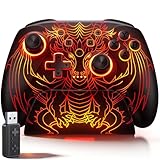
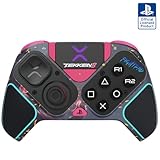
 Victrix Pro BFG Wireless Gaming Controller: Tekken 8OS3.6 x 7.9 x 7.9 inches0.7 PoundsCheck on Amazon


Top 3 picks at a glance
What changes when you pick up a pad on PC
Blizzard dropped the “2” when Season 1 launched on February 10, 2026, so the game is now just Overwatch. The client and the controller rules are the same as before.
- There’s no aim assist for controllers on PC. Every 2026 aim assist change, including the legacy strength option and the wider hitscan auto-aim tweak in February and the 4% hitscan strength cut in April, applied to console players only.
- Console has separate Controller and Mouse & Keyboard pools, and the Mouse & Keyboard pool has no aim assist at all. On PC, a pad puts you against mouse players with no help, including on handheld PCs that run the PC client.
- Xbox-pattern pads are plug-and-play. A wired DualSense is recognized, and its haptics and adaptive triggers work with Steam Input off, but prompts stay in Xbox letters. Players also report unreliable Bluetooth for PlayStation pads on the Battle.net client.
That leaves two ways to make a controller work: play heroes whose weapons forgive imprecise aim, or add gyro so your wrist handles the fine corrections the missing aim assist would have made.
Hero fit: where a stick alone is enough
| Weapon type | Example heroes | Stick-only viable? | Feature that matters most |
|---|---|---|---|
| Lock-on or auto-target beam | Mercy, Moira, Symmetra, Winston | Yes | Paddles for movement abilities |
| Melee and short range | Reinhardt, Brigitte | Yes | Comfortable triggers, low deadzone |
| Wide projectile or splash | Junkrat, Lúcio | Mostly | Jump and crouch on paddles |
| Hitscan precision | Widowmaker, Cassidy, Ashe, Soldier: 76 | No, add gyro | Gyro aim |
| Flick-heavy projectile | Hanzo, Genji | Hard, add gyro | Gyro plus a stable mixed-input setup |
Mercy’s beam and Moira’s damage beam lock onto targets in range, and Winston’s Tesla Cannon hits everything in a forward arc. These heroes lose very little from the missing aim assist. Their real demand is movement: Mercy’s Guardian Angel launches and Lúcio’s wall-riding both depend on jump timing while you keep the camera moving. That’s what paddles solve.
The shortlist
| Controller | Gyro path on PC | Rear inputs | Sticks | Connection | Typical price |
|---|---|---|---|---|---|
| Steam Controller (2026) | Steam Input, native | 4 grip buttons + 2 trackpads | TMR | 2.4GHz puck, Bluetooth, USB-C | $99 at launch |
| DualSense Edge | Steam Input | 2 back buttons | Swappable modules | USB (needed for haptics), Bluetooth | $180–$220 |
| DualSense | Steam Input | None | Potentiometer | USB, Bluetooth | $65–$80 |
| GameSir G7 Pro | On-board gyro mapped to mouse (PC only) | Back buttons | TMR | 1000Hz wired and 2.4GHz | $80–$110 |
| Xbox Elite Series 2 | No gyro | 4 paddles | Potentiometer, 3 tensions | Bluetooth, USB-C, Xbox Wireless | $150–$200 |
Steam Controller (2026): best for gyro players
Valve released it on May 4, 2026 at $99. It has TMR sticks, two pressure-sensitive trackpads, a 6-axis IMU, four back grip buttons, capacitive grip sensing and a rated battery life of about 35 hours. Steam Input is built around it, so gyro-as-mouse, flick stick and per-hero action sets need no third-party tools. Use the 2.4GHz puck rather than Bluetooth, which adds latency.
DualSense Edge: best PlayStation-style option
The Edge has a solid gyro, two back buttons for jump and crouch, trigger stops and replaceable stick modules. Sony says haptics and adaptive triggers may require USB on PC. Overwatch only runs adaptive triggers with Steam Input off, though, so you have to choose between triggers and gyro.
GameSir G7 Pro: gyro without Steam
This Xbox-licensed pad has TMR sticks, 1000Hz polling wired or over its 2.4GHz dongle, and dual-mode triggers. GameSir’s software can map the built-in gyro to mouse movement on PC, which helps if you launch through Battle.net instead of Steam.
Xbox Elite Series 2: best for beam and melee mains
It has no gyro, but its four paddles, three-position hair-trigger locks and roughly 40-hour battery make it the most comfortable stick-only option for Mercy, Moira, Reinhardt and Winston players.
Gyro setup that holds up in matches
- Use the Steam version of the game or add Battle.net as a non-Steam game, then enable Steam Input for your controller. The game has no built-in gyro on PC (its in-menu gyro options are for Switch), so Steam has to do the conversion.
- Set the gyro to “As Mouse” and leave movement, abilities and triggers as controller inputs. Gyro then supplies the fine precision, and the right stick or flick stick handles big turns.
- Pick a ratio that covers turns without wrist strain. At 2:1, a 60-degree wrist turn moves the camera 120 degrees. At 3:1 it moves 180 degrees. Higher ratios turn faster but magnify hand tremor on Widowmaker’s scope, so a ratio near 2:1 is a sensible start, raised only for dive heroes.
- Under Accessibility, set UI Button Prompt Display to Controller. Mixed mouse and pad input can make prompts flicker between keyboard and Xbox icons, and this setting stops it.
- If you see stutter or missing ability icons (players have reported this on Hanzo and Pharah), switch the gyro to “As Joystick”. Everything then stays controller input, at the cost of being capped by the game’s maximum turn speed.
Stick-only settings for pads without gyro
Since the February 2026 update, the controller options are split into Controller, Controller Deadzone and Aim Assist. On PC, work in the first two. Lower the inner deadzone until the crosshair creeps at rest, then raise it one step. Hall effect and TMR sticks usually hold a lower value than worn potentiometer sticks. Keep sensitivity high enough to turn 180 degrees in well under a second, because tanks and dive heroes get flanked often. Map jump and crouch to paddles on every hero so movement never takes your thumb off the camera.
Which pick fits you
- Support or tank main who never touches hitscan: Xbox Elite Series 2.
- Flex player who wants to play Cassidy or Ashe on a pad: Steam Controller (2026).
- PlayStation layout with gyro: DualSense Edge, or a standard DualSense on a budget.
- Battle.net launcher, no Steam: GameSir G7 Pro.
Frequently asked questions
Can I use a controller with the Battle.net version of the game?
Yes, but the most practical gyro options differ from those available through Steam. A GameSir G7 Pro can map its built-in gyro to mouse movement on PC through GameSir’s software. For other controllers, you can add Battle.net as a non-Steam game and enable Steam Input, although players have reported unreliable Bluetooth with PlayStation pads on the Battle.net client.
Will the game show controller button prompts when I use gyro aiming?
Yes, you can set the UI Button Prompt Display to Controller under Accessibility. Mixed mouse and controller input can otherwise make prompts switch between keyboard and Xbox icons. This setting keeps the display on controller prompts while Steam Input converts gyro movement into mouse-style aiming.
Can I use a DualSense Edge’s gyro and adaptive triggers together?
No, the article says you must choose between gyro and adaptive triggers on the DualSense Edge. Steam Input is used for gyro aiming, while Overwatch runs adaptive triggers with Steam Input off. Sony says haptics and adaptive triggers may require USB on PC, so the connection and input mode affect which features are available.
What should I do if gyro aiming causes stutter or missing ability icons?
Switch the gyro mode from “As Mouse” to “As Joystick.” Players have reported stutter or missing ability icons with mouse-style gyro conversion, including on Hanzo and Pharah. Joystick mode keeps everything as controller input, but it is limited by the game’s maximum turn speed, so it gives up some of the precision and responsiveness of mouse conversion.
Does console aim assist apply when I play on a PC handheld?
No, a handheld PC running the PC client follows the PC controller rules and provides no aim assist. PC players face mouse players without that assistance. The article says the listed aim-assist changes applied to console players only, while console has separate Controller and Mouse & Keyboard pools.
Related guides
- Best Streaming Gear for Twitch: Webcams, Capture Card, Backdrop and Light (2026)
- Best Over Ear Headphones: 9 Closed, Open-Back and Bluetooth Picks Explained (2026)
- Best Monitor for Console Gaming: Eight 1080p and 1440p Screens Compared by HDMI and Refresh Rate (2026)
- Best Monitors for PS5 Pro 4K 120Hz: Eight Screens and the HDMI Bandwidth Check (2026)