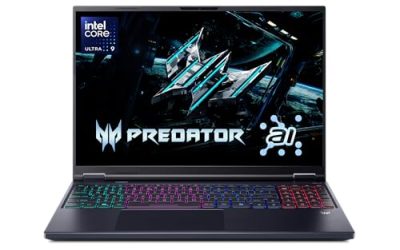
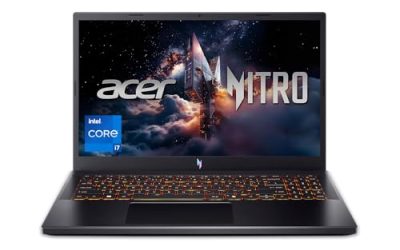
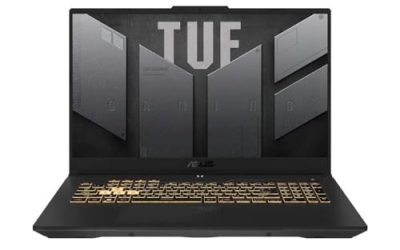
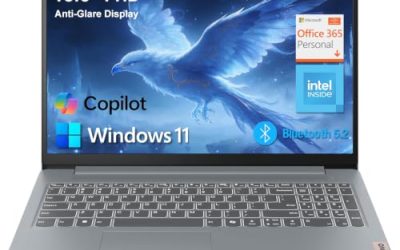
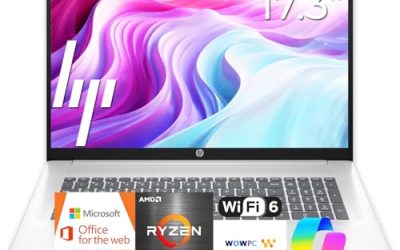
Our Short List of 3
All 5 Picks at a Glance
| Product | Specs | Action |
|---|---|---|
 1. ASUS ROG Zephyrus G14 (GA403UV) | Check price on Amazon | |
 2. ASUS TUF Gaming A14 (FA401WV-WB94) | Check price on Amazon | |
 3. Lenovo Legion Slim 5 (16-inch) | Check price on Amazon | |
 4. HP Victus 15 | Check price on Amazon | |
 5. Acer Nitro V 15 (ANV15-52-586Z) | Check price on Amazon |
A computer that has to handle both gaming and schoolwork lives a double life. In the morning it needs to open quickly in a lecture hall, run note-taking apps, research tabs, and video calls without draining its battery before lunch, and in the evening it needs enough graphics power to run modern games smoothly at high settings. Buying only for gaming usually means a heavy machine with loud fans and short unplugged life, while buying only for school usually means integrated graphics that struggle with anything beyond casual titles.
The five laptops in this guide were chosen specifically for that balance. Each one pairs a dedicated graphics card with a portable chassis, a comfortable keyboard for long writing sessions, and enough memory and storage for coursework, creative projects, and a growing game library. They range from compact 14-inch models that disappear into a backpack to larger 16-inch options that give more screen space for split-screen study and play.
As an Amazon Associate, we earn from qualifying purchases.
Our Top Picks
Top 3 picks at a glance
How to Choose a Computer for Gaming and School
Start with weight and size, because a dual-use computer only works if it actually gets carried. A 14-inch laptop around three to four pounds is far easier to take between classes, the library, and home than a bulky 17-inch gaming rig. A 15.6-inch or 16-inch model can still work for school, especially if most gaming happens at a desk, but the extra size shows up in a backpack and on a small lecture desk. Thickness matters too, since slimmer gaming laptops tend to look more appropriate in class and fit more easily alongside books and chargers.
Graphics power is the next decision. For current games at 1080p or at a native higher resolution, a dedicated GPU such as the NVIDIA GeForce RTX 4050 or RTX 4060 is the practical sweet spot for students. These cards support modern features that help games run smoothly at higher settings, and they also accelerate coursework in areas such as video editing, 3D modeling, computer-aided design, and programming projects that use GPU compute. Integrated graphics alone can handle light and older games, but they leave little headroom for newer releases or creative software.
Processor and memory shape everyday responsiveness. A recent AMD Ryzen 7 or Ryzen 9, or an Intel Core i5 or Core i9 from a recent generation, handles multitasking across browsers, documents, spreadsheets, and communication apps without slowing down. For memory, 16GB is the sensible baseline for gaming and school at the same time, because games, browser tabs, and background apps compete for the same pool. Listings with 32GB give extra room for demanding creative work and for keeping many applications open at once. Storage should be solid-state for fast boot and load times, with 512GB as a minimum and 1TB or more preferred when game installs share space with school files and media projects.
Battery life deserves honest expectations. No gaming laptop plays demanding games for long away from an outlet, because the dedicated GPU draws substantial power under load. What matters for school is endurance during lighter work such as writing, browsing, and video playback, plus efficient integrated graphics that take over when the dedicated card is not needed. Models with larger batteries, MUX switches or hybrid graphics modes, and USB-C charging support tend to be more flexible during a school day, though carrying the included power adapter remains wise for gaming sessions or long days on campus.
Display and keyboard quality affect both uses more than raw specifications suggest. A resolution above Full HD makes text sharper for reading and writing, and a taller 16:10 aspect ratio shows more of a document or code editor at once. High refresh rates make games feel smoother, while good color coverage helps for design and media classes. For the keyboard, look for comfortable key travel, a backlight for dim rooms, and a layout that does not cramp the hands during essays. A clear webcam and microphone matter for online classes and group calls, and a good selection of USB, HDMI, and card reader ports reduces the need for dongles when connecting drives, displays, and presentation equipment.
Finally, consider noise, heat, and build. Fans that stay quiet during lectures are a real advantage, and cooling systems that keep the keyboard deck comfortable help during long study sessions as well as long play sessions. A metal or reinforced chassis tends to handle daily transport better than a thin, flexible one. Warranty coverage and upgrade options, such as an accessible storage slot, can also extend the useful life of the machine across several school years.
1. ASUS ROG Zephyrus G14 (GA403UV)
The ROG Zephyrus G14 is the most natural fit for a student who moves around a lot and still wants serious gaming power. Its 14-inch footprint and light chassis make it easy to carry between classes, and the OLED display is equally suited to reading, writing, and games. The combination of a Ryzen 9 processor and an RTX 4060 graphics card gives it performance well beyond typical thin school laptops, while the high-resolution screen makes documents and research material crisp and easy to read for long stretches.
Who It Suits
This model suits students who prioritize portability without giving up gaming performance, including those who study in different places throughout the day. The sharp OLED panel also favors students in media, design, or film-related courses where color and contrast matter. Students who need a built-in numeric keypad or who prefer a larger screen for split-screen work may find the 14-inch format limiting, and those who want easily upgradeable memory should note that this class of thin laptop generally uses soldered memory, so choosing the right configuration at purchase matters.
2. ASUS TUF Gaming A14 (FA401WV-WB94)
The TUF Gaming A14 takes a similar compact approach but adds a durability-focused design and a newer Ryzen AI processor. It keeps the convenient 14-inch size that works well in classrooms and backpacks, while its 165Hz display and RTX 4060 graphics handle fast-paced games smoothly. The taller 16:10 screen shows more vertical content than a traditional widescreen panel, which helps when reading long documents, scrolling research, or working in a code editor.
Who It Suits
The TUF Gaming A14 suits students who want a tough, compact laptop for daily transport and who play competitive or fast-moving games that benefit from a high refresh rate. Its processor also includes AI acceleration features that align with newer Windows and creative applications. Students who spend most of their time at a single desk and rarely carry a laptop may get more value from a larger screen, while students who need the absolute lightest option should compare its weight and charger size against the Zephyrus above before deciding.
3. Lenovo Legion Slim 5 (16-inch)
The Legion Slim 5 moves up to a 16-inch display while keeping a slim profile for a gaming laptop of its size. That larger screen is useful for schoolwork that benefits from side-by-side windows, such as writing with a source open, comparing spreadsheets, or following a tutorial while working in another program. The listing configuration pairs a Ryzen 7 processor with RTX 4060 graphics and generous memory and storage, which makes it a strong choice for students who multitask heavily and keep large game and project libraries installed at the same time.
Who It Suits
This model suits students who want one larger screen to serve as both study workspace and gaming display, especially those in programs that involve coding, data work, design, or video editing where extra memory helps. It is also a sensible pick for students who mostly game at a desk in a dorm or at home and carry the laptop a shorter distance each day. Students with long walks across campus or small lecture desks may prefer one of the 14-inch models, since screen size and backpack comfort trade against each other directly.
4. HP Victus 15
The Victus 15 is a straightforward 15.6-inch gaming laptop that covers the essentials for school and play without the premium positioning of the slimmer models above. Its 144Hz Full HD display is well matched to mainstream gaming, and the Ryzen 5 processor with Radeon graphics handles everyday coursework, browsing, documents, and video calls with ease. The full-size layout typical of this class is comfortable for typing and data entry, and the 1TB of storage in this listing gives room for both coursework and a solid selection of installed games.
Who It Suits
The Victus 15 suits students who want a capable all-rounder for classes and mainstream gaming, particularly those who play popular competitive and action titles at Full HD. It also fits students who value a larger keyboard area and a familiar 15.6-inch format for long writing sessions. Students planning to play the most demanding new releases at maximum settings, or who need the longest possible battery life for full days away from outlets, should look at the RTX 4060 models above or plan to carry the charger as part of their daily routine.
5. Acer Nitro V 15 (ANV15-52-586Z)
The Nitro V 15 rounds out the guide as an accessible entry point into dedicated-graphics gaming for students. Its RTX 4050 graphics card is a clear step above integrated graphics and handles Full HD gaming well, while the 165Hz IPS display keeps motion looking smooth. For school, it provides the core features that matter most: a backlit keyboard, fast solid-state storage, modern Wi-Fi, and a 15.6-inch screen that is comfortable for reading, writing, and presentations.
Who It Suits
The Nitro V 15 suits students who want dedicated graphics for gaming alongside their studies and who mainly play at Full HD, including esports and popular multiplayer titles. It is a practical choice for a first gaming laptop that also has to serve as the main school computer. Because this listing includes 8GB of memory and 512GB of storage, students who multitask heavily or install many large games should check whether the configuration can be expanded or consider a higher-memory model in this guide for a smoother long-term experience.
Frequently Asked Questions
Is a gaming laptop a good choice for school?
Yes, provided the weight, battery behavior, and fan noise fit the school day. A gaming laptop brings a dedicated graphics card and strong processor that handle games, creative software, and demanding coursework, but it will usually be heavier and shorter-lived on battery during gaming than a basic school laptop. The models in this guide were selected because they balance that power with portable sizes and features that work in classrooms and libraries.
How much memory and storage does a student gamer need?
A configuration with 16GB of memory is the practical baseline for running games alongside browsers, documents, and communication apps, while 32GB helps with heavier creative or technical coursework. For storage, 512GB is workable if game installs are managed carefully, but 1TB or more is more comfortable when school projects, media files, and several large games share the same drive. Solid-state storage is important in either case for fast loading and responsive everyday use.
Can a gaming laptop last a full school day on battery?
During light school tasks such as writing, browsing, and note-taking, many gaming laptops can cover a substantial part of the day, especially with screen brightness managed and hybrid graphics enabled so the integrated GPU handles light work. Demanding games are different, since the dedicated graphics card draws far more power and will shorten unplugged time dramatically. For reliable all-day use, students should plan around access to an outlet between classes and carry the charger for gaming or long study sessions.
Should a student choose a 14-inch or a larger laptop?
A 14-inch laptop is easier to carry, fits smaller desks, and usually weighs less, which makes it the better fit for students who move between classes all day. A 15.6-inch or 16-inch laptop gives more room for split-screen study, spreadsheets, and immersive gaming, and often includes a more spacious keyboard. The right choice depends on daily travel distance and workspace, and many students find the larger screen worth it if most studying and gaming happen at a desk.
Final Verdict
The best computer for gaming and school is the one that removes the need for two machines. For most students, the ASUS ROG Zephyrus G14 stands out for its rare combination of light weight, a sharp OLED display, and RTX 4060 performance that handles both coursework and modern games with room to spare. The ASUS TUF Gaming A14 is a close alternative for students who want a similarly compact machine with a high refresh rate and a durability-focused design, while the Lenovo Legion Slim 5 is the pick for students who want a bigger screen and generous memory and storage for heavy multitasking.
Students who want a larger, straightforward all-rounder should consider the HP Victus 15, and those entering dedicated-graphics gaming for the first time will find the Acer Nitro V 15 covers the essentials for Full HD play and daily schoolwork. Whichever model fits, the priorities stay the same: keep the weight manageable, choose at least a midrange dedicated GPU, allow enough memory and storage for both worlds, and treat battery expectations realistically. A laptop chosen on those terms will serve well in the classroom during the day and at the desk in the evening.
Product and ASIN Reference
| Product | ASIN |
|---|---|
| ASUS ROG Zephyrus G14 (GA403UV) | B0D9JH9CW3 |
| ASUS TUF Gaming A14 (FA401WV-WB94) | B0DNJJPF6Q |
| Lenovo Legion Slim 5 (16-inch) | B0DF2FW7P3 |
| HP Victus 15 | B0DB96MQKR |
| Acer Nitro V 15 (ANV15-52-586Z) | B0F5KTGDS9 |
Related guides
More from Amazon
Programs that pair well with the guide above. Offers and eligibility are set by Amazon and may change.
Free shipping on eligible items, Prime Video and more. Eligible new members can start with a free trial.
Start a Prime free trialAd-free music streaming. Eligible new subscribers can start with a free trial.
Try Music Unlimited freeA Prime membership for ages 18-24 with a trial period. Eligibility is set by Amazon.
See Prime for Young AdultsAudiobooks and podcasts to listen to on the go. Eligible new members can start with a free trial.
Try Audible freeAs an Amazon Associate we earn from qualifying purchases.